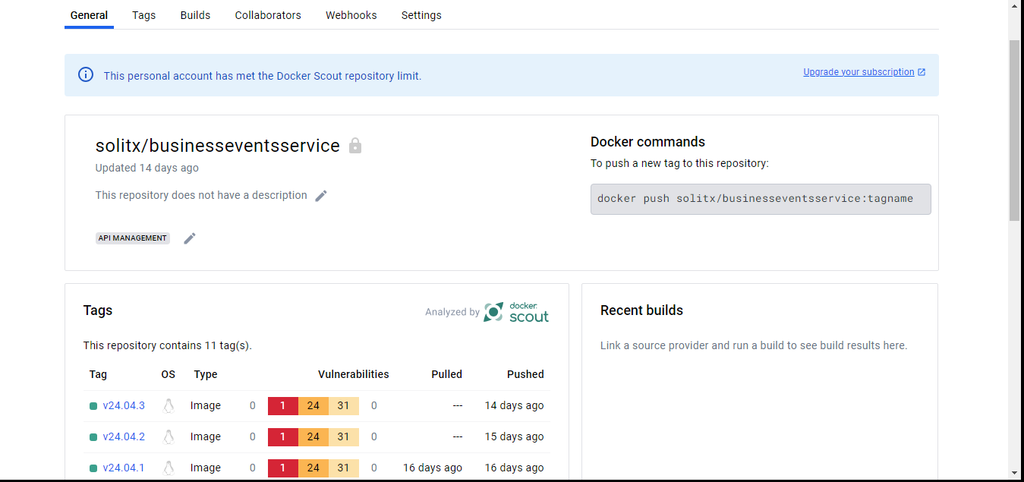
Docker Hub (Docker/containers) setup
Install docker on Jenkins machine
1. Installation using script
sudo wget https://raw.githubusercontent.com/lerndevops/labs/master/scripts/installDocker.sh -P /tmp
sudo chmod 755 /tmp/installDocker.sh
sudo bash /tmp/installDocker.sh
2. Manual installation steps
sudo apt-get update
sudo apt-get install -y apt-transport-https ca-certificates curl gnupg software-properties-common lsb-release
Add dockers official GPG key and stable repo
sudo mkdir -p /etc/apt/keyrings
curl -fsSL https://download.docker.com/linux/debian/gpg | sudo gpg --dearmor -o /etc/apt/keyrings/docker.gpg
echo "deb [arch=$(dpkg --print-architecture) signed-by=/etc/apt/keyrings/docker.gpg] https://download.docker.com/linux/debian  $(lsb_release -cs) stable" | sudo tee /etc/apt/sources.list.d/docker.list > /dev/null
Install docker latest
sudo apt-get update ; clear
sudo apt-get install -y docker-ce docker-ce-cli http://containerd.io  docker-compose-plugin
Test the installation by running a simple container
docker run hello-world
|
Docker integration with Jenkins
sudo usermod -aG docker jenkinsDockerfile
-
In the source code repository, create a docker file to create a docker image for every service respectively.
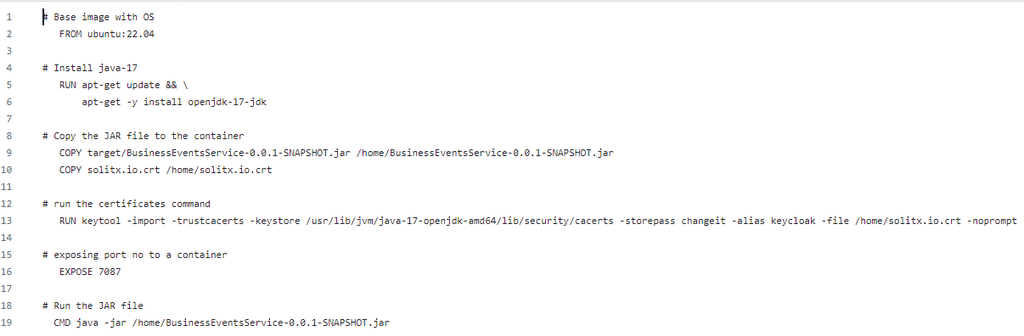
1. Commands to build docker file
-
While configuring the Jenkins build, the required commands to build the docker image is given in the execute shell of
Build Stepssection.
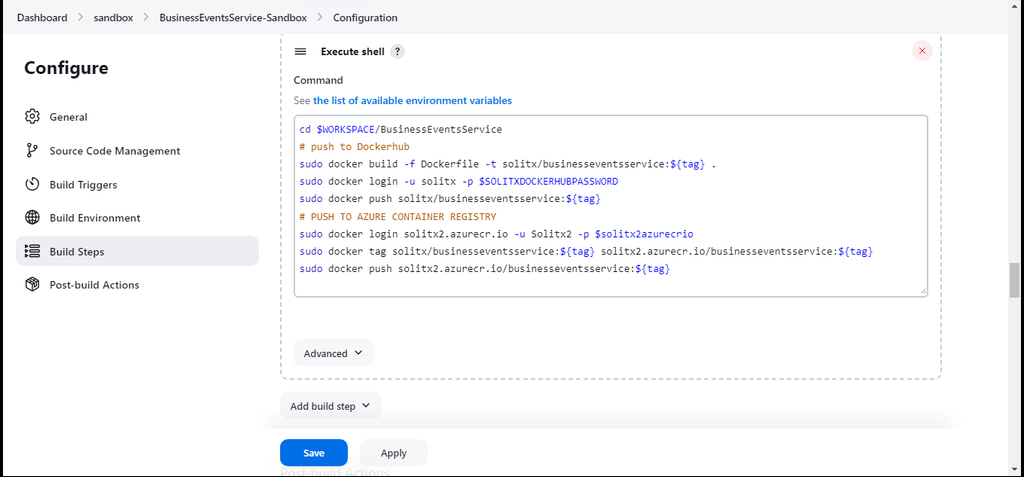
Dockerhub login
-
Login to dockerhub using Docker Hub login portal.
-
Select the required repository from the list to access the docker image.
-
A list of docker images with their versions can be found under
Tagssection which are integrated in the container apps.