Consul setup (Service discovery)
What is consul?
Consul is a multi-networking tool that offers a fully-featured service mesh solution. It solves the networking and security challenges of operating microservices and cloud infrastructure in multi-cloud and hybrid cloud environments.
Installation command
-
Create a VM with the previously given steps of creation of a VM and run the command with docker image of consul ( Example:
hashicorp/consul) in the VM.
sudo docker run -itd -p 8500:8500 -p 8600:8600/udp --name=consul hashicorp/consul agent -server -ui -node=server-1 -bootstrap-expect=1 -client=0.0.0.0Configuring consul in container apps
-
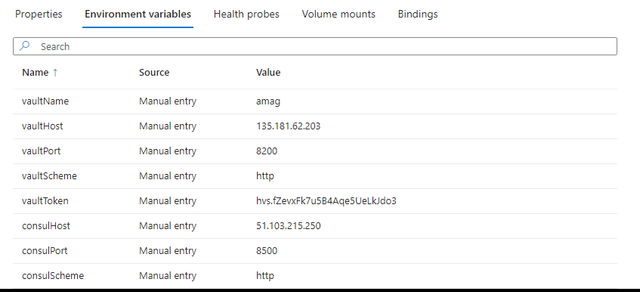
While creating the container apps for the services, add the consul in environment variables for each service individually as given in page Container apps creation.
-
After adding the consul in environment variables the configuration for it is completed.
Accessing consul
-
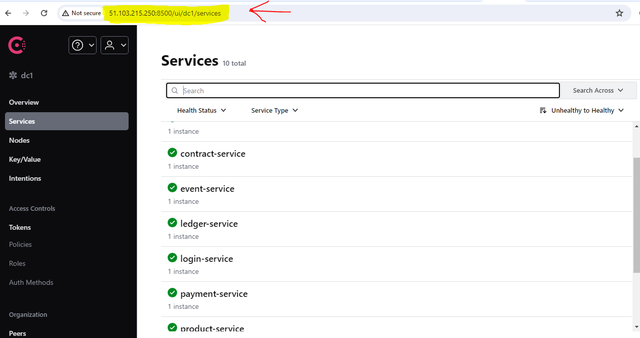
Access the consul using its host port number and host server IP address.
-
Go to consul URL Consul URL.
-
After entering the URL, the consul health status of the microservices can be seen in the
Servicestab.