Source code
Profiles
1. Introduction
Profiles represent clients and other counterparties, more generally. The profile endpoints allows adding new and managing existing profiles.
2. Tables and relations
Establishing relationships
-
In relational databases like PostgreSQL, relationships between tables are crucial for organizing and querying data effectively. These relationships are typically established using foreign key constraints, which define links between tables based on the values of specific columns. Common types of relationships include one-to-one, one-to-many, and many-to-many relationships, each serving different data modeling needs.
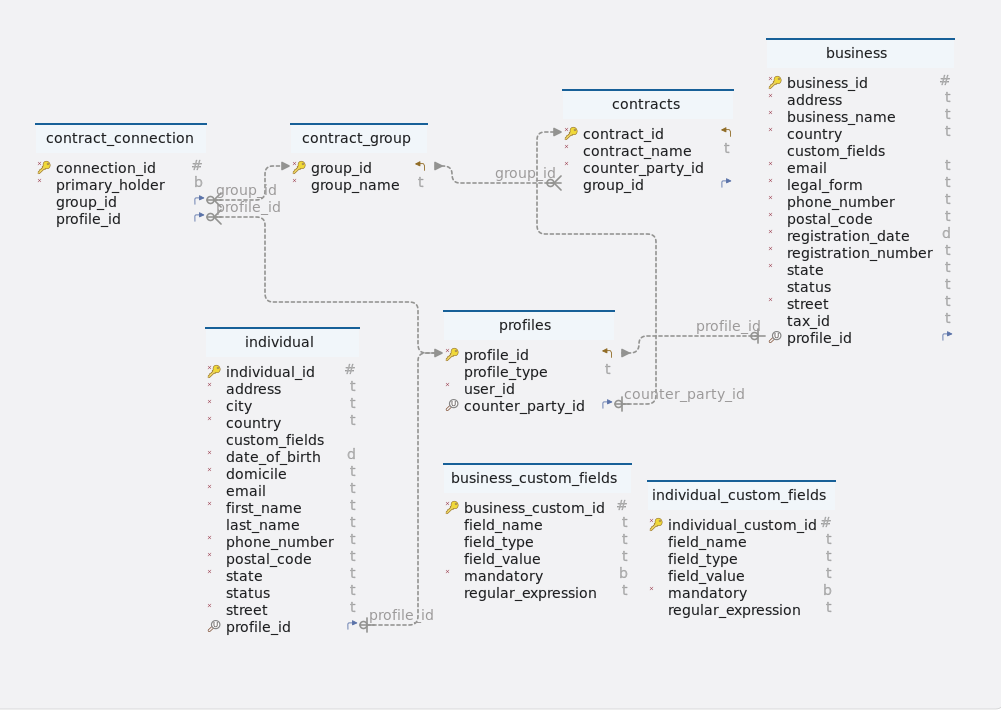
Tables
-
Schema
Profiles
-
Table business
Idx Name Data Type * 🔑
business_id
integer DEFAULT nextval(‘business_business_id_seq’::regclass)
*
address
varchar(255)
*
business_name
varchar(255)
*
country
varchar(255)
custom_fields
jsonb
*
email
varchar(255)
*
legal_form
varchar(255)
*
phone_number
varchar(255)
*
postal_code
varchar(255)
*
registration_date
timestamp
*
registration_number
varchar(255)
*
state
varchar(255)
status
varchar(255)
*
street
varchar(255)
tax_id
varchar(255)
🔍 ⬈
profile_id
uuid
-
Indexes
Type Name On 🔑
business_pkey
ON business_id
🔍
uk_pno0cbx95ucl5nld4nw9i3wg0
ON profile_id
-
Foreign Keys
Type Name On fkqv68n3mbf09eeg88vlkqc4swx
profile_id
-
Constraints
Name Definition business_status_check
status)::text = ANY ((ARRAY[‘ACTIVE’::character varying, ‘INACTIVE’::character varying, ‘PENDING’::character varying, ‘APPROVED’::character varying, ‘REJECTED’::character varying])::text[]
-
-
Table business_custom_fields
Idx Name Data Type * 🔑
business_custom_id
integer DEFAULT nextval(‘business_custom_fields_business_custom_id_seq’::regclass)
field_name
varchar(255)
field_type
varchar(255)
field_value
varchar(255)
*
mandatory
boolean
regular_expression
varchar(255)
-
Indexes
Type Name On 🔑
business_custom_fields_pkey
ON business_custom_id
-
-
contract_connection
Idx Name Data Type * 🔑
connection_id
integer DEFAULT nextval(‘contract_connection_connection_id_seq’::regclass)
*
primary_holder
boolean
⬈
group_id
integer
⬈
profile_id
uuid
-
Indexes
Type Name On 🔑
contract_connection_pkey
ON connection_id
-
Foreign Keys
Type Name On fks8b0imkaj1ot7ebwx4tffgn5f
group_id
fkpbnolbsv4g1q9p2dmmge5grsw
profile_id
-
-
Table contract_group
Idx Name Data Type * 🔑 ⬋
group_id
integer DEFAULT nextval(‘contract_group_group_id_seq’::regclass)
*
group_name
varchar(255)
-
Indexes
Type Name On 🔑
contract_group_pkey
ON group_id
-
-
Table contracts
Idx Name Data Type * 🔑 ⬋
contract_id
integer DEFAULT nextval(‘contracts_contract_id_seq’::regclass)
*
contract_name
varchar(255)
*
counter_party_id
uuid
⬈
group_id
integer
-
Indexes
Type Name On 🔑
contracts_pkey
ON contract_id
-
Foreign Keys
Type Name On fk6wub4im3ylite5ar3xvemuw2o
group_id
-
-
Table individual
Idx Name Data Type * 🔑
individual_id
integer DEFAULT nextval(‘individual_individual_id_seq’::regclass)
*
address
varchar(255)
*
city
varchar(255)
*
country
varchar(255)
custom_fields
jsonb
*
date_of_birth
timestamp
*
domicile
varchar(255)
*
email
varchar(255)
*
first_name
varchar(255)
last_name
varchar(255)
*
phone_number
varchar(255)
*
postal_code
varchar(255)
*
state
varchar(255)
status
varchar(255)
*
street
varchar(255)
🔍 ⬈
profile_id
uuid
-
Indexes
Type Name On 🔑
individual_pkey
ON individual_id
🔍
uk_g9an19hc1hpmahgnsjn0kyaxm
ON profile_id
-
Foreign Keys
Type Name On fkhb1bra4aifcmqw5qscsn36dyo
profile_id
-
Constraints
Name Definition individual_status_check
status)::text = ANY ((ARRAY[‘ACTIVE’::character varying, ‘INACTIVE’::character varying, ‘PENDING’::character varying, ‘APPROVED’::character varying, ‘REJECTED’::character varying])::text[]
-
-
Table individual_custom_fields
Idx Name Data Type * 🔑
individual_custom_id
integer DEFAULT nextval(‘individual_custom_fields_individual_custom_id_seq’::regclass)
field_name
varchar(255)
field_type
varchar(255)
field_value
varchar(255)
*
mandatory
boolean
regular_expression
varchar(255)
-
Indexes
Type Name On 🔑
individual_custom_fields_pkey
ON individual_custom_id
-
-
Table profiles
Idx Name Data Type * 🔑 ⬋
profile_id
uuid
profile_type
varchar(255)
*
user_id
uuid
🔍 ⬈
counter_party_id
integer
-
Indexes
Type Name On 🔑
profiles_pkey
ON profile_id
🔍
uk_gql6sdryia4gp1e4gnrtm0rf7
ON counter_party_id
-
Foreign Keys
Type Name On fkd30113jlnne0itil1v0iobx7k
counter_party_id
-
Constraints
Name Definition profiles_profile_type_check
profile_type)::text = ANY ((ARRAY[‘INDIVIDUAL’::character varying, ‘BUSINESS’::character varying])::text[]
-
4. ProfileController
4.1. Create individual profile
4.1.1. Sequential flow
create Individual Profile process:
-
The client sends a request to the ProfileController’s individualProfile endpoint to create an individual profile using the provided IndividualProfileCreationDTO.
-
The ProfileController activates and calls the createIndividualProfile method of the ProfileService to handle the creation of the individual profile.
-
Within the ProfileService, the createIndividualProfile method is invoked, initiating the creation process.
-
ProfileServiceWorker is activated to create profiles entity for the individual using the createProfiles method, which involves validating the profile type and user ID.
-
If the profile type is BUSINESS, the necessary business custom fields are validated using the validateBusinessCustomFieldValues method.
-
If the profile type is INDIVIDUAL, the mandatory individual custom fields are validated using the validateIndividualCustomFieldValues method.
-
The validateListFieldValue method is called to validate a field value against a list of stored values if the field type is LIST.
-
The validateRegularExpression method is called to validate a field value against a regular expression pattern if a regular expression is specified.
-
The email and phone number provided in the DTO are validated to ensure they are not already associated with existing individual profiles.
-
If all validations pass, an Individual entity is created from the DTO and saved to the database using the IndividualProfileRepository.
-
The Profiles entity corresponding to the individual is also saved to the database using the ProfileRepository.
-
Finally, a ResponseEntity with a success response containing the HTTP status code, a message indicating the individual profile creation success, and an empty data map is returned to the client.
-
If the provided profile type is neither BUSINESS nor INDIVIDUAL, an IllegalArgumentException is thrown with an error message indicating the invalid profile type.
4.1.2. Endpoint
Description
This endpoint allows users with the appropriate permissions to create individual profile based on the provided data.
URL
/profile/individual
Method
POST
Request body
The request body should contain a JSON object representing data for creating an individual profile. The structure of the object should adhere to the IndividualProfileCreationDTO format. Example request body
{
    "profileType": "INDIVIDUAL",
    "userId": "a6ef2b36-1b72-4fd9-a33e-af42c6c362b2",
    "firstName": "John wick",
    "lastName": "Martin",
    "dateOfBirth": "1967-02-03",
    "domicile": "India",
    "address": "secunderabad",
    "street": "EastMaredpally",
    "city": "Hyderabad",
    "state": "Telangana",
    "postalCode": "500029",
    "country": "India",
    "email": "john@gmail.com",
    "phoneNumber": "+9170898111",
    "customFields": {
        "customField1": "Value0",
        "customField2": "Value1",
        "industry": "Hospitality"
    },
    "status": "ACTIVE"
}
Responses
-
200 CREATED: Success. Returns a JSON response containing details of the created individual profile.
Example response body
{
    "status": 200,
    "message": "Individual profile created",
    "data": {}
}-
400 bad request: If the request body is not in the correct format or if there are validation errors.
-
401 unauthorized: If the user is not authenticated or lacks the necessary permissions to create individual profile.
-
5xx server error: If there is a server-side error while processing the request.
Example
{
    "status": 400,
    "message": "Invalid profile type. Must be 'Individual'"
}
4.1.3. Methods
Description
The createIndividualProfile method manages individual profile creation. It generates Profiles entity from provided data, instantiates Individual entity via createIndividualFromDTO, validates email and phone, then saves both entities to the database.
Parameters
-
individualProfileCreationDTO(IndividualProfileCreationDTO): An object representing the data for creating an individual profile.
Returns
-
Void: This method does not return any value. It handles the creation of individual profiles without producing a specific return object.
Example usage
       public void createIndividualProfile(IndividualProfileCreationDTO individualCreationDTO) {
		// Create profiles entity for the individual
		Profiles profiles = profileServiceWorker.createProfiles(
				ProfileType.valueOf(individualCreationDTO.getProfileType()), individualCreationDTO.getUserId());(1)
		// Create individual entity from DTO
		Individual individual = profileServiceWorker.createIndividualFromDTO(individualCreationDTO, profiles);(2)

		// Save profiles and individual entities to the database
		profileRepository.save(profiles);(3)
		individualProfileRepository.save(individual);(4)
}| 1 | The createProfiles method is called to generate profiles of the specified type and associate them with the user identified by individualCreationDTO.getUserId(). |
| 2 | The createIndividualFromDTO method is used to create an individual entity based on the data provided in individualCreationDTO, associating it with the generated profiles. |
| 3 | The profiles object, representing the generated profiles, is saved to the database using the profileRepository. |
| 4 | The individual object, representing the created individual entity, is saved to the database using the individualProfileRepository. |
Exceptions:
None explicitly thrown by these methods. However, exceptions may occur within the validation or updateCustomFields methods, which are handled internally.
4.1.4. Model classes
Description
The IndividualProfileCreationDTO class represents the data transfer object (DTO) used for creating individual profile in the system. It encapsulates the necessary attributes to create a individual profile.
-
profileType (String)
-
Description: Indicates the type of profile. -
Constraints: None. -
Example: "INDIVIDUAL".
-
-
userId (UUID)
-
Description: Represents the unique identifier of the user. -
JsonInclude:None. -
Example: "a6ef2b36-1b72-4fd9-a33e-af42c6c362b2".
-
-
firstName (String)
-
Description: Represents the first name of the individual. -
Constraints: None. -
Example: "John".
-
-
lastName (String)
-
Description: Represents the last name of the individual. -
Constraints: None. -
Example: "Doe".
-
-
dateOfBirth (Date)
-
Description: Represents the date of birth of the individual. -
Constraints: None. -
Example: "1985-10-15" (in ISO date format).
-
-
domicile (String)
-
Description: Represents the domicile of the individual. -
Constraints: None. -
Example: "New York".
-
-
address (String)
-
Description: Represents the address of the individual. -
Constraints: None. -
Example: "123 Main Street".
-
-
street (String)
-
Description: Represents the street name of the individual’s address. -
Constraints: None. -
Example: "Maple Avenue".
-
-
city (String)
-
Description: Represents the city name of the individual’s address. -
Constraints: None. -
Example: "New York City".
-
-
state (String)
-
Description: Represents the state name of the individual’s address. -
Constraints: None. -
Example: "California".
-
-
postalCode (String)
-
Description: Represents the postal code of the individual’s address. -
Constraints: None. -
Example: "12345".
-
-
country (String)
-
Description: Represents the country name of the individual’s address. -
Constraints: None. -
Example: "United States".
-
-
email (String)
-
Description: Represents the email address of the individual. -
Constraints: None. -
Example: "example@example.com".
-
-
phoneNumber (String)
-
Description: Represents the phone number of the individual. -
Constraints: None. -
Example: "+1234567890".
-
-
customFields (Map<String, Object>)
-
Description: Represents additional custom fields specific to the individual profile. -
Constraints: None. -
Example: {"customField1": "Value0", "customField2": "Value1", "industry": "Hospitality"}.
-
-
status (String)
-
Description: Represents the status of the individual profile. -
Constraints: None. -
Example: "ACTIVE".
-
-
Serialization and Deserialization
-
Lombok annotations (@AllArgsConstructor, @NoArgsConstructor,@Getter, @Setter) are used for serialization and deserialization, providing automatic generation of constructors, getters, setters methods.
-
4.1.5. Testing
Description
This test case verifies the functionality of the createIndividualFromDTO() method within the ProfileServiceWorker class.It aims to ensure that the method properly creates an individual profile from the provided DTO and parent profiles,and it checks whether the properties of the created individual profile match the expected values.
Example usage
  @Test
	void createIndividualProfile() throws JsonProcessingException {
	    // Arrange: Mock repository behaviors and validation
	    when(profileRepository.save(profiles)).thenReturn(profiles);
	    when(individualProfileRepository.save(individual)).thenReturn(individual);
	    when(validations.findIndividualCustomFields(Mockito.anyString())).thenReturn(individualCustomFields);

	    // Act: Call the createIndividualFromDTO method
	    Individual createIndividualFromDTO = profileServiceWorker.createIndividualFromDTO(individualProfileCreationDTO, profiles);

	    // Assert: Verify the properties of the created individual profile
	    assertEquals(individual.getFirstName(), createIndividualFromDTO.getFirstName());
	    assertEquals(individual.getDateOfBirth(), createIndividualFromDTO.getDateOfBirth());
}| 1 | createIndividualProfile
|
4.2. Get individual profile
4.2.1. Sequential flow
Get individual profile by profileId process
-
Client sends request to ProfileController: The client initiates the process by sending a request to the ProfileController to fetch an individual profile based on the provided profile ID.
-
ProfileController forwards request to ProfileService: Upon receiving the request, the ProfileController activates and forwards the request to the ProfileService.
-
ProfileService delegates to ProfileServiceImpl: The ProfileService activates and delegates the task of retrieving the individual profile to the ProfileServiceImpl.
-
ProfileServiceImpl calls ProfileServiceWorker: The ProfileServiceImpl activates and calls the getIndividualProfile method on the ProfileServiceWorker to fetch the individual profile.
-
ProfileServiceWorker interacts with Validations: The ProfileServiceWorker activates and interacts with the Validations component to validate and retrieve the profile data.
-
Validations interact with ProfileRepository: The Validations component activates and interacts with the ProfileRepository to fetch the profile data by profile ID.
-
ProfileRepository retrieves profile data: The ProfileRepository activates and retrieves the profile data based on the provided profile ID.
-
ProfileRepository returns profileData: If the profile data is found, it is returned to the Validations.
-
Validations forwards profiles to ProfileServiceWorker: If the profile data is present, it is forwarded to the ProfileServiceWorker.
-
ProfileServiceWorker interacts with IndividualProfileRepository: The ProfileServiceWorker activates and interacts with the IndividualProfileRepository to fetch individual profile data.
-
IndividualProfileRepository retrieves individual profile: The IndividualProfileRepository activates and retrieves the individual profile based on the provided profile data.
-
IndividualProfileRepository returns individual profile: The individual profile is returned to the ProfileServiceWorker.
-
ProfileServiceWorker prepares IndividualProfileCreationDTO: The ProfileServiceWorker activates and prepares an IndividualProfileCreationDTO object containing the individual profile data.
-
ProfileServiceImpl receives IndividualProfileCreationDTO: The ProfileServiceImpl receives the IndividualProfileCreationDTO object from the ProfileServiceWorker.
-
ProfileServiceImpl prepares response: The ProfileServiceImpl activates and prepares a response containing the individual profile data.
-
ProfileService sends response to ProfileController: The ProfileService sends the response containing the individual profile data back to the ProfileController.
-
ProfileController sends response to client: The ProfileController sends the response containing the individual profile data back to the client.
-
Exception handling: If the profile data is not found, an IllegalArgumentException is thrown and returned to the client with an appropriate error message.
4.2.2. Endpoint
Description
This endpoint facilitates the retrieval of an individual profile based on the provided profile ID.
URL
/profile/individual/{profileId}
Method
GET
Request Filter Parameters:
Parameters |
Type |
Required |
Description |
eventId |
UUID |
Yes |
The unique identifier of the individual profile to be fetched. |
Responses:
-
200 OK: Success. Returns a JSON response containing details of an individual profile.
Example Response body:
{
    "status": 200,
    "message": "success",
    "data": {
        "profileType": "INDIVIDUAL",
        "firstName": "John",
        "lastName": "Doe",
        "dateOfBirth": "1990-01-01T00:00:00.000+00:00",
        "domicile": "Domicile Value",
        "address": "Address Value",
        "street": "Street Value",
        "city": "City Value",
        "state": "State Value",
        "postalCode": "12345",
        "country": "Country Value",
        "email": "example@example.com",
        "phoneNumber": "1234567890",
        "customFields": {
            "industry": "Healthcare",
            "customField1": "Custom Field1 Value",
            "customField2": "Custom Field2 Value"
        },
        "status": "ACTIVE"
    }
}-
400 Bad Request: If the request body is not in the correct format or if there are validation errors.
-
401 Unauthorized: If the user is not authenticated or lacks the necessary permissions to fetch profile.
-
5xx Server Error: If there is a server-side error while processing the request.
Example:
{
    "status": 400,
    "message": "The request could not be understood by the server due to malformed syntax.",
}
4.2.3. Methods
Description
The getIndividualProfileById method coordinates the retrieval of an individual profile based on the provided profile ID. It delegates the retrieval process to the profileServiceWorker, which internally interacts with the necessary components to fetch the individual profile data.
Parameters
-
profileId(UUID): The unique identifier of the individual profile to be retrieved.
Returns
-
IndividualProfileCreationDTO: An object representing the retrieved individual profile data. It contains details such as the individual’s first name, last name, email.
Example usage
   public IndividualProfileCreationDTO getIndividualProfileById(UUID profileId) {
		// Retrieve the individual profile using the profileServiceWorker
		return profileServiceWorker.getIndividualProfile(profileId);(1)
}| 1 | The getIndividualProfile method is invoked to fetch the individual profile corresponding to the provided profileId. |
Exceptions:
None explicitly thrown by these methods. However, exceptions may occur within the validation methods, which are handled internally.
4.2.4. Testing
Description
This test case aims to ensure that the getIndividualProfileByprofileId() method retrieves the individual profile correctly and that the properties of the retrieved profile match the expected values.
Example usage
        @Test
	    void getIndividualProfileByprofileId() {
	    // Arrange: Mock validation and repository behaviors
	    when(validations.getProfile(profiles.getProfileId())).thenReturn(profiles);
	    when(individualProfileRepository.findByProfile(profiles)).thenReturn(individual);

	    // Act: Call the getIndividualProfile method
	    IndividualProfileCreationDTO individualProfile = profileServiceWorker.getIndividualProfile(profiles.getProfileId());

	    // Assert: Verify the properties of the retrieved individual profile DTO
	    assertEquals(individual.getFirstName(), individualProfile.getFirstName());
	    assertEquals(individual.getEmail(), individualProfile.getEmail());
}| 1 | getIndividualProfile
|
4.3. Create business profile
4.3.1. Sequential flow
create Business Profile process:
-
The client sends a request to the ProfileController’s businessProfile endpoint to create an business profile using the provided BusinessProfileCreationDTO.
-
The ProfileController activates and calls the createBusinessProfile method of the ProfileService to handle the creation of the business profile.
-
Within the ProfileService, the createBusinessProfile method is invoked, initiating the creation process.
-
ProfileServiceWorker is activated to create profiles entity for the business using the createProfiles method, which involves validating the profile type and user ID.
-
If the profile type is BUSINESS, the necessary business custom fields are validated using the validateBusinessCustomFieldValues method.
-
If the profile type is INDIVIDUAL, the mandatory individual custom fields are validated using the validateIndividualCustomFieldValues method.
-
The validateListFieldValue method is called to validate a field value against a list of stored values if the field type is LIST.
-
The validateRegularExpression method is called to validate a field value against a regular expression pattern if a regular expression is specified.
-
The email and phone number provided in the DTO are validated to ensure they are not already associated with existing business profiles.
-
If all validations pass, an Business entity is created from the DTO and saved to the database using the BusinessProfileRepository.
-
The Profiles entity corresponding to the business is also saved to the database using the ProfileRepository.
-
Finally, a ResponseEntity with a success response containing the HTTP status code, a message indicating the individual profile creation success, and an empty data map is returned to the client.
-
If the provided profile type is neither BUSINESS nor INDIVIDUAL, an IllegalArgumentException is thrown with an error message indicating the invalid profile type.
4.3.2. Endpoint
Description
This endpoint allows users with the appropriate permissions to create business profile based on the provided data.
URL
/profile/business
Method
POST
Request body
The request body should contain a JSON object representing data for creating an business profile. The structure of the object should adhere to the BusinessProfileCreationDTO format. Example request body
{
    "profileType": "BUSINESS",
    "userId": "3fa85f64-5717-4562-b3fc-2c963f66afa6",
    "businessName": "Finance",
    "registrationNumber": "AKJGB86",
    "registrationDate": "2024-03-15T04:31:22.573Z",
    "legalForm": "Formone",
    "taxId": "13284",
    "address": "Hyderabad",
    "street": "maredpally'",
    "city": "hyderabad",
    "state": "Telanagana",
    "postalCode": "509897",
    "country": "iraq",
    "email": "saihf@gmail.com",
    "phoneNumber": "+99456025165",
    "customFields": {
        "industry": "Technology",
        "customField1": "customfield",
        "customField2": "Customfield2"
    },
    "status": "INACTIVE"
}
Responses
-
200 CREATED: Success. Returns a JSON response containing details of the created business profile.
Example response body
{
    "status": 200,
    "message": "Business profile created",
    "data": {}
}-
400 bad request: If the request body is not in the correct format or if there are validation errors.
-
401 unauthorized: If the user is not authenticated or lacks the necessary permissions to create business profile.
-
5xx server error: If there is a server-side error while processing the request.
Example
{
    "status": 400,
    "message": "Invalid profile type. Must be 'Business'"
}
4.3.3. Methods
Description
The createBusinessProfile method manages business profile creation. It generates Profiles entity from provided data, instantiates Business entity via createBusinessFromDTO, validates email and phone, then saves both entities to the database.
Parameters
-
businessCreationDTO(BusinessProfileCreationDTO): An object representing the data for creating an business profile.
Returns
-
Void: This method does not return any value. It handles the creation of business profiles without producing a specific return object.
Example usage
   public void createBusinessProfile(BusinessProfileCreationDTO businessCreationDTO) {
		// Create profiles entity for the business
		Profiles profiles = profileServiceWorker.createProfiles(
				ProfileType.valueOf(businessCreationDTO.getProfileType()), businessCreationDTO.getUserId());(1)

		// Create business entity from DTO
		Business business = profileServiceWorker.createBusinessFromDTO(businessCreationDTO, profiles);(2)

		// Save profiles and business entities to the database
		profileRepository.save(profiles);(3)
		businessProfileRepository.save(business);(4)
}| 1 | The createProfiles method is called to generate profiles of the specified type and associate them with the user identified by businessCreationDTO.getUserId(). |
| 2 | The createBusinessFromDTO method is utilized to create a business entity based on the data provided in businessCreationDTO, associating it with the generated profiles. |
| 3 | The profiles object, representing the generated profiles, is saved to the database using the profileRepository. |
| 4 | The business object, representing the created business entity, is saved to the database using the businessProfileRepository. |
Exceptions:
None explicitly thrown by these methods. However, exceptions may occur within the validation or updateCustomFields methods, which are handled internally.
4.3.4. Model classes
Description
The BusinessProfileCreationDTO class represents the data transfer object (DTO) used for creating business profile in the system. It encapsulates the necessary attributes to create a business profile.
-
profileType (String)
-
Description: Indicates the type of profile. -
Constraints: None. -
Example: "BUSINESS".
-
-
userId (UUID)
-
Description: Represents the unique identifier of the user. -
JsonInclude:None. -
Example: "a6ef2b36-1b72-4fd9-a33e-af42c6c362b2".
-
-
businessName (String)
-
Description: Represents the business name of the business. -
Constraints: None. -
Example: "Finance".
-
-
registrationNumber (String)
-
Description: Represents the registration Number of the business. -
Constraints: None. -
Example: "T128782".
-
-
registrationDate (Date)
-
Description: Represents the registration Date of the business. -
Constraints: None. -
Example: "1985-10-15" (in ISO date format).
-
-
legalForm (String)
-
Description: Represents the legal form of the business. -
Constraints: None. -
Example: "Form-A".
-
-
taxId (String)
-
Description: Represents the tax id of the business. -
Constraints: None. -
Example: "F189DfW".
-
-
address (String)
-
Description: Represents the address of the business. -
Constraints: None. -
Example: "123 Main Street".
-
-
street (String)
-
Description: Represents the street name of the business’s address. -
Constraints: None. -
Example: "Maple Avenue".
-
-
city (String)
-
Description: Represents the city name of the business’s address. -
Constraints: None. -
Example: "New York City".
-
-
state (String)
-
Description: Represents the state name of the business’s address. -
Constraints: None. -
Example: "California".
-
-
postalCode (String)
-
Description: Represents the postal code of the business’s address. -
Constraints: None. -
Example: "12345".
-
-
country (String)
-
Description: Represents the country name of the business’s address. -
Constraints: None. -
Example: "United States".
-
-
email (String)
-
Description: Represents the email address of the business. -
Constraints: None. -
Example: "example@example.com".
-
-
phoneNumber (String)
-
Description: Represents the phone number of the business. -
Constraints: None. -
Example: "+1234567890".
-
-
customFields (Map<String, Object>)
-
Description: Represents additional custom fields specific to the business profile. -
Constraints: None. -
Example: {"customField1": "Value0", "customField2": "Value1", "industry": "Hospitality"}.
-
-
status (String)
-
Description: Represents the status of the business profile. -
Constraints: None. -
Example: "ACTIVE".
-
-
Serialization and Deserialization:
-
Lombok annotations (@AllArgsConstructor, @NoArgsConstructor,@Getter, @Setter) are used for serialization and deserialization, providing automatic generation of constructors, getters, setters methods.
-
4.3.5. Testing
Description
This test case verifies the functionality of the createBusinessFromDTO() method within the ProfileServiceWorker class.It aims to ensure that the method properly creates an business profile from the provided DTO and parent profiles,and it checks whether the properties of the created business profile match the expected values.
Example usage
    @Test
	void createBusinessProfile() {
	    // Arrange: Mock repository behaviors and validation
	    when(profileRepository.save(profiles)).thenReturn(profiles);
	    when(businessProfileRepository.save(business)).thenReturn(business);
	    when(validations.findBusinessCustomFields(Mockito.anyString())).thenReturn(businessCustomFields);

	    // Act: Call the createBusinessFromDTO method
	    Business createBusinessFromDTO = profileServiceWorker.createBusinessFromDTO(businessProfileCreationDTO, profiles);

	    // Assert: Verify the properties of the created business profile
	    assertEquals(business.getBusinessName(), createBusinessFromDTO.getBusinessName());
	    assertEquals(business.getRegistrationNumber(), createBusinessFromDTO.getRegistrationNumber());
}| 1 | createBusinessProfile
|
4.4. Get business profile
4.4.1. Sequential flow
get Business Profile By Profile Id process:
-
Client sends request to ProfileController The client initiates the process by sending a request to the ProfileController to fetch a business profile based on the provided profile ID.
-
ProfileController forwards request to ProfileService Upon receiving the request, the ProfileController activates and forwards the request to the ProfileService.
-
ProfileService delegates to ProfileServiceImpl The ProfileService activates and delegates the task of retrieving the business profile to the ProfileServiceImpl.
-
ProfileServiceImpl calls ProfileServiceWorker The ProfileServiceImpl activates and calls the getBusinessProfile method on the ProfileServiceWorker to fetch the business profile.
-
ProfileServiceWorker interacts with Validations The ProfileServiceWorker activates and interacts with the Validations component to validate and retrieve the profile data.
-
Validations interact with ProfileRepository The Validations component activates and interacts with the ProfileRepository to fetch the profile data by profile ID.
-
ProfileRepository retrieves profile data The ProfileRepository activates and retrieves the profile data based on the provided profile ID.
-
ProfileRepository returns profileData If the profile data is found, it is returned to the Validations.
-
Validations forwards profiles to ProfileServiceWorker If the profile data is present, it is forwarded to the ProfileServiceWorker.
-
ProfileServiceWorker interacts with BusinessProfileRepository The ProfileServiceWorker activates and interacts with the BusinessProfileRepository to fetch business profile data.
-
BusinessProfileRepository retrieves business profile The BusinessProfileRepository activates and retrieves the business profile based on the provided profile data.
-
BusinessProfileRepository returns business profile The business profile is returned to the ProfileServiceWorker.
-
ProfileServiceWorker prepares BusinessProfileCreationDTO The ProfileServiceWorker activates and prepares a BusinessProfileCreationDTO object containing the business profile data.
-
ProfileServiceImpl receives BusinessProfileCreationDTO The ProfileServiceImpl receives the BusinessProfileCreationDTO object from the ProfileServiceWorker.
-
ProfileServiceImpl prepares response The ProfileServiceImpl activates and prepares a response containing the business profile data.
-
ProfileService sends response to ProfileController The ProfileService sends the response containing the business profile data back to the ProfileController.
-
ProfileController sends response to client The ProfileController sends the response containing the business profile data back to the client.
-
Exception handling If the profile data is not found, an IllegalArgumentException is thrown and returned to the client with an appropriate error message.
4.4.2. Endpoint
Description
This endpoint facilitates the retrieval of an business profile based on the provided profile ID.
URL
/profile/business/{profileId}
Method
GET
Request Filter Parameters:
Parameters |
Type |
Required |
Description |
eventId |
UUID |
Yes |
The unique identifier of the business profile to be fetched. |
Responses:
-
200 OK: Success. Returns a JSON response containing details of an business profile.
Example Response body:
{
    "status": 200,
    "message": "success",
    "data": {
        "profileType": "BUSINESS",
        "businessName": "Finance",
        "registrationNumber": "AKJGB86",
        "registrationDate": "2024-03-15T04:31:22.573+00:00",
        "legalForm": "Formone",
        "taxId": "13284",
        "address": "Hyderabad",
        "street": "maredpally'",
        "city": "secunderabad",
        "state": "Telanagana",
        "postalCode": "509897",
        "country": "iraq",
        "email": "saih@gmail.com",
        "phoneNumber": "+9946025165",
        "customFields": {
            "industry": "Technology",
            "customField1": "customfield",
            "customField2": "Customfield2"
        },
        "status": "INACTIVE"
    }
}-
400 Bad Request: If the request body is not in the correct format or if there are validation errors.
-
401 Unauthorized: If the user is not authenticated or lacks the necessary permissions to fetch profile.
-
5xx Server Error: If there is a server-side error while processing the request.
Example:
{
    "status": 400,
    "message": "The request could not be understood by the server due to malformed syntax.",
}
4.4.3. Methods
Description
The getBusinessProfileById method coordinates the retrieval of an business profile based on the provided profile ID. It delegates the retrieval process to the profileServiceWorker, which internally interacts with the necessary components to fetch the business profile data.
Parameters
-
profileId(UUID): The unique identifier of the business profile to be retrieved.
Returns
-
BusinessProfileCreationDTO: An object representing the retrieved business profile data. It contains details such as the business’s first name, last name, email.
Example usage
	public BusinessProfileCreationDTO getBusinessProfileById(UUID profileId) {
		// Retrieve the business profile using the profileServiceWorker
		return profileServiceWorker.getBusinessProfile(profileId);(1)
}| 1 | The getBusinessProfile method is called to retrieve the business profile associated with the specified profileId. |
Exceptions:
None explicitly thrown by these methods. However, exceptions may occur within the validation methods, which are handled internally.
4.4.4. Testing
Description
This test case aims to ensure that the getBusinessProfileByprofileId() method retrieves the business profile correctly and that the properties of the retrieved profile match the expected values.
Example usage
           @Test
	     void getBusinessProfileByprofileId() {
	    // Arrange: Mock validation and repository behaviors
	    when(validations.getProfile(profiles.getProfileId())).thenReturn(profiles);
	    when(businessProfileRepository.findByProfile(profiles)).thenReturn(business);

	    // Act: Call the getBusinessProfile method
	    BusinessProfileCreationDTO businessProfile = profileServiceWorker.getBusinessProfile(profiles.getProfileId());

	    // Assert: Verify the properties of the retrieved business profile DTO
	    assertEquals(business.getEmail(), businessProfile.getEmail());
	    assertEquals(business.getRegistrationDate(), businessProfile.getRegistrationDate());
}| 1 | getBusinessProfile
|
4.5. Create business contract
4.5.1. Sequential flow
create Business Contract process:
-
Client initiates contract creation The process begins when the client sends a request to the ProfileController to create a business contract group, providing the necessary data in the form of a BusinessContractCreationDTO.
-
ProfileController forwards the request Upon receiving the request, the ProfileController activates and forwards the request to the ContractGroupService to create the contract group.
-
ContractGroupService delegates to ContractGroupServiceImpl The ContractGroupService activates and delegates the task of creating the contract group to the ContractGroupServiceImpl.
-
ContractGroupServiceImpl saves the contract group The ContractGroupServiceImpl activates and calls the saveContractGroup method on the ContractServiceWorker to save the contract group entity to the database.
-
Saving contract group The ContractServiceWorker interacts with the ContractGroupRepository to save the contract group entity.
-
Primary profile connection After saving the contract group, the ContractGroupServiceImpl activates and calls the savePrimaryProfileConnection method on the ContractServiceWorker to establish a connection between the primary profile and the contract group.
-
Retrieving primary profile The ContractServiceWorker interacts with Validations to retrieve the primary profile from the database.
-
Saving primary profile connection The ContractServiceWorker saves the contract primary connection entity to the ContractConnectionRepository.
-
Secondary profile connections Following the primary profile connection, the ContractGroupServiceImpl activates and calls the saveSecondaryProfileConnections method on the ContractServiceWorker to establish connections with secondary profiles.
-
Loop through secondary profiles The ContractServiceWorker iterates through each secondary profile ID provided in the BusinessContractCreationDTO.
-
Retrieving secondary profile For each secondary profile ID, the ContractServiceWorker interacts with Validations to retrieve the corresponding profile from the database.
-
Saving secondary profile connection The ContractServiceWorker saves the contract secondary connection entities to the ContractConnectionRepository.
-
Response generation After completing the contract creation process, the ProfileController generates a response entity with a success message indicating the creation of the contract group.
-
Sending response to client The ProfileController sends the response entity back to the client.
-
Exception handling If profile data is not found for either the primary or secondary profiles, an IllegalArgumentException is thrown and returned to the client with an appropriate error message.
4.5.2. Endpoint
Description
This endpoint allows users with the appropriate permissions to create business contract based on the provided data.
URL
/group
Method
POST
Request body
The request body should contain a JSON object representing data for creating an business contract. The structure of the object should adhere to the BusinessContractCreationDTO format. Example request body
{
  "groupName": "contractGroup",
  "primaryProfile": "129638e7-4f23-454e-9791-4ae4d579a677",
  "secondaryProfiles": [
    "129638e7-4f23-454e-9791-4ae4d579a677"
  ]
}
Responses
-
200 CREATED: Success. Returns a JSON response containing details of the created business contract.
Example response body
{
    "status": 200,
    "message": "Contract group created",
    "data": {}
}-
400 bad request: If the request body is not in the correct format or if there are validation errors.
-
401 unauthorized: If the user is not authenticated or lacks the necessary permissions to create business contract.
-
5xx server error: If there is a server-side error while processing the request.
Example
{
    "status": 400,
    "message": "The request could not be understood by the server due to malformed syntax.",
}
4.5.3. Methods
Description
The createBusinessContract method manages business profile creation. It generates Profiles entity from provided data, instantiates Business entity via createBusinessFromDTO, validates email and phone, then saves both entities to the database.
Parameters
-
businessContractCreationDTO(BusinessContractCreationDTO): An object representing the data for creating an business contract.
Returns
-
Void: This method does not return any value. It handles the creation of business contract without producing a specific return object.
Example usage
      public void createContractGroup(BusinessContractCreationDTO businessContractCreationDTO) {
		ContractGroup savedContractGroup = contractServiceWorker.saveContractGroup(businessContractCreationDTO);(1)
		contractServiceWorker.savePrimaryProfileConnection(businessContractCreationDTO, savedContractGroup);(2)
		contractServiceWorker.saveSecondaryProfileConnections(businessContractCreationDTO, savedContractGroup);(3)
}| 1 | The saveContractGroup method is invoked to save a contract group entity using the data provided in the businessContractCreationDTO. |
| 2 | The savePrimaryProfileConnection method is called to establish the primary profile connection for the saved contract group using the data from businessContractCreationDTO. |
| 3 | The saveSecondaryProfileConnections method is invoked to establish secondary profile connections for the saved contract group using data from businessContractCreationDTO. |
Exceptions:
None explicitly thrown by these methods. However, exceptions may occur within the validation methods, which are handled internally.
4.5.4. Model classes
Description
The BusinessContractCreationDTO class represents the data transfer object (DTO) used for creating business contract in the system. It encapsulates the necessary attributes to create a business contract.
-
groupName (String)
-
Description: Indicates the name of the contract group.. -
Constraints: None. -
Example: "Contract Group A".
-
-
primaryProfile (UUID)
-
Description: Represents the unique identifier of the primary profile associated with the contract. -
JsonInclude:None. -
Example: "a6ef2b36-1b72-4fd9-a33e-af42c6c362b2".
-
-
secondaryProfiles (List<UUID>)
-
Description: Represents a list of unique identifiers of secondary profiles associated with the contract. -
Constraints: None. -
Example: ["b8e1c5a2-7f43-4e6c-a9f8-25e1ff481f9d", "f9e2d3b1-5c78-4d3a-b6e9-12c4fe89d2a7"].
-
-
Serialization and Deserialization:
-
Lombok annotations (@AllArgsConstructor, @NoArgsConstructor,@Getter, @Setter) are used for serialization and deserialization, providing automatic generation of constructors, getters, setters methods.
-
4.5.5. Testing
Description
This test case verifies the functionality of the saveContractGroup() method within the ContractServiceWorker class.It aims to ensure that the method properly creates an business contract from the provided DTO and parent profiles,and it checks whether the properties of the created business contract match the expected values.
Example usage
   @Test
	void createBusinessContract() {
	    // Mock the behavior of the contract group repository to return the mock contract group
		when(contractGroupRepository.save(Mockito.any())).thenReturn(contractGroup);
	    // Call the method under test to save the contract group
		ContractGroup saveContractGroup = contractServiceWorker.saveContractGroup(businessContractCreationDTO);
	    // Verify that the saved contract group's ID matches the expected value
		assertEquals(contractGroup.getGroupId(), saveContractGroup.getGroupId());
	    // Verify that the saved contract group's name matches the expected value
		assertEquals(contractGroup.getGroupName(), saveContractGroup.getGroupName());

}| 1 | createBusinessContract
|
4.6. Link profiles to a contract group
4.6.1. Sequential flow
Link profiles to a contract group process
-
The client initiates the process by requesting to link a profile to a contract group, providing the group ID and profile details.
-
Upon receiving the request, the ContractServiceWorker is activated to handle the linking process.
-
The ContractServiceWorker interacts with the Validations component to validate the provided group ID and retrieve the contract group data.
-
If the contract group data is found, the process continues to link the profile.
-
The ContractServiceWorker verifies the existence of the secondary profile to be linked.
-
If the secondary profile data exists, the ContractServiceWorker proceeds with creating a contract connection.
-
The ContractServiceWorker creates a contract connection between the contract group and the secondary profile.
-
After successfully linking the profile, a response is prepared.
-
If either the contract group data or the secondary profile data is not found, an IllegalArgumentException is thrown and communicated back to the client.
4.6.2. Endpoint
Description
This endpoint allows users to link profiles to a contract group.
URL
/group/{groupId}/linkProfile
Method
PUT
Path parameters
groupId: The ID of the contract group to which the profiles will be linked.
Request body
LinkProfileActionDTO: The DTO containing information for linking profiles to the contract group. It includes a list of profile IDs (LinkProfileActionDTO) to be linked.
Responses
-
200 OK: Returns a ResponseEntity with status 200 and a message indicating the success of the operation.
Example response body
{
    "status": 200,
    "message": "Profile successfully linked to contract group",
    "data": {}
}-
400 Bad Request: If the specified group data not found not exist.
{
    "status": 400,
    "message": "Group data not found for group ID:52"
}-
401 Unauthorized: If the user is not authenticated or lacks the necessary permissions to link profiles from a contract group.
-
5xx Server Error: If there is a server-side error while processing the request.
4.6.3. Methods
Description
This method links profiles to a contract group by saving contract connections for the provided profiles.
Parameters
groupId: The ID of the contract group to which the profiles will be linked.
linkProfileDTO: The DTO containing information for linking profiles to the contract group.
Example Usage
   public void linkProfileToContractGroup(Integer groupId, LinkProfileActionDTO linkProfileDTO) {
		// Retrieve the contract group based on the provided group ID
		ContractGroup contractGroup = validations.getContractGroup(groupId); (1)
		// Create a DTO for business contract creation with linked profiles
		BusinessContractCreationDTO businessContractCreationDTO = new BusinessContractCreationDTO(
				linkProfileDTO.getLinkProfiles()); (2)
		// Save connections of secondary profiles to the contract group
		this.saveSecondaryProfileConnections(businessContractCreationDTO, contractGroup); (3)
}| 1 | Retrieve the contract group based on the provided group ID. |
| 2 | Create a DTO for business contract creation with linked profiles. |
| 3 | Save connections of secondary profiles to the contract group using the saveSecondaryProfileConnections method. |
Exceptions
IllegalArgumentException: If the contract group with the specified group ID is not found, or if the profile with the specified profile ID is not found.
4.6.4. Model classes
Description
The LinkProfileActionDTO class represents a Data Transfer Object (DTO) containing a list of UUIDs representing profiles to be linked.
-
linkProfiles (List<UUID>)
-
Description: A list of UUIDs representing profiles to be linked. -
Constraints: None -
Example: ["39b22817-a37f-49b9-adbc-e27971afa39c", "c1d8c18a-32a2-4a31-96ec-f4d4f2873a4f"]
-
-
Default constructor.
-
Parameterized constructor with all attributes.
-
The class uses Lombok annotations @Getter, @Setter, @NoArgsConstructor, @AllArgsConstructor, and @ToString for serialization and deserialization. These annotations generate getter and setter methods, default and parameterized constructors, and a toString method for the class.
4.6.5. Testing
Description
This test case verifies the functionality of linking a profile to a contract group within the ContractServiceWorker class.
Example usage
	/**
	 * Test case to verify linking a profile to a contract group.
	 */
	@Test
	void linkProfileToContractGroup() {
	    // Mock the behavior of the contract connection repository to return the mock contract connection
		when(contractConnectionRepository.save(contractConnection)).thenReturn(contractConnection);
	    // Call the method under test to link the profile to the contract group
		contractServiceWorker.linkProfileToContractGroup(contractGroup.getGroupId(), linkProfileActionDTO);
	    // Verify that the contract group's ID matches the expected value
		assertEquals(1, contractGroup.getGroupId());
	    // Verify that the contract group's name matches the expected value
		assertEquals("BusinessGroup", contractGroup.getGroupName());
	}
linkProfileToContractGroup
-
Purpose : The purpose of this test case is to ensure that the linkProfileToContractGroup method correctly links a profile to the specified contract group.
-
Test steps
-
Mock the behavior of the contract connection repository to return the mock contract connection.
-
Invoke the linkProfileToContractGroup method with the contract group’s ID and the linkProfileActionDTO.
-
-
Assertions
-
Assert that the contract group’s ID matches the expected value.
-
Assert that the contract group’s name matches the expected value.
-
4.7. Unlink profiles from a contract group
4.7.1. Sequential flow
Unlink profiles from a contract group process
-
Client initiates unlinking profiles from a contract group by providing group ID and profile ID(s).
-
ProfileController activates upon receiving the unlinking request.
-
Controller communicates with ContractGroupService to execute the unlinking process.
-
ContractGroupServiceImpl, the service implementation, handles the unlinking request.
-
Within ContractGroupServiceImpl, ContractServiceWorker manages operations for unlinking profiles.
-
ContractServiceWorker validates group ID, retrieves contract group data, and proceeds to unlink profiles, checking and deleting associated contract connections for each provided profile ID. If any profile data is missing, an IllegalArgumentException is thrown and communicated back to the client. Upon successful unlinking, a response entity is prepared and sent back to the client by ProfileController as a ResponseEntity.
4.7.2. Endpoint
Description
This endpoint is used to detach specified profiles from a contract group, enabling users to manage the associations between profiles and contract groups.
URL
/group/{groupId}/unlinkProfile
Method
PUT
Request body
LinkProfileActionDTO: The DTO containing information for unlinking profiles from the contract group. It includes a list of profile IDs (LinkProfileActionDTO) to be unlinked.
Responses
-
200 OK: Returns a ResponseEntity with status 200 and a message indicating the success of the operation.
Example response body
 {
  "status": 200,
  "message": "Profile successfully unlinked from contract group",
  "data": {}
}-
400 Bad Request: If the specified group data not found not exist.
{
    "status": 400,
    "message": "Group data not found for group ID:52"
}-
401 Unauthorized: If the user is not authenticated or lacks the necessary permissions to unlink profiles from a contract group.
-
5xx Server Error: If there is a server-side error while processing the request.
4.7.3. Methods
Description
This method unlinks profiles from a contract group by deleting the contract connections associated with the specified profiles.
Parameters
groupId: The ID of the contract group from which the profiles will be unlinked.
linkProfileDTO: The DTO containing information for unlinking profiles from the contract group.
Example Usage
   public void unlinkProfileToContractGroup(Integer groupId, LinkProfileActionDTO linkProfileDTO) {
		// Retrieve the contract group based on the provided group ID to ensure it
		// exists
		validations.getContractGroup(groupId); (1)

		// Retrieve the list of profiles to unlink from the DTO
		List<UUID> unlinkProfiles = linkProfileDTO.getLinkProfiles(); (2)

		// Loop through each profile ID to unlink
		for (UUID unlinkProfileId : unlinkProfiles) { (3)
			// Ensure the profile exists
			validations.getProfile(unlinkProfileId);

			// Delete the contract connections associated with the profile
			contractConnectionRepository.deleteByProfileId(unlinkProfileId);
		}
}| 1 | Retrieve the contract group based on the provided group ID to ensure it exists. |
| 2 | Retrieve the list of profiles to unlink from the DTO. |
| 3 | Loop through each profile ID to unlink:
|
Exceptions
IllegalArgumentException: If the contract group with the specified group ID is not found, or if the profile with the specified profile ID is not found.
4.7.4. Model classes
Description
The LinkProfileActionDTO class represents a Data Transfer Object (DTO) containing a list of UUIDs representing profiles to be linked.
-
linkProfiles (List<UUID>)
-
Description: A list of UUIDs representing profiles to be linked. -
Constraints: None -
Example: ["39b22817-a37f-49b9-adbc-e27971afa39c", "c1d8c18a-32a2-4a31-96ec-f4d4f2873a4f"]
-
-
Default constructor.
-
Parameterized constructor with all attributes.
-
The class uses Lombok annotations @Getter, @Setter, @NoArgsConstructor, @AllArgsConstructor, and @ToString for serialization and deserialization. These annotations generate getter and setter methods, default and parameterized constructors, and a toString method for the class.
4.7.5. Testing
Description
This test case verifies the functionality of unlinking a profile from a contract group within the ContractServiceWorker class.
Example usage
	/**
	 * Test case to verify unlinking a profile from a contract group.
	 */
	@Test
	void unlinkProfileFromContractGroup() {
		// Call the method under test to unlink the profile from the contract group
		contractServiceWorker.unlinkProfileToContractGroup(contractGroup.getGroupId(), linkProfileActionDTO);
		// Verify that the contract group's ID matches the expected value
		assertEquals(1, contractGroup.getGroupId());
		// Verify that the contract group's name matches the expected value
		assertEquals("BusinessGroup", contractGroup.getGroupName());

	}
setPrimaryProfile
-
Purpose : The purpose of this test case is to ensure that the unlinkProfileFromContractGroup method correctly unlinks a profile from the specified contract group.
-
Test steps
-
Invoke the unlinkProfileToContractGroup method with the contract group’s ID and the linkProfileActionDTO.
-
-
Assertions
-
Assert that the contract group’s ID matches the expected value.
-
Assert that the contract group’s name matches the expected value.
-
4.8. Set primary profile for a contract group
4.8.1. Sequential flow
Set primary profile for a contract group process
-
The client initiates the process by requesting to set a primary profile for a contract group, providing the group ID and the primary profile data.
-
Upon receiving the request, the ProfileController is activated to handle it.
-
The ProfileController communicates with the ContractGroupService to set the primary profile for the contract group.
-
The ContractGroupServiceImpl, the implementation of the service, further processes the request.
-
Within the ContractGroupServiceImpl, the ContractServiceWorker performs operations related to setting the primary profile.
-
The ContractServiceWorker validates the provided group ID and retrieves the contract group data.
-
If the contract group data is found, the process continues to set the primary profile.
-
If the profile data for the primary profile is found, the ContractServiceWorker updates the primary holder status and sets the secondary profiles accordingly.
-
The ContractServiceWorker updates the primary holder status for all contract connections associated with the contract group.
-
After successfully setting the primary profile, a response entity is prepared.
-
Finally, the ProfileController sends the response back to the client in the form of a ResponseEntity.
4.8.2. Endpoint
Description
This endpoint allows users to designate a primary profile for a contract group via a PUT request, with the contract group’s ID and necessary data in a SetPrimaryProfileDTO, which is then handled by ContractGroupService utilizing ContractServiceWorker for execution.
URL
/group/{groupId}/setPrimaryProfile
Method
PUT
Request body
The request body should contain a JSON object representing the SetPrimaryProfileDTO, specifying the primary profile’s UUID.
Responses
-
200 OK: Returns a ResponseEntity with status 200 and a message indicating the success of the operation.
Example response body
{
  "status": 200,
  "message": "Primary profile set successfully.",
  "data": "dbe7a243-196d-45f8-bb6e-317f28fcf227"
}-
400 Bad Request: If the specified group data not found not exist.
{
    "status": 400,
    "message": "Group data not found for group ID:52"
}-
401 Unauthorized: If the user is not authenticated or lacks the necessary permissions to create contracts.
-
5xx Server Error: If there is a server-side error while processing the request.
4.8.3. Methods
Description
This method sets a primary profile for a contract group based on the provided group ID and primary profile ID.
Parameters
groupId: The ID of the contract group for which the primary profile will be set.
setPrimaryProfileDTO: The DTO containing information for setting a primary profile for the contract group.
Example Usage
@Transactional
	public void setprimaryProfile(Integer groupId, SetPrimaryProfileDTO setPrimaryProfileDTO) {
		// Retrieve the contract group based on the provided group ID to ensure it
		// exists
		ContractGroup contractGroup = validations.getContractGroup(groupId); (1)

		// Ensure the primary profile exists
		validations.getProfile(setPrimaryProfileDTO.getPrimaryProfileId()); (2)

		// Set the secondary profile for the contract group
		this.setSecondaryProfile(contractGroup); (3)

		// Update the primary holder status of the primary profile
		contractConnectionRepository.updatePrimaryHolderStatusByProfileId(setPrimaryProfileDTO.getPrimaryProfileId(),
				true); (4)
}| 1 | Retrieve the contract group based on the provided group ID to ensure it exists. |
| 2 | Ensure the primary profile exists. |
| 3 | Set the secondary profile for the contract group. |
| 4 | Update the primary holder status of the primary profile. |
Exceptions
IllegalArgumentException: If the contract group with the specified group ID is not found, or if the profile with the specified profile ID is not found.
4.8.4. Model classes
Description
The SetPrimaryProfileDTO class represents a Data Transfer Object (DTO) containing the primary profile ID for setting as the primary profile.
-
primaryProfileId (UUID)
-
Description: The UUID of the primary profile. -
Constraints: None -
Example: "39b22817-a37f-49b9-adbc-e27971afa39c"
-
-
Default constructor.
-
Parameterized constructor with all attributes.
-
The class uses Lombok annotations @Getter, @Setter, @NoArgsConstructor, @AllArgsConstructor, and @ToString for serialization and deserialization. These annotations generate getter and setter methods, default and parameterized constructors, and a toString method for the class.
4.8.5. Testing
Description
This test case focuses on validating the behavior of the setPrimaryProfile method within the ContractServiceWorker class.
Example usage
/**
	 * Test case to verify setting a primary profile for a contract group.
	 */
	@Test
	void setPrimaryProfile() {
		// Create a list of contract connections containing the mock contract connection
		ArrayList<ContractConnection> arrayList = new ArrayList<>();
		arrayList.add(contractConnection);
		// Mock the behavior of the contract connection repository to return the list of
		// contract connections
		when(contractConnectionRepository.findByGroup(contractGroup)).thenReturn(arrayList);
		// Call the method under test to set the primary profile for the contract group
		contractServiceWorker.setprimaryProfile(contractGroup.getGroupId(), setPrimaryProfileDTO);
		// Verify that the contract's ID matches the expected value
		assertEquals(1, contracts.getContractId());
		// Verify that the contract's name matches the expected value
		assertEquals("Bond", contracts.getContractName());

	}
setPrimaryProfile
-
Purpose : The purpose of this test case is to verify that the setPrimaryProfile method correctly sets a primary profile for a specific contract group.
-
Test steps
-
Create a list of contract connections containing the mock contract connection.
-
Mock the behavior of the contract connection repository to return the list of contract connections when queried with the contract group.
-
Call the setPrimaryProfile method with the contract group’s ID and the setPrimaryProfileDTO.
-
-
Assertions
-
Assert that the contract’s ID matches the expected value.
-
Assert that the contract’s name matches the expected value.
-
Products
1. Introduction
A product is a “typed” or “named” template of an ACTUS contract. The product name is an identifier which is unique within every company.
2. Tables and relations
Establishing relationships
-
In relational databases like PostgreSQL, relationships between tables are crucial for organizing and querying data effectively. These relationships are typically established using foreign key constraints, which define links between tables based on the values of specific columns. Common types of relationships include one-to-one, one-to-many and many-to-many relationships, each serving different data modeling needs.
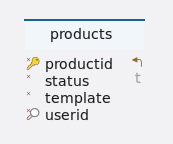
Tables
-
Schema
-
Table products
Index Name Data type * 🔑 ⬋
productid
bigint
*
status
varchar(10)
*
template
json
* 🔎
userid
uuid
-
Indexes
Type Name On 🔑
products_pkey
productid
🔎
products_idx_userid
userid
-
Constraints
Name Definition products_status_check
((status)::text ~* ’^(active|inactive)$'::text)
-
(🔑) - Primary key
(*) - Mandatory
(⬈) - Foreign key
(🔎) - Constraint
-
4. ProductsServiceController
4.1. Create product
4.1.1. Sequential flow
Product creation process
-
From a products repository, a list of all the products based on the user Id are retrieved from the database.
-
The input product identifier undergoes validation against the existing list of products to prevent the creation of a duplicate product with the same identifier, ensuring each product maintains a unique name.
-
If all validations are successful, a product is created with a default status of inactive. The user ID, identical to the user’s, is assigned and the product is then saved in the products table using the products repository.
4.1.2. Endpoint
Description
This endpoint allows users with the appropriate permissions to create product based on the provided data.
URL
/products
Method
POST
Request body
The request body should contain a JSON array of objects, each representing data for creating a product. The structure of each object should adhere to the CreateProductsDTO format.
Example request body
{
  "selection": {
    "department": "DeptB",
    "profitCenter": "A",
    "productCategory": "Loan"
  },
  "productIdentifier": "MilaapNew Loan1",
  "terms": [
    {
      "cycleOfPrincipalRedemption": "P1ML0",
      "nextPrincipalRedemptionPayment": "(value:Real)",
      "dayCountConvention": "30E360",
      "cycleOfInterestPayment": "P1ML0",
      "initialExchangeDate": "(value:TimeStamp)",
      "nominalInterestRate": "0.24",
      "contractDealDate": "(value='ACTUS.initialExchangeDate'- 'Period.P1DL0')",
      "contractID": "(value='System.UUID')",
      "maturityDate": "(value='ACTUS.initialExchangeDate'+'Period.tenure')",
      "creatorIdentifier": "(value='System.RootUserProfileID')",
      "counterpartyID": "(value:ProfileID)",
      "tenure": "(value:Varchar)",
      "statusDate": "(value='ACTUS.initialExchangeDate'- 'Period.P1DL0')",
      "cycleAnchorDateOfInterestPayment": "(value='ACTUS.initialExchangeDate'+'Period.P1ML0')",
      "notionalPrincipal": "(value:Real)",
      "delinquencyPeriod": "360D",
      "roundingConvention": "1",
      "businessDayConvention": "SCF",
      "currency": "INR",
      "contractType": "ANN",
      "gracePeriod": "0D",
      "contractRole": "RPA",
      "cycleAnchorDateOfPrincipalRedemption": "(value='ACTUS.initialExchangeDate'+'Period.P1ML0')"
    }
  ],
  "paymentDetails": {
    "recordCreatorPaymentChannelID": "31cc3f46-4d73-4c0e-81ae-c14eeaf745df",
    "paymentMethod": "billing",
    "counterpartyPaymentChannelID": "(value:PaymentChannelID)"
  }
}
Responses
-
200 OK: Product created successfully. Returns a JSON response containing details of the created product.
Example response body
{
  "status": 200,
  "message": "Product created successfully",
  "data": {
    "selection": {
      "department": "DeptB",
      "profitCenter": "A",
      "productCategory": "Loan"
    },
    "productIdentifier": "MilaapNew Loan1",
    "terms": [
      {
        "cycleOfPrincipalRedemption": "P1ML0",
        "nextPrincipalRedemptionPayment": "(value:Real)",
        "dayCountConvention": "30E360",
        "cycleOfInterestPayment": "P1ML0",
        "initialExchangeDate": "(value:TimeStamp)",
        "nominalInterestRate": "0.24",
        "contractDealDate": "(value='ACTUS.initialExchangeDate'- 'Period.P1DL0')",
        "contractID": "(value='System.UUID')",
        "maturityDate": "(value='ACTUS.initialExchangeDate'+'Period.tenure')",
        "creatorIdentifier": "(value='System.RootUserProfileID')",
        "counterpartyID": "(value:ProfileID)",
        "tenure": "(value:Varchar)",
        "statusDate": "(value='ACTUS.initialExchangeDate'- 'Period.P1DL0')",
        "cycleAnchorDateOfInterestPayment": "(value='ACTUS.initialExchangeDate'+'Period.P1ML0')",
        "notionalPrincipal": "(value:Real)",
        "delinquencyPeriod": "360D",
        "roundingConvention": "1",
        "businessDayConvention": "SCF",
        "currency": "INR",
        "contractType": "ANN",
        "gracePeriod": "0D",
        "contractRole": "RPA",
        "cycleAnchorDateOfPrincipalRedemption": "(value='ACTUS.initialExchangeDate'+'Period.P1ML0')"
      }
    ],
    "paymentDetails": {
      "recordCreatorPaymentChannelID": "31cc3f46-4d73-4c0e-81ae-c14eeaf745df",
      "paymentMethod": "billing",
      "counterpartyPaymentChannelID": "(value:PaymentChannelID)"
    }
  }
}-
400 bad request: If the request body is not in the correct format or if there are validation errors.
-
401 unauthorized: If the user is not authenticated or lacks the necessary permissions to create contracts.
-
5xx server error: If there is a server-side error while processing the request.
Example
{
    "status": 412,
    "message": "Identifier required (or) non-empty identifier expected",
    "data": null
}
4.1.3. Methods
Description
The method createProduct is responsible for creating a new product based on the provided product template.
Parameters
-
productTemplate(CreateProductsDTO): An object representing the details of the product to be created.
Returns
-
Response<Object>: A response object containing information about the result of the operation. It includes the HTTP status code, a message indicating the outcome and optionally, additional data related to the created product.
Example usage
public Response<Object> createProduct(CreateProductsDTO productTemplate) {
		log.info(LOG_MESSAGE, usersHelper.getUserID(), productTemplate);

		try {
			// Perform validation checks on the product creation request
			validator.createProductValidation(usersHelper.getUserID(), productTemplate); (1)

			// Create the product using the provided data
			return productsWorker.createProduct(productTemplate); (2)

		} catch (Exception e) { (3)
			return new Response<>(HttpStatus.PRECONDITION_FAILED.value(), e.getMessage(), null);
		}
	}
Internal workflow
| 1 | Validation checks are performed on the product creation request before creating the product. Ensure that the product identifier is unique to avoid conflicts during creation. |
| 2 | Creates a product based on the provided template. |
| 3 | Handle exceptions appropriately to provide meaningful feedback to users. |
Exceptions
-
None explicitly thrown by this method. However, exceptions may occur within the validator or worker methods, which are handled internally.
4.1.4. Model classes
Description
The CreateProductsDTO class represents the data transfer object (DTO) used for creating products in the system. It encapsulates the necessary information required to initialize and configure a product, including identifier, terms, payment details and selection criteria.
-
selection-
Type: Map<String, Object>
-
Description: A map containing selection-related information for the product.
-
Constraints: This field is optional.
-
Example
{ "department": "DeptB", "profitCenter": "A", "productCategory": "Loan" } -
-
productIdentifier-
Type: String
-
Description: The unique identifier for the product.
-
Constraints
-
Cannot be null.
-
Cannot be blank.
-
Maximum length: 100 characters.
-
-
Example: "PROD1234567890"
-
-
terms-
Type: List<TermsDto>
-
Description: A list of terms associated with the product.
-
Constraints
-
Cannot be null.
-
Each term must be a valid TermsDto object.
-
-
Example
[ { "cycleOfPrincipalRedemption": "P1ML0", "nextPrincipalRedemptionPayment": "(value:Real)", "dayCountConvention": "30E360", "cycleOfInterestPayment": "P1ML0", "initialExchangeDate": "(value:TimeStamp)", "nominalInterestRate": "0.24", "contractDealDate": "(value='ACTUS.initialExchangeDate'- 'Period.P1DL0')", "contractID": "(value='System.UUID')", "maturityDate": "(value='ACTUS.initialExchangeDate'+'Period.tenure')", "creatorIdentifier": "(value='System.RootUserProfileID')", "counterpartyID": "(value:ProfileID)", "tenure": "(value:Varchar)", "statusDate": "(value='ACTUS.initialExchangeDate'- 'Period.P1DL0')", "cycleAnchorDateOfInterestPayment": "(value='ACTUS.initialExchangeDate'+'Period.P1ML0')", "notionalPrincipal": "(value:Real)", "delinquencyPeriod": "360D", "roundingConvention": "1", "businessDayConvention": "SCF", "currency": "INR", "contractType": "ANN", "gracePeriod": "0D", "contractRole": "RPA", "cycleAnchorDateOfPrincipalRedemption": "(value='ACTUS.initialExchangeDate'+'Period.P1ML0')" } ] -
-
paymentDetails-
Type: PaymentDetailsDto
-
Description: Details of the payment associated with the product.
-
Constraints
-
Cannot be null.
-
Must be a valid PaymentDetailsDto object.
-
-
Example
{ "recordCreatorPaymentChannelID": "31cc3f46-4d73-4c0e-81ae-c14eeaf745df", "paymentMethod": "billing", "counterpartyPaymentChannelID": "(value:PaymentChannelID)" } -
4.1.5. Validation
Description
The createProductValidation method is responsible for validating the creation of a product based on the provided product details map and existing products. It checks whether the product identifier is present and unique for the given user.
Parameters
-
userID (UUID): The root user ID associated with the product creation request. -
productTemplate (CreateProductsDTO): An object containing the product details for validation.
Example usage
public void createProductValidation(UUID userID, CreateProductsDTO productTemplate) {

		if (UtilityHelper.isNotNullOrEmpty(productTemplate.getProductIdentifier())) { (1)

			String productIdentifier = productTemplate.getProductIdentifier();

			boolean exists = productsServiceRepo.existsByUserIDAndProductIdentifier(userID, productIdentifier); (2)

			// Check for unique identifier
			Assert.isTrue(!exists, "Product identifier already exists");

		} else {
			throw new IllegalArgumentException("Identifier required (or) non-empty identifier expected"); (3)
		}

}| 1 | The product identifier must not be null or empty. |
| 2 | The product identifier must be unique for the given user. |
| 3 | If the validation fails, an appropriate exception is thrown to indicate the reason for the failure. |
|
4.1.6. Testing
Description
This section provides an overview of the testing strategy and objectives for the create product method.
Example usage
	@Test
	void createProduct() throws Exception { (1)
		// Prepare data for the test
		productTemplate.setProductIdentifier("Go savings");

		// Mocking the HTTP request
		MockHttpServletRequestBuilder requestBuilder = MockMvcRequestBuilders.post("/products")
				.contentType(MediaType.APPLICATION_JSON)
				.content((new ObjectMapper()).writeValueAsString(productTemplate));

		// Performing the request and asserting the response
		JSONObject obj = new JSONObject(MockMvcBuilders.standaloneSetup(productsServiceController).build()
				.perform(requestBuilder).andExpect(MockMvcResultMatchers.status().isOk())
				.andExpect(MockMvcResultMatchers.content().contentType("application/json")).andReturn().getResponse()
				.getContentAsString());
		// Extracting contractRole from the JSON response
		JSONObject paymentDetails = obj.getJSONObject("data").getJSONObject("paymentDetails");

		// Asserting the response details
		Assertions.assertEquals("39f16465-ab89-4fc6-b50b-50413b8e0193", paymentDetails.getString("recordCreatorPaymentChannelID"));
		Assertions.assertEquals("Go savings", obj.getJSONObject("data").getString("productIdentifier"));
		Assertions.assertEquals("EUR", obj.getJSONObject("data").getJSONArray("terms").getJSONObject(0).getString("currency"));
		Assertions.assertEquals("Product created successfully", obj.get("message"));
		Assertions.assertEquals(200, obj.get("status"));
}| 1 | createProduct
|
Test environment
-
Framework : JUnit 5 (https://junit.org/junit5/docs/current/user-guide/)
-
Mocking framework : Mockito (if applicable) (https://site.mockito.org/)
-
How to run test cases : (https://www.baeldung.com/spring-boot-testing)
4.2. Get product
4.2.1. Sequential flow
Product retrieval process
-
Request for products is received.
-
If a product ID is provided
-
Retrieve the product with that ID.
-
If found, return the product.
-
If not found, indicate an invalid product ID.
-
-
If no product ID is provided
-
Retrieve all products associated with the user.
-
Sort the products alphabetically by their identifiers.
-
Return the sorted list of products.
-
4.2.2. Endpoint
Description
This endpoint provides a list of products' information.
URL
/products
Method
GET
Request filter parameters
Parameters |
Type |
Required |
Description |
productID |
Integer |
No |
If provided, only the details of the specified product will be returned. If not provided, all products associated with the user will be returned. |
Responses
-
200 OK
-
Returns the products information.
-
Response body
{
  "status": 200,
  "message": "Success",
  "data": [
    {
      "selection": {
        "department": "DeptB",
        "profitCenter": "A",
        "productCategory": "Loan"
      },
      "productIdentifier": "MilaapNew Loan1",
      "terms": [
        {
          "cycleOfPrincipalRedemption": "P1ML0",
          "nextPrincipalRedemptionPayment": "(value:Real)",
          "dayCountConvention": "30E360",
          "cycleOfInterestPayment": "P1ML0",
          "initialExchangeDate": "(value:TimeStamp)",
          "nominalInterestRate": "0.24",
          "contractDealDate": "(value='ACTUS.initialExchangeDate'- 'Period.P1DL0')",
          "contractID": "(value='System.UUID')",
          "maturityDate": "(value='ACTUS.initialExchangeDate'+'Period.tenure')",
          "creatorIdentifier": "(value='System.RootUserProfileID')",
          "counterpartyID": "(value:ProfileID)",
          "tenure": "(value:Varchar)",
          "statusDate": "(value='ACTUS.initialExchangeDate'- 'Period.P1DL0')",
          "cycleAnchorDateOfInterestPayment": "(value='ACTUS.initialExchangeDate'+'Period.P1ML0')",
          "notionalPrincipal": "(value:Real)",
          "delinquencyPeriod": "360D",
          "roundingConvention": "1",
          "businessDayConvention": "SCF",
          "currency": "INR",
          "contractType": "ANN",
          "gracePeriod": "0D",
          "contractRole": "RPA",
          "cycleAnchorDateOfPrincipalRedemption": "(value='ACTUS.initialExchangeDate'+'Period.P1ML0')"
        }
      ],
      "paymentDetails": {
        "recordCreatorPaymentChannelID": "31cc3f46-4d73-4c0e-81ae-c14eeaf745df",
        "paymentMethod": "billing",
        "counterpartyPaymentChannelID": "(value:PaymentChannelID)"
      }
    }
  ]
}
-
-
403 forbidden
-
If the user does not have the necessary permissions to retrieve products.
-
-
500 internal server error
-
If there is an unexpected error retrieving the products.
-
4.2.3. Methods
Description
This method is responsible for retrieving a list of products based on the provided product ID or user ID.
Parameters
-
productID(Long): The ID of the product to retrieve. If provided, only the details of the specified product will be returned. If not provided, all products associated with the user will be returned.
Return type
-
Object: An object containing the list of products' information. If a product ID is provided, it returns the details of the specified product. If no product ID is provided, it returns the list of all products associated with the user, sorted alphabetically by their identifiers.public Object getProductsList(Long productID) { log.info(LOG_MESSAGE, usersHelper.getUserID(), "retrieved products list"); List<Products> productsList; if (productID != null) { (1) // Retrieve product if productID valid else throw exception return productsServiceRepo.findById(productID) .orElseThrow(() -> new IllegalArgumentException("Invalid productId")); } else { (2) // Return the list of products associated with the root user in alphabetic order productsList = productsServiceRepo.findByUserID(usersHelper.getUserID()); productsList.sort(Comparator.comparing(p -> p.getTemplate().get("productIdentifier").toString())); return productsList; } }Internal workflow
| 1 | If a product ID is provided
|
| 2 | If no product ID is provided
|
4.2.4. Testing
Description
This section provides an overview of the testing strategy and objectives for the provide products method.
Example usage
@Test
	void provideProducts() throws Exception { (1)
		// Mock the HTTP request for providing all products
		MockHttpServletRequestBuilder requestBuilder = MockMvcRequestBuilders.get("/products").param("productID", "")
				.contentType(MediaType.APPLICATION_JSON);

		// Perform the request and assert the response
		JSONObject response = new JSONObject(
				MockMvcBuilders.standaloneSetup(productsServiceController).build().perform(requestBuilder)
						.andDo(print()).andExpect(MockMvcResultMatchers.content().contentType("application/json"))
						.andReturn().getResponse().getContentAsString());
		JSONArray data = response.getJSONArray("data");

		// Asserting values for the first product
		JSONObject product1 = data.getJSONObject(0);
		Assertions.assertEquals("bad75c28-3167-416e-b9b8-bb5f5f6b09a9", product1.getString("userID"));
		Assertions.assertEquals("Bond Fixed", product1.getJSONObject("template").getString("productIdentifier"));

		// Asserting values for the second product
		JSONObject product2 = data.getJSONObject(1);
		Assertions.assertEquals("a43c22ed-27df-4324-a453-3e7707c9b82d", product2.getString("userID"));
		Assertions.assertEquals("Personal savings", product2.getJSONObject("template").getString("productIdentifier"));

		// Assert the response details
		Assertions.assertEquals("Success", response.get("message"));
		Assertions.assertEquals(200, response.get("status"));
}| 1 | provideProducts
|
Test environment
-
Framework : JUnit 5 (https://junit.org/junit5/docs/current/user-guide/)
-
Mocking framework : Mockito (if applicable) (https://site.mockito.org/)
-
How to run test cases : (https://www.baeldung.com/spring-boot-testing)
4.3. Update product
4.3.1. Sequential flow
Product updation process
-
Retrieve contract IDs associated with the product.
-
Validate the product’s existence and status.
-
If valid, update the product details with provided data.
-
Save the updated product in the database.
-
Return the response object containing the updated product details.
4.3.2. Endpoint
Description
This endpoint allows users with the appropriate permissions to update product based on the provided data.
URL
/products/{productID}
Method
PUT
Request body
Details of the product to update, provided in the request body as a CreateProductsDTO.
Example request body
{
  "selection": {
    "department": "DeptB",
    "profitCenter": "A",
    "productCategory": "Loan"
  },
  "productIdentifier": "MilaapNew Loan1",
  "terms": [
    {
      "cycleOfPrincipalRedemption": "P1ML0",
      "nextPrincipalRedemptionPayment": "(value:Real)",
      "dayCountConvention": "30E360",
      "cycleOfInterestPayment": "P1ML0",
      "initialExchangeDate": "(value:TimeStamp)",
      "nominalInterestRate": "0.24",
      "contractDealDate": "(value='ACTUS.initialExchangeDate'- 'Period.P1DL0')",
      "contractID": "(value='System.UUID')",
      "maturityDate": "(value='ACTUS.initialExchangeDate'+'Period.tenure')",
      "creatorIdentifier": "(value='System.RootUserProfileID')",
      "counterpartyID": "(value:ProfileID)",
      "tenure": "(value:Varchar)",
      "statusDate": "(value='ACTUS.initialExchangeDate'- 'Period.P1DL0')",
      "cycleAnchorDateOfInterestPayment": "(value='ACTUS.initialExchangeDate'+'Period.P1ML0')",
      "notionalPrincipal": "(value:Real)",
      "delinquencyPeriod": "360D",
      "roundingConvention": "1",
      "businessDayConvention": "SCF",
      "currency": "INR",
      "contractType": "ANN",
      "gracePeriod": "0D",
      "contractRole": "RPA",
      "cycleAnchorDateOfPrincipalRedemption": "(value='ACTUS.initialExchangeDate'+'Period.P1ML0')"
    }
  ],
  "paymentDetails": {
    "recordCreatorPaymentChannelID": "31cc3f46-4d73-4c0e-81ae-c14eeaf745df",
    "paymentMethod": "billing",
    "counterpartyPaymentChannelID": "(value:PaymentChannelID)"
  }
}
Request filter parameters
Parameters |
Type |
Required |
Description |
productID |
Long |
Yes |
The Id of the product to be updated. |
Responses
-
200 OK: Product updated successfully. Returns a JSON response containing details of the updated product.
Example response body
{
  "status": 200,
  "message": "Product updated successfully",
  "data": {
    "selection": {
      "department": "DeptB",
      "profitCenter": "A",
      "productCategory": "Loan"
    },
    "productIdentifier": "MilaapNew Loan1",
    "terms": [
      {
        "cycleOfPrincipalRedemption": "P1ML0",
        "nextPrincipalRedemptionPayment": "(value:Real)",
        "dayCountConvention": "30E360",
        "cycleOfInterestPayment": "P1ML0",
        "initialExchangeDate": "(value:TimeStamp)",
        "nominalInterestRate": "0.24",
        "contractDealDate": "(value='ACTUS.initialExchangeDate'- 'Period.P1DL0')",
        "contractID": "(value='System.UUID')",
        "maturityDate": "(value='ACTUS.initialExchangeDate'+'Period.tenure')",
        "creatorIdentifier": "(value='System.RootUserProfileID')",
        "counterpartyID": "(value:ProfileID)",
        "tenure": "(value:Varchar)",
        "statusDate": "(value='ACTUS.initialExchangeDate'- 'Period.P1DL0')",
        "cycleAnchorDateOfInterestPayment": "(value='ACTUS.initialExchangeDate'+'Period.P1ML0')",
        "notionalPrincipal": "(value:Real)",
        "delinquencyPeriod": "360D",
        "roundingConvention": "1",
        "businessDayConvention": "SCF",
        "currency": "INR",
        "contractType": "ANN",
        "gracePeriod": "0D",
        "contractRole": "RPA",
        "cycleAnchorDateOfPrincipalRedemption": "(value='ACTUS.initialExchangeDate'+'Period.P1ML0')"
      }
    ],
    "paymentDetails": {
      "recordCreatorPaymentChannelID": "31cc3f46-4d73-4c0e-81ae-c14eeaf745df",
      "paymentMethod": "billing",
      "counterpartyPaymentChannelID": "(value:PaymentChannelID)"
    }
  }
}-
400 bad request: If the request body is not in the correct format or if there are validation errors.
-
401 unauthorized: If the user is not authenticated or lacks the necessary permissions to update contract.
-
5xx server error: If there is a server-side error while processing the request.
Example
{
    "status": 400,
    "message": "Product doesn't exist",
    "data": null
}
4.3.3. Methods
Description
The method updateProduct updates an existing product with the provided product ID and new product details.
Parameters
-
productID (Long): The ID of the product to be updated. -
productDetails (CreateProductsDTO): The new details of the product to update, provided as a CreateProductsDTO object.
Returns
-
Response<Object>: A response object containing the updated product details if the update is successful, or an error message if the update fails.
Example usage
public Response<Object> updateProduct(Long productID, CreateProductsDTO productDetails) {
		log.info(LOG_MESSAGE, usersHelper.getUserID(), productDetails);

		// Retrieve a list of product IDs from contracts using contractURL
		List<Map<String, Object>> listOfContracts = productsWorker.getProductIDListFromContracts(productID); (1)

		// Validate whether the product is present and obtain the product
		Products product = validator.updateProductValidation(productID, listOfContracts); (2)

		return productsWorker.saveUpdatedProduct(product, productDetails); (3)
	}
Internal workflow
| 1 | Retrieve a list of contract IDs associated with the product. |
| 2 | Validate the existence and status of the product
|
| 3 | If validation succeeds, update the product details with the provided data.
|
Exceptions
-
None explicitly thrown by this method. However, exceptions may occur within the validator or worker methods, which are handled internally.
4.3.4. Model classes
Description
The CreateProductsDTO class represents the data transfer object (DTO) used for creating products in the system. It encapsulates the necessary information required to initialize and configure a product, including identifier, terms, payment details and selection criteria.
-
selection-
Type: Map<String, Object>
-
Description: A map containing selection-related information for the product.
-
Constraints: This field is optional.
-
Example
{ "department": "DeptB", "profitCenter": "A", "productCategory": "Loan" } -
-
productIdentifier-
Type: String
-
Description: The unique identifier for the product.
-
Constraints
-
Cannot be null.
-
Cannot be blank.
-
Maximum length: 100 characters.
-
-
Example: "PROD1234567890"
-
-
terms-
Type: List<TermsDto>
-
Description: A list of terms associated with the product.
-
Constraints
-
Cannot be null.
-
Each term must be a valid TermsDto object.
-
-
Example
[ { "cycleOfPrincipalRedemption": "P1ML0", "nextPrincipalRedemptionPayment": "(value:Real)", "dayCountConvention": "30E360", "cycleOfInterestPayment": "P1ML0", "initialExchangeDate": "(value:TimeStamp)", "nominalInterestRate": "0.24", "contractDealDate": "(value='ACTUS.initialExchangeDate'- 'Period.P1DL0')", "contractID": "(value='System.UUID')", "maturityDate": "(value='ACTUS.initialExchangeDate'+'Period.tenure')", "creatorIdentifier": "(value='System.RootUserProfileID')", "counterpartyID": "(value:ProfileID)", "tenure": "(value:Varchar)", "statusDate": "(value='ACTUS.initialExchangeDate'- 'Period.P1DL0')", "cycleAnchorDateOfInterestPayment": "(value='ACTUS.initialExchangeDate'+'Period.P1ML0')", "notionalPrincipal": "(value:Real)", "delinquencyPeriod": "360D", "roundingConvention": "1", "businessDayConvention": "SCF", "currency": "INR", "contractType": "ANN", "gracePeriod": "0D", "contractRole": "RPA", "cycleAnchorDateOfPrincipalRedemption": "(value='ACTUS.initialExchangeDate'+'Period.P1ML0')" } ] -
-
paymentDetails-
Type: PaymentDetailsDto
-
Description: Details of the payment associated with the product.
-
Constraints
-
Cannot be null.
-
Must be a valid PaymentDetailsDto object.
-
-
Example
{ "recordCreatorPaymentChannelID": "31cc3f46-4d73-4c0e-81ae-c14eeaf745df", "paymentMethod": "billing", "counterpartyPaymentChannelID": "(value:PaymentChannelID)" } -
4.3.5. Validation
Description
The updateProductValidation method is responsible of validating whether a product with the specified product ID can be updated based on its status and the presence of associated contracts.
Parameters
-
productID (Long): The ID of the product to be validated. -
listOfContracts (List<Map<String, Object>>): A list of contracts associated with the product.
Example usage
public Products updateProductValidation(Long productID, List<Map<String, Object>> listOfContracts) {

		// Attempt to find the existing product by its ID
		Products product = productsServiceRepo.findById(productID)
				.orElseThrow(() -> new IllegalArgumentException("Product doesn't exist")); (1)

		// Check for status and contracts
		Assert.isTrue(product.getStatus().equalsIgnoreCase("inactive") && listOfContracts.isEmpty(),
				"Product already active (or) product have contracts"); (2)

		return product;

}| 1 | Product Existence
|
| 2 | Product Status and Contracts
|
|
4.3.6. Testing
Description
This section provides an overview of the testing strategy and objectives for the update product method.
Example usage
	@Test
	void updateProduct() throws Exception { (1)

		when(productsServiceRepo.save(any())).thenReturn(productsOptional);
		when(contractsFeignClient.getContractsList(any(Long.class), any(String.class)))
				.thenReturn(new Response<>(HttpStatus.OK.value(), "Success", new ArrayList<>()));
		// Mock the HTTP request for updating a product
		MockHttpServletRequestBuilder requestBuilder = MockMvcRequestBuilders.put("/products/11")
				.contentType(MediaType.APPLICATION_JSON)
				.content((new ObjectMapper()).writeValueAsString(productsOptional));

		// Perform the request and assert the response
		JSONObject obj = new JSONObject(MockMvcBuilders.standaloneSetup(productsServiceController).build()
				.perform(requestBuilder).andExpect(MockMvcResultMatchers.status().isOk())
				.andExpect(MockMvcResultMatchers.content().contentType("application/json")).andReturn().getResponse()
				.getContentAsString());

		JSONObject data = obj.getJSONObject("data");

		// Assert the response details
		Assertions.assertEquals("Leasing", data.getString("productIdentifier"));
		Assertions.assertEquals("Product updated successfully", obj.get("message"));
		Assertions.assertEquals(200, obj.get("status"));
}| 1 | updateProduct
|
Test environment
-
Framework : JUnit 5 (https://junit.org/junit5/docs/current/user-guide/)
-
Mocking framework : Mockito (if applicable) (https://site.mockito.org/)
-
How to run test cases : (https://www.baeldung.com/spring-boot-testing)
4.4. Update product status
4.4.1. Sequential flow
Product status updation process
-
User requests a status update for a product with a specific ID.
-
Controller validates the status.
-
If the status is valid and exists, the status is updated and the updated product details are returned.
-
If the product doesn’t exist, an error message is returned.
-
The response is sent back to the user.
4.4.2. Endpoint
Description
This endpoint allows users to update the status of an existing product in the system.
URL
/products/{productID}/status/{status}
Method
PUT
Request filter parameters
Parameters |
Type |
Required |
Description |
productID |
Long |
Yes |
The unique identifier of the product to be updated. |
status |
String |
Yes |
The new status to be assigned to the product. |
Responses
-
200 OK: Product status updated successfully. Returns the updated product details.
Example response body
{
  "status": 200,
  "message": "Product created successfully",
  "data": {
    "productID": 3,
    "status": "inactive",
    "template": {
      "selection": {
        "productCategory": "Savings"
      },
      "productIdentifier": "Personal savings",
      "terms": [
        {
          "dayCountConvention": "30E360",
          "cycleOfInterestPayment": "P1YL1",
          "initialExchangeDate": "(value:TimeStamp)",
          "nominalInterestRate": "0",
          "contractDealDate": "(value='ACTUS.InitialExchangeDate'- 'Period.P1DL0')",
          "contractID": "(value='System.UUID')",
          "maturityDate": "(value='ACTUS.InitialExchangeDate'+'Period.Tenure')",
          "creatorID": "(value='System.RootUserProfileID')",
          "counterpartyID": "(value:ProfileID)",
          "tenure": "10Y",
          "statusDate": "(value='ACTUS.InitialExchangeDate'- 'Period.P1DL0')",
          "cycleAnchorDateOfInterestPayment": "(value='ACTUS.InitialExchangeDate'+'Period.P1YL0')",
          "notionalPrincipal": "(value:Real)",
          "roundingConvention": "1",
          "currency": "INR",
          "contractType": "UMP",
          "contractRole": "RPL"
        }
      ],
      "paymentDetails": {
        "recordCreatorPaymentChannelID": "55ca344f-19b1-4304-87db-21e8d58b4659",
        "paymentMethod": "billing",
        "counterpartyPaymentChannelID": "(value:PaymentChannelID)"
      }
    },
    "userID": "a43c22ed-27df-4324-a453-3e7707c9b82d"
  }
}-
400 bad request: If the request body is not in the correct format or if there are validation errors.
-
401 unauthorized: If the user is not authenticated or lacks the necessary permissions to update product.
-
5xx server error: If there is a server-side error while processing the request.
Example
{
    "status": 400,
    "message": "ProductID doesn't exist",
    "data": null
}
4.4.3. Methods
Description
The updateProductStatus method is responsible for updating the status of a product based on the provided status.
Parameters
-
productID (Type: Long):The unique identifier of the product to be updated. -
status (Type: String):The new status to be assigned to the product.
Returns
-
Response<Products>:An object containing information about the status of the update operation and if successful, the updated product details.
Example usage
public Response<Products> updateProductStatus(Long productID, String status) {
		log.info(LOG_MESSAGE, usersHelper.getUserID(), "updated product status");

		try {
			// Validate whether the provided status is valid or not
			validator.validateStatus(status); (1)

			return productsWorker.updateStatus(status, productID); (2)
		} catch (Exception e) { (3)
			return new Response<>(HttpStatus.PRECONDITION_FAILED.value(), e.getMessage(), null);
		}
	}
Internal workflow
| 1 | Validates whether the provided status is valid or not. |
| 2 | If the status is valid, delegates the status update operation to the productsWorker.updateStatus method. |
| 3 | If any exception occurs during the validation or status update process, it catches the exception and returns an error response with a corresponding HTTP status code and message. |
Exceptions
-
ProductsException:Thrown if there is an issue with the products service. -
URISyntaxException:Thrown if there is an issue with the URI syntax.
4.4.4. Validation
Description
The validateStatus method validates whether the provided status is valid for updating the status of a product.
Parameters
-
status (Type: String):The status to be validated.
Example usage
public void validateStatus(String status) {
		Assert.isTrue(status.equalsIgnoreCase("active") || status.equalsIgnoreCase("inactive"), (1)
				"Invalid status provided"); (2)
}| 1 | Checks if the provided status is either "active" or "inactive". |
| 2 | Throws an IllegalArgumentException with an error message if the status is not valid. |
4.4.5. Testing
Description
This section provides an overview of the testing strategy and objectives for the update product status method.
Example usage
	@Test
	void updateProductStatus() throws Exception { (1)
		// Mock the HTTP request for updating the status of a product
		MockHttpServletRequestBuilder requestBuilder = MockMvcRequestBuilders.put("/products/21/status/active")
				.contentType(MediaType.APPLICATION_JSON)
				.content((new ObjectMapper()).writeValueAsString(productsOptional));

		// Perform the request and assert the response
		JSONObject obj = new JSONObject(MockMvcBuilders.standaloneSetup(productsServiceController).build()
				.perform(requestBuilder).andExpect(MockMvcResultMatchers.status().isOk())
				.andExpect(MockMvcResultMatchers.content().contentType("application/json")).andReturn().getResponse()
				.getContentAsString());
		JSONObject data = obj.getJSONObject("data");
		JSONObject template = data.getJSONObject("template");
		JSONArray termsArray = template.getJSONArray("terms");
		JSONObject firstTerm = termsArray.getJSONObject(0);
		JSONObject paymentDetails = data.getJSONObject("template").getJSONObject("paymentDetails");
		// Assert the response details
		Assertions.assertEquals("Leasing", template.getString("productIdentifier"));
		Assertions.assertEquals("ae03c2694-71f8-48e0-a68d-8328630fd0c5", paymentDetails.getString("recordCreatorPaymentChannelID"));
		Assertions.assertEquals("ANN", firstTerm.getString("contractType"));
		Assertions.assertEquals("CHF", firstTerm.getString("currency"));
		Assertions.assertEquals("active", data.getString("status"));
		Assertions.assertEquals("Product status updated successfully", obj.get("message"));
		Assertions.assertEquals(200, obj.get("status"));
}| 1 | updateProductStatus
|
Test environment
-
Framework : JUnit 5 (https://junit.org/junit5/docs/current/user-guide/)
-
Mocking framework : Mockito (if applicable) (https://site.mockito.org/)
-
How to run test cases : (https://www.baeldung.com/spring-boot-testing)
Contracts
1. Introduction
The contracts describe the terms (ACTUS contract terms) of the contract agreed upon between counterparties as one part, and the payment details (payment gateways) of each of the counterparties involved in the contractual agreement.
The contracts endpoints allows adding new and managing existing contracts. The contract is described in terms of one or multiple ACTUS contract templates. For each attribute of a template is according to the ACTUS data dictionary
2. Tables and relations
Establishing relationships
-
In relational databases like PostgreSQL, relationships between tables are crucial for organizing and querying data effectively. These relationships are typically established using foreign key constraints, which define links between tables based on the values of specific columns. Common types of relationships include one-to-one, one-to-many and many-to-many relationships, each serving different data modeling needs.
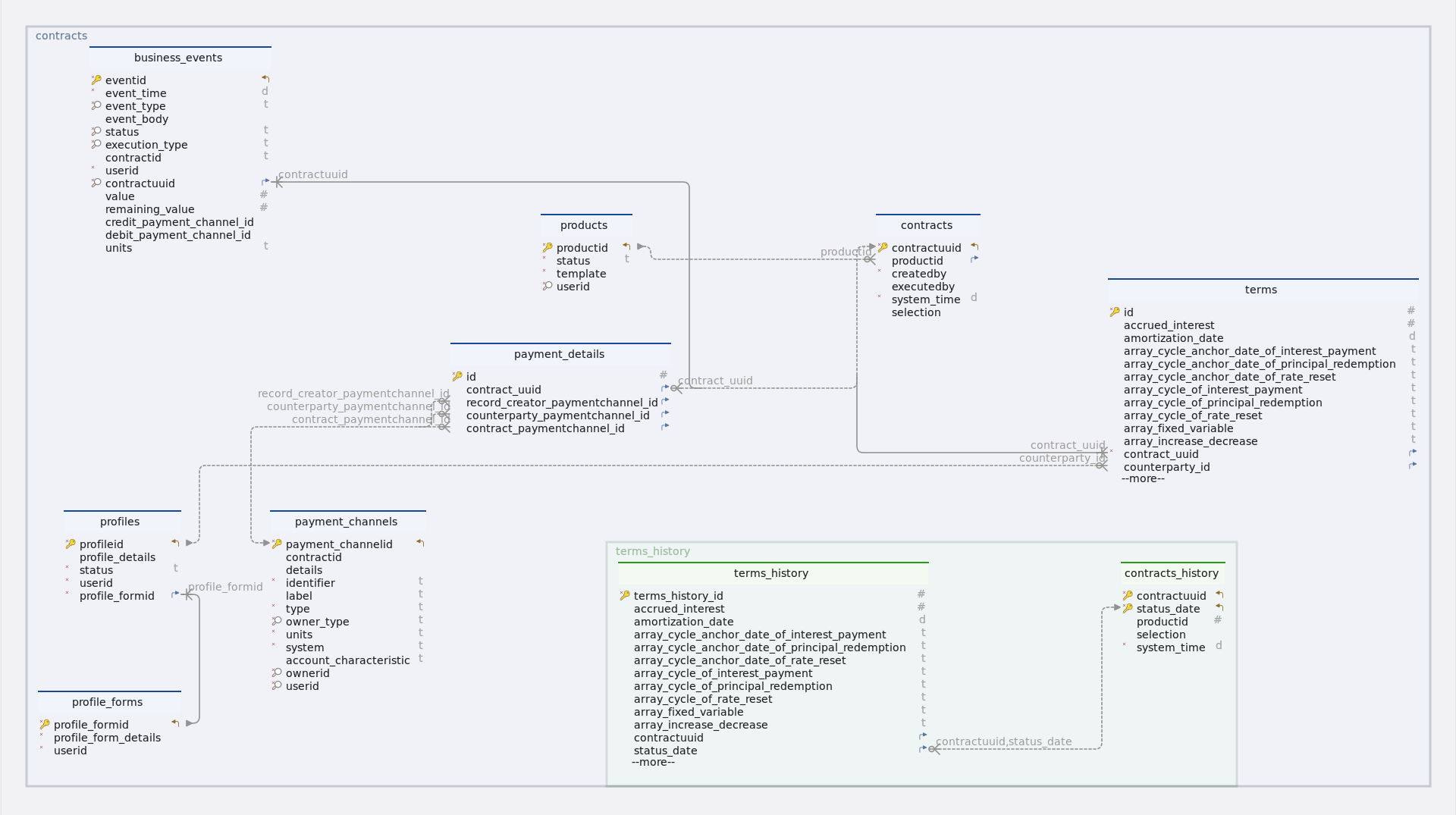
Tables
-
Schema
-
Table business_events
Index Name Data type * 🔑 ⬋
eventid
uuid
*
event_time
timestamp
* 🔎
event_type
varchar(10)
event_body
json
* 🔎
status
varchar(10)
* 🔎
execution_type
varchar(20)
contractid
varchar(255)
*
userid
uuid
* 🔎 ⬈
contractuuid
uuid
value
numeric
remaining_value
numeric
credit_payment_channel_id
uuid
debit_payment_channel_id
uuid
units
varchar(10)
-
Foreign keys
Type Name On fk_business_events_contracts_contractuuid
contractuuid
-
Constraints
Name Definition business_events_event_type_check
((event_type)::text ~* '^(AD|IED|FP|PR|PD|PRF|PY|PP|IP |IPCI|CE|RRF|RR|DV|PRD |MR|TD|SC|IPCB|MD|XD|STD|PI |IPFX|IPFL|ME|TP|OPS)$'::text)
business_events_status_check
((status)::text ~* '^(scheduled|pending|processed)$'::text)
-
-
Table contracts
Index Name Data type * 🔑 ⬋
contractuuid
uuid
⬈
productid
bigint
*
createdby
uuid
executedby
uuid
*
system_time
timestamp
selection
json
-
Foreign keys
Type Name On contracts_product_fk
productid
-
-
Table contracts_history
Index Name Data type * 🔑 ⬋
contractuuid
uuid
* 🔑 ⬋
status_date
timestamp
productid
bigint
selection
json
*
system_time
timestamp
-
Table payment_channels
Index Name Data type * 🔑 ⬋
payment_channelid
uuid
contractid
uuid
details
json
*
identifier
varchar(100)
label
varchar(100)
*
type
varchar(50)
* 🔎
owner_type
varchar(10)
*
units
varchar(10)
*
system
varchar(50)
account_characteristic
varchar(50)
* 🔎
ownerid
uuid
* 🔎
userid
uuid
-
Constraints
Name Definition payment_channels_owner_type_check
((owner_type)::text ~* '^(root|profile)$'::text)
-
-
Table payment_details
Index Name Data type * 🔑
id
bigint GENERATED BY DEFAULT AS IDENTITY
⬈
contract_uuid
uuid
⬈
record_creator_paymentchannel_id
uuid
⬈
counterparty_paymentchannel_id
uuid
⬈
contract_paymentchannel_id
uuid
-
Foreign keys
Type Name On paymentdetails_contractuuid_fk
contract_uuid
paymentdetails_contract_payment_fk
contract_paymentchannel_id
paymentdetails_counterparty_fk
counterparty_paymentchannel_id
paymentdetails_record_creator_fk
record_creator_paymentchannel_id
-
-
Table products
Idx Name Data Type * 🔑 ⬋
productid
bigint GENERATED BY DEFAULT AS IDENTITY
*
status
varchar(10)
*
template
json
* 🔎
userid
uuid
-
Constraints
Name Definition products_status_check
((status)::text ~* '^(active|inactive)$'::text)
-
-
Table profile_forms
Idx Name Data Type * 🔑 ⬋
profile_formid
bigint GENERATED BY DEFAULT AS IDENTITY
*
profile_form_details
json
*
userid
uuid
-
Table profiles
Index Name Data type * 🔑 ⬋
profileid
uuid
profile_details
json
*
status
varchar(10)
*
userid
uuid
* ⬈
profile_formid
bigint
-
Foreign keys
Type Name On fk_profiles_profile_forms_profile_formid
profile_formid
-
Constraints
Name Definition profiles_status_check
((status)::text ~* '^(active|inactive)$'::text)
-
-
Table terms
Index Name Data type * 🔑
id
integer GENERATED BY DEFAULT AS IDENTITY
accrued_interest
numeric
amortization_date
timestamp
array_cycle_anchor_date_of_interest_payment
varchar(255)
array_cycle_anchor_date_of_principal_redemption
varchar(255)
array_cycle_anchor_date_of_rate_reset
varchar(255)
array_cycle_of_interest_payment
varchar(255)
array_cycle_of_principal_redemption
varchar(255)
array_cycle_of_rate_reset
varchar(255)
array_fixed_variable
varchar(255)
array_increase_decrease
varchar(255)
array_next_principal_redemption_payment
varchar(255)
array_rate
varchar(255)
business_day_convention
varchar(5)
calendar
varchar(2)
capitalization_end_date
timestamp
contract_deal_date
timestamp
contractid
varchar(255)
*
contract_role
varchar(6)
contract_performance
varchar(10)
*
contract_type
varchar(15)
*
currency
varchar(10)
currency2
varchar(10)
cycle_anchor_date_of_dividend_payment
timestamp
cycle_anchor_date_of_fee
timestamp
cycle_anchor_date_of_interest_calculation_base
timestamp
cycle_anchor_date_of_interest_payment
timestamp
cycle_anchor_date_of_optionality
timestamp
cycle_anchor_date_of_principal_redemption
timestamp
cycle_anchor_date_of_rate_reset
timestamp
cycle_anchor_date_of_scaling_index
timestamp
cycle_of_dividend_payment
varchar(10)
cycle_of_fee
varchar(10)
cycle_of_interest_calculation_base
varchar(10)
cycle_of_interest_payment
varchar(10)
cycle_of_optionality
varchar(10)
cycle_of_principal_redemption
varchar(10)
cycle_of_rate_reset
varchar(10)
cycle_of_scaling_index
varchar(10)
cycle_point_of_interest_payment
varchar(1)
cycle_point_of_rate_reset
varchar(1)
*
day_count_convention
varchar(10)
delivery_settlement
varchar(1)
end_of_month_convention
varchar(5)
fee_accrued
numeric
fee_basis
varchar(1)
fee_rate
numeric
fixing_period
varchar(255)
initial_exchange_date
timestamp
interest_calculation_base
varchar(10)
interest_calculation_base_amount
numeric
life_cap
numeric
life_floor
numeric
market_object_code
varchar(255)
market_object_code_of_dividend_rate
varchar(255)
market_object_code_of_rate_reset
varchar(255)
market_object_code_of_scaling_index
varchar(255)
market_value_observed
numeric
maturity_date
timestamp
maximum_penalty_free_disbursement
varchar(255)
next_principal_redemption_payment
numeric
next_reset_rate
numeric
nominal_interest_rate
numeric
nominal_interest_rate2
numeric
notional_principal
numeric
notional_principal2
numeric
object_code_of_prepayment_model
varchar(255)
penalty_rate
numeric
penalty_type
varchar(1)
period_cap
numeric
period_floor
numeric
premium_discount_atied
numeric
price_at_purchase_date
numeric
price_at_termination_date
numeric
purchase_date
timestamp
quantity
numeric
rate_spread
numeric
rounding_convention
varchar(255)
scaling_effect
varchar(5)
scaling_index_at_contract_deal_date
numeric
settlement_period
varchar(255)
status_date
timestamp
x_day_notice
varchar(255)
termination_date
timestamp
delinquency_period
varchar(255)
grace_period
varchar(255)
market_object_code_of_dividends
varchar(255)
rate_multiplier
numeric
* ⬈
contract_uuid
uuid
⬈
counterparty_id
uuid
* 🔎
creator_id
uuid
-
Foreign keys
Type Name On terms_contractuuid_fk
contract_uuid
terms_counterparty_id_fk
counterparty_id
-
Constraints
Name Definition terms_business_day_convention_check
((business_day_convention)::text ~* '^(NOS|SCF|SCMF|CSF|CSMF |SCP|SCMP|CSP|SCMP)$'::text)
terms_contract_type_check
((contract_type)::text ~* '^(ANN|FeeSchedule|PAM|NAM|LAM |LAX|CLM|UMP|CSH|STK |COM|SWAPS|SWPPV|FXOUT|CAPFL |FUTUR|OPTNS|CEG|CEC|BCS)$'::text)
terms_calendar_check
((calendar)::text ~* '^(NC|MF)$'::text)
terms_contract_role_check
((contract_role)::text ~* '^(RPA|RPL|RFL|PFL|RF |PF|BUY|SEL|COL|CNO |UDL|UDLP|UDLM)$'::text)
terms_fee_basis_check
((fee_basis)::text ~* '^(A|N)$'::text)
terms_day_count_convention_check
((day_count_convention)::text ~* '^(AA|A360|A365|ISDA|28E336 |30E360)$'::text)
terms_delivery_settlement_check
((delivery_settlement)::text ~* '^(D|S)$'::text)
terms_end_of_month_convention_check
((end_of_month_convention)::text ~* '^(EOM|SD)$'::text)
terms_cycle_of_dividend_payment_check
((cycle_of_dividend_payment)::text ~ '(([-]?)P(?:([-]?)Y)?(?:([-]?)M) ?(?:([-]?)W)?(?:([-]?[0-9]+)D)?L(?:([0-1]))?)'::text)
terms_cycle_of_interest_calculation_base_check
((cycle_of_interest_calculation_base)::text ~ '(([-]?)P(?:([-]?)Y)?(?:([-]?)M) ?(?:([-]?)W)?(?:([-]?[0-9]+)D)?L(?:([0-1]))?)'::text)
terms_cycle_of_interest_payment_check
((cycle_of_interest_payment)::text ~ '(([-]?)P(?:([-]?)Y)?(?:([-]?)M) ?(?:([-]?)W)?(?:([-]?[0-9]+)D)?L(?:([0-1]))?)'::text)
terms_cycle_of_principal_redemption_check
((cycle_of_principal_redemption)::text ~ '(([-]?)P(?:([-]?)Y)?(?:([-]?)M) ?(?:([-]?)W)?(?:([-]?[0-9]+)D)?L(?:([0-1]))?)'::text)
terms_cycle_of_rate_reset_check
((cycle_of_rate_reset)::text ~ '(([-]?)P(?:([-]?)Y)?(?:([-]?)M) ?(?:([-]?)W)?(?:([-]?[0-9]+)D)?L(?:([0-1]))?)'::text)
terms_cycle_of_scaling_index_check
((cycle_of_scaling_index)::text ~ '(([-]?)P(?:([-]?)Y)?(?:([-]?)M) ?(?:([-]?)W)?(?:([-]?[0-9]+)D)?L(?:([0-1]))?)'::text)
terms_cycle_point_of_interest_payment_check
((cycle_point_of_interest_payment)::text ~* '^(B|E)$'::text)
terms_cycle_point_of_rate_reset_check
((cycle_point_of_rate_reset)::text ~* '^(B|E)$'::text)
terms_contract_performance_check
((contract_performance)::text ~* '^(PF|DL|DQ|DF|MA|TE|PreDeal)$'::text)
terms_interest_calculation_base_check
((interest_calculation_base)::text ~* '^(NT|NTIED|NTL)$'::text)
terms_penalty_type_check
((penalty_type)::text ~* '^(N|A|R|I)$'::text)
terms_scaling_effect_check
((scaling_effect)::text ~* '^(OOO|IOO|ONO|INO)$'::text)
-
-
Table terms_history
Index Name Data type * 🔑
terms_history_id
bigint GENERATED BY DEFAULT AS IDENTITY
accrued_interest
numeric
amortization_date
timestamp
array_cycle_anchor_date_of_interest_payment
varchar(255)
array_cycle_anchor_date_of_principal_redemption
varchar(255)
array_cycle_anchor_date_of_rate_reset
varchar(255)
array_cycle_of_interest_payment
varchar(255)
array_cycle_of_principal_redemption
varchar(255)
array_cycle_of_rate_reset
varchar(255)
array_fixed_variable
varchar(255)
array_increase_decrease
varchar(255)
array_next_principal_redemption_payment
varchar(255)
array_rate
varchar(255)
business_day_convention
varchar(5)
calendar
varchar(2)
capitalization_end_date
timestamp
contract_deal_date
timestamp
contractid
varchar(255)
*
contract_role
varchar(6)
contract_performance
varchar(10)
*
contract_type
varchar(15)
*
currency
varchar(10)
currency2
varchar(10)
cycle_anchor_date_of_dividend_payment
timestamp
cycle_anchor_date_of_fee
timestamp
cycle_anchor_date_of_interest_calculation_base
timestamp
cycle_anchor_date_of_interest_payment
timestamp
cycle_anchor_date_of_optionality
timestamp
cycle_anchor_date_of_principal_redemption
timestamp
cycle_anchor_date_of_rate_reset
timestamp
cycle_anchor_date_of_scaling_index
timestamp
cycle_of_dividend_payment
varchar(10)
cycle_of_fee
varchar(10)
cycle_of_interest_calculation_base
varchar(10)
cycle_of_interest_payment
varchar(10)
cycle_of_optionality
varchar(10)
cycle_of_principal_redemption
varchar(10)
cycle_of_rate_reset
varchar(10)
cycle_of_scaling_index
varchar(10)
cycle_point_of_interest_payment
varchar(1)
cycle_point_of_rate_reset
varchar(1)
*
day_count_convention
varchar(10)
delivery_settlement
varchar(1)
end_of_month_convention
varchar(5)
fee_accrued
numeric
fee_basis
varchar(1)
fee_rate
numeric
fixing_period
varchar(255)
initial_exchange_date
timestamp
interest_calculation_base
varchar(10)
interest_calculation_base_amount
numeric
life_cap
numeric
life_floor
numeric
market_object_code
varchar(255)
market_object_code_of_dividend_rate
varchar(255)
market_object_code_of_rate_reset
varchar(255)
market_object_code_of_scaling_index
varchar(255)
market_value_observed
numeric
maturity_date
timestamp
maximum_penalty_free_disbursement
varchar(255)
next_principal_redemption_payment
numeric
next_reset_rate
numeric
nominal_interest_rate
numeric
nominal_interest_rate2
numeric
notional_principal
numeric
notional_principal2
numeric
object_code_of_prepayment_model
varchar(255)
penalty_rate
numeric
penalty_type
varchar(1)
period_cap
numeric
period_floor
numeric
premium_discount_atied
numeric
price_at_purchase_date
numeric
price_at_termination_date
numeric
purchase_date
timestamp
quantity
numeric
rate_spread
numeric
rounding_convention
varchar(255)
scaling_effect
varchar(5)
scaling_index_at_contract_deal_date
numeric
settlement_period
varchar(255)
x_day_notice
varchar(255)
termination_date
timestamp
delinquency_period
varchar(255)
grace_period
varchar(255)
market_object_code_of_dividends
varchar(255)
rate_multiplier
numeric
*
creator_id
uuid
⬈
contractuuid
uuid
⬈
status_date
timestamp
-
Foreign keys
Type Name On fk-contracts_history-terms_history
contractuuid, status_date
-
Constraints
-
Name Definition terms_history_business_day_convention_check
((business_day_convention)::text ~* '^(NOS|SCF|SCMF|CSF|CSMF |SCP|SCMP|CSP|SCMP)$'::text)
terms_history_contract_type_check
((contract_type)::text ~* '^(ANN|FeeSchedule|PAM|NAM|LAM |LAX|CLM|UMP|CSH|STK |COM|SWAPS|SWPPV|FXOUT|CAPFL |FUTUR|OPTNS|CEG|CEC |BCS)$'::text)
terms_history_calendar_check
((calendar)::text ~* '^(NC|MF)$'::text)
terms_history_contract_role_check
((contract_role)::text ~* '^(RPA|RPL|RFL|PFL|RF |PF|BUY|SEL|COL|CNO |UDL|UDLP|UDLM)$'::text)
terms_history_fee_basis_check
((fee_basis)::text ~* '^(A|N)$'::text)
terms_history_day_count_convention_check
((day_count_convention)::text ~* '^(AA|A360|A365|ISDA |28E336|30E360)$'::text)
terms_history_delivery_settlement_check
((delivery_settlement)::text ~* '^(D|S)$'::text)
terms_history_end_of_month_convention_check
((end_of_month_convention)::text ~* '^(EOM|SD)$'::text)
terms_history_cycle_of_dividend_payment_check
((cycle_of_dividend_payment)::text ~ '(([-]?)P(?:([-]?)Y)?(?:([-]?)M)?(?:([-]?)W)?(?:([-]?[0-9]+)D)?L(?:([0-1]))?)'::text)
terms_history_cycle_of_interest_calculation_base_check
((cycle_of_interest_calculation_base)::text ~ '(([-]?)P(?:([-]?)Y)?(?:([-]?)M)?(?:([-]?)W)?(?:([-]?[0-9]+)D)?L(?:([0-1]))?)'::text)
terms_history_cycle_of_interest_payment_check
((cycle_of_interest_payment)::text ~ '(([-]?)P(?:([-]?)Y)?(?:([-]?)M)?(?:([-]?)W)?(?:([-]?[0-9]+)D)?L(?:([0-1]))?)'::text)
terms_history_cycle_of_principal_redemption_check
((cycle_of_principal_redemption)::text ~ '(([-]?)P(?:([-]?)Y)?(?:([-]?)M)?(?:([-]?)W)?(?:([-]?[0-9]+)D)?L(?:([0-1]))?)'::text)
terms_history_cycle_of_rate_reset_check
((cycle_of_rate_reset)::text ~ '(([-]?)P(?:([-]?)Y)?(?:([-]?)M)?(?:([-]?)W)?(?:([-]?[0-9]+)D)?L(?:([0-1]))?)'::text)
terms_history_cycle_of_scaling_index_check
((cycle_of_scaling_index)::text ~ '(([-]?)P(?:([-]?)Y)?(?:([-]?)M)?(?:([-]?)W)?(?:([-]?[0-9]+)D)?L(?:([0-1]))?)'::text)
terms_history_cycle_point_of_interest_payment_check
((cycle_point_of_interest_payment)::text ~* '^(B|E)$'::text)
terms_history_cycle_point_of_rate_reset_check
((cycle_point_of_rate_reset)::text ~* '^(B|E)$'::text)
terms_history_contract_performance_check
((contract_performance)::text ~* '^(PF|DL|DQ|DF|MA|TE|PreDeal)$'::text)
terms_history_interest_calculation_base_check
((interest_calculation_base)::text ~* '^(NT|NTIED|NTL)$'::text)
terms_history_penalty_type_check
((penalty_type)::text ~* '^(N|A|R|I)$'::text)
terms_history_scaling_effect_check
((scaling_effect)::text ~* '^(OOO|IOO|ONO|INO)$'::text)
-
|
(🔑) - Primary key (*) - Mandatory (⬈) - Foreign key (🔎) - Constraint |
3. Controllers
4. ContractsServiceController
4.1. Create contract
4.1.1. Sequential flow
Contract creation process
The below business process / method createContract enables creation of a Loan account / Checking account. Here below are process steps -
-
To fetch the product form (Product Template) with ProductID as specified in the contract object.
-
Product template this is fetched is validated with request payload (Contract terms)
-
Counterparty and PaymentDetails are validated.
The validation that are performed at this stage are
-
If counterpartyIDs (Profile IDs) and Counterparty payment channel exists
-
If creator ID (user ID) and creator payment channel ID exist
-
If contract terms are compliant with ACTUS data dictionary
-
If applicability rules of ACTUS are valid for the contract terms provided
After the necessary contract creation process steps and validations are completed, a new contracts with ContractStatus = “PreDeal” is created.
4.1.2. Endpoint
Description
This endpoint allows users with the appropriate permissions to create contracts based on the provided data.
URL
/contracts
Method
POST
Request body
The request body should contain a JSON array of objects, each representing data for creating a contract. The structure of each object should adhere to the CreateContractsDto format.
Example request body
[
  {
    "productID": 1,
    "terms": [
      {
        "contractPerformance": "PreDeal",
        "businessDayConvention": "SCF",
        "contractType": "ANN",
        "statusDate": "2023-07-31T06:30:00",
        "contractRole": "RPA",
        "creatorID": "a43c22ed-27df-4324-a453-3e7707c9b82d",
        "counterpartyID": "e548956c-1f3b-493e-952e-00cdcca6b599",
        "contractID": "a6b799db-c448-4aad-9382-3ae47383f5b2",
        "cycleAnchorDateOfInterestPayment": "2023-09-01T06:30:00",
        "cycleOfInterestPayment": "P1ML1",
        "nominalInterestRate": 0.02,
        "dayCountConvention": "30E360",
        "currency": "CHF",
        "contractDealDate": "2023-07-31T06:30:00",
        "initialExchangeDate": "2023-08-01T06:30:00",
        "maturityDate": "2024-08-01T06:30:00",
        "notionalPrincipal": 50000,
        "cycleAnchorDateOfPrincipalRedemption": "2023-09-01T06:30:00",
        "cycleOfPrincipalRedemption": "P1ML1",
        "nextPrincipalRedemptionPayment": 2312.7827499791606
      }
    ],
    "paymentDetails": {
      "recordCreatorPaymentChannelID": "e03c2694-71f8-48e0-a68d-8328630fd0c5",
      "counterpartyPaymentChannelID": "6963c361-1c1f-40b6-b8b4-47f604be36ef"
    },
    "selection": {
      "productCategory": "Loans",
      "department": "DeptB",
      "profitCenter": "A",
      "tenure": "12M"
    }
  }
]
Responses
-
201 CREATED: Success. Returns a JSON response containing details of the created contracts.
Example response body
{
  "status": 201,
  "message": "Success",
  "data": [
    {
      "productID": 1,
      "terms": [
        {
          "contractPerformance": "PreDeal",
          "businessDayConvention": "SCF",
          "contractType": "ANN",
          "statusDate": "2023-07-31T06:30:00",
          "contractRole": "RPA",
          "creatorID": "a43c22ed-27df-4324-a453-3e7707c9b82d",
          "counterpartyID": "e548956c-1f3b-493e-952e-00cdcca6b599",
          "contractID": "a6b799db-c448-4aad-9382-3ae47383f5b2",
          "cycleAnchorDateOfInterestPayment": "2023-09-01T06:30:00",
          "cycleOfInterestPayment": "P1ML1",
          "nominalInterestRate": 0.02,
          "dayCountConvention": "30E360",
          "currency": "CHF",
          "contractDealDate": "2023-07-31T06:30:00",
          "initialExchangeDate": "2023-08-01T06:30:00",
          "maturityDate": "2024-08-01T06:30:00",
          "notionalPrincipal": 50000,
          "cycleAnchorDateOfPrincipalRedemption": "2023-09-01T06:30:00",
          "cycleOfPrincipalRedemption": "P1ML1",
          "nextPrincipalRedemptionPayment": 2312.7827499791606
        }
      ],
      "paymentDetails": {
        "recordCreatorPaymentChannelID": "e03c2694-71f8-48e0-a68d-8328630fd0c5",
        "counterpartyPaymentChannelID": "6963c361-1c1f-40b6-b8b4-47f604be36ef"
      },
      "selection": {
        "productCategory": "Loans",
        "department": "DeptB",
        "profitCenter": "A",
        "tenure": "12M"
      }
    }
  ]
}-
400 bad request: If the request body is not in the correct format or if there are validation errors.
-
401 unauthorized: If the user is not authenticated or lacks the necessary permissions to create contracts.
-
5xx server error: If there is a server-side error while processing the request.
Example
{
  "status": 400,
  "message": "Contract creation failed",
  "data": [
    {
      "contractUUID": null,
      "contractID": null,
      "errors": [
        {
          "Product data": "Specified result type [java.lang.String] did not match Query selection type [com.solitx.contracts.entity.Terms] - multiple selections: use Tuple or array"
        }
      ]
    }
  ]
}
4.1.3. Methods
Description
The method createContract is responsible for creating contracts based on the provided list of contract data. It iterates through each contract data object, validates it using a validator (createContractValidator) and then creates the contract if there are no validation errors. It returns a list of ContractsResponseDto objects containing the result of each contract creation attempt.
Parameters
-
contractDataList(List<CreateContractsDto>): A list of objects representing contract data to be used for creating contracts.
Returns
-
List<ContractsResponseDto>: A list of ContractsResponseDto objects containing the result of each contract creation attempt.
Example usage
public List<ContractsResponseDto> createContract(List<CreateContractsDto> contractDataList) {

		List<ContractsResponseDto> contractResponseDtoList = contractDataList.stream() (1)
				.map(createContractValidator::validateContractData).toList(); (2)

		// Check if all contracts are valid
		boolean allContractsValid = contractResponseDtoList.stream()
				.allMatch(contractResponseDto -> contractResponseDto.getErrors().isEmpty());

		// Create contracts only if all are valid
		if (allContractsValid) { (3)
			contractResponseDtoList = contractDataList.stream().map(contractsWorker::createContract).toList(); (4)
		}

		return contractResponseDtoList; (5)

	}
Internal workflow
| 1 | Iterates through each CreateContractsDto object in the provided contractDataList. |
| 2 | Validates the contract data using the createContractValidator. |
| 3 | If there are no validation errors (errors list in the ContractsResponseDto is empty), the contract is created using the contractsWorker. |
| 4 | Adds the resulting ContractsResponseDto object to the contractResponseDtoList. |
| 5 | Returns the list of ContractsResponseDto objects containing the result of each contract creation attempt. |
Exceptions
-
None explicitly thrown by this method. However, exceptions may occur within the validator or worker methods, which are handled internally.
4.1.4. Model classes
Description
The CreateContractsDto class represents the data transfer object (DTO) used for creating contracts in the system. It encapsulates the necessary information required to initialize and configure a contract, including product ID, contract terms, payment details and selection criteria.
-
productId-
Type: Long
-
Description: Identifier of the product associated with the contract.
-
Constraints: Required field.
-
Example: 1
-
-
groupId-
Type: Long
-
Description: Group ID of the product associated with the contract.
-
Constraints: Optional field.
-
Example: 1
-
-
terms-
Type: List<Map<String, Object>>
-
Description: Collection of contract terms represented as key-value pairs.
-
Constraints: Required field.
-
Example
{ "terms": [ { "contractPerformance": "PreDeal", "businessDayConvention": "SCF", "contractType": "ANN", "statusDate": "2023-07-31T06:30:00", "contractRole": "RPA", "creatorID": "a43c22ed-27df-4324-a453-3e7707c9b82d", "counterpartyID": "e548956c-1f3b-493e-952e-00cdcca6b599", "contractID": "a6b799db-c448-4aad-9382-3ae47383f5b2", "cycleAnchorDateOfInterestPayment": "2023-09-01T06:30:00", "cycleOfInterestPayment": "P1ML1", "nominalInterestRate": 0.02, "dayCountConvention": "30E360", "currency": "CHF", "contractDealDate": "2023-07-31T06:30:00", "initialExchangeDate": "2023-08-01T06:30:00", "maturityDate": "2024-08-01T06:30:00", "notionalPrincipal": 50000, "cycleAnchorDateOfPrincipalRedemption": "2023-09-01T06:30:00", "cycleOfPrincipalRedemption": "P1ML1", "nextPrincipalRedemptionPayment": 2312.7827499791606 } ] } -
-
paymentDetails-
Type: Map<String, Object>
-
Description: Details of the payment associated with the contract.
-
Constraints: Required field.
-
Example
{ "paymentDetails": { "recordCreatorPaymentChannelID": "e03c2694-71f8-48e0-a68d-8328630fd0c5", "counterpartyPaymentChannelID": "6963c361-1c1f-40b6-b8b4-47f604be36ef" } } -
-
selection-
Type: Map<String, Object>
-
Description: Additional selection criteria or parameters for the contract (optional).
-
Example
-
{
  "selection": {
    "productCategory": "Loans",
    "department": "DeptB",
    "profitCenter": "A",
    "tenure": "12M"
  }
}
Constructors
-
Default Constructor: Initializes an empty
CreateContractsDtoobject. -
All-args Constructor: Initializes a
CreateContractsDtoobject with all attributes. -
Getter and Setter Methods: Accessors and mutators for the attributes of the class.
Example usage
// Create a new instance of CreateContractsDto
CreateContractsDto contractDto = new CreateContractsDto();
contractDto.setProductId((long) 1);
contractDto.setTerms(termsList);
contractDto.setPaymentDetails(paymentDetailsMap);
contractDto.setSelection(selectionMap);
Serialization and deserialization
-
The
CreateContractsDtoclass can be serialized to and deserialized from JSON format using libraries like Jackson, Gson or JSON-B.
4.1.5. Validation
Description
The validateContractData method is responsible for validating contract data before the creation of contracts. It ensures that the provided contract data meets the necessary criteria and constraints, performing various checks on the product associated with the contract, the contract itself and its terms. If any validation errors are encountered, they are collected and returned in a structured format.
Parameters
-
createContractDto(CreateContractsDto): An object representing the contract data to be validated.
Returns
-
ContractsResponseDto: An object containing the result of the validation process, including any encountered errors.
Example usage
public ContractsResponseDto validateContractData(CreateContractsDto createContractDto) {
		// Initialize data structures to store validation errors.
		HashMap<String, Object> createContractErrors = new HashMap<>();
		List<Map<String, Object>> errorList = new ArrayList<>();
		String contractID;

		try {
			// Validate the product associated with the contract.
			Products products = contractsValidator.validateProduct(createContractDto.getProductId()); (1)

			// Validate the contract and product template size.
			contractsValidator.validateContractAndProductTemplateSize(products, createContractDto.getTerms()); (2)

			// Extract contract terms and ID.
			Map<String, Object> contractTerms = createContractDto.getTerms().get(0);
			contractID = String.valueOf(contractTerms.get(Constants.CONTRACTID));

			// Perform selection validation and add any errors to the error list.
			Map<String, Object> selectionValidationErrors = this.contractSelectionValidation(products,
					createContractDto); (3)
			if (!selectionValidationErrors.isEmpty()) {
				errorList.add(selectionValidationErrors);
			}

			// Perform terms validation and add any errors to the error list.
			List<Map<String, Object>> termsValidationErrors = validateContractTerms(products, createContractDto); (4)
			errorList.addAll(termsValidationErrors);

			// Validate the GroupId associated with the profile.
			contractsValidator.validateGroupId(createContractDto.getGroupId(), createContractDto); (5)

		} catch (Exception e) { (6)
			// If an exception occurs during validation, add an error entry to the error
			// list.
			createContractErrors.put("Product data", e.getMessage());
			errorList.add(createContractErrors);
			return new ContractsResponseDto(null, null, errorList);
		}

		return new ContractsResponseDto(null, contractID, errorList);

}| 1 | Product validation
|
| 2 | Contract and product template size validation
|
| 3 | Contract selection validation
|
| 4 | Terms validation
|
| 5 | Group validation
|
| 6 | Error handling
|
4.1.6. Testing
Description
This section provides an overview of the testing strategy and objectives for the create contract method.
Example usage
@SuppressWarnings("unchecked")
	@Test
	void evaluateContractTest() throws ParseException { (1)
		CreateContractsDto createContractsDto = createContractsDtoList.get(0);
		createContractValidator.validateContractData(createContractsDto);
		final List<Map<String, Object>> productTermsList = (List<Map<String, Object>>) product.getTemplate()
				.get(Constants.TERMS);
		List<Map<String, Object>> contractTermsList = createContractsDto.getTerms();
		Map<String, Object>   selectionMap =  createContractsDto.getSelection();
		contractsHelper.evaluateContractTerms(contractTermsList, productTermsList, selectionMap);
		contracts = contractsWorker.computeContract(product, createContractsDto);
		Terms masterTerms = contracts.getContractTerms().get(0);
		PaymentDetails paymentDetails = contracts.getPaymentDetails();

		Assertions.assertEquals(contracts.getProductID().toString(), product.getProductID().toString());
		Assertions.assertEquals(50000, masterTerms.getNotionalPrincipal().doubleValue(), 0.0);
		Assertions.assertEquals(2312.7827499791606, masterTerms.getNextPrincipalRedemptionPayment().doubleValue(), 0.01);
		Assertions.assertEquals(LocalDateTime.parse("2023-08-01T00:00:00"), masterTerms.getInitialExchangeDate());
		Assertions.assertEquals(LocalDateTime.parse("2023-07-31T00:00:00"), masterTerms.getStatusDate());
		Assertions.assertEquals(profile.getProfileID(), masterTerms.getCounterpartyID());
		Assertions.assertEquals(paymentDetails.getCounterpartyPaymentChannelID(), counterPartyPaymentChannel.getPaymentChannelID());
		Assertions.assertEquals(paymentDetails.getRecordCreatorPaymentChannelID(), recordCreatorPaymentChannel.getPaymentChannelID());

	}

	@Test
	void createContractTest() { (2)

		List<ContractsResponseDto> createContractList = contractServiceImpl.createContract(createContractsDtoList);
		System.out.println("createContractList :"+createContractList);
		String contractUUID = createContractList.get(0).getContractUUID();
		Assertions.assertEquals(contracts.getContractUUID(), UUID.fromString(contractUUID));

}| 1 | evaluateContractTest
|
| 2 | createContractTest
|
Test environment
-
Framework : JUnit 5 (https://junit.org/junit5/docs/current/user-guide/)
-
Mocking framework : Mockito (if applicable) (https://site.mockito.org/)
-
How to run test cases : (https://www.baeldung.com/spring-boot-testing)
Coverage
-
Test coverage includes both positive and negative scenarios to ensure comprehensive validation of contract creation and evaluation processes.
-
Additional test cases may be added to cover edge cases, boundary conditions and error handling scenarios.
4.2. Get computed schedule
4.2.1. Sequential flow
Getting the computed contract schedule
-
User requests the computed schedule for a contract.
-
Controller validates the contract UUID.
-
If contract not found, return error.
-
If contract status is not "PreDeal", return error.
-
Retrieve contract from repository.
-
Use FactoryWorker to generate schedule based on contract and risk factor model.
-
Return the computed schedule or error message to the user.
4.2.2. Endpoint
Description
The endpoint computes and returns the schedule of a contract based on the provided contractUUID.
URL
/contracts/compute
Method
GET
Request parameters
Parameters |
Type |
Required |
Description |
contractUUID |
UUID |
Yes |
The UUID of the existing contract for which the schedule needs to be computed. |
Responses
-
200 OK
-
Returns a list of business events comprising the schedule.
-
Response body
{
  "status": 200,
  "message": "Success",
  "data": [
    {
      "eventID": "23a83225-007e-47f2-8dcd-21534a0b92f4",
      "eventTime": "2023-01-01T00:00:00",
      "eventType": "IED",
      "eventBody": {
        "transaction": {
          "nominalValue": 50000.0,
          "nominalAccrued": 0.0
        }
      },
      "status": "pending",
      "executionType": "transaction",
      "value": -50000.0,
      "remainingValue": -50000.0,
      "creditPaymentChannelID": "fb0fdb85-87ee-4af2-b39a-f3a23227203c",
      "debitPaymentChannelID": "2ae5b30b-3fba-4f4b-a45f-c1d0c03b4144",
      "userID": "902375cc-4f72-428f-8db0-95a7baa69b51",
      "contractUUID": "2d904008-f6d4-4740-8a9f-8723ff03fd45",
      "contractID": "75361862-baec-4bf1-9e05-b87539196d5b",
      "units": "INR"
    },
    {
      "eventID": "423ec885-8af4-4a19-8f1f-7d707fd5eefe",
      "eventTime": "2023-01-01T00:00:00",
      "eventType": "FP",
      "eventBody": {
        "transaction": {
          "nominalValue": 0.0,
          "nominalAccrued": 0.0
        }
      },
      "status": "pending",
      "executionType": "transaction",
      "value": 5000.0,
      "remainingValue": 5000.0,
      "creditPaymentChannelID": "2ae5b30b-3fba-4f4b-a45f-c1d0c03b4144",
      "debitPaymentChannelID": "fb0fdb85-87ee-4af2-b39a-f3a23227203c",
      "userID": "902375cc-4f72-428f-8db0-95a7baa69b51",
      "contractUUID": "2d904008-f6d4-4740-8a9f-8723ff03fd45",
      "contractID": "Loan processing fee",
      "units": "INR"
    },
    {
      "eventID": "adbca86d-95a9-4327-bddc-71c69af1a1dc",
      "eventTime": "2023-01-01T00:00:00",
      "eventType": "FP",
      "eventBody": {
        "transaction": {
          "nominalValue": 0.0,
          "nominalAccrued": 0.0
        }
      },
      "status": "pending",
      "executionType": "transaction",
      "value": 2500.0,
      "remainingValue": 2500.0,
      "creditPaymentChannelID": "2ae5b30b-3fba-4f4b-a45f-c1d0c03b4144",
      "debitPaymentChannelID": "fb0fdb85-87ee-4af2-b39a-f3a23227203c",
      "userID": "902375cc-4f72-428f-8db0-95a7baa69b51",
      "contractUUID": "2d904008-f6d4-4740-8a9f-8723ff03fd45",
      "contractID": "Insurance Fee",
      "units": "INR"
    },
    {
      "eventID": "433a60c6-2429-40d1-9783-2484c90ac987",
      "eventTime": "2023-02-01T00:00:00",
      "eventType": "IP",
      "eventBody": {
        "transaction": {
          "nominalValue": 45833.0,
          "nominalAccrued": 0.0
        }
      },
      "status": "pending",
      "executionType": "transaction",
      "value": 833.0,
      "remainingValue": 833.0,
      "creditPaymentChannelID": "2ae5b30b-3fba-4f4b-a45f-c1d0c03b4144",
      "debitPaymentChannelID": "fb0fdb85-87ee-4af2-b39a-f3a23227203c",
      "userID": "902375cc-4f72-428f-8db0-95a7baa69b51",
      "contractUUID": "2d904008-f6d4-4740-8a9f-8723ff03fd45",
      "contractID": "75361862-baec-4bf1-9e05-b87539196d5b",
      "units": "INR"
    },
    {
      "eventID": "1b062381-3b44-404a-afb7-d6296ca95b9e",
      "eventTime": "2023-02-01T00:00:00",
      "eventType": "PR",
      "eventBody": {
        "transaction": {
          "nominalValue": 45833.0,
          "nominalAccrued": 833.0
        }
      },
      "status": "pending",
      "executionType": "transaction",
      "value": 4167.0,
      "remainingValue": 4167.0,
      "creditPaymentChannelID": "2ae5b30b-3fba-4f4b-a45f-c1d0c03b4144",
      "debitPaymentChannelID": "fb0fdb85-87ee-4af2-b39a-f3a23227203c",
      "userID": "902375cc-4f72-428f-8db0-95a7baa69b51",
      "contractUUID": "2d904008-f6d4-4740-8a9f-8723ff03fd45",
      "contractID": "75361862-baec-4bf1-9e05-b87539196d5b",
      "units": "INR"
    },
    {
      "eventID": "e0ac4b65-4584-4437-a8e3-2c4c5e3e5d67",
      "eventTime": "2023-03-01T00:00:00",
      "eventType": "IP",
      "eventBody": {
        "transaction": {
          "nominalValue": 41597.0,
          "nominalAccrued": 0.0
        }
      },
      "status": "pending",
      "executionType": "transaction",
      "value": 764.0,
      "remainingValue": 764.0,
      "creditPaymentChannelID": "2ae5b30b-3fba-4f4b-a45f-c1d0c03b4144",
      "debitPaymentChannelID": "fb0fdb85-87ee-4af2-b39a-f3a23227203c",
      "userID": "902375cc-4f72-428f-8db0-95a7baa69b51",
      "contractUUID": "2d904008-f6d4-4740-8a9f-8723ff03fd45",
      "contractID": "75361862-baec-4bf1-9e05-b87539196d5b",
      "units": "INR"
    },
    {
      "eventID": "f71cbff0-1708-48d6-9ed2-d15c6534f69d",
      "eventTime": "2023-03-01T00:00:00",
      "eventType": "PR",
      "eventBody": {
        "transaction": {
          "nominalValue": 41597.0,
          "nominalAccrued": 764.0
        }
      },
      "status": "pending",
      "executionType": "transaction",
      "value": 4236.0,
      "remainingValue": 4236.0,
      "creditPaymentChannelID": "2ae5b30b-3fba-4f4b-a45f-c1d0c03b4144",
      "debitPaymentChannelID": "fb0fdb85-87ee-4af2-b39a-f3a23227203c",
      "userID": "902375cc-4f72-428f-8db0-95a7baa69b51",
      "contractUUID": "2d904008-f6d4-4740-8a9f-8723ff03fd45",
      "contractID": "75361862-baec-4bf1-9e05-b87539196d5b",
      "units": "INR"
    },
    {
      "eventID": "0afd9e04-8a31-4826-886d-bdb2489dd28c",
      "eventTime": "2023-04-01T00:00:00",
      "eventType": "IP",
      "eventBody": {
        "transaction": {
          "nominalValue": 37291.0,
          "nominalAccrued": 0.0
        }
      },
      "status": "pending",
      "executionType": "transaction",
      "value": 693.0,
      "remainingValue": 693.0,
      "creditPaymentChannelID": "2ae5b30b-3fba-4f4b-a45f-c1d0c03b4144",
      "debitPaymentChannelID": "fb0fdb85-87ee-4af2-b39a-f3a23227203c",
      "userID": "902375cc-4f72-428f-8db0-95a7baa69b51",
      "contractUUID": "2d904008-f6d4-4740-8a9f-8723ff03fd45",
      "contractID": "75361862-baec-4bf1-9e05-b87539196d5b",
      "units": "INR"
    }
  ]
}
-
-
400 bad request
-
If the provided
contractUUIDis invalid or not found, the endpoint will return an HTTP status code 404 Not Found.
-
-
403 forbidden
-
If the user does not have the necessary permissions to execute contracts.
-
-
404 not found
-
If the contract with the provided UUID does not exist.
-
-
500 internal server error
-
If there is an unexpected error executing the contract.
-
Example error response
-
400 bad request
-
If the provided
contractUUIDis invalid or does not exist. -
Response body
{ "status": 400, "message": "Invalid contractUUID " + 36c7d13e-55dc-4b89-a1b8-98f1f8716698, "data": "null" } -
4.2.3. Methods
Description
This method is responsible for creating a dynamic event associated with a contract.
-
Method :
computeContract-
Purpose
-
This method computes the schedule of business events for a given contract identified by its UUID.
-
-
Parameters
-
contractUUID (UUID) :The UUID of the contract for which the schedule is to be computed.
-
-
Return type
-
List<BusinessEvents> :A list of business events representing the schedule for the contract.public List<BusinessEvents> computeContract(UUID contractUUID) throws ContractsException { List<BusinessEvents> contractSchedule; Contracts contract = contractsServiceRepo.findById(contractUUID) .orElseThrow(() -> new IllegalArgumentException(CONTRACT_ERROR)); (1) try { // Compute the contract schedule. contractSchedule = getContractSchedule(contract); (2) } catch (Exception e) { throw new ContractsException(e.getMessage()); (3) } return contractSchedule; }
Internal workflow
-
1 Retrieves contract information from the contracts service repository. 2 Calls the getContractSchedulemethod to compute the contract schedule.3 Throws a ContractsExceptionif any error occurs during computation. -
-
Method :
getContractSchedule-
Purpose
-
This method generates the schedule of business events for a given contract.
-
-
Parameters
-
contract (Contracts) :The contract object for which the schedule is to be generated.
-
-
Return type
-
List<BusinessEvents> :A list of business events representing the schedule for the contract.public List<BusinessEvents> getContractSchedule(Contracts contract) throws ParseException { // Get the risk factor model provider for the contract. RiskFactorModelProvider riskFactorModelProvider = getRiskFactorModelProvider(contract); (1) // Generate the schedule of business events using the actusFactoryWorker. return actusFactoryWorker.generateSchedule(contract, riskFactorModelProvider); (2) }
Internal workflow
-
1 Retrieves the risk factor model provider for the contract. 2 Calls the generateSchedulemethod to generate the contract schedule. -
-
Method :
generateSchedule-
Purpose
-
This method generates the schedule of business events for a given contract using the provided risk factor model.
-
-
Parameters
-
contract (Contracts) :The contract object for which the schedule is to be generated. -
riskFactorModelProvider (RiskFactorModelProvider) :The risk factor model provider used for generating the schedule.
-
-
Return type
-
List<BusinessEvents> :A list of business events representing the schedule for the contract.public List<BusinessEvents> generateSchedule(Contracts contract, RiskFactorModelProvider riskFactorModelProvider) { List<ContractEvent> contractEvents; log.info("Contract generate schedule started by UserId : {}, ContractUUID : {}", usersHelper.getUserID(), contract.getContractUUID()); final Terms masterTerm = contract.getContractTerms().get(0); LocalDateTime statusDate = masterTerm.getStatusDate(); LocalDateTime maturityDate = masterTerm.getMaturityDate(); final List<String> specialContractTypes = Arrays.asList("AINV", "ARES", "AEQT"); List<BusinessEvents> businessEventsList = new ArrayList<>(); if (specialContractTypes.contains(masterTerm.getContractType())) { // Need to implement return businessEventsList; } else { for (final Terms contractTerms : contract.getContractTerms()) { Map<String, Object> termsMap = ContractsMapper.termsToMap(contractTerms); // Mapping terms object to ContractModel object ContractModelProvider model = getContractModel(termsMap); // Get contract events based on the model, status date, and risk factor model // provider. contractEvents = getContractEvents(model, maturityDate, statusDate, riskFactorModelProvider); (1) // Mapping contractEvent to BusinessEvents List<BusinessEvents> businessEvents = getBusinessEvents(contract, contractTerms, contractEvents); (2) businessEventsList.addAll(businessEvents); } Collections.sort(businessEventsList, new SortByEventTime()); (3) log.info("Contract generate schedule finihed by UserId : {}, ContractUUID : {}", usersHelper.getUserID(), contract.getContractUUID()); return businessEventsList; (4) } }
Internal workflow
-
1 Processes the contract terms and generates contract events based on the provided model, maturity date and status date. 2 Maps contract events to business events and adds them to the list of business events. 3 Sorts the list of business events by event time. 4 Returns business events list. -
4.2.4. Validation
Description
The method validateContract(String contractUUID) is responsible for validating a contract identified by its UUID.
Parameters
-
contractUUID:The UUID of the contract to validate.
Returns
-
This method does not return any value (
void).
Functionality
-
Validates the contract UUID to ensure it is valid.
-
Validates the status of the contract to ensure it is in the "PreDeal" state.
Exceptions
-
Throws
IllegalArgumentExceptionif the contract UUID is invalid or if the contract status is not "PreDeal".
Example usage
/**
	 * Retrieves a contract based on its UUID.
	 *
	 * @param contractUUID The UUID of the contract to retrieve.
	 * @return The Contracts object representing the retrieved contract.
	 * @throws IllegalArgumentException If the contract UUID is invalid.
	 */
	public Contracts validateContractUUID(String contractUUID) {
		// Provides contract information based on contractUUID
		final Optional<Contracts> optionalContract = contractsRepo.findById(UUID.fromString(contractUUID)); (1)

		Assert.isTrue(optionalContract.isPresent(), "Invalid contractUUID " + contractUUID);
		return optionalContract.get(); (2)

	}
/**
* Validates the status of a contract.
*
* @param contract The Contracts object representing the contract data to
* validate.
* @throws IllegalArgumentException If the contract status is not "PreDeal".
*/
public void validateContractStatus(Contracts contract) {
final Terms term = contract.getContractTerms().get(0);
Assert.isTrue(term.getContractPerformance().equals("PreDeal"), "Contract already executed"); (3)
}| 1 | Validating contract UUID
|
| 2 | Retrieving contract
|
| 3 | Validating contract status
|
|
|
4.2.5. Testing
Description
This section provides an overview of the testing strategy and objectives for the get computed contract schedule method.
Example usage
	@Test
	void computeContractTest() throws ContractsException { (1)

		// Compute the contract and get the list of business events
		List<BusinessEvents> eventsList = contractServiceImpl.computeContract(contracts.getContractUUID());
		BusinessEvents firstEvent = eventsList.get(0);
        //Assertions
		BigDecimal remainingValue = new BigDecimal("-20000.0");
		Assertions.assertEquals(37, eventsList.size());
		Assertions.assertEquals(LocalDateTime.parse("2023-08-01T00:00"), firstEvent.getEventTime());
		Assertions.assertEquals(remainingValue, firstEvent.getRemainingValue());
		Assertions.assertEquals(UUID.fromString("6963c361-1c1f-40b6-b8b4-47f604be36ef"),firstEvent.getCreditPaymentChannelID());
		Assertions.assertEquals(UUID.fromString("e03c2694-71f8-48e0-a68d-8328630fd0c5"),firstEvent.getDebitPaymentChannelID());

	}

	@TestFactory
	Stream<DynamicTest> computeContractScheduleTest() throws IOException, ContractsException { (2)
		List<DynamicTest> dynamicTests = new ArrayList<>();

		List<BusinessEventsDto> expectedEventsList = MappingUtils
				.mapToEventsList("./src/test/resources/events/events-contract-ann.json");

		List<BusinessEvents> computedEventsList = contractServiceImpl
				.computeContract(contracts.getContractUUID());

		Assertions.assertEquals(expectedEventsList.size(), computedEventsList.size(), "Number of events should match.");

		for (int i = 0; i < expectedEventsList.size(); i++) {
			BusinessEventsDto expectedEvent = expectedEventsList.get(i);
			BusinessEvents computedEvent = computedEventsList.get(i);

			dynamicTests.add(contractUtils.createDynamicTest(expectedEvent, computedEvent));
		}

		return dynamicTests.stream();
}| 1 | computeContractTest()
|
| 2 | computeContractScheduleTest()
|
4.3. Execute contracts
4.3.1. Sequential flow
Contract execution process
-
This method executes a contract identified by the given contract UUID.
-
It validates the contract, sets its performance to "PF" (Performant).
-
Saves the contract schedule.
-
Creates a Metaco account for the contract, only if the contract’s selection contains a "Ledger ID" key.
-
Updates contract payment channels, and sends a Kafka event signaling the contract execution.
-
If successful, it returns a list of business events associated with the execution.
4.3.2. Endpoint
Description
This endpoint executes a contract and returns its schedule based on the provided contractUUID.
URL
/contracts/execute
Method
POST
Request parameters
Parameters |
Type |
Required |
Description |
contractUUID |
UUID |
Yes |
The UUID of an existing contract to be executed. |
Responses
-
200 OK
-
Returns the schedule of the executed contract.
-
Response body
{
  "status": 200,
  "message": "Success",
  "data": [
    {
      "eventID": "23a83225-007e-47f2-8dcd-21534a0b92f4",
      "eventTime": "2023-01-01T00:00:00",
      "eventType": "IED",
      "eventBody": {
        "transaction": {
          "nominalValue": 50000.0,
          "nominalAccrued": 0.0
        }
      },
      "status": "pending",
      "executionType": "transaction",
      "value": -50000.0,
      "remainingValue": -50000.0,
      "creditPaymentChannelID": "fb0fdb85-87ee-4af2-b39a-f3a23227203c",
      "debitPaymentChannelID": "2ae5b30b-3fba-4f4b-a45f-c1d0c03b4144",
      "userID": "902375cc-4f72-428f-8db0-95a7baa69b51",
      "contractUUID": "2d904008-f6d4-4740-8a9f-8723ff03fd45",
      "contractID": "75361862-baec-4bf1-9e05-b87539196d5b",
      "units": "INR"
    },
    {
      "eventID": "423ec885-8af4-4a19-8f1f-7d707fd5eefe",
      "eventTime": "2023-01-01T00:00:00",
      "eventType": "FP",
      "eventBody": {
        "transaction": {
          "nominalValue": 0.0,
          "nominalAccrued": 0.0
        }
      },
      "status": "pending",
      "executionType": "transaction",
      "value": 5000.0,
      "remainingValue": 5000.0,
      "creditPaymentChannelID": "2ae5b30b-3fba-4f4b-a45f-c1d0c03b4144",
      "debitPaymentChannelID": "fb0fdb85-87ee-4af2-b39a-f3a23227203c",
      "userID": "902375cc-4f72-428f-8db0-95a7baa69b51",
      "contractUUID": "2d904008-f6d4-4740-8a9f-8723ff03fd45",
      "contractID": "Loan processing fee",
      "units": "INR"
    },
    {
      "eventID": "adbca86d-95a9-4327-bddc-71c69af1a1dc",
      "eventTime": "2023-01-01T00:00:00",
      "eventType": "FP",
      "eventBody": {
        "transaction": {
          "nominalValue": 0.0,
          "nominalAccrued": 0.0
        }
      },
      "status": "pending",
      "executionType": "transaction",
      "value": 2500.0,
      "remainingValue": 2500.0,
      "creditPaymentChannelID": "2ae5b30b-3fba-4f4b-a45f-c1d0c03b4144",
      "debitPaymentChannelID": "fb0fdb85-87ee-4af2-b39a-f3a23227203c",
      "userID": "902375cc-4f72-428f-8db0-95a7baa69b51",
      "contractUUID": "2d904008-f6d4-4740-8a9f-8723ff03fd45",
      "contractID": "Insurance Fee",
      "units": "INR"
    },
    {
      "eventID": "433a60c6-2429-40d1-9783-2484c90ac987",
      "eventTime": "2023-02-01T00:00:00",
      "eventType": "IP",
      "eventBody": {
        "transaction": {
          "nominalValue": 45833.0,
          "nominalAccrued": 0.0
        }
      },
      "status": "pending",
      "executionType": "transaction",
      "value": 833.0,
      "remainingValue": 833.0,
      "creditPaymentChannelID": "2ae5b30b-3fba-4f4b-a45f-c1d0c03b4144",
      "debitPaymentChannelID": "fb0fdb85-87ee-4af2-b39a-f3a23227203c",
      "userID": "902375cc-4f72-428f-8db0-95a7baa69b51",
      "contractUUID": "2d904008-f6d4-4740-8a9f-8723ff03fd45",
      "contractID": "75361862-baec-4bf1-9e05-b87539196d5b",
      "units": "INR"
    },
    {
      "eventID": "1b062381-3b44-404a-afb7-d6296ca95b9e",
      "eventTime": "2023-02-01T00:00:00",
      "eventType": "PR",
      "eventBody": {
        "transaction": {
          "nominalValue": 45833.0,
          "nominalAccrued": 833.0
        }
      },
      "status": "pending",
      "executionType": "transaction",
      "value": 4167.0,
      "remainingValue": 4167.0,
      "creditPaymentChannelID": "2ae5b30b-3fba-4f4b-a45f-c1d0c03b4144",
      "debitPaymentChannelID": "fb0fdb85-87ee-4af2-b39a-f3a23227203c",
      "userID": "902375cc-4f72-428f-8db0-95a7baa69b51",
      "contractUUID": "2d904008-f6d4-4740-8a9f-8723ff03fd45",
      "contractID": "75361862-baec-4bf1-9e05-b87539196d5b",
      "units": "INR"
    },
    {
      "eventID": "e0ac4b65-4584-4437-a8e3-2c4c5e3e5d67",
      "eventTime": "2023-03-01T00:00:00",
      "eventType": "IP",
      "eventBody": {
        "transaction": {
          "nominalValue": 41597.0,
          "nominalAccrued": 0.0
        }
      },
      "status": "pending",
      "executionType": "transaction",
      "value": 764.0,
      "remainingValue": 764.0,
      "creditPaymentChannelID": "2ae5b30b-3fba-4f4b-a45f-c1d0c03b4144",
      "debitPaymentChannelID": "fb0fdb85-87ee-4af2-b39a-f3a23227203c",
      "userID": "902375cc-4f72-428f-8db0-95a7baa69b51",
      "contractUUID": "2d904008-f6d4-4740-8a9f-8723ff03fd45",
      "contractID": "75361862-baec-4bf1-9e05-b87539196d5b",
      "units": "INR"
    },
    {
      "eventID": "f71cbff0-1708-48d6-9ed2-d15c6534f69d",
      "eventTime": "2023-03-01T00:00:00",
      "eventType": "PR",
      "eventBody": {
        "transaction": {
          "nominalValue": 41597.0,
          "nominalAccrued": 764.0
        }
      },
      "status": "pending",
      "executionType": "transaction",
      "value": 4236.0,
      "remainingValue": 4236.0,
      "creditPaymentChannelID": "2ae5b30b-3fba-4f4b-a45f-c1d0c03b4144",
      "debitPaymentChannelID": "fb0fdb85-87ee-4af2-b39a-f3a23227203c",
      "userID": "902375cc-4f72-428f-8db0-95a7baa69b51",
      "contractUUID": "2d904008-f6d4-4740-8a9f-8723ff03fd45",
      "contractID": "75361862-baec-4bf1-9e05-b87539196d5b",
      "units": "INR"
    },
    {
      "eventID": "0afd9e04-8a31-4826-886d-bdb2489dd28c",
      "eventTime": "2023-04-01T00:00:00",
      "eventType": "IP",
      "eventBody": {
        "transaction": {
          "nominalValue": 37291.0,
          "nominalAccrued": 0.0
        }
      },
      "status": "pending",
      "executionType": "transaction",
      "value": 693.0,
      "remainingValue": 693.0,
      "creditPaymentChannelID": "2ae5b30b-3fba-4f4b-a45f-c1d0c03b4144",
      "debitPaymentChannelID": "fb0fdb85-87ee-4af2-b39a-f3a23227203c",
      "userID": "902375cc-4f72-428f-8db0-95a7baa69b51",
      "contractUUID": "2d904008-f6d4-4740-8a9f-8723ff03fd45",
      "contractID": "75361862-baec-4bf1-9e05-b87539196d5b",
      "units": "INR"
    }
  ]
}
-
-
400 bad request
-
If the required parameter
contractUUIDis missing or invalid.
-
-
403 forbidden
-
If the user does not have the necessary permissions to execute contracts.
-
-
404 not found
-
If the contract with the provided UUID does not exist.
-
-
500 internal server error
-
If there is an unexpected error executing the contract.
-
Example error response
-
400 bad request
-
If the provided
contractUUIDis invalid or does not exist. -
Response body
{ "status": 400, "message": "Invalid contractUUID provided.", "data": "null" } -
4.3.3. Methods
Description
The method executeContract executes a contract identified by the given UUID. It performs various actions related to contract execution, including setting contract performance status, saving contract schedule, updating contract payment channels, saving contract execution details and sending a Kafka event for contract execution.
Method signature
public List<BusinessEvents> executeContract(String contractUUID) throws ContractsExceptionParameters
-
contractUUID (String):The UUID of the contract to execute.
Returns
-
List<BusinessEvents> :A list ofBusinessEventsrepresenting the business events generated by executing the contract.
Exceptions
-
ContractsException :Thrown if there’s an error executing the contract.
Usage example
contractsValidator.validateContract(contractUUID); (1)

public List<BusinessEvents> executeContract(String contractUUID) throws ContractsException {
		log.info("Contract execution started by UserId : {}, ContractUUID : {}", usersHelper.getUserID(), contractUUID);
		List<BusinessEvents> businessEvents;
		Contracts contract = contractsServiceRepo.findById(UUID.fromString(contractUUID))
				.orElseThrow(() -> new IllegalArgumentException(CONTRACT_ERROR)); (2)
		Terms contractTerms = contract.getContractTerms().get(0);
		// Set the contract status to "PF".
		contractTerms.setContractPerformance("PF"); (3)
		try {

			// Save the contract schedule.
			businessEvents = saveContractSchedule(contract); (4)

			// Create a Metaco account for the contract.
			contractsHelper.createMetacoAccount(contract); (5)

			// Update contract payment channels(Linking contract to paymentChannel).
			updateContractPaymentChannel(contract); (6)

			contract.setExecutedBy(usersHelper.getUserID());
			contract.setTimeStamp(UtilityHelper.systemLocalDateTime());
			contractsServiceRepo.save(contract); (7)

			// Send a request to Kafka for contract execution.
			contractsHelper.sendKafkaContractExecutedEvent(contract); (8)

			log.info("Contract execution finished by UserId : {}, ContractUUID : {}", usersHelper.getUserID(),
					contractUUID);

		} catch (Exception e) {
			throw new ContractsException(e.getMessage()); (9)
		}

		return businessEvents;
	}
Internal workflow
| 1 | The method validates the contract identified by contractUUID using the contractsValidator.validateContract method. |
| 2 | Retrieves the contract details from the repository based on the provided UUID. |
| 3 | Sets the contract performance status to "PF". |
| 4 | Saves the contract schedule. |
| 5 | If the contract selection contains a LedgerID key, then it creates a Metaco account for the contract. |
| 6 | Updates contract payment channels. |
| 7 | Saves contract execution details including the executor’s user ID and timestamp. |
| 8 | Sends a Kafka event indicating contract execution. |
| 9 | If any exception occurs during the execution, it is caught and a ContractsException is thrown with the corresponding error message. |
|
4.3.4. Validation
Description
The method validateContract(String contractUUID) is responsible for validating a contract identified by its UUID.
Parameters
-
contractUUID:The UUID of the contract to validate.
Returns
-
This method does not return any value (
void).
Functionality
-
Validates the contract UUID to ensure it is valid.
-
Validates the status of the contract to ensure it is in the "PreDeal" state.
Exceptions
-
Throws
IllegalArgumentExceptionif the contract UUID is invalid or if the contract status is not "PreDeal".
Example usage
/**
	 * Retrieves a contract based on its UUID.
	 *
	 * @param contractUUID The UUID of the contract to retrieve.
	 * @return The Contracts object representing the retrieved contract.
	 * @throws IllegalArgumentException If the contract UUID is invalid.
	 */
	public Contracts validateContractUUID(String contractUUID) {
		// Provides contract information based on contractUUID
		final Optional<Contracts> optionalContract = contractsRepo.findById(UUID.fromString(contractUUID)); (1)

		Assert.isTrue(optionalContract.isPresent(), "Invalid contractUUID " + contractUUID);
		return optionalContract.get(); (2)

	}
/**
* Validates the status of a contract.
*
* @param contract The Contracts object representing the contract data to
* validate.
* @throws IllegalArgumentException If the contract status is not "PreDeal".
*/
public void validateContractStatus(Contracts contract) {
final Terms term = contract.getContractTerms().get(0);
Assert.isTrue(term.getContractPerformance().equals("PreDeal"), "Contract already executed"); (3)
}| 1 | Validating contract UUID
|
| 2 | Retrieving contract
|
| 3 | Validating contract status
|
|
|
4.3.5. Testing
Description
This section provides an overview of the testing strategy and objectives for the execute contract method.
Example usage
	@Test
	void executeContractTest() throws ContractsException { (1)

	 	contractServiceImpl.executeContract(contracts.getContractUUID());
		// Retrieve the updated contract from the repository
		Contracts contract = contractsRepo.findById(contracts.getContractUUID()).get();
		 // Get the contract status from the updated contract
		String contractStatus = contract.getContractTerms().get(0).getContractPerformance();
		// Assertion
		Assertions.assertEquals("PF", contractStatus);
		Assertions.assertEquals("a6ef2246-6c23-4d16-9bfe-c6cbb827594d", contract.getContractUUID().toString());

	}

	@TestFactory
	Stream<DynamicTest> executeContractAfterTest() throws IOException, ContractsException { (2)
		List<DynamicTest> dynamicTests = new ArrayList<>();

		List<BusinessEventsDto> expectedEventsList = MappingUtils
				.mapToEventsList("./src/test/resources/events/events-contract-ann.json");

		List<BusinessEvents> computedEventsList = contractServiceImpl
				.executeContract(contracts.getContractUUID());

		Assertions.assertEquals(expectedEventsList.size(), computedEventsList.size(), "Number of events should match.");

		for (int i = 0; i < expectedEventsList.size(); i++) {
			int eventIndex = i;
			BusinessEventsDto expectedEvent = expectedEventsList.get(eventIndex);
			BusinessEvents computedEvent = computedEventsList.get(eventIndex);

			dynamicTests.add(contractUtils.createDynamicTest(expectedEvent, computedEvent));
		}

		return dynamicTests.stream();
}| 1 | executeContractTest()
|
| 2 | executeContractAfterTest()
|
4.4. Get contracts
4.4.1. Sequential flow
Contract retrieval process
-
Retrieve contracts entities : The
getContractsmethod starts by fetching a list of Contracts entities from the data source based on the provided filtering criteria and pagination parameters. -
Iterate through contracts list
-
For each contract in the retrieved list.
-
-
Retrieve contract terms : The terms associated with each contract are retrieved to provide additional details.
-
Optional: Update notional principle
-
If the contract’s performance is not "PreDeal" and the contract type is "COM" (commodity contract), the notional principal of the contract is updated.
-
-
Map terms to DTO
-
The terms associated with each contract are mapped to a list of TermsDto objects using a mapping function.
-
-
Create ContractsDto object
-
A ContractsDto object is created and populated with relevant contract information
-
contractUUID
-
productID
-
terms (mapped to a list of TermsDto)
-
selection
-
paymentDetails
-
createdBy
-
executedBy
-
timeStamp
-
-
-
Add ContractsDto to list : The created ContractsDto object is added to the list of ContractsDto objects representing the retrieved contracts.
-
Return contracts list : The list of ContractsDto objects representing the retrieved contracts is returned.
4.4.2. Endpoint
Description
Retrieves a list of contract information based on specified filter parameters and pagination.
URL
/contracts
Method
GET
Request filter parameters
Parameters |
Type |
Required |
Description |
JSON object |
No |
Provided based on the requirements. |
|
pageNumber |
Integer |
No |
Default value is 0. |
pageSize |
Integer |
No |
Default value is 100. |
Responses
-
200 OK
-
Returns the contracts information.
-
Response body
{
    "status": 200,
    "message": "Success",
    "data": [
        {
            "contractUUID": "28ee9eb5-e4b9-491c-98ce-a451abbedae9",
            "productID": 4,
            "paymentDetails": {
                "recordCreatorPaymentChannelID": "2ae5b30b-3fba-4f4b-a45f-c1d0c03b4144",
                "counterpartyPaymentChannelID": "fb0fdb85-87ee-4af2-b39a-f3a23227203c",
                "contractPaymentChannelID": null
            },
            "terms": [
                {
                    "contractPerformance": "PreDeal",
                    "businessDayConvention": "SCF",
                    "contractType": "ANN",
                    "statusDate": "2023-01-01T00:00:00",
                    "contractRole": "RPA",
                    "creatorID": "902375cc-4f72-428f-8db0-95a7baa69b51",
                    "counterpartyID": "d2c87ded-489e-4510-8fe1-95f12c048a5d",
                    "contractID": "9ec8997e-70b5-4fa1-82fe-56cbc0fc8149",
                    "cycleAnchorDateOfInterestPayment": "2023-02-02T00:00:00",
                    "cycleOfInterestPayment": "P1ML1",
                    "nominalInterestRate": 0.01,
                    "dayCountConvention": "30E360",
                    "currency": "CHF",
                    "contractDealDate": "2023-01-01T00:00:00",
                    "initialExchangeDate": "2023-01-02T00:00:00",
                    "maturityDate": "2024-01-02T00:00:00",
                    "notionalPrincipal": 20000.0,
                    "cycleAnchorDateOfPrincipalRedemption": "2023-02-02T00:00:00",
                    "cycleOfPrincipalRedemption": "P1ML1",
                    "nextPrincipalRedemptionPayment": 1260.9478399993018
                }
            ],
            "selection": {
                "tenure": "12M",
                "department": "DeptB",
                "profitCenter": "A",
                "remainingValue": 5000,
                "productCategory": "Microfinance Loan"
            },
            "createdBy": "902375cc-4f72-428f-8db0-95a7baa69b51",
            "executedBy": null,
            "timeStamp": "2024-02-26T17:15:10"
        }
    ]
}
-
-
403 forbidden
-
If the user does not have the necessary permissions to execute contracts.
-
-
500 internal server error
-
If there is an unexpected error executing the contract.
-
4.4.3. Methods
Description
This method is responsible for retrieving a list of contract data based on specified filtering criteria and pagination.
-
Method :
getContracts-
Purpose
-
Retrieve a list of contract data based on specified filtering criteria and pagination.
-
-
Parameters
-
contractsFilterDto :An object containing filtering criteria for contracts. -
pageable :An object representing pagination settings.
-
-
Return type
-
List<ContractsDto> :A list of contract data transfer objects (ContractsDto).public List<ContractsDto> getContracts(ContractsFilterDto contractsFilterDto, Pageable pageable) { // Execute the query and retrieve a list of contract UUIDs. List<UUID> contractUUIDs = specificationHelper.buildContractsQuery(contractsFilterDto, pageable).getResultList() .stream().map(tuple -> tuple.get(0, UUID.class)).toList(); (1) List<Contracts> contractsList = contractsServiceRepo.findByContractUUIDInOrderByTimeStampDesc(contractUUIDs); (2) return contractsWorker.mapToContractsDto(contractsList); (3)
Internal workflow
-
1 Retrieves a list of contract UUIDs based on the provided filtering criteria and pagination. 2 Retrieves a list of contracts based on contract UUID with timestamp descending order. 3 Update the terms and notional principle and return the contracts dto. -
-
Method :
buildContractsQuery-
Purpose
-
Build a JPA query for retrieving contract entities based on specified filtering criteria and pagination.
-
-
Parameters
-
contractsFilterDto :An object containing filtering criteria for contracts. -
pageable :An object representing pagination settings.
-
-
Return type
-
TypedQuery<Tuple> :A typed query for retrieving contract entities.
private TypedQuery<Tuple> buildContractsQuery(ContractsFilterDto contractsFilterDto, Pageable pageable) { (1) CriteriaBuilder cb = entityManager.getCriteriaBuilder(); CriteriaQuery<Tuple> query = cb.createTupleQuery(); Root<Contracts> rootContracts = query.from(Contracts.class); Join<Contracts, Terms> joinTerms = rootContracts.join("contractTerms", JoinType.INNER); // Select specific columns (contractUUID and timeStamp) query.multiselect(rootContracts.get("contractUUID"), rootContracts.get("timeStamp")); Predicate predicate = cb.conjunction(); predicate = cb.and(predicate, cb.equal(joinTerms.get("creatorID"), usersHelper.getUserID())); // Apply additional filter conditions based on ContractsFilterDto if (!UtilityHelper.isNullorEmpty(contractsFilterDto.getContractUUID())) { (2) predicate = cb.and(predicate, cb.equal(rootContracts.get("contractUUID"), contractsFilterDto.getContractUUID())); } if (!UtilityHelper.isNullorEmpty(contractsFilterDto.getProductID())) { predicate = cb.and(predicate, cb.equal(rootContracts.get("productID"), contractsFilterDto.getProductID())); } if (!UtilityHelper.isNullorEmpty(contractsFilterDto.getTimestamp())) { predicate = cb.and(predicate, cb.like(rootContracts.get("timeStamp"), "%" + contractsFilterDto.getTimestamp() + "%")); } query.where(predicate); // Apply ordering query.orderBy(cb.desc(rootContracts.get("timeStamp"))); (3) query.distinct(true); // Create the TypedQuery TypedQuery<Tuple> typedQuery = entityManager.createQuery(query); // Apply pagination if provided if (pageable != null) { (4) typedQuery.setFirstResult(pageable.getPageNumber() * pageable.getPageSize()); typedQuery.setMaxResults(pageable.getPageSize()); } return typedQuery; (5) } -
Internal workflow
-
| 1 | Constructs a JPA query for retrieving contract entities. |
| 2 | Applies filtering conditions based on the provided criteria. |
| 3 | Orders the results by timestamp in descending order. |
| 4 | Applies pagination settings if provided. |
| 5 | Returns the constructed typed query. |
4.4.4. Model classes
Description
The ContractsFilterDto represents a data transfer object (DTO) used for filtering contracts based on specific criteria.
-
contractUUID-
Description: Represents the unique identifier of a contract.
-
Usage: Used to filter contracts by a specific UUID.
-
Type: UUID
-
Example: ad3a03d5-d109-440a-8d70-619c780d471a
-
-
timestamp-
Type: LocalDateTime
-
Description: Represents the timestamp associated with contracts.
-
Usage: Used to filter contracts by a specific timestamp.
-
Example: 2024-02-19 16:02:51
-
-
productId-
Type: Long
-
Description: Represents the identifier of the product associated with contracts.
-
Usage: Used to filter contracts by a specific product ID.
-
Example: 1
-
ContractsFilterDto
@Setter
@Getter
@NoArgsConstructor
@ToString
public class ContractsFilterDto {

	private UUID contractUUID;

	private LocalDateTime timestamp;

	private Long productID;

}
4.5. Update contracts
4.5.1. Sequential flow
Contract updation process
Validation process
-
The validation process ensures the accuracy and integrity of contract update requests.
-
Here, the Validator meticulously examines contract data for consistency and adherence to predefined rules.
-
If the contract UUID is valid, the updation process proceeds.
Updation process
-
The contract status and terms are verified against product specifications.
-
Error handling mechanisms swiftly address issues such as invalid UUIDs or contract term discrepancies, guaranteeing a robust validation process.
-
Subsequently, the business process meticulously executes contract updates, involving validation against product specifications and computation of contract terms.
-
This ensures accuracy and integrity throughout the operation.
4.5.2. Endpoint
Description
This endpoint allows users with the appropriate permissions to update contracts based on the provided data.
URL
/contracts
Method
PUT
Request body
The request body should contain a JSON array of objects, each representing data for updating a contract. The structure of each object should adhere to the UpdateContractDto format.
Example request body
[
  {
    "contractUUID": "28ee9eb5-e4b9-491c-98ce-a451abbedae9",
    "productID": 4,
    "terms": [
      {
        "initialExchangeDate": "2023-01-02T00:00:00",
        "notionalPrincipal": "20000"
      }
    ],
    "selection": {
      "remainingValue": 5000,
      "tenure": "18M"
    }
  }
]
Responses
-
200 : Success. Returns a JSON response containing details of the updated contracts.
Example response body
{
    "status": 200,
    "message": "Contracts updated successfully",
    "data": [
        {
            "contractUUID": "28ee9eb5-e4b9-491c-98ce-a451abbedae9",
            "contractID": "9ec8997e-70b5-4fa1-82fe-56cbc0fc8149",
            "errors": []
        }
    ]
}-
400 bad request: If the request body is not in the correct format or if there are validation errors.
-
401 unauthorized: If the user is not authenticated or lacks the necessary permissions to create contracts.
-
5xx server error: If there is a server-side error while processing the request.
Example
{
  "status": 400,
  "message": "Invalid ContractUUID 28ee9eb5-e4b9-491c-98ce-a451abbedae9",
  "data": "28ee9eb5-e4b9-491c-98ce-a451abbedae9"
}
4.5.3. Methods
Description
The method updateContract updates contracts based on the provided contract data list.
Method signature
public List<ContractsResponseDto> updateContract(List<UpdateContractDto> contractDataList)Parameters
-
contractDataList :List ofUpdateContractDtoobjects containing contract update information.
Returns
-
List<ContractsResponseDto> :List ofContractsResponseDtoobjects representing the response for each contract update.
Example usage
public List<ContractsResponseDto> updateContract(List<UpdateContractDto> contractDataList) {
		List<ContractsResponseDto> contractResponseDtoList = contractDataList.stream()
				.map(updateContractValidator::validateContractData).toList(); (1)

		// Check if all contracts are valid
		boolean allContractsValid = contractResponseDtoList.stream()
				.allMatch(contractResponseDto -> contractResponseDto.getErrors().isEmpty()); (2)

		// Update contracts only if all are valid
		if (allContractsValid) {
			contractResponseDtoList = contractDataList.stream().map(contractsWorker::updateContract).toList(); (3)
		}

		return contractResponseDtoList; (4)
	}
Internal workflow
| 1 | Iterates through the provided list of contract data and validate the contract data using the updateContractValidator. |
| 2 | Check if all contracts are valid. |
| 3 | If there are no validation errors, it proceeds with the contract update using the contractsWorker. |
| 4 | The method returns a list of ContractsResponseDto objects containing the response for each contract update. |
Exceptions
-
None explicitly thrown by this method. However, exceptions may occur within the validator or worker methods, which are handled internally.
4.5.4. Model classes
Description
The UpdateContractDto class represents the data transfer object used for updating contract information. It encapsulates details such as the contract UUID, product ID and terms to be updated.
-
contractUUID-
Type: UUID
-
Description: Represents the universally unique identifier (UUID) of the contract to be updated.
-
Constraints: Cannot be null.
-
Example: 3539ebf7-e93f-4e38-90d5-8c4729ed493c
-
-
productID-
Type: Long
-
Description: Represents the identifier of the product associated with the contract.
-
Constraints: Cannot be null.
-
Example: 1
-
-
terms-
Type: List<Map<String, Object>>
-
Description: Collection of contract terms represented as key-value pairs.
-
Constraints: Cannot be null.
-
Example:
{
  "terms": [
    {
      "contractPerformance": "PreDeal",
      "businessDayConvention": "SCF",
      "contractType": "ANN",
      "statusDate": "2023-07-31T06:30:00",
      "contractRole": "RPA",
      "creatorID": "a43c22ed-27df-4324-a453-3e7707c9b82d",
      "counterpartyID": "e548956c-1f3b-493e-952e-00cdcca6b599",
      "contractID": "a6b799db-c448-4aad-9382-3ae47383f5b2",
      "cycleAnchorDateOfInterestPayment": "2023-09-01T06:30:00",
      "cycleOfInterestPayment": "P1ML1",
      "nominalInterestRate": 0.02,
      "dayCountConvention": "30E360",
      "currency": "CHF",
      "contractDealDate": "2023-07-31T06:30:00",
      "initialExchangeDate": "2023-08-01T06:30:00",
      "maturityDate": "2024-08-01T06:30:00",
      "notionalPrincipal": 50000,
      "cycleAnchorDateOfPrincipalRedemption": "2023-09-01T06:30:00",
      "cycleOfPrincipalRedemption": "P1ML1",
      "nextPrincipalRedemptionPayment": 2312.7827499791606
    }
  ]
}
-
-
selection-
Type: Map<String, Object>
-
Description: Additional fields like product category, department, profitCenter etc., represented as key-value pairs.
-
Constraints: None.
-
Example:
{ "selection": { "productCategory": "Loans", "department": "DeptB", "profitCenter": "A" } } -
4.5.5. Validation
Description
The validateContractData method is responsible for validating the contract data before proceeding with the contract update process. It ensures that the contract UUID is valid and then delegates further validation to the validateContractTerms method.
Parameters
-
updateContractData :An instance of theUpdateContractDtoclass containing the contract data to be validated.
Returns
-
ContractsResponseDto :A data transfer object containing the result of the validation process.
Example usage
public ContractsResponseDto validateContractData(UpdateContractDto updateContractData) {
		String contractID = null;
		HashMap<String, Object> contractErrors = new HashMap<>();
		List<Map<String, Object>> errorList = new ArrayList<>();

		try {
			// Validate the contract UUID by calling the contractsValidator.
			contractsValidator.validateContract(updateContractData.getContractUUID()); (1)

			// If there are no errors related to the contract UUID, proceed with further
			// validation.
			return validateContractTerms(updateContractData); (2)

		} catch (Exception e) { (3)
			contractErrors.put("Contract data", e.getMessage());
			errorList.add(contractErrors);
			return new ContractsResponseDto(null, contractID, errorList);
		}

}| 1 | Contract UUID validation
|
| 2 | Contract terms validation
|
| 3 | Error handling
|
4.5.6. Testing
Description
This section comprises two test methods: updateContractBeforeTest and updateContractAfterTest. These methods validate the behavior of the contract update process before and after execution, respectively.
Example usage
	@Test
	void updateContractBeforeTest() { (1)

		Terms masterTerms = contracts.getContractTerms().get(0);
		PaymentDetails paymentDetails = contracts.getPaymentDetails();

		System.err.println("paymentDetails"+paymentDetails);
		BigDecimal NotionalPrincipal = new BigDecimal("50000.0");
		BigDecimal NextPrincipalRedemptionPayment = new BigDecimal("2312.7827499791606");
		Assertions.assertEquals(contracts.getProductID(), 1L);
		Assertions.assertEquals(NotionalPrincipal, masterTerms.getNotionalPrincipal(), "0.0");
		Assertions.assertEquals(NextPrincipalRedemptionPayment, masterTerms.getNextPrincipalRedemptionPayment(), "0.01");
		Assertions.assertEquals(LocalDateTime.parse("2023-08-01T00:00:00"), masterTerms.getInitialExchangeDate());
		Assertions.assertEquals(LocalDateTime.parse("2023-07-31T00:00:00"), masterTerms.getStatusDate());
		Assertions.assertEquals(profile.getProfileID(), masterTerms.getCounterpartyID());
		Assertions.assertEquals(paymentDetails.getCounterpartyPaymentChannelID(),
				counterPartyPaymentChannel.getPaymentChannelID());
		Assertions.assertEquals(paymentDetails.getRecordCreatorPaymentChannelID(),
				recordCreatorPaymentChannel.getPaymentChannelID());

	}

	@Test
	void updateContractAfterTest() { (2)
		when(usersHelper.getUserID()).thenReturn(UUID.fromString("a43c22ed-27df-4324-a453-3e7707c9b82d"));
		when(productRepo.findById(product.getProductID())).thenReturn(Optional.of(product));
		BigDecimal NotionalPrincipal = new BigDecimal("47771.0");
		BigDecimal NextPrincipalRedemptionPayment = new BigDecimal("2312.7827499791606");
		Map<String, Object> termsMap = new HashMap<>();
		List<Map<String, Object>> termsList = new ArrayList<>();
		List<UpdateContractDto> updateContractDtoList = new ArrayList<>();
		termsMap.put("initialExchangeDate", "2023-01-01T00:00:00");
		termsMap.put("notionalPrincipal", "47771.0");
		termsMap.put("remainingValue", "2000");
		termsMap.put("remainingValue", "2000");

		UpdateContractDto updateContractDto = new UpdateContractDto();
		contracts.setContractUUID(contractUUID);
		updateContractDto.setContractUUID(contracts.getContractUUID());


		updateContractDto.setProductID(contracts.getProductID());
		termsList.add(termsMap);
		updateContractDto.setTerms(termsList);
		updateContractDtoList.add(updateContractDto);


		List<ContractsResponseDto> updateContractsResponse = contractServiceImpl.updateContract(updateContractDtoList);

		Contracts contracts2 = contractsRepo.findById(UUID.fromString(updateContractsResponse.get(0).getContractUUID()))
				.get();
		Terms masterTerms = contracts2.getContractTerms().get(0);
		PaymentDetails paymentDetails = contracts2.getPaymentDetails();

		Assertions.assertEquals(contracts2.getProductID(), 1L);
		Assertions.assertEquals(NotionalPrincipal, masterTerms.getNotionalPrincipal(), "0.0");
		Assertions.assertEquals(NextPrincipalRedemptionPayment, masterTerms.getNextPrincipalRedemptionPayment(), "0.01");
		Assertions.assertEquals(LocalDateTime.parse("2023-01-01T00:00"), masterTerms.getInitialExchangeDate());
		Assertions.assertEquals(LocalDateTime.parse("2022-12-31T00:00"), masterTerms.getStatusDate());
		Assertions.assertEquals(profile.getProfileID(), masterTerms.getCounterpartyID());

		Assertions.assertEquals(paymentDetails.getCounterpartyPaymentChannelID(),
				counterPartyPaymentChannel.getPaymentChannelID());
		Assertions.assertEquals(paymentDetails.getRecordCreatorPaymentChannelID(),
				recordCreatorPaymentChannel.getPaymentChannelID());

}| 1 | updateContractBeforeTest
|
| 2 | updateContractAfterTest
|
4.6. Update executed contract
4.6.1. Sequential flow
Executed contract updation process
-
The User triggers the "updateExecutedContract" operation by providing updation data and the contract UUID.
-
The Controller receives the request and activates.
-
The Controller forwards the request to the ContractService.
-
The ContractService activates to process the update.
-
The ContractService delegates validation of the executed contract data to the UpdateContractValidator.
-
If the validation of executed contract data is successful
-
The UpdateContractValidator verifies the contract UUID using ContractsValidator.
-
ContractsValidator retrieves the contract from ContractsRepository by its UUID.
-
UpdateContractValidator checks if the contract update terms are valid against master contract terms using ContractService.
-
If the validation of contract update terms is successful:
-
ContractsWorker updates the executed contract.
-
Updated contract is saved in ContractsRepository.
-
The ContractService responds with a success message to the Controller.
-
The Controller sends a ResponseEntity<ResponseDto> containing the success message to the User.
-
-
If the validation of contract update terms fails
-
The ContractService responds with an error message indicating invalid contract data to the Controller.
-
The Controller sends a ResponseEntity<ResponseDto> containing the error message to the User.
-
-
-
If the validation of executed contract data fails
-
The UpdateContractValidator responds with an error message indicating invalid contract UUID to the ContractService.
-
The ContractService responds with a ResponseEntity<ResponseDto> containing the error message to the Controller.
-
The Controller sends a ResponseEntity<ResponseDto> containing the error message to the User.
-
4.6.2. Endpoint
Description
This endpoint allows you to update an executed contract based on the provided contract data.
URL
/contracts/updateContract/{contractUUID}
Method
POST
Request parameters
Parameters |
Type |
Required |
Description |
contractUUID |
UUID |
Yes |
The UUID of the contract to be updated. |
Request body
The request body should contain a JSON array of objects, each representing data for updating a contract. The structure of each object should adhere to the TermsDto format.
Example request body
{
  "notionalPrincipal": 60000
}
Response
-
200 : Success. Returns a JSON response containing details of the updated contracts.
Example response body
{
  "status": 200,
  "message": "Contract Rescheduled",
  "data": "36c7d13e-55dc-4b89-a1b8-98f1f8716698"
}-
400 bad request
Example
{
  "status": 400,
  "message": "Invalid contractUUID",
  "data": "36c7d13e-55dc-4b89-a1b8-98f1f8716698"
}-
400 bad request: If the request body is not in the correct format or if there are validation errors.
-
401 unauthorized: If the user is not authenticated or lacks the necessary permissions to create contracts.
-
5xx server error: If there is a server-side error while processing the request.
|
4.6.3. Methods
Description
The updateExecutedContract method updates an executed contract based on the provided contract UUID and data.
Method signature
public void updateExecutedContract(String contractUUID, TermsDto updationData)
    throws ContractsException, IllegalAccessException, ParseException
Parameters
-
contractUUID (UUID):The UUID of the contract to be updated. -
updationData (TermsDto):The data used for updating the contract
Returns
-
contractUUID (UUID):The contractUUID of which the contract has been updated.
Exceptions
-
ContractsException :Thrown if there is an issue with the contract. -
IllegalAccessException :Thrown if there is illegal access during contract update. -
ParseException :Thrown if there is an error while parsing data.
Usage example
public void updateExecutedContract(UUID contractUUID, TermsDto updationData)
			throws ContractsException, IllegalAccessException, ParseException {

		// Validate the executed contract data before updating.
		updateContractValidator.validateExecutedContractData(contractUUID, updationData); (1)

		// Perform the actual contract update.
		contractsWorker.updateExecutedContract(contractUUID, updationData); (2)

	}


public void updateExecutedContract(UUID contractUUID, TermsDto updationData)
			throws IllegalAccessException, ParseException {
		log.info("Contract update started by UserId : {}, ContractUUID : {}, Request : {}", usersHelper.getUserID(),
				contractUUID, updationData);
		// Retrieve the executed contract by its UUID.
		Contracts contract = contractsServiceRepo.findById(contractUUID)
				.orElseThrow(() -> new IllegalArgumentException(CONTRACT_ERROR)); (3)

		// Save a history snapshot of the contract before updating.
		saveContractHistory(contract); (4)

		// Update the contract data based on the provided data.
		updateContractData(contract, updationData); (5)

		// Reschedule events associated with the updated contract.
		rescheduleEvents(contract); (6)
		contractsServiceRepo.save(contract); (7)

		log.info("Contract update finished by UserId : {}, ContractUUID : {}", usersHelper.getUserID(), contractUUID);
	}
Internal workflow
| 1 | Validates the executed contract data before updating. |
| 2 | Performs the actual contract update. |
| 3 | Retrieves the executed contract by its UUID. |
| 4 | Saves a history snapshot of the contract before updating. |
| 5 | Updates the contract data based on the provided data. |
| 6 | Reschedules events associated with the updated contract. |
| 7 | Saves the updated contract. |
4.6.4. Model classes
Description
The TermsDto class serves as a data transfer object (DTO) that encapsulates various terms and details associated with a contract. It is designed to facilitate the transfer of contract-related information between different components of the application.
-
contractPerformance-
Type: String
-
Description: Indicates the performance status of the contract.
-
Example: "PreDeal"
-
-
calendar-
Type: String
-
Description: Specifies the calendar system used for scheduling events related to the contract.
-
Example: "Monday to Friday"
-
-
businessDayConvention-
Type: String
-
Description: Defines the method for adjusting dates that fall on non-business days.
-
Example: "SCF"
-
-
endOfMonthConvention-
Type: String
-
Description: Specifies how end-of-month dates are handled in calculations.
-
Example: "EOM"
-
-
contractType-
Type: String
-
Description: Identifies the type or category of the contract.
-
Example: "PAM"
-
-
statusDate-
Type: LocalDateTime
-
Description: Represents the date at which the status of the contract was last updated.
-
Example: "2022-12-31 00:00:00"
-
-
contractRole-
Type: String
-
Description: Specifies the role of the contract in a transaction or relationship.
-
Example: "RPA"
-
-
creatorID-
Type: String
-
Description: Identifier of the user or system that created the contract.
-
Example: "902375cc-4f72-428f-8db0-95a7baa69b51"
-
-
counterpartyID-
Type: String
-
Description: Identifier of the counterparty involved in the contract.
-
Example: "d2c87ded-489e-4510-8fe1-95f12c048a5d"
-
-
contractID-
Type: String
-
Description: Unique identifier for the contract.
-
Example: "9ec8997e-70b5-4fa1-82fe-56cbc0fc8149"
-
click to see more….
-
marketObjectCodeOfDividends-
Type: String
-
Description: Code or identifier for the market object related to dividends.
-
Example: "DIV"
-
-
cycleAnchorDateOfFee-
Type: LocalDateTime
-
Description: Date used as a reference point for fee calculation cycles.
-
Example: "2023-01-01T00:00:00"
-
-
cycleOfFee-
Type: String
-
Description: Specifies the frequency or pattern of fee payments.
-
Example: "1M"
-
-
feeBasis-
Type: String
-
Description: Basis or method used for calculating fees.
-
Example: "A"
-
-
feeRate-
Type: BigDecimal
-
Description: Rate at which fees are applied, usually expressed as a percentage.
-
Example: 2500.00
-
-
feeAccrued-
Type: BigDecimal
-
Description: Total amount of fees accrued up to the present time.
-
Example: 1000.0
-
-
cycleAnchorDateOfInterestPayment-
Type: LocalDateTime
-
Description: Date serving as a reference point for interest payment cycles.
-
Example: "2023-01-21T06:30:00"
-
-
arrayCycleAnchorDateOfInterestPayment-
Type: String
-
Description: An array containing multiple cycle anchor dates of interest payments.
-
Example: ["2023-01-21T06:30:00", "2023-06-01T06:30:00", "2023-07-26T06:30:00"]
-
-
cycleOfInterestPayment-
Type: String
-
Description: Frequency or pattern of interest payments.
-
Example: "P1ML1"
-
-
arrayCycleOfInterestPayment-
Type: String
-
Description: An array containing multiple cycles of interest payments.
-
Example: ["1M", "6M"]
-
-
nominalInterestRate-
Type: BigDecimal
-
Description: Nominal interest rate applied to the principal.
-
Example: 0.01
-
-
nominalInterestRate2-
Type: BigDecimal
-
Description: Additional nominal interest rate, if applicable.
-
Example: 0.03
-
-
dayCountConvention-
Type: String
-
Description: Method used for calculating the number of days between two dates.
-
Example: "30E360"
-
-
accruedInterest-
Type: BigDecimal
-
Description: Total amount of interest accrued up to the present time.
-
Example: 500.0
-
-
capitalizationEndDate-
Type: LocalDateTime
-
Description: Date when interest capitalization ends.
-
Example: "2024-12-31T23:59:59"
-
-
cycleAnchorDateOfInterestCalculationBase-
Type: LocalDateTime
-
Description: Date used as a reference point for interest calculation.
-
Example: "2024-03-01T00:00:00"
-
-
cycleOfInterestCalculationBase-
Type: String
-
Description: Frequency or pattern of interest calculation.
-
Example: "P1ML1"
-
-
interestCalculationBase-
Type: String
-
Description: Specifies the base amount or balance used for interest calculation.
-
Example: "NT"
-
-
interestCalculationBaseAmount-
Type: BigDecimal
-
Description: Amount used as the base for interest calculation.
-
Example: 10000.0
-
-
cyclePointOfInterestPayment-
Type: String
-
Description: Specifies the point within each interest period when interest payments are made.
-
Example: "E"
-
-
currency-
Type: String
-
Description: The currency in which monetary values are expressed.
-
Example: "USD"
-
-
currency2-
Type: String
-
Description: Another currency, if applicable.
-
Example: "EUR"
-
-
amortizationDate-
Type: LocalDateTime
-
Description: Date when the principal is scheduled to be repaid.
-
Example: "2024-12-31T23:59:59"
-
-
contractDealDate-
Type: LocalDateTime
-
Description: Date when the contract was executed or agreed upon.
-
Example: "2024-03-01T00:00:00"
-
-
initialExchangeDate-
Type: LocalDateTime
-
Description: Date of the initial exchange or transaction related to the contract.
-
Example: "2024-03-01T00:00:00"
-
-
maturityDate-
Type: LocalDateTime
-
Description: Date when the contract reaches maturity or expires.
-
Example: "2024-12-31T23:59:59"
-
-
notionalPrincipal-
Type: BigDecimal
-
Description: The principal amount on which interest is calculated.
-
Example: 100000.0
-
-
notionalPrincipal2-
Type: BigDecimal
-
Description: Another principal amount, if applicable.
-
Example: 50000.0
-
-
quantity-
Type: String
-
Description: Quantity or amount associated with the contract.
-
Example: "3"
-
-
cycleAnchorDateOfPrincipalRedemption-
Type: LocalDateTime
-
Description: Date used as a reference point for principal redemption cycles.
-
Example: "2024-03-01T00:00:00"
-
-
arrayCycleAnchorDateOfPrincipalRedemption-
Type: String
-
Description: An array containing multiple cycle anchor dates of principal redemption.
-
Example: ["2024-01-01", "2024-04-01", "2024-07-01"]
-
-
cycleOfPrincipalRedemption-
Type: String
-
Description: Frequency or pattern of principal redemption.
-
Example: "P1ML1"
-
-
arrayCycleOfPrincipalRedemption-
Type: String
-
Description: An array containing multiple cycles of principal redemption.
-
Example: ["1M", "6M"]
-
-
nextPrincipalRedemptionPayment-
Type: BigDecimal
-
Description: Next scheduled payment for principal redemption.
-
Example: 1000.0
-
-
arrayNextPrincipalRedemptionPayment-
Type: String
-
Description: An array containing multiple next principal redemption payments.
-
Example: ["1000.0", "500.50", "750.25"]
-
-
arrayIncreaseDecrease-
Type: String
-
Description: An array containing information about increases or decreases in certain aspects of the contract.
-
Example: "INC"
-
-
purchaseDate-
Type: LocalDateTime
-
Description: Date when the contract was purchased or acquired.
-
Example: "2024-03-01T00:00:00"
-
-
priceAtPurchaseDate-
Type: BigDecimal
-
Description: Price of the contract at the time of purchase.
-
Example: 100.0
-
-
terminationDate-
Type: LocalDateTime
-
Description: Date when the contract is terminated or ends.
-
Example: "2024-12-31T23:59:59"
-
-
priceAtTerminationDate-
Type: BigDecimal
-
Description: Price of the contract at the time of termination.
-
Example: 90.0
-
-
marketObjectCodeOfScalingIndex-
Type: String
-
Description: Code or identifier for the market object related to scaling index.
-
Example: "SCAL-001"
-
-
scalingIndexAtContractDealDate-
Type: BigDecimal
-
Description: Scaling index value at the contract deal date.
-
Example: 120.0
-
-
cycleAnchorDateOfScalingIndex-
Type: LocalDateTime
-
Description: Date used as a reference point for scaling index cycles.
-
Example: "2024-03-01T00:00:00"
-
-
cycleOfScalingIndex-
Type: String
-
Description: Frequency or pattern of scaling index adjustments.
-
Example: "3M"
-
-
scalingEffect-
Type: String
-
Description: Effect or impact of scaling on the contract.
-
Example: "0N0"
-
-
cycleAnchorDateOfRateReset-
Type: LocalDateTime
-
Description: Date used as a reference point for rate reset cycles.
-
Example: "2024-03-01T00:00:00"
-
-
arrayCycleAnchorDateOfRateReset-
Type: String
-
Description: An array containing multiple cycle anchor dates of rate reset.
-
Example: ["2024-01-01", "2024-04-01", "2024-07-01"]
-
-
cycleOfRateReset-
Type: String
-
Description: Frequency or pattern of rate resets.
-
Example: "Monthly", "Quarterly", "Annually"
-
-
arrayCycleOfRateReset-
Type: String
-
Description: An array containing multiple cycles of rate resets.
-
Example: ["1M","1Y"]
-
-
rateSpread-
Type: BigDecimal
-
Description: Additional interest rate spread applied to a benchmark rate.
-
Example: 0.02
-
-
arrayRate-
Type: String
-
Description: An array containing multiple interest rates.
-
Example: ["0.05", "0.06", "0.04"]
-
-
arrayFixedVariable-
Type: String
-
Description: An array indicating whether interest rates are fixed or variable.
-
Example: "F"
-
-
marketObjectCodeOfRateReset-
Type: String
-
Description: Code or identifier for the market object related to rate reset.
-
Example: "e4d7d42c-f11a-4ff3-886f-5bf36db3bac9"
-
-
cyclePointOfRateReset-
Type: String
-
Description: Specifies the point within each interest period when rate resets occur.
-
Example: "B"
-
-
fixingPeriod-
Type: String
-
Description: Period during which interest rates are fixed.
-
Example: "3M"
-
-
nextResetRate-
Type: BigDecimal
-
Description: Next scheduled rate after a reset.
-
Example: 0.07
-
-
rateMultiplier-
Type: BigDecimal
-
Description: Multiplier applied to a reference rate to determine the interest rate.
-
Example: 1.5
-
-
settlementPeriod-
Type: LocalDateTime
-
Description: Period during which settlement occurs.
-
Example: "2024-03-01T00:00:00"
-
-
deliverySettlement-
Type: String
-
Description: Method or process used for delivery settlement.
-
Example: "S"
-
-
marketValueObserved-
Type: BigDecimal
-
Description: Observed market value of the contract.
-
Example: 10000.0
-
-
premiumDiscountAtIED-
Type: BigDecimal
-
Description: Premium or discount applied at the initial exchange date (IED).
-
Example: 500.0
-
-
cycleAnchorDateOfOptionality-
Type: LocalDateTime
-
Description: Date used as a reference point for optionality cycles.
-
Example: "2024-03-01T00:00:00"
-
-
cycleOfOptionality-
Type: String
-
Description: Frequency or pattern of optionality.
-
Example: "P1ML1"
-
-
lifeCap-
Type: BigDecimal
-
Description: Maximum cap on interest rates over the life of the contract.
-
Example: 0.08
-
-
lifeFloor-
Type: BigDecimal
-
Description: Minimum floor on interest rates over the life of the contract.
-
Example: 0.03
-
-
penaltyType-
Type: String
-
Description: Type or category of penalty associated with the contract.
-
Example: "N"
-
-
penaltyRate-
Type: BigDecimal
-
Description: Rate at which penalties are applied, usually expressed as a percentage.
-
Example: 0.05
-
-
objectCodeOfPrepaymentModel-
Type: String
-
Description: Code or identifier for the prepayment model object.
-
Example: "PREPAY-MODEL"
-
-
periodCap-
Type: BigDecimal
-
Description: Maximum cap on interest rates for a specific period.
-
Example: 0.08
-
-
periodFloor-
Type: BigDecimal
-
Description: Minimum floor on interest rates for a specific period.
-
Example: 0.03
-
-
marketObjectCode-
Type: String
-
Description: Code or identifier for the market object associated with the contract.
-
Example: "YC.USA.TREASURY"
-
-
cycleAnchorDateOfDividendPayment-
Type: LocalDateTime
-
Description: Date used as a reference point for dividend payment cycles.
-
Example: "2024-03-01T00:00:00"
-
-
cycleOfDividendPayment-
Type: String
-
Description: Frequency or pattern of dividend payments.
-
Example: "1Q"
-
-
tenure-
Type: String
-
Description: Duration or term of the contract.
-
Example: "5Y"
-
-
roundingConvention-
Type: String
-
Description: Method used for rounding numerical values in calculations.
-
Example: "Half Up"
-
-
xDayNotice-
Type: String
-
Description: Notice period required for certain actions or events.
-
Example: "30D"
-
-
maximumPenaltyFreeDisbursement-
Type: String
-
Description: Maximum amount that can be disbursed without incurring penalties.
-
Example: "10000"
-
-
delinquencyPeriod-
Type: String
-
Description: Period during which a payment is considered delinquent.
-
Example: "30D"
-
-
gracePeriod-
Type: String
-
Description: Period of time after a payment is due before penalties are applied.
-
Example: "7D"
-
|
4.6.5. Validation
Description
The validateExecutedContractData method is responsible for validating the data associated with an executed contract. This ensures the integrity and accuracy of the contract information before any further processing is performed.
Parameters
-
Contract UUID (Type: UUID) :The UUID of the executed contract to be validated. -
updationContractTerms (Type: TermsDto) :Contains the updated contract terms to be validated.
Returns
-
Returns the master contract terms associated with the provided UUID.
Example usage
public void validateExecutedContractData(UUID contractUUID, TermsDto updationContractTerms)
			throws ContractsException {
		// Validate the contract UUID and retrieve the contract.
		Contracts contract = contractsValidator.validateContractUUID(contractUUID); (1)
		Terms masterContractTerms = contract.getContractTerms().get(0);

		// Validate the updated contract terms against the master contract terms.
		validateContractUpdateTerms(masterContractTerms, updationContractTerms); (2)
}| 1 | Contract UUID validation
|
| 2 | Updated contract terms validation
|
Error handling
-
If the contract UUID is invalid or does not exist, a ContractsException is thrown with an appropriate error message.
-
If the updated contract terms do not align with the master contract terms, validation fails and a ContractsException is thrown.
4.6.6. Testing
Description
This section provides an overview of the testing strategy and objectives for the update executed contract method.
Example usage
	@TestFactory
	Stream<DynamicTest> updatePFContractBeforeTest() throws IOException { (1)
		List<DynamicTest> dynamicTests = new ArrayList<>();

		List<BusinessEventsDto> expectedEventsList = MappingUtils
				.mapToEventsList("./src/test/resources/events/events-contract-ann.json");

		List<BusinessEvents> computedEventsList = eventsRepo.findByContractUUID(contracts);
		Assertions.assertEquals(expectedEventsList.size(), computedEventsList.size(), "Number of events should match.");

		for (int i = 0; i < expectedEventsList.size(); i++) {
			BusinessEventsDto expectedEvent = expectedEventsList.get(i);
			BusinessEvents computedEvent = computedEventsList.get(i);

			dynamicTests.add(contractUtils.createDynamicTest(expectedEvent, computedEvent));
		}

		return dynamicTests.stream();
	}

	@TestFactory
	Stream<DynamicTest> updatePFContractAfterTest()
			throws IOException, ParseException, IllegalAccessException, ContractsException, InterruptedException { (2)
		List<DynamicTest> dynamicTests = new ArrayList<>();

		List<BusinessEventsDto> expectedEventsList = MappingUtils
				.mapToEventsList("./src/test/resources/events/updated-events-contract-ann.json");

		updatePFContractTest();
		List<BusinessEvents> computedEventsList = eventsRepo.findByContractUUID(contracts);

		Assertions.assertEquals(expectedEventsList.size(), computedEventsList.size(), "Number of events should match.");

		for (int i = 0; i < expectedEventsList.size(); i++) {
			BusinessEventsDto expectedEvent = expectedEventsList.get(i);
			BusinessEvents computedEvent = computedEventsList.get(i);

			dynamicTests.add(contractUtils.createDynamicTest(expectedEvent, computedEvent));
		}

		return dynamicTests.stream();
}| 1 | updatePFContractBeforeTest
|
| 2 | updatePFContractAfterTest
|
4.7. Create dynamic event
4.7.1. Sequential flow
Steps to create dynamic event
-
Receive request
-
The system receives a request from the user to create a dynamic event.
-
-
Validate data
-
The system validates the provided contract UUID and event date.
-
If the contract UUID is invalid or doesn’t exist, an error is returned.
-
If the event date is after the maturity date or future events are already processed, an error is returned.
-
-
-
Create dynamic event
-
If the data is valid, the system creates a dynamic event based on the provided data.
-
-
Save event
-
The system saves the created dynamic event.
-
-
Respond to user
-
A response containing information about the created dynamic event is sent back to the user.
-
4.7.2. Endpoint
Description
This endpoint is used to create a dynamic event associated with a contract.
URL
/contracts/newEvent/{contractUUID}
Method
POST
Request parameters
Parameters |
Type |
Required |
Description |
contractUUID |
UUID |
Yes |
The unique identifier of the contract. |
Request body
The request body should contain a JSON array of objects, each representing data for creating a dynamic event. The structure of each object should adhere to the DynamicEventDto format.
Example request body
{
  "time": "2024-02-23T06:30",
  "type": "TP",
  "value": 5000
}
Response
-
200 : Success. Returns a JSON response containing UUID of the created dynamic event.
Example response body
{
  "status": 200,
  "message": "Event created successfully",
  "data": "36c7d13e-55dc-4b89-a1b8-98f1f8716698"
}-
400 bad request
Example
{
  "status": 400,
  "message": "Invalid contractUUID 36c7d13e-55dc-4b89-a1b8-98f1f8716698",
  "data": null
}-
400 bad request: If the request body is not in the correct format or if there are validation errors.
-
401 unauthorized: If the user is not authenticated or lacks the necessary permissions to create contracts.
-
5xx server error: If there is a server-side error while processing the request.
|
4.7.3. Methods
Description
This method is responsible for creating a dynamic event associated with a contract.
-
Method :
validateDynamicEventData-
Purpose
-
This method validates the dynamic event data and checks for any future events already processed.
-
-
Parameters
-
dynamicEventData (Type: DynamicEventDto) :JSON data representing the dynamic event. -
contractUUID (Type: String) :The unique identifier of the contract.
-
-
Return type
-
Contracts - The validated contract associated with the dynamic event.
public Contracts validateDynamicEventData(DynamicEventDto dynamicEventData, UUID contractUUID) {
		Contracts contract = validateContractUUID(contractUUID); (1)

		validateEventDateWithMaturityDate(dynamicEventData, contract); (2)

		final Integer futureProcessed = eventsRepo.countByContractUUIDAndStatusAndEventTimeGreaterThan(contract,
				"processed", dynamicEventData.getTime());
		// Check if there are any future events already processed. If so, throw an
		// exception.
		Assert.isTrue(futureProcessed == 0, "Future events already processed"); (3)
		return contract; (4)
	}
Internal workflow
-
1 Calls validateContractUUIDmethod to validate the contract UUID.2 Validates the event date with the maturity date of the contract. 3 Checks if there are any future events already processed. 4 Returns the validated contract. -
-
Method :
createDynamicEvent-
Purpose
-
This method creates a dynamic event based on the provided data and contract.
-
-
Parameters
-
dynamicEventData (Type: DynamicEventDto) :JSON data representing the dynamic event. -
contract (Type: Contracts) :The contract associated with the dynamic event.
-
-
Return type
-
DynamicEventResponseDto : Response containing information about the created dynamic event.
public DynamicEventResponseDto createDynamicEvent(DynamicEventDto dynamicEventData, Contracts contract) {
		log.info("Dynamic event creation started by UserId : {}, ContractUUID : {}, Request : {} ",
				usersHelper.getUserID(), contract.getContractUUID(), dynamicEventData);

		// Create a dynamic event based on the provided data and contract.
		BusinessEvents dynamicEvent = eventsHelper.createDynamicEvent(dynamicEventData, contract); (1)

		// Update the status of the dynamic event.
		eventsHelper.updateEventStatus(dynamicEvent); (2)

		// Save the dynamic event .
		businessEventsService.save(dynamicEvent); (3)

		log.info("Dynamic event created by UserId : {}, ContractUUID : {}, EventId: {} ", usersHelper.getUserID(),
				contract.getContractUUID(), dynamicEvent.getEventID());

		return new Response<>(HttpStatus.CREATED.value(), "Event created successfully", dynamicEvent.getEventID()); (4)
	}
Internal workflow
-
1 Creates a dynamic event using the provided data and contract by calling createDynamicEventmethod from the EventsHelper component.2 Updates the status of the dynamic event using the EventsHelper component. 3 Saves the dynamic event using the BusinessEventsService component. 4 Returns a response with 201 code, a success message and the eventID information about the created dynamic event. -
4.7.4. Model classes
Description
The DynamicEventDto class represents the data transfer object (DTO) for a dynamic event.
It encapsulates the attributes necessary to create a dynamic event.
-
time-
Type: LocalDateTime
-
Description: Represents the time of the dynamic event.
-
Constraints: Cannot be null.
-
Example: "2024-02-23T06:30"
-
-
type-
Type: String
-
Description: Represents the type of the dynamic event.
-
Constraints: Cannot be null.
-
Example: "TP"
-
-
value-
Type: BigDecimal
-
Description: Represents the value associated with the dynamic event.
-
Constraints: Cannot be null.
-
Example: 5000
-
-
contractID-
Type: String
-
Description: Represents the unique identifier of the contract associated with the dynamic event.
-
Constraints: None specified.
-
Example: "1234567890"
-
Usage example
		BusinessEvents businessEvents = new BusinessEvents();
		businessEvents.setEventTime(UtilityHelper.toLocalDateTime(dynamicEventData.getTime()).toString());
		businessEvents.setEventType(dynamicEventData.getType());
		businessEvents.setEventBody(determineEventBodyForDynamicEvent(contract, term, dynamicEventData));
		businessEvents.setStatus("scheduled");
		businessEvents.setExecutionType(determineExecutionTypeForDynamicEvent(dynamicEventData.getType()));
		businessEvents.setUserID(term.getCreatorID());
		businessEvents.setCreatedBy(contract.getCreatedBy());
		businessEvents.setContractUUID(contract);
businessEvents.setContractID(contractId);-
The
DynamicEventDtoclass is used to create a new business events object which is used to create a dynamic event.
4.7.5. Validation
Description
The method validateContract(UUID contractUUID) validates dynamic event data against a given contract.
Parameters
-
dynamicEventData :A DTO representing dynamic event data. -
contractUUID :The UUID of the contract to be validated.
Returns
-
Returns the validated
Contractsobject representing the contract associated with the provided UUID.
Functionality
-
It ensures that the event date is valid with respect to the contract’s maturity date.
-
It ensures that no future events have already been processed.
Exceptions
-
If future events are found to be already processed, an IllegalStateException is thrown with the message "Future events already processed".
Example usage
public Contracts validateDynamicEventData(DynamicEventDto dynamicEventData, UUID contractUUID) {
		Contracts contract = validateContractUUID(contractUUID); (1)

		validateEventDateWithMaturityDate(dynamicEventData, contract); (2)

		final Integer futureProcessed = eventsRepo.countByContractUUIDAndStatusAndEventTimeGreaterThan(contract,
				"processed", dynamicEventData.getTime());
		// Check if there are any future events already processed. If so, throw an
		// exception.
		Assert.isTrue(futureProcessed == 0, "Future events already processed"); (3)
		return contract;
}| 1 | Contract UUID validation
|
| 2 | Event date validation
|
| 3 | Future processed events check
|
4.7.6. Testing
Description
This section provides an overview of the testing strategy and objectives for the create dynamic event method.
Example usage
	@Test
	void createDynamicEventTest() throws ContractsException { (1)

		Response<UUID> dynamicEventResponseDto = contractServiceImpl.createDynamicEvent(dynamicEventDto,
				contractUUID);
		BusinessEvents dynamicEvent = eventsHelper.createDynamicEvent(dynamicEventDto, contract);
		BigDecimal eventValue = dynamicEvent.getValue() ;
		UUID creditPaymentChannel = dynamicEvent.getCreditPaymentChannelID();
		UUID debitPaymentChannel = dynamicEvent.getDebitPaymentChannelID();

		PaymentDetails paymentDetails = contract.getPaymentDetails();

		assertEquals("Event created successfully", dynamicEventResponseDto.getMessage());
		assertEquals(value.doubleValue(), eventValue.doubleValue(), 0.0);
		assertEquals(paymentDetails.getCounterpartyPaymentChannelID(), creditPaymentChannel);
		assertEquals(paymentDetails.getRecordCreatorPaymentChannelID(), debitPaymentChannel);

}| 1 | createDynamicEventTest()
|
5. UmpController
5.1. Create savings contract
5.1.1. Sequential flow
Steps to create savings contract
-
Receive request
-
The system receives a request from the user to create a savings contract.
-
-
Validate data
-
System checks if details are valid (counterparty exists, etc.).
-
System prepares contract details.
-
Contract is calculated and saved with events generated.
-
-
-
Create savings contract
-
If the data is valid, the system creates a savings contract based on the provided data.
-
-
Save details
-
The system saves the created savings contract.
-
-
Respond to user
-
A response containing UUID of the created savings contract is sent back to the user.
-
5.1.2. Endpoint
Description
This endpoint creates a new savings contract using the provided details in the SavingsDto.
URL
/savings
Method
POST
Request body
The request body must contain a JSON object representing the SavingsDto. This object includes the necessary data for creating a savings contract. The fields should adhere to the validation rules defined for SavingsDto.
Example request body
{
    "terms": {
        "currency": "CHF",
        "contractPerformance": "PreDeal",
        "statusDate": "2024-05-01T00:00",
        "contractRole": "RPL",
        "counterpartyID": "e548956c-1f3b-493e-952e-00cdcca6b599",
        "contractDealDate": "2024-04-30T00:00",
        "notionalPrincipal": "5000",
        "dayCountConvention": "30E360",
        "initialExchangeDate": "2024-05-02T00:00:00",
        "businessDayConvention": "SCF"
    },
    "paymentDetails": {
        "recordCreatorPaymentChannelID": "e03c2694-71f8-48e0-a68d-8328630fd0c5"
    }
}
Response
-
201 : Created. Returns a JSON response containing UUID of the created savings contract.
Example response body
{
    "status": 201,
    "message": "Contracts created successfully",
    "data": "a3e0b4a4-abc1-11ec-b909-0242ac120002"
}-
400 bad request
Example
{
  "status": 400,
  "message": "counterpartyID 36c7d13e-55dc-4b89-a1b8-98f1f8716698 does not belong to the logged-in user",
  "data": null
}-
400 bad request: If the request body is not in the correct format or if there are validation errors.
-
401 unauthorized: If the user is not authenticated or lacks the necessary permissions to create contracts.
-
5xx server error: If there is a server-side error while processing the request.
|
5.1.3. Methods
Description
The createSavingsContract method creates a savings contract based on the provided SavingsDto. It validates the DTO, maps it to internal terms, computes the contract using a risk model, and saves it to the repository.
Parameters
-
savingsDto (SavingsDto): The data transfer object containing the details for creating a savings contract. This includes information like account ID, initial deposit, term length, and interest rate.
Returns
-
UUID: The unique identifier (UUID) of the created contract.
Example usage
	@Override
	public UUID createSavingsContract(SavingsDto savingsDto) throws ContractsException {

		try {

			// Validate the bond DTO
			Contracts contracts = validator.validateSavingsDto(savingsDto); (1)

			// Map terms from DTO
			Terms terms = mapTermsFromSavingsDto(savingsDto); (2)

			// Set counterpartyID and creatorID
			setCounterpartyAndCreator(terms, savingsDto); (3)

			// Create a list of terms and set it in contracts
			List<Terms> termsList = new ArrayList<>();
			termsList.add(terms);
			contracts.setContractTerms(termsList); (4)

			// Compute contract using the risk factor model provider
			RiskFactorModelProvider riskFactorModelProvider = new MarketModel();
			actusFactoryWorker.computeContract(contracts, riskFactorModelProvider); (5)

			// Set counterParty payment channel
			setCounterpartyPaymentChannel(terms.getCurrency(), terms.getCounterpartyID().toString(), contracts); (6)

			// Save the contract
			contracts.setCreatedBy(usersHelper.getUserID()); (7)
			contracts.setTimeStamp(UtilityHelper.systemLocalDateTime());
			contracts = contractsRepo.save(contracts);
			return contracts.getContractUUID(); (8)

		} catch (Exception e) {
			throw new ContractsException(e.getMessage());
		}

	}
Internal workflow
| 1 | Calls validator.validateSavingsDto(savingsDto) to validate the incoming SavingsDto. The validated data is mapped to a Contracts object. |
| 2 | Calls mapTermsFromSavingsDto(savingsDto) to map the DTO data to a Terms object. |
| 3 | Sets counterpartyID and creatorID for the Terms object using setCounterpartyAndCreator(terms, savingsDto). |
| 4 | Creates a list of Terms and assigns it to the contracts object using contracts.setContractTerms(termsList). |
| 5 | Initiates and computes the contract terms using actusFactoryWorker.computeContract(contracts, riskFactorModelProvider). |
| 6 | Calls setCounterpartyPaymentChannel(terms.getCurrency(), terms.getCounterpartyID().toString(), contracts) to set the payment channel for the counterparty. |
| 7 | Sets metadata (createdBy, timeStamp) on the contracts object and saves the contracts to the repository using contractsRepo.save(contracts). |
| 8 | Returns the UUID of the saved contract (contracts.getContractUUID()). |
Exceptions
-
ContractsException:Thrown if an error occurs during the creation of the savings contract.
5.1.4. Model classes
Description
The SavingsDto class is a Data Transfer Object (DTO) used for encapsulating the data necessary to create a savings contract. It includes details about the contract terms and payment details.
-
terms(SavingsTermsDto)-
Type: SavingsTermsDto
-
Description: Contains the terms of the savings contract.
-
Constraints: Must not be null. Uses @Valid to ensure that the nested
SavingsTermsDtoobject is also validated. -
Example
{ "terms": { "currency": "CHF", "contractPerformance": "PreDeal", "statusDate": "2024-05-01T00:00", "contractRole": "RPL", "counterpartyID": "e548956c-1f3b-493e-952e-00cdcca6b599", "contractDealDate": "2024-04-30T00:00", "notionalPrincipal": "5000", "dayCountConvention": "30E360", "initialExchangeDate": "2024-05-02T00:00:00", "businessDayConvention": "SCF" } } -
-
paymentDetails(SavingsPaymentDetailsDto)-
Type: SavingsPaymentDetailsDto
-
Description: Contains the payment details for the savings contract.
-
Constraints: Must not be null. Uses @Valid to ensure that the nested
SavingsPaymentDetailsDtoobject is also validated. -
Example
{
   "paymentDetails": {
        "recordCreatorPaymentChannelID": "e03c2694-71f8-48e0-a68d-8328630fd0c5"
    }
}
Nested Class:
SavingsPaymentDetailsDto -
-
recordCreatorPaymentChannelID(UUID)-
Type: UUID
-
Description: The unique identifier for the payment channel used by the record creator.
-
Constraints: Must not be null. This field is required to link the savings contract to a specific payment channel.
-
5.1.5. Validation
Description
The validateSavingsDto method validates the provided SavingsDto to ensure that the contract details are correct and consistent. It primarily checks the validity of the counterparty ID and payment channel, and constructs a Contracts object with validated payment details.
Parameters
-
savingsDto (SavingsDto): The Data Transfer Object containing the details for the savings contract that needs to be validated.
Returns
-
Contracts: A Contracts object that includes validated payment details extracted and validated from theSavingsDto.
Example usage
public Contracts validateSavingsDto(SavingsDto savingsDto) {

		// Validate counterparty ID and retrieve associated profiles
		validateCounterpartyID(savingsDto.getTerms().getCounterpartyID()); (1)

		PaymentDetails paymentDetails = validateRecordCreatorPaymentChannel(
				savingsDto.getPaymentDetails().getRecordCreatorPaymentChannelID(), new PaymentDetails()); (2)

		// Create a Contracts object with validated payment details
		Contracts contracts = new Contracts();
		contracts.setPaymentDetails(paymentDetails); (3)

		return contracts;

}| 1 | Counterparty ID validation
|
| 2 | Payment channel validation
|
| 3 | Contracts object creation
|
5.1.6. Testing
Description
This section provides an overview of the testing strategy and objectives for the create savings contract method.
Example usage
@Test
	void createContract() throws Exception { (1)

		// Mock HTTP request to create contracts
		MockHttpServletRequestBuilder requestBuilder = MockMvcRequestBuilders.post("/savings")
				.contentType(MediaType.APPLICATION_JSON).content(objectMapper.writeValueAsString(savingsDto));
		// Performing the request and expecting a Created status
		JSONObject obj = new JSONObject(MockMvcBuilders.standaloneSetup(umpController).build().perform(requestBuilder)
				.andExpect(MockMvcResultMatchers.status().isCreated())
				.andExpect(MockMvcResultMatchers.content().contentType("application/json")).andDo(print()).andReturn()
				.getResponse().getContentAsString());
		// Assertions
		assertEquals("bed69fc4-2013-49a9-8fbc-fa78aeee7f9f", obj.getString("data"));
		assertEquals("Contracts created successfully", obj.get("message"));
		assertEquals(201, obj.get("status"));

}| 1 | createContract
|
Test environment
-
Framework : JUnit 5 (https://junit.org/junit5/docs/current/user-guide/)
-
Mocking framework : Mockito (if applicable) (https://site.mockito.org/)
-
How to run test cases : (https://www.baeldung.com/spring-boot-testing)
6. PamController
6.1. Create bond contracts
6.1.1. Sequential flow
Steps to create bond contracts
-
Receive request
-
User sends a request to create a bond contract with bond details.
-
-
Validate data
-
Validates the
CounterpartyID. -
Validates the payment details.
-
Validates the
RecordCreatorPaymentChannelID. -
If any validation fails, an error is returned.
-
-
Create bond contract
-
Maps bond details to contract terms.
-
Sets the counterparty and creator in the contract.
-
Computes the contract terms using ActusFactoryWorker.
-
-
Save contract
-
Service saves the contract in the database.
-
-
Respond to user
-
A response containing information about the created bond contract is sent back to the user.
-
6.1.2. Endpoint
Description
This endpoint creates a new bond contracts using the provided details in the BondDto.
URL
/bond
Method
POST
Request body
The request body must contain a JSON object representing the BondDto. This object includes the necessary data for creating a bond contract. The fields should adhere to the validation rules defined for BondDto.
Example request body
{
    "terms": {
        "currency": "CHF",
        "contractPerformance": "PreDeal",
        "statusDate": "2024-05-01T00:00",
        "contractRole": "RPA",
        "maturityDate": "2028-05-31T00:00",
        "counterpartyID": "e548956c-1f3b-493e-952e-00cdcca6b599",
        "contractDealDate": "2024-04-30T00:00",
        "notionalPrincipal": "4000",
        "dayCountConvention": "30E360",
        "initialExchangeDate": "2024-05-02T00:00:00",
        "nominalInterestRate": "0.01",
        "businessDayConvention": "SCF",
        "cycleOfInterestPayment": "P1ML1",
        "cycleAnchorDateOfInterestPayment": "2024-06-02T00:00"
    },
    "paymentDetails": {
          "recordCreatorPaymentChannelID": "e03c2694-71f8-48e0-a68d-8328630fd0c5",
            "counterpartyPaymentChannelID": "6963c361-1c1f-40b6-b8b4-47f604be36ef"
    }
}
Response
-
201 : Created. Returns a JSON response containing UUID of the created bond contract.
Example response body
{
    "status": 201,
    "message": "Contracts created successfully",
    "data": "a3e0b4a4-abc1-11ec-b909-0242ac120002"
}-
400 bad request
Example
{
  "status": 400,
  "message": "counterpartyID 36c7d13e-55dc-4b89-a1b8-98f1f8716698 does not belong to the logged-in user",
  "data": null
}-
400 bad request: If the request body is not in the correct format or if there are validation errors.
-
401 unauthorized: If the user is not authenticated or lacks the necessary permissions to create contracts.
-
5xx server error: If there is a server-side error while processing the request.
|
6.1.3. Methods
Description
The createBondContract method creates a bond contract using the provided BondDto object. This method validates the input using validateBondDto method, maps it to contract terms, computes the contract, and saves it in the repository, returning the unique identifier (UUID) of the created contract.
Parameters
-
bondDto (BondDto): The data transfer object containing the details for creating a bond contract.
Returns
-
UUID: The unique identifier (UUID) of the created bond contract.
Example usage
	@Override
	public UUID createBondContract(BondDto bondDto) throws ContractsException {
		try {

			// Validate the bond DTO
			Contracts contracts = validator.validateBondDto(bondDto); (1)

			// Map terms from DTO
			Terms terms = mapTermsFromBondDto(bondDto); (2)

			// Set counterpartyID and creatorID
			setCounterpartyAndCreator(terms, bondDto); (3)

			// Create a list of terms and set it in contracts
			List<Terms> termsList = new ArrayList<>();
			termsList.add(terms);

			contracts.setContractTerms(termsList); (4)
			contracts.setCreatedBy(usersHelper.getUserID());
			contracts.setTimeStamp(UtilityHelper.systemLocalDateTime()); (5)

			// Compute contract using the risk factor model provider
			RiskFactorModelProvider riskFactorModelProvider = new MarketModel();
			actusFactoryWorker.computeContract(contracts, riskFactorModelProvider); (6)

			// Save the contract
			contracts = contractsRepo.save(contracts); (7)
			return contracts.getContractUUID(); (8)

		} catch (Exception e) {
			throw new ContractsException(e.getMessage());
		}
	}
Internal workflow
| 1 | Ensures that the bondDto object contains valid data and returns the Contracts object. |
| 2 | Converts the BondDto data into Terms suitable for creating a bond contract. |
| 3 | Associates the bond contract with a counterparty and creator using IDs. |
| 4 | Creates a list of Terms and assigns it to the contracts object using contracts.setContractTerms(termsList). |
| 5 | Records the creator and timestamp for the contract. |
| 6 | Uses a risk factor model to compute the terms of the contract. |
| 7 | Saves the contracts to the repository using contractsRepo.save(contracts). |
| 8 | Returns the UUID of the saved contract (contracts.getContractUUID()). |
Exceptions
-
ContractsException:Thrown if an error occurs during the creation of the bond contract.
6.1.4. Model classes
Description
The BondDto class is a Data Transfer Object (DTO) used for encapsulating the data necessary to create a bond contract. It includes details about the contract terms and payment details.
-
terms(BondTermsDto)-
Type: BondTermsDto
-
Description: Contains the terms of the bond contract.
-
Constraints: Must not be null. Uses @Valid to ensure that the nested
BondTermsDtoobject is also validated. -
Example
{ "terms": { "currency": "CHF", "contractPerformance": "PreDeal", "statusDate": "2024-05-01T00:00", "contractRole": "RPA", "maturityDate": "2028-05-31T00:00", "counterpartyID": "e548956c-1f3b-493e-952e-00cdcca6b599", "contractDealDate": "2024-04-30T00:00", "notionalPrincipal": "4000", "dayCountConvention": "30E360", "initialExchangeDate": "2024-05-02T00:00:00", "nominalInterestRate": "0.01", "businessDayConvention": "SCF", "cycleOfInterestPayment": "P1ML1", "cycleAnchorDateOfInterestPayment": "2024-06-02T00:00" } } -
-
paymentDetails(PaymentDetailsDto)-
Type: PaymentDetailsDto
-
Description: Contains the payment details for the bond contract.
-
Constraints: Must not be null. Uses @Valid to ensure that the nested
PaymentDetailsDtoobject is also validated. -
Example
{
   "paymentDetails": {
          "recordCreatorPaymentChannelID": "e03c2694-71f8-48e0-a68d-8328630fd0c5",
          "counterpartyPaymentChannelID": "6963c361-1c1f-40b6-b8b4-47f604be36ef"
    }
}
Nested Class:
PaymentDetailsDto -
-
recordCreatorPaymentChannelID(UUID)-
Type: UUID
-
Description: The unique identifier for the payment channel used by the record creator.
-
Constraints: Must not be null. This field is required to link the bond contract to a specific payment channel.
-
Example: "e03c2694-71f8-48e0-a68d-8328630fd0c5".
-
-
counterpartyPaymentChannelID(UUID)-
Type: UUID
-
Description: The unique identifier for the payment channel of the counterparty.
-
Constraints: Must not be null.
-
Example: "6963c361-1c1f-40b6-b8b4-47f604be36ef".
-
6.1.5. Validation
Description
The validateBondDto method validates the provided BondDto to ensure that the contract details are correct and consistent. It primarily checks the validity of the counterparty ID and payment channel, and constructs a Contracts object with validated payment details.
Parameters
-
bondDto (BondDto): The Data Transfer Object containing the details for the bond contract that needs to be validated.
Returns
-
Contracts: A Contracts object that includes validated payment details extracted and validated from theBondDto.
Example usage
public Contracts validateBondDto(BondDto bondDto) {
		// Validate counterparty ID and retrieve associated profiles
		validateCounterpartyID(bondDto.getTerms().getCounterpartyID()); (1)

		// Validate payment details and retrieve associated payment channels
		PaymentDetails paymentDetails = validatePaymentDetails(bondDto.getPaymentDetails(),
				bondDto.getTerms().getCounterpartyID()); (2)

		// Create a Contracts object with validated payment details
		Contracts contracts = new Contracts();
		contracts.setPaymentDetails(paymentDetails); (3)

		return contracts; (4)
}| 1 | Counterparty ID validation
|
| 2 | Payment details validation
|
| 3 | Contracts object creation
|
| 4 | Returns contracts
|
6.1.6. Testing
Description
This section provides an overview of the testing strategy and objectives for the create bond contracts method.
Example usage
@Test
	void createContract() throws Exception { (1)

		// Mock HTTP request to create contracts
		MockHttpServletRequestBuilder requestBuilder = MockMvcRequestBuilders.post("/bond")
				.contentType(MediaType.APPLICATION_JSON).content(objectMapper.writeValueAsString(bondDto));
		// Performing the request and expecting a Created status
		JSONObject obj = new JSONObject(MockMvcBuilders.standaloneSetup(pamController).build().perform(requestBuilder)
				.andExpect(MockMvcResultMatchers.status().isCreated())
				.andExpect(MockMvcResultMatchers.content().contentType("application/json")).andDo(print()).andReturn()
				.getResponse().getContentAsString());
		// Assertions
		assertEquals("bed69fc4-2013-49a9-8fbc-fa78aeee7f9f", obj.getString("data"));
		assertEquals("Contracts created successfully", obj.get("message"));
		assertEquals(201, obj.get("status"));

}| 1 | createContract
|
Test environment
-
Framework : JUnit 5 (https://junit.org/junit5/docs/current/user-guide/)
-
Mocking framework : Mockito (if applicable) (https://site.mockito.org/)
-
How to run test cases : (https://www.baeldung.com/spring-boot-testing)
7. AnnController
7.1. Create leasing contracts
7.1.1. Sequential flow
Steps to create leasing contracts
-
Receive request
-
User sends a request to create a leasing contract with leasing details.
-
-
Validate data
-
The Validator checks the overall structure and content of the
LeasingContractDto. -
Ensures the
CounterpartyIDis valid againstProfilesRepo. If invalid, a 400 Bad Request is returned. -
Checks the
CounterpartyPaymentChannelIDagainstPaymentChannelsRepo. If invalid, returns a 400 Bad Request. -
Validates the
RecordCreatorPaymentChannelIDwithPaymentChannelsRepo. If invalid, a 400 Bad Request is returned.
-
-
Create leasing contract
-
Maps leasing details to contract terms.
-
Sets the counterparty and creator in the contract.
-
Computes necessary contract details such as the Next Principal Redemption Payment (
PRNXT) and selection data. -
Computes the contract terms using ActusFactoryWorker.
-
-
Save contract
-
Service saves the contract in the database.
-
-
Respond to user
-
A response containing information about the created leasing contract is sent back to the user.
-
7.1.2. Endpoint
Description
This endpoint creates a new leasing contracts using the provided details in the LeasingContractDto.
URL
/leasing
Method
POST
Request body
The request body must contain a JSON object representing the LeasingContractDto. This object includes the necessary data for creating a leasing contract. The fields should adhere to the validation rules defined for LeasingContractDto.
Example request body
{
    "selection": {
        "remainingValue": "12000"
    },
    "terms": {
        "currency": "CHF",
        "contractPerformance": "PreDeal",
        "statusDate": "2024-05-01T00:00:00",
        "contractRole": "RPA",
        "maturityDate": "2028-05-31T00:00:00",
        "counterpartyID": "e548956c-1f3b-493e-952e-00cdcca6b599",
        "rateMultiplier": "1",
        "contractDealDate": "2024-04-30T00:00:00",
        "notionalPrincipal": "30000",
        "dayCountConvention": "30E360",
        "initialExchangeDate": "2024-05-02T00:00:00",
        "nominalInterestRate": "0.01",
        "businessDayConvention": "SCF",
        "cycleOfInterestPayment": "P1ML1",
        "cycleAnchorDateOfInterestPayment": "2024-06-02T00:00:00",
        "cycleOfPrincipalRedemption": "P1ML1",
        "cycleAnchorDateOfPrincipalRedemption": "2024-06-02T00:00:00"
    },
    "paymentDetails": {
            "recordCreatorPaymentChannelID": "e03c2694-71f8-48e0-a68d-8328630fd0c5",
            "counterpartyPaymentChannelID": "6963c361-1c1f-40b6-b8b4-47f604be36ef"
    }
}
Response
-
201 : Created. Returns a JSON response containing UUID of the created leasing contract.
Example response body
{
    "status": 201,
    "message": "Contracts created successfully",
    "data": "a3e0b4a4-abc1-11ec-b909-0242ac120002"
}-
400 bad request
Example
{
  "status": 400,
  "message": "counterpartyID 36c7d13e-55dc-4b89-a1b8-98f1f8716698 does not belong to the logged-in user",
  "data": null
}-
400 bad request: If the request body is not in the correct format or if there are validation errors.
-
401 unauthorized: If the user is not authenticated or lacks the necessary permissions to create contracts.
-
5xx server error: If there is a server-side error while processing the request.
|
7.1.3. Methods
Description
The createLeasingContract method creates a leasing contract using the provided LeasingContractDto object. This method validates the input using validateLeasingContractDto method, maps it to contract terms, computes the contract, and saves it in the repository, returning the unique identifier (UUID) of the created contract.
Parameters
-
leasingContractDto (LeasingContractDto): The data transfer object containing the details for creating a leasing contract.
Returns
-
UUID: The unique identifier (UUID) of the created leasing contract.
Example usage
	@Override
	public UUID createLeasingContract(LeasingContractDto leasingContractDto) throws ContractsException {
		try {

	        // Validate the leasing contract DTO
			Contracts contracts = validator.validateLeasingContractDto(leasingContractDto); (1)

	        // Map terms from DTO
			Terms terms = AnnuityMapper.mapToTerms(leasingContractDto.getTerms()); (2)
			terms.setContractID(UUID.randomUUID().toString());
			terms.setContractType(ContractTypeEnum.ANN.name());

	        // Set counterpartyID and creatorID
			Profiles profiles = profilesRepo.findById(leasingContractDto.getTerms().getCounterpartyID())
					.orElseThrow(() -> new IllegalArgumentException("Invalid CounterpartyID"));
			terms.setCounterpartyID(profiles);
			terms.setCreatorID(usersHelper.getUserID()); (3)

	        // Calculate next principal redemption payment
			BigDecimal nextPrincipalRedemptionPayment = AnnuityHelper.calculatePRNXT(leasingContractDto);
			terms.setNextPrincipalRedemptionPayment(nextPrincipalRedemptionPayment); (4)

	        // Create a list of terms and set it in contracts
			List<Terms> termsList = new ArrayList<>();
			termsList.add(terms);

			contracts.setContractTerms(termsList); (5)
			contracts.setCreatedBy(usersHelper.getUserID());
			contracts.setTimeStamp(UtilityHelper.systemLocalDateTime()); (6)

			 // Set remainingValue in selection
			HashMap<String, Object> selection = new HashMap<>();
			selection.put("remainingValue", leasingContractDto.getSelection().getRemainingValue()); (7)
			contracts.setSelection(selection);

			// Compute contract using the risk factor model provider
			RiskFactorModelProvider riskFactorModelProvider = new MarketModel();
			actusFactoryWorker.computeContract(contracts, riskFactorModelProvider); (8)

			 // Save the contract
			contracts = contractsRepo.save(contracts); (9)
			return contracts.getContractUUID(); (10)

		} catch (Exception e) {
			throw new ContractsException(e.getMessage());
		}

	}
Internal workflow
| 1 | Ensures that the LeasingContractDto object contains valid data and returns the Contracts object. |
| 2 | Converts the LeasingContractDto data into Terms suitable for creating a leasing contract. |
| 3 | Associates the bond contract with a counterparty and creator using IDs. |
| 4 | Computes the next principal redemption payment and sets the calculated payment in terms. |
| 5 | Creates a list of Terms and assigns it to the contracts object using contracts.setContractTerms(termsList). |
| 6 | Records the creator and timestamp for the contract. |
| 7 | Uses a risk factor model to compute the terms of the contract. |
| 8 | Adds the remaining value from the selection to the contract. |
| 9 | Saves the contracts to the repository using contractsRepo.save(contracts). |
| 10 | Returns the UUID of the saved contract (contracts.getContractUUID()). |
Exceptions
-
ContractsException:Thrown if an error occurs during the creation of the leasing contract.
7.1.4. Model classes
Description
The LeasingContractDto class is a Data Transfer Object (DTO) used for encapsulating the data necessary to create a leasing contract. It includes details about the leasing selection, contract terms and payment details.
-
selection(LeasingSelectionDto)-
Type: LeasingSelectionDto
-
Description: Contains details regarding the selection criteria for the lease.
-
Constraints: Must not be null. Uses @Valid to ensure that the nested
LeasingSelectionDtoobject is also validated. -
Example
{
  "selection": {
    "remainingValue": "12000"
  }
}
-
-
terms(LeasingTermsDto)-
Type: LeasingTermsDto
-
Description: Contains the terms of the leasing contract.
-
Constraints: Must not be null. Uses @Valid to ensure that the nested
LeasingTermsDtoobject is also validated. -
Example
{
   "terms": {
        "currency": "CHF",
        "contractPerformance": "PreDeal",
        "statusDate": "2024-05-01T00:00:00",
        "contractRole": "RPA",
        "maturityDate": "2028-05-31T00:00:00",
        "counterpartyID": "e548956c-1f3b-493e-952e-00cdcca6b599",
        "rateMultiplier": "1",
        "contractDealDate": "2024-04-30T00:00:00",
        "notionalPrincipal": "30000",
        "dayCountConvention": "30E360",
        "initialExchangeDate": "2024-05-02T00:00:00",
        "nominalInterestRate": "0.01",
        "businessDayConvention": "SCF",
        "cycleOfInterestPayment": "P1ML1",
        "cycleAnchorDateOfInterestPayment": "2024-06-02T00:00:00",
        "cycleOfPrincipalRedemption": "P1ML1",
        "cycleAnchorDateOfPrincipalRedemption": "2024-06-02T00:00:00"
    }
}
-
-
paymentDetails(PaymentDetailsDto)-
Type: PaymentDetailsDto
-
Description: Contains the payment details for the leasing contract.
-
Constraints: Must not be null. Uses @Valid to ensure that the nested
PaymentDetailsDtoobject is also validated. -
Example
{
   "paymentDetails": {
          "recordCreatorPaymentChannelID": "e03c2694-71f8-48e0-a68d-8328630fd0c5",
          "counterpartyPaymentChannelID": "6963c361-1c1f-40b6-b8b4-47f604be36ef"
    }
}
Nested Class:
PaymentDetailsDto -
-
recordCreatorPaymentChannelID(UUID)-
Type: UUID
-
Description: The unique identifier for the payment channel used by the record creator.
-
Constraints: Must not be null. This field is required to link the leasing contract to a specific payment channel.
-
Example: "e03c2694-71f8-48e0-a68d-8328630fd0c5".
-
-
counterpartyPaymentChannelID(UUID)-
Type: UUID
-
Description: The unique identifier for the payment channel of the counterparty.
-
Constraints: Must not be null.
-
Example: "6963c361-1c1f-40b6-b8b4-47f604be36ef".
-
7.1.5. Validation
Description
The validateLeasingContractDto method validates the provided LeasingContractDto to ensure that the contract details are correct and consistent. It primarily checks the validity of the counterparty ID and payment channel, and constructs a Contracts object with validated payment details.
Parameters
-
leasingContractDto (LeasingContractDto): The Data Transfer Object containing the details for the leasing contract that needs to be validated.
Returns
-
Contracts: A Contracts object that includes validated payment details extracted and validated from theLeasingContractDto.
Example usage
public Contracts validateLeasingContractDto(LeasingContractDto leasingContractDto) {

		// Validate counterparty ID and retrieve associated profiles
		validateCounterpartyID(leasingContractDto.getTerms().getCounterpartyID()); (1)

		// Validate payment details and retrieve associated payment channels
		PaymentDetails paymentDetails = validatePaymentDetails(leasingContractDto.getPaymentDetails(),
				leasingContractDto.getTerms().getCounterpartyID()); (2)

		// Create a Contracts object with validated payment details
		Contracts contracts = new Contracts();
		contracts.setPaymentDetails(paymentDetails); (3)

		return contracts; (4)

}| 1 | Counterparty ID validation
|
| 2 | Payment details validation
|
| 3 | Contracts object creation
|
| 4 | Returns contracts
|
7.1.6. Testing
Description
This section provides an overview of the testing strategy and objectives for the create leasing contracts method.
Example usage
@Test
	void createContract() throws Exception { (1)

		// Mock HTTP request to create contracts
		MockHttpServletRequestBuilder requestBuilder = MockMvcRequestBuilders.post("/leasing")
				.contentType(MediaType.APPLICATION_JSON).content(objectMapper.writeValueAsString(leasingContractDto));
		// Performing the request and expecting a Created status
		JSONObject obj = new JSONObject(MockMvcBuilders.standaloneSetup(annController).build().perform(requestBuilder)
				.andExpect(MockMvcResultMatchers.status().isCreated())
				.andExpect(MockMvcResultMatchers.content().contentType("application/json")).andDo(print()).andReturn()
				.getResponse().getContentAsString());
		// Assertions
		assertEquals("bed69fc4-2013-49a9-8fbc-fa78aeee7f9f", obj.getString("data"));
		assertEquals("Contracts created successfully", obj.get("message"));
		assertEquals(201, obj.get("status"));

}| 1 | createContract
|
Test environment
-
Framework : JUnit 5 (https://junit.org/junit5/docs/current/user-guide/)
-
Mocking framework : Mockito (if applicable) (https://site.mockito.org/)
-
How to run test cases : (https://www.baeldung.com/spring-boot-testing)
Business events
1. Introduction
The events endpoints allows adding new and managing existing events.Cashflow from contract are represented as events.
2. Tables and relations
Establishing relationships
-
In relational databases like PostgreSQL, relationships between tables are crucial for organizing and querying data effectively. These relationships are typically established using foreign key constraints, which define links between tables based on the values of specific columns. Common types of relationships include one-to-one, one-to-many, and many-to-many relationships, each serving different data modeling needs.
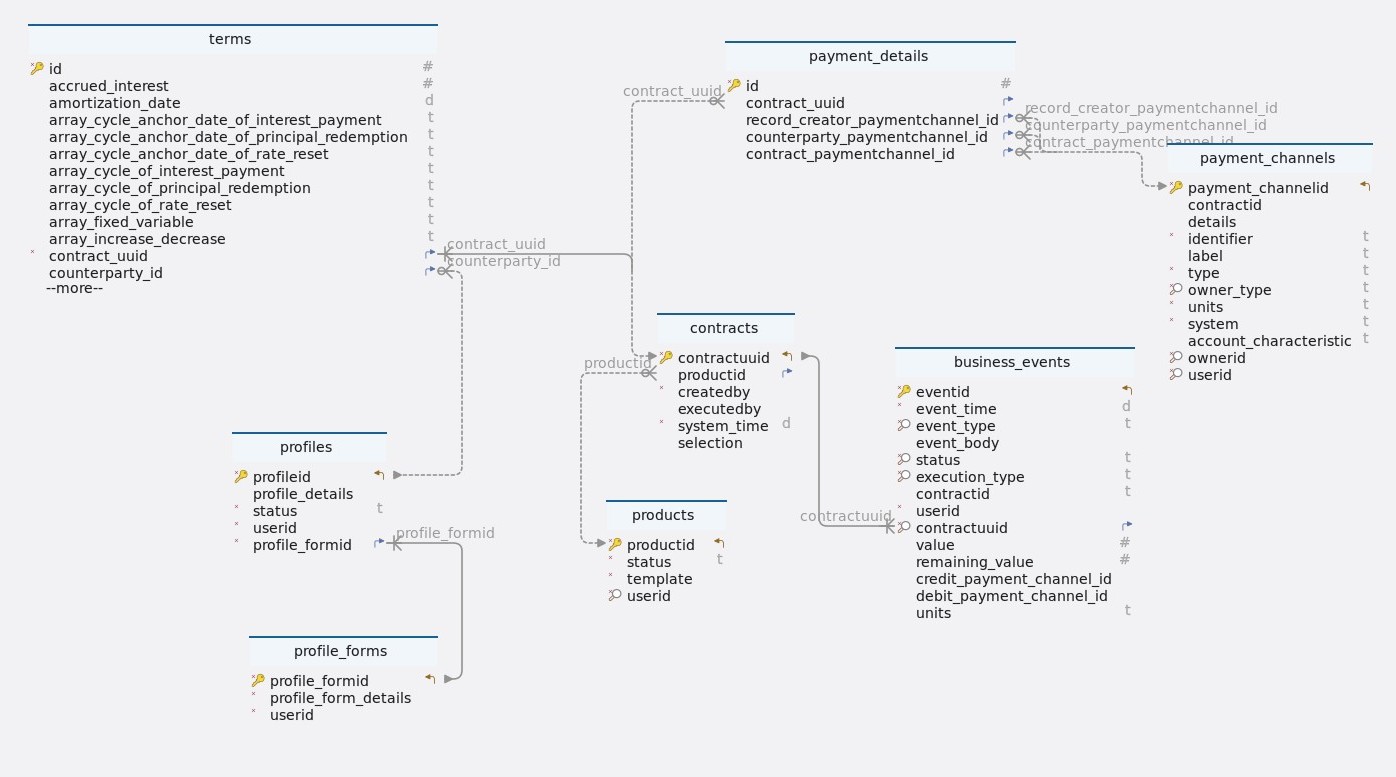
Tables
-
Schema
-
Table business_events
Index Name Data type * 🔑 ⬋
eventid
uuid
*
event_time
timestamp
* 🔎
event_type
varchar(10)
event_body
json
* 🔎
status
varchar(10)
* 🔎
execution_type
varchar(20)
contractid
varchar(255)
*
userid
uuid
* 🔎 ⬈
contractuuid
uuid
value
numeric
remaining_value
numeric
credit_payment_channel_id
uuid
debit_payment_channel_id
uuid
units
varchar(10)
-
Indexes
Type Name On 🔎
idx_contractuuid_eventtype
contractuuid, event_type
🔎
idx_contractuuid_executiontype
contractuuid, execution_type
🔎
idx_contractuuid_status
contractuuid, status
🔎
idx_contractuuid_eventtype_status
contractuuid, event_type, status
🔑
events_pkey
eventid
-
Foreign keys
Type Name On fk_business_events_contracts_contractuuid
contractuuid
-
Constraints
Name Definition business_events_event_type_check
event_type::text ~* ’^(AD|IED|FP|PR|PD |PRF|PY|PP|IP|IPCI |CE|RRF|RR|DV|PRD |MR|TD|SC|IPCB|MD |XD|STD|PI|IPFX|IPFL |ME|TP|OPS)$'::text
business_events_status_check
status::text ~* ’^(scheduled|pending|processed)$'::text
business_events_execution_type_check
execution_type::text ~* '^(contractUpdate|transaction)$'::text
-
-
Table contracts
Index Name Data type * 🔑 ⬋
contractuuid
uuid
⬈
productid
bigint
*
createdby
uuid
executedby
uuid
*
system_time
timestamp
selection
json
-
Indexes
Type Name On 🔑
contracts_pkey
contractuuid
-
Foreign keys
Type Name On contracts_product_fk
productid
-
-
Table payment_channels
Index Name Data type * 🔑 ⬋
payment_channelid
uuid
contractid
uuid
details
json
*
identifier
varchar(100)
label
varchar(100)
*
type
varchar(50)
* 🔎
owner_type
varchar(10)
*
units
varchar(10)
*
system
varchar(50)
account_characteristic
varchar(50)
* 🔎
ownerid
uuid
* 🔎
userid
uuid
-
Indexes
Type Name On 🔎
payment_channels_idx_owner_type_owner_id
owner_type, ownerid
🔑
payment_channels_pkey
payment_channelid
🔎
payment_channels_idx_payment_channel_id_owner_id
payment_channelid, ownerid
🔎
payment_channels_idx_owner_type_user_id
owner_type, userid
-
Constraints
Name Definition payment_channels_owner_type_check
owner_type::text ~* '^(root|profile)$'::text
-
-
Table payment_details
Index Name Data type * 🔑
id
bigint GENERATED BY DEFAULT AS IDENTITY
⬈
contract_uuid
uuid
⬈
record_creator_paymentchannel_id
uuid
⬈
counterparty_paymentchannel_id
uuid
⬈
contract_paymentchannel_id
uuid
-
Indexes
Type Name On 🔑
payment_details_pkey
id
-
Foreign keys
Type Name On paymentdetails_contractuuid_fk
contractuuid
paymentdetails_contract_payment_fk
contract_paymentchannel_id
paymentdetails_counterparty_fk
counterparty_paymentchannel_id
paymentdetails_record_creator_fk
record_creator_paymentchannel_id
-
-
Table products
Index Name Data type * 🔑 ⬋
productid
bigint GENERATED BY DEFAULT AS IDENTITY
*
status
varchar(10)
*
template
json
* 🔎
userid
uuid
-
Indexes
Type Name On 🔑
products_pkey
productid
🔎
products_idx_userid
userid
-
Constraints
Name Definition products_status_check
status::text ~* '^(active|inactive)$'::text
-
-
Table profile_forms
Index Name Data type * 🔑 ⬋
profile_formid
bigint GENERATED BY DEFAULT AS IDENTITY
*
profile_form_details
json
*
userid
uuid
-
Indexes
Type Name On 🔑
profile_forms_pkey
profile_formid
-
-
Table profiles
Index Name Data type * 🔑 ⬋
profileid
uuid
profile_details
json
*
status
varchar(10)
*
userid
uuid
* ⬈
profile_formid
bigint
-
Indexes
Type Name On 🔑
profiles_pkey
profileid
-
Foreign keys
Type Name On fk_profiles_profile_forms_profile_formid
profile_formid
-
Constraints
Name Definition profiles_status_check
status::text ~* '^(active|inactive)$'::text
-
-
Table terms
Index Name Data type * 🔑
id
integer GENERATED BY DEFAULT AS IDENTITY
accrued_interest
numeric
amortization_date
timestamp
array_cycle_anchor_date_of_interest_payment
varchar(255)
array_cycle_anchor_date_of_principal_redemption
varchar(255)
array_cycle_anchor_date_of_rate_reset
varchar(255)
array_cycle_of_interest_payment
varchar(255)
array_cycle_of_principal_redemption
varchar(255)
array_cycle_of_rate_reset
varchar(255)
array_fixed_variable
varchar(255)
array_increase_decrease
varchar(255)
array_next_principal_redemption_payment
varchar(255)
array_rate
varchar(255)
business_day_convention
varchar(5)
calendar
varchar(2)
capitalization_end_date
timestamp
contract_deal_date
timestamp
contractid
varchar(255)
*
contract_role
varchar(6)
contract_performance
varchar(10)
*
contract_type
varchar(15)
*
currency
varchar(10)
currency2
varchar(10)
cycle_anchor_date_of_dividend_payment
timestamp
cycle_anchor_date_of_fee
timestamp
cycle_anchor_date_of_interest_calculation_base
timestamp
cycle_anchor_date_of_interest_payment
timestamp
cycle_anchor_date_of_optionality
timestamp
cycle_anchor_date_of_principal_redemption
timestamp
cycle_anchor_date_of_rate_reset
timestamp
cycle_anchor_date_of_scaling_index
timestamp
cycle_of_dividend_payment
varchar(10)
cycle_of_fee
varchar(10)
cycle_of_interest_calculation_base
varchar(10)
cycle_of_interest_payment
varchar(10)
cycle_of_optionality
varchar(10)
cycle_of_principal_redemption
varchar(10)
cycle_of_rate_reset
varchar(10)
cycle_of_scaling_index
varchar(10)
cycle_point_of_interest_payment
varchar(1)
cycle_point_of_rate_reset
varchar(1)
*
day_count_convention
varchar(10)
delivery_settlement
varchar(1)
end_of_month_convention
varchar(5)
fee_accrued
numeric
fee_basis
varchar(1)
fee_rate
numeric
fixing_period
varchar(255)
initial_exchange_date
timestamp
interest_calculation_base
varchar(10)
interest_calculation_base_amount
numeric
life_cap
numeric
life_floor
numeric
market_object_code
varchar(255)
market_object_code_of_dividend_rate
varchar(255)
market_object_code_of_rate_reset
varchar(255)
market_object_code_of_scaling_index
varchar(255)
market_value_observed
numeric
maturity_date
timestamp
maximum_penalty_free_disbursement
varchar(255)
next_principal_redemption_payment
numeric
next_reset_rate
numeric
nominal_interest_rate
numeric
nominal_interest_rate2
numeric
notional_principal
numeric
notional_principal2
numeric
object_code_of_prepayment_model
varchar(255)
penalty_rate
numeric
penalty_type
varchar(1)
period_cap
numeric
period_floor
numeric
premium_discount_atied
numeric
price_at_purchase_date
numeric
price_at_termination_date
numeric
purchase_date
timestamp
quantity
numeric
rate_spread
numeric
rounding_convention
varchar(255)
scaling_effect
varchar(5)
scaling_index_at_contract_deal_date
numeric
settlement_period
varchar(255)
status_date
timestamp
x_day_notice
varchar(255)
termination_date
timestamp
delinquency_period
varchar(255)
grace_period
varchar(255)
market_object_code_of_dividends
varchar(255)
rate_multiplier
numeric
* ⬈
contract_uuid
uuid
⬈
counterparty_id
uuid
* 🔎
creator_id
uuid
-
Indexes
Type Name On 🔑
terms_pkey
id
🔎
terms_idx_creator_id
creator_id
-
Foreign keys
Type Name On terms_contractuuid_fk
contract_uuid
terms_counterparty_id_fk
counterparty_id
-
Constraints
Name Definition terms_business_day_convention_check
business_day_convention::text ~* '^(NOS|SCF|SCMF|CSF|CSMF |SCP|SCMP|CSP|SCMP)$'::text
terms_calendar_check
calendar::text ~* '^(NC|MF)$'::text
terms_fee_basis_check
fee_basis::text ~* '^(A|N)$'::text
terms_delivery_settlement_check
delivery_settlement::text ~* '^(D|S)$'::text
terms_cycle_of_dividend_payment_check
((cycle_of_dividend_payment)::text ~ ‘(([-+]?)P(?:([-+]?[0-9]+)Y)?(?:([-+]?[0-9]+)M)?(?:([-+]?[0-9]+)W)?(?:([-+]?[0-9]+)D)?L(?:([0-1]))?)’::text)
terms_cycle_of_interest_calculation_base_check
((cycle_of_interest_calculation_base)::text ~ ‘(([-+]?)P(?:([-+]?[0-9]+)Y)?(?:([-+]?[0-9]+)M)?(?:([-+]?[0-9]+)W)?(?:([-+]?[0-9]+)D)?L(?:([0-1]))?)’::text)
terms_cycle_of_interest_payment_check
((cycle_of_interest_payment)::text ~ ‘(([-+]?)P(?:([-+]?[0-9]+)Y)?(?:([-+]?[0-9]+)M)?(?:([-+]?[0-9]+)W)?(?:([-+]?[0-9]+)D)?L(?:([0-1]))?)’::text)
terms_cycle_of_principal_redemption_check
((cycle_of_principal_redemption)::text ~ ‘(([-+]?)P(?:([-+]?[0-9]+)Y)?(?:([-+]?[0-9]+)M)?(?:([-+]?[0-9]+)W)?(?:([-+]?[0-9]+)D)?L(?:([0-1]))?)’::text)
terms_cycle_of_rate_reset_check
((cycle_of_rate_reset)::text ~ ‘(([-+]?)P(?:([-+]?[0-9]+)Y)?(?:([-+]?[0-9]+)M)?(?:([-+]?[0-9]+)W)?(?:([-+]?[0-9]+)D)?L(?:([0-1]))?)’::text)
terms_cycle_of_scaling_index_check
((cycle_of_scaling_index)::text ~ ‘(([-+]?)P(?:([-+]?[0-9]+)Y)?(?:([-+]?[0-9]+)M)?(?:([-+]?[0-9]+)W)?(?:([-+]?[0-9]+)D)?L(?:([0-1]))?)’::text)
terms_cycle_point_of_interest_payment_check
cycle_point_of_interest_payment::text ~* '^(B|E)$'::text
terms_contract_performance_check
contract_performance::text ~* '^(PF|DL|DQ|DF|MA |TE|PreDeal)$'::text
terms_penalty_type_check
penalty_type::text ~* '^(N|A|R|I)$'::text
-
-
4. BusinessEventsServiceController
4.1. Get events
4.1.1. Sequential flow
Get events process
-
The client submits a request for events with specific filters to the BusinessEventsServiceController, which forwards this request to the BusinessEventsService.
-
The BusinessEventsService uses the SpecificationHelper to construct search criteria based on the provided filters, retrieving the corresponding events from the repository.
-
After retrieving the events, the BusinessEventsService formats them appropriately before sending the formatted data back to the client.
4.1.2. Endpoint
Description
This endpoint allows users with the appropriate permissions to fetch events based on specified criteria, apply pagination, and return the list of events as a response.
URL
/events
Method
GET
Request filter parameters
Parameters |
Type |
Required |
Description |
JSON object |
No |
Provided based on the requirements. |
|
pageNumber |
Integer |
No |
Default value is 0. |
pageSize |
Integer |
No |
Default value is 100. |
Responses:
-
200 OK: Success. Returns a JSON response containing details events.
Example response body
{
    "status": 200,
    "message": "Success",
    "data": [
        {
            "eventID": "7e3f7983-5911-47df-8e67-2d01d46074e2",
            "eventTime": "2022-12-21T06:30:00",
            "eventType": "IP",
            "eventBody": {
                "contractUpdate": {
                    "terms": [
                        {
                            "term": "notionalPrincipal",
                            "value": 50000.0,
                            "operation": "fix",
                            "fixingDays": ""
                        },
                        {
                            "term": "accruedInterest",
                            "value": 0.0,
                            "operation": "fix",
                            "fixingDays": ""
                        },
                        {
                            "term": "feeAccrued",
                            "value": 0.0,
                            "operation": "fix",
                            "fixingDays": ""
                        }
                    ],
                    "contractUUID": "7b1db647-8de5-4c4c-b279-4405c080dc6f"
                }
            },
            "status": "pending",
            "executionType": "contractUpdate",
            "value": 0.0,
            "remainingValue": 0.0,
            "creditPaymentChannelID": "6d484e24-627d-4579-8d61-f6c3107f9eb9",
            "debitPaymentChannelID": "13c3861e-bcc6-48ed-9db1-91cb6825328a",
            "userID": "902375cc-4f72-428f-8db0-95a7baa69b51",
            "contractUUID": "7b1db647-8de5-4c4c-b279-4405c080dc6f",
            "contractID": "a73ebd1f-35e8-4adc-876b-034b92d7098c",
            "units": "CHF"
        }
  ]
}-
400 Bad Request: If the request body is not in the correct format or if there are validation errors.
-
401 Unauthorized: If the user is not authenticated or lacks the necessary permissions to create contracts.
-
5xx Server Error: If there is a server-side error while processing the request.
Example
{
    "status": 400,
    "message": "The request could not be understood by the server due to malformed syntax.",
    "data": null
}
4.1.3. Methods
Description
The getEvents method retrieves a list of BusinessEvents based on the provided BusinessEventsFilterDto and pagination parameters. It uses a Specification to dynamically build query criteria based on the filter criteria in the BusinessEventsFilterDto.
Parameters
-
businessEventsFilterDto: The filter criteria for retrieving BusinessEvents. -
pageable: Pagination information, such as page number, page size, and sorting.
Returns
-
List<BusinessEvents> :A list of BusinessEvents matching the filter criteria and pagination parameters.
Example usage
public List<BusinessEvents> getEvents(BusinessEventsFilterDto businessEventsFilterDto, Pageable pageable) {

		Specification<BusinessEvents> specification = specificationHelper
				.getEventSpecification(businessEventsFilterDto);  (1)

		List<BusinessEvents> businessEvents;

		// Retrieve events based on the specification and pagination
		if (UtilityHelper.isNullorEmpty(businessEventsFilterDto.getContractUUID())) {
			pageable = PageRequest.of(pageable.getPageNumber(), pageable.getPageSize(), Sort.by("eventTime")); (2)
			businessEvents = eventsRepo.findAll(specification, pageable).getContent(); (3)
		} else {
			businessEvents = eventsRepo.findAll(specification, Sort.by("eventTime")); (4)
		}

		return businessEvents; (5)
	}
Internal workflow
| 1 | Builds a Specification<BusinessEvents> by dynamically adding filtering specifications based on non-null or non-empty fields in businessEventsFilterDto. |
| 2 | Create a new PageRequest with sorting by “eventTime”. |
| 3 | Retrieve events using eventsRepo.findAll(specification, pageable).getContent() and assign them to businessEvents. |
| 4 | If the contractUUID filter is null or empty:
Retrieve events using eventsRepo.findAll(specification, Sort.by("eventTime")) and assign them to businessEvents. |
| 5 | Return the list of businessEvents. |
Exceptions
-
None explicitly thrown by this method. However, exceptions may occur within the validator or worker methods, which are handled internally.
4.1.4. Model classes
Description
The BusinessEventsFilterDto class is a Data Transfer Object (DTO) used for filtering BusinessEvents based on specific criteria. It contains fields representing various filters that can be applied when querying for events.
-
eventID-
Type: UUID
-
Description: The unique identifier of the event.
-
Constraints: None.
-
Example: 123e4567-e89b-12d3-a456-426614174000.
-
-
eventTime-
Type: LocalDateTime
-
Description: The timestamp of the event.
-
Constraints: None.
-
Example: "2024-02-29T12:34:56".
-
-
eventType-
Type: String
-
Description: The type of the event.
-
Constraints: None.
-
Example: "AD".
-
-
status-
Type: String
-
Description: The status of the event.
-
Constraints: None.
-
Example: "scheduled".
-
-
contractUUID-
Type: UUID
-
Description: The UUID of the contract associated with the event.
-
Constraints: None.
-
Example: 123e4567-e89b-12d3-a456-426614174000.
-
Constructors
-
All Args Constructor: Initializes all attributes of the DTO.
-
No Args Constructor: Initializes the DTO with default values.
Serialization and deserialization
-
Lombok annotations (@AllArgsConstructor, @NoArgsConstructor, @ToString, @Getter, @Setter) are used for serialization and deserialization, providing automatic generation of constructors, getters, setters, and toString method.
4.1.5. Testing
Description
This test case verifies the functionality of the getEvents() method within the EventsServiceImpl class. It aims to ensure that the method returns a list of business events filtered by a specific criteria, and it checks whether the first event in the returned list has the expected status and event type.
Example usage
    @Test
	void getEvents() throws Exception { (1)

		Pageable pageable = PageRequest.of(1, 10);

		List<BusinessEvents> response = eventsServiceImpl.getEvents(businessEventsFilterDto, pageable);
		assertEquals("pending", response.get(0).getStatus());
		assertEquals("IP", response.get(0).getEventType());

}| 1 | getEvents
|
4.2. Register OPS events
4.2.1. Sequential flow
Register OPS events process
-
Client requests event registration via controller, triggering service to handle creation.
-
Business service validates event data using repositories, ensuring credit and debit channel IDs are valid.
-
After validation, service creates initial event data and a new BusinessEvents object using both request details and a validated debit contract.
-
Service validates, builds, and saves the event data. The controller confirms successful registration to the client.
4.2.2. Endpoint
Description
This endpoint allows users to register OPS events by providing the necessary details in a POST request, which are then validated, processed, and saved to the database
URL
/events/ops
Method
POST
Request body
The request body should contain a JSON array of objects, each representing data for register OPS events. The structure of each object should adhere to the CreateOPSeventDto format.
Example request body
 {
  "value": 100.50,
  "dueTime": "2024-03-05T10:00:00",
  "units": "USD",
  "debitPaymentChannelID": "3220799ac-c335-4cc7-aa17-d83b997281da",
  "creditPaymentChannelID": "33ab848d-522b-46ce-8e53-c025ed9caf02",
  "remainingAmount": 50.25,
  "debitLedgerAccountID": "39b22817-a37f-49b9-adbc-e27971afa39c",
  "creditLedgerAccountID": "c1d8c18a-32a2-4a31-96ec-f4d4f2873a4f"
  }
Responses
-
201 CREATED: Success. Returns a JSON response containing details of the created OPS events.
Example response body
{
  "status": 200,
  "message": "Success",
  "data": "dbe7a243-196d-45f8-bb6e-317f28fcf227"
}-
400 Bad Request: If the request body is not in the correct format or if there are validation errors.
-
401 Unauthorized: If the user is not authenticated or lacks the necessary permissions to create contracts.
-
5xx Server Error: If there is a server-side error while processing the request.
Example
-
Invalid creditPaymentChannelID
{
  "status": 400,
  "message": "Invalid creditPaymentChannelID 33ab848d-522b-46ce-8e53-c025ed9caf02",
  "data": null
}-
Invalid debitPaymentChannelID
{
  "status": 400,
  "message": "Invalid debitPaymentChannelID 3220799ac-c335-4cc7-aa17-d83b997281da",
  "data": null
}-
Unauthorized access
{
  "status": 401,
  "message": "Unauthorized",
  "data": null
}
4.2.3. Methods
Description
This method is responsible for creating an OPS event. It validates the input data, creates a BusinessEvents object, and saves it to the database.
Parameters
-
createOPSeventDto: The data transfer object containing information for creating an OPS event.
Returns
-
Response<UUID>: A response object containing the HTTP status code, a success message, and the event ID of the created OPS event.
Example usage
public Response<UUID> createOPSevent(CreateOPSeventDto createOPSeventDto) {
		log.info("Create OPS event started by UserId : {}, Request : {}", usersHelper.getUserID(), createOPSeventDto);

		Contracts debitContract = validator.validateOPSdata(createOPSeventDto); (1)

		// Create an OPS event object using the helper method
		BusinessEvents businessEvents = businessEventsHelper.createOpsEvent(createOPSeventDto, debitContract); (2)
		businessEvents = eventsRepo.save(businessEvents); (3)

		log.info("OPS event created by UserId : {}, EventId : {}", usersHelper.getUserID(),
				businessEvents.getEventID());

		return new Response<>(HttpStatus.OK.value(), OPS_EVENT_MESSAGE, businessEvents.getEventID()); (4)
	}
Internal workflow
| 1 | Validates OPS data using the validator service’s methods(validateOPSdata), checks and retrieves payment and contract information, and throws exceptions for invalid data. |
| 2 | Creates a BusinessEvents object by invoking the createOpsEvent method of BusinessEventsHelper service, utilizing validated data and contract information. |
| 3 | Saves the created BusinessEvents object to the database using the eventsRepo. |
| 4 | Returns a response containing the HTTP status code, a success message, and the event ID of the created OPS event. |
Exceptions
-
IllegalArgumentException-
Thrown if the CreditPaymentChannelID or DebitPaymentChannelID is invalid.
-
Thrown if the contract associated with the DebitPaymentChannelID is invalid.
-
Thrown if the contract is invalid.
-
-
DataAccessException: Thrown if there is an issue accessing the database while saving the BusinessEvents object.
4.2.4. Model classes
Description
The CreateOPSeventDto class represents a Data Transfer Object (DTO) for creating an OPS event. It contains various attributes that define the details of the event.
-
value-
Type: BigDecimal
-
Description: The value associated with the OPS event.
-
Constraints: Not null.
-
Example: 100.00
-
-
dueTime-
Type: LocalDateTime
-
Description: The due time of the OPS event.
-
Constraints: Not null.
-
Example: 2024-03-07T10:15:30
-
-
units-
Type: String
-
Description: The units of the OPS event.
-
Constraints: Not blank, maximum 10 characters.
-
Example: INR
-
-
debitPaymentChannelID-
Type: UUID
-
Description: The UUID of the debit payment channel associated with the OPS event.
-
Constraints: Not null.
-
Example: 39b22817-a37f-49b9-adbc-e27971afa39c
-
-
creditPaymentChannelID-
Type: UUID
-
Description: The UUID of the credit payment channel associated with the OPS event.
-
Constraints: Not null.
-
Example: c1d8c18a-32a2-4a31-96ec-f4d4f2873a4f
-
-
remainingAmount-
Type: BigDecimal
-
Description: The remaining amount after the OPS event.
-
Constraints: None.
-
Example: 50.00
-
-
debitLedgerAccountID-
Type: UUID
-
Description: The UUID of the debit ledger account associated with the OPS event.
-
Constraints: Not null.
-
Example: 33ab848d-522b-46ce-8e53-c025ed9caf02
-
-
creditLedgerAccountID-
Type: UUID
-
Description: The UUID of the credit ledger account associated with the OPS event.
-
Constraints: Not null.
-
Example: 3220799ac-c335-4cc7-aa17-d83b997281da
-
Constructors
-
Default constructor.
-
Parameterized constructor with all attributes.
Serialization and Deserialization
-
The class uses Lombok annotations @Getter, @Setter, @NoArgsConstructor, @AllArgsConstructor, and @ToString for serialization and deserialization. These annotations generate getter and setter methods, default and parameterized constructors, and a toString method for the class.
4.2.5. Validation
Description
The validateOPSdata method checks the validity of data used for creating an Operations (OPS) event based on the input data provided in the CreateOPSeventDto. It ensures that both credit and debit payment channel IDs are valid and exist in the repository before proceeding to validate associated contract information for the debit channel.
Parameters
-
createOPSeventDto: The data transfer object containing information required for creating an OPS event.
Returns
-
Contracts:The contract object associated with the validated debit payment channel.
Example usage
/**
	 * This method validates the data for creating an OPS event using the provided
	 * CreateOPSeventDto.
	 *
	 * @param createOPSeventDto The data transfer object containing information for
	 *                          creating an OPS event.
	 * @return The Contracts object associated with the validated data.
	 */
	public Contracts validateOPSdata(CreateOPSeventDto createOPSeventDto) {

		// validate CreditPaymentChannelID (1)
		paymentRepo.existsById(createOPSeventDto.getCreditPaymentChannelID());
		Assert.isTrue(paymentRepo.existsById(createOPSeventDto.getCreditPaymentChannelID()),
				"Invalid creditPaymentChannelID " + createOPSeventDto.getCreditPaymentChannelID());

		// validate DebitPaymentChannelID (2)
		PaymentChannels paymentChannels = paymentRepo.findById(createOPSeventDto.getDebitPaymentChannelID())
				.orElseThrow(() -> new IllegalArgumentException(
						"Invalid debitPaymentChannelID " + createOPSeventDto.getDebitPaymentChannelID()));

		return contractsRepo.findById(paymentChannels.getContractID()).orElseThrow(() -> new IllegalArgumentException(
				"Invalid debitPaymentChannel contractID " + paymentChannels.getContractID())); (3)
}| 1 | Credit payment channel ID validation
|
| 2 | Debit payment channel ID validation
|
| 3 | Contract validation for debit payment channel
|
4.2.6. Testing
Description
The createOPSeventTest method evaluates the functionality of the createOPSevent method within the EventsServiceImpl class. This test ensures that the method properly creates an OPS event with the provided DTO and stores it in the repository.
Example usage
	@Test
	void createOPSeventTest() { (1)
		Response createOPSevent = eventsServiceImpl.createOPSevent(createOPSeventDto);

		Assertions.assertEquals(200, createOPSevent.getStatus());
		Assertions.assertEquals(eventId, createOPSevent.getData());

		BusinessEvents businessEvents = eventsRepo.findById(eventId).get();
		Map<String, Object> eventBody = (Map<String, Object>) businessEvents.getEventBody();
		BigDecimal value = businessEvents.getValue();
		Map<String, Object> ledgerMap = (Map<String, Object>) eventBody.get("ledgerDetails");

		Assertions.assertEquals(500, value.intValue());
		Assertions.assertEquals(createOPSeventDto.getCreditPaymentChannelID(),
				businessEvents.getCreditPaymentChannelID());
		Assertions.assertEquals(createOPSeventDto.getDebitPaymentChannelID(),
				businessEvents.getDebitPaymentChannelID());
		Assertions.assertEquals(createOPSeventDto.getCreditLedgerAccountID(), ledgerMap.get("creditLedgerAccountID"));
		Assertions.assertEquals(createOPSeventDto.getDebitLedgerAccountID(), ledgerMap.get("debitLedgerAccountID"));

}| 1 | createOPSeventTest
|
4.3. Get events by contract
4.3.1. Sequential flow
Get events by contracts process
-
Client calls getEventsByContractUUID on BusinessEventsServiceController, passing contractUUID.
-
Request forwarded to BusinessEventsService, then to BusinessEventsServiceImpl.
-
Validation checks contract validity by Validator using validateContractUUIDAndUserID.
-
If valid, events are retrieved by findByContractUUID in BusinessEventsServiceRepo.
-
Retrieved events are sent back to BusinessEventsServiceController.
-
Controller responds with eventsList wrapped in a success ResponseEntity to the client.
4.3.2. Endpoint
Description
This endpoint retrieves a list of events related to a contract based on its UUID.
URL
/events/{contractUUID}
Method
GET
Request parameters
contractUUID: The UUID of the contract to retrieve events for.
Responses
-
200 OK: Success. Returns a JSON response containing the list of events and an HTTP status code.
Example response body
{
  "status": 200,
  "message": "Success",
  "data": [
        {
            "eventID": "16dd7e17-656b-4f1e-b28d-15909efbdf0d",
            "eventTime": "2023-01-01T00:00:00",
            "eventType": "IED",
            "eventBody": {
                "transaction": {
                    "nominalValue": 50000.0,
                    "nominalAccrued": 0.0
                }
            },
            "status": "pending",
            "executionType": "transaction",
            "value": -50000.00,
            "remainingValue": -50000.00,
            "creditPaymentChannelID": "fb0fdb85-87ee-4af2-b39a-f3a23227203c",
            "debitPaymentChannelID": "2ae5b30b-3fba-4f4b-a45f-c1d0c03b4144",
            "userID": "fe54273e-c645-49f5-9279-ad6d4067c606",
            "contractUUID": "377c7c75-1dbc-49b8-98d4-c823955e7de6",
            "contractID": "de625a6c-5444-437f-a453-5ac062219c02",
            "units": "CHF"
        }
  ]
}-
400 Bad Request: If there are validation errors or if the request body is not in the correct format.
-
401 Unauthorized: If the user is not authenticated or lacks the necessary permissions to retrieve events.
-
5xx Server Error: If there is a server-side error while processing the request.
Example
-
If the contract was not created by the currently logged-in user
{
  "status": 400,
  "message": "Contract 032ed3fe-2e42-4a0f-9101-ba6f2c866cf8 was created by a different user than the one currently login user",
  "data": null
}-
Unauthorized access
{
  "status": 401,
  "message": "Unauthorized",
  "data": null
}
4.3.3. Methods
Description
This method retrieves a list of business events associated with a contract specified by its UUID. It validates the contract UUID and user ID to ensure that the contract was created by the currently logged-in user.
Parameters
-
contractUUID:The UUID of the contract to retrieve events for.
Returns
-
List<BusinessEvents>: A list of BusinessEvents associated with the specified contract.
Example usage
	public List<BusinessEvents> getEventByContractUUID(UUID contractUUID) {

		// Validate the contract UUID and user ID
		Contracts contracts = validator.validateContractUUIDAndUserID(contractUUID); (1)

		// Retrieve the list of business events associated with the validated contract
		return eventsRepo.findByContractUUID(contracts); (2)
	}
Internal workflow
| 1 | Validate the contract UUID and user ID to ensure that the contract was created by the currently logged-in user. |
| 2 | Retrieve the list of business events associated with the validated contract from the repository. |
Exceptions
-
IllegalArgumentException:Thrown if the contract UUID is invalid or if the contract was not created by the currently logged-in user.
4.3.4. Validation
Description
The validateContractUUIDAndUserID method verifies if a contract exists (using validateContractUUID) and belongs to the current user before throwing an exception if invalid.
Parameters
-
contractUUID:The UUID of the contract to validate or retrieve.
Returns
-
Contracts:The validated Contracts object representing the contract retrieved or validated.
Example usage
	public Contracts validateContractUUIDAndUserID(UUID contractUUID) {

		// Validate the contract UUID
		Contracts contracts = validateContractUUID(contractUUID);

		// Ensure that the contract was created by the currently logged-in user (2)
		Assert.isTrue(contracts.getCreatedBy().equals(usersHelper.getUserID()),
				"Contract " + contractUUID + " was created by a different user than the one currently login user");
		return contracts;
	}


	public Contracts validateContractUUID(UUID contractUUID) { (1)
		// Provides contract information based on contractUUID
		final Optional<Contracts> optionalContract = contractsRepo.findById(contractUUID);

		Assert.isTrue(optionalContract.isPresent(), "Invalid contractUUID " + contractUUID);
		return optionalContract.get();

}| 1 | Contract UUID validation
|
| 2 | User ID validation
|
Throws
-
IllegalArgumentException:If the contract was not created by the currently logged-in user (for validateContractUUIDAndUserID method) or if the contract UUID is invalid (for validateContractUUID method).
Transactions
1. Introduction
The transactions service allows registering or processing events and updating the contract accordingly.
2. Tables and relations
Establishing relationships
-
In relational databases like PostgreSQL, relationships between tables are crucial for organizing and querying data effectively. These relationships are typically established using foreign key constraints, which define links between tables based on the values of specific columns. Common types of relationships include one-to-one, one-to-many and many-to-many relationships, each serving different data modeling needs.
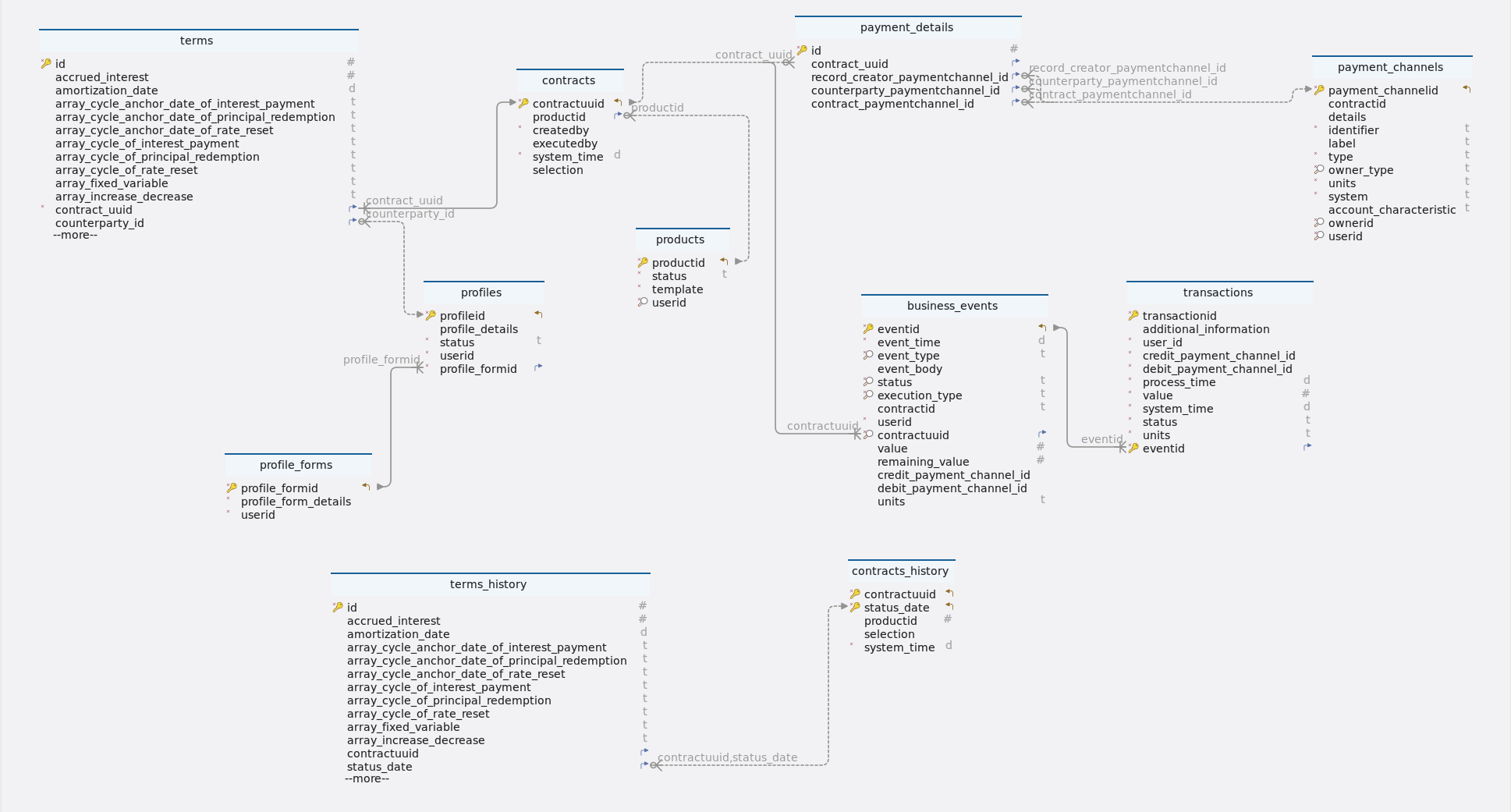
Tables
-
Schema
-
Table business_events
Index Name Data type * 🔑 ⬋
eventid
uuid
*
event_time
timestamp
* 🔎
event_type
varchar(10)
event_body
json
* 🔎
status
varchar(10)
* 🔎
execution_type
varchar(20)
contractid
varchar(255)
*
userid
uuid
* 🔎 ⬈
contractuuid
uuid
value
numeric
remaining_value
numeric
credit_payment_channel_id
uuid
debit_payment_channel_id
uuid
units
varchar(10)
-
Foreign keys
Type Name On fk_business_events_contracts_contractuuid
contractuuid
-
Constraints
Name Definition business_events_event_type_check
((event_type)::text ~* ’^(AD|IED|FP|PR|PD |PRF|PY|PP|IP|IPCI |CE|RRF|RR|DV|PRD |MR|TD|SC|IPCB|MD |XD|STD|PI|IPFX|IPFL |ME|TP|OPS)$'::text)
business_events_execution_type_check
((execution_type)::text ~* '^(contractUpdate|transaction)$'::text)
business_events_status_check
((status)::text ~* ’^(scheduled|pending|processed)$'::text)
-
-
Table contracts
Index Name Data type * 🔑 ⬋
contractuuid
uuid
⬈
productid
bigint
*
createdby
uuid
executedby
uuid
*
system_time
timestamp
selection
json
-
Foreign keys
Type Name On contracts_product_fk
productid
-
-
Table contracts_history
Index Name Data type * 🔑 ⬋
contractuuid
uuid
* 🔑 ⬋
status_date
timestamp
productid
bigint
selection
json
*
system_time
timestamp
-
Table payment_channels
Index Name Data type * 🔑 ⬋
payment_channelid
uuid
contractid
uuid
details
json
*
identifier
varchar(100)
label
varchar(100)
*
type
varchar(50)
* 🔎
owner_type
varchar(10)
*
units
varchar(10)
*
system
varchar(50)
account_characteristic
varchar(50)
* 🔎
ownerid
uuid
* 🔎
userid
uuid
-
Constraints
Name Definition payment_channels_owner_type_check
((owner_type)::text ~* ’^(root|profile)$'::text)
-
-
Table payment_details
Index Name Data type * 🔑
id
bigint GENERATED BY DEFAULT AS IDENTITY
⬈
contract_uuid
uuid
⬈
record_creator_paymentchannel_id
uuid
⬈
counterparty_paymentchannel_id
uuid
⬈
contract_paymentchannel_id
uuid
-
Foreign keys
Type Name On paymentdetails_contractuuid_fk
contract_uuid
paymentdetails_contract_payment_fk
contract_paymentchannel_id
paymentdetails_counterparty_fk
counterparty_paymentchannel_id
paymentdetails_record_creator_fk
record_creator_paymentchannel_id
-
-
Table products
Index Name Data type * 🔑 ⬋
productid
bigint GENERATED BY DEFAULT AS IDENTITY
*
status
varchar(10)
*
template
json
* 🔎
userid
uuid
-
Constraints
Name Definition products_status_check
((status)::text ~* ’^(active|inactive)$'::text)
-
-
Table profile_forms
Index Name Data type * 🔑 ⬋
profile_formid
bigint GENERATED BY DEFAULT AS IDENTITY
*
profile_form_details
json
*
userid
uuid
-
Table profiles
Index Name Data type * 🔑 ⬋
profileid
uuid
profile_details
json
*
status
varchar(10)
*
userid
uuid
* ⬈
profile_formid
bigint
-
Foreign keys
Type Name On fk_profiles_profile_forms_profile_formid
profile_formid
-
Constraints
Name Definition profiles_status_check
((status)::text ~* ’^(active|inactive)$'::text)
-
-
Table terms
Index Name Data type * 🔑
id
bigint GENERATED BY DEFAULT AS IDENTITY
accrued_interest
numeric
amortization_date
timestamp
array_cycle_anchor_date_of_interest_payment
varchar(255)
array_cycle_anchor_date_of_principal_redemption
varchar(255)
array_cycle_anchor_date_of_rate_reset
varchar(255)
array_cycle_of_interest_payment
varchar(255)
array_cycle_of_principal_redemption
varchar(255)
array_cycle_of_rate_reset
varchar(255)
array_fixed_variable
varchar(255)
array_increase_decrease
varchar(255)
array_next_principal_redemption_payment
varchar(255)
array_rate
varchar(255)
business_day_convention
varchar(5)
calendar
varchar(2)
capitalization_end_date
timestamp
contract_deal_date
timestamp
contractid
varchar(255)
*
contract_role
varchar(6)
contract_performance
varchar(10)
*
contract_type
varchar(15)
*
currency
varchar(10)
currency2
varchar(10)
cycle_anchor_date_of_dividend_payment
timestamp
cycle_anchor_date_of_fee
timestamp
cycle_anchor_date_of_interest_calculation_base
timestamp
cycle_anchor_date_of_interest_payment
timestamp
cycle_anchor_date_of_optionality
timestamp
cycle_anchor_date_of_principal_redemption
timestamp
cycle_anchor_date_of_rate_reset
timestamp
cycle_anchor_date_of_scaling_index
timestamp
cycle_of_dividend_payment
varchar(10)
cycle_of_fee
varchar(10)
cycle_of_interest_calculation_base
varchar(10)
cycle_of_interest_payment
varchar(10)
cycle_of_optionality
varchar(10)
cycle_of_principal_redemption
varchar(10)
cycle_of_rate_reset
varchar(10)
cycle_of_scaling_index
varchar(10)
cycle_point_of_interest_payment
varchar(1)
cycle_point_of_rate_reset
varchar(1)
*
day_count_convention
varchar(10)
delivery_settlement
varchar(1)
end_of_month_convention
varchar(5)
fee_accrued
numeric
fee_basis
varchar(1)
fee_rate
numeric
fixing_period
varchar(255)
initial_exchange_date
timestamp
interest_calculation_base
varchar(10)
interest_calculation_base_amount
numeric
life_cap
numeric
life_floor
numeric
market_object_code
varchar(255)
market_object_code_of_dividend_rate
varchar(255)
market_object_code_of_rate_reset
varchar(255)
market_object_code_of_scaling_index
varchar(255)
market_value_observed
numeric
maturity_date
timestamp
maximum_penalty_free_disbursement
varchar(255)
next_principal_redemption_payment
numeric
next_reset_rate
numeric
nominal_interest_rate
numeric
nominal_interest_rate2
numeric
notional_principal
numeric
notional_principal2
numeric
object_code_of_prepayment_model
varchar(255)
penalty_rate
numeric
penalty_type
varchar(1)
period_cap
numeric
period_floor
numeric
premium_discount_atied
numeric
price_at_purchase_date
numeric
price_at_termination_date
numeric
purchase_date
timestamp
quantity
numeric
rate_spread
numeric
rounding_convention
varchar(255)
scaling_effect
varchar(5)
scaling_index_at_contract_deal_date
numeric
settlement_period
varchar(255)
status_date
timestamp
x_day_notice
varchar(255)
termination_date
timestamp
delinquency_period
varchar(255)
grace_period
varchar(255)
market_object_code_of_dividends
varchar(255)
rate_multiplier
numeric
* ⬈
contract_uuid
uuid
⬈
counterparty_id
uuid
* 🔎
creator_id
uuid
-
Foreign keys
Type Name On terms_contractuuid_fk
contract_uuid
terms_counterparty_id_fk
counterparty_id
-
Constraints
Name Definition terms_business_day_convention_check
((business_day_convention)::text ~* ’^(NOS|SCF|SCMF|CSF|CSMF |SCP|SCMP|CSP|SCMP)$'::text)
terms_contract_type_check
((contract_type)::text ~* '^(ANN|FeeSchedule|PAM|NAM|LAM |LAX|CLM|UMP|CSH|STK |COM|SWAPS|SWPPV|FXOUT|CAPFL |FUTUR|OPTNS|CEG|CEC|BCS)$'::text)
terms_calendar_check
((calendar)::text ~* ’^(NC|MF)$'::text)
terms_contract_role_check
((contract_role)::text ~* '^(RPA|RPL|RFL|PFL|RF |PF|BUY|SEL|COL|CNO |UDL|UDLP|UDLM)$'::text)
terms_fee_basis_check
((fee_basis)::text ~* ’^(A|N)$'::text)
terms_day_count_convention_check
((day_count_convention)::text ~* '^(AA|A360|A365|ISDA|28E336 |30E360)$'::text)
terms_delivery_settlement_check
((delivery_settlement)::text ~* ’^(D|S)$'::text)
terms_end_of_month_convention_check
((end_of_month_convention)::text ~* '^(EOM|SD)$'::text)
terms_cycle_of_dividend_payment_check
((cycle_of_dividend_payment)::text ~ `(([-]?)P(?:([-]?)Y) ?(?:([-]?)M) ?(?:([-]?)W)?(?:([-]?[0-9]+)D) ?L(?:([0-1]))?)'::text)
terms_cycle_of_interest_calculation_base_check
((cycle_of_interest_calculation_base)::text ~ `(([-]?)P(?:([-]?)Y) ?(?:([-]?)M) ?(?:([-]?)W)?(?:([-]?[0-9]+)D) ?L(?:([0-1]))?)'::text)
terms_cycle_of_interest_payment_check
((cycle_of_interest_payment)::text ~ `(([-]?)P(?:([-]?)Y) ?(?:([-]?)M)? (?:([-]?)W)?(?:([-]?[0-9]+)D) ?L(?:([0-1]))?)'::text)
terms_cycle_of_principal_redemption_check
((cycle_of_principal_redemption)::text ~ `(([-]?)P(?:([-]?)Y) ?(?:([-]?)M) ?(?:([-]?)W)?(?:([-]?[0-9]+)D) ?L(?:([0-1]))?)'::text)
terms_cycle_of_rate_reset_check
((cycle_of_rate_reset)::text ~ `(([-]?)P(?:([-]?)Y) ?(?:([-]?)M) ?(?:([-]?)W)?(?:([-]?[0-9]+)D) ?L(?:([0-1]))?)'::text)
terms_cycle_of_scaling_index_check
((cycle_of_scaling_index)::text ~ `(([-]?)P(?:([-]?)Y) ?(?:([-]?)M) ?(?:([-]?)W)?(?:([-]?[0-9]+)D) ?L(?:([0-1]))?)'::text)
terms_cycle_point_of_interest_payment_check
((cycle_point_of_interest_payment)::text ~* ’^(B|E)$'::text)
terms_cycle_point_of_rate_reset_check
((cycle_point_of_rate_reset)::text ~* '^(B|E)$'::text)
terms_contract_performance_check
((contract_performance)::text ~* ’^(PF|DL|DQ|DF|MA |TE|PreDeal)$'::text)
terms_interest_calculation_base_check
((interest_calculation_base)::text ~* '^(NT|NTIED|NTL)$'::text)
terms_penalty_type_check
((penalty_type)::text ~* ’^(N|A|R|I)$'::text)
terms_scaling_effect_check
((scaling\_effect)::text ~* '^(OOO|IOO|ONO|INO)$'::text)
-
-
Table terms_history
Index Name Data type * 🔑
id
bigint GENERATED BY DEFAULT AS IDENTITY
accrued_interest
numeric
amortization_date
timestamp
array_cycle_anchor_date_of_interest_payment
varchar(255)
array_cycle_anchor_date_of_principal_redemption
varchar(255)
array_cycle_anchor_date_of_rate_reset
varchar(255)
array_cycle_of_interest_payment
varchar(255)
array_cycle_of_principal_redemption
varchar(255)
array_cycle_of_rate_reset
varchar(255)
array_fixed_variable
varchar(255)
array_increase_decrease
varchar(255)
array_next_principal_redemption_payment
varchar(255)
array_rate
varchar(255)
business_day_convention
varchar(5)
calendar
varchar(2)
capitalization_end_date
timestamp
contract_deal_date
timestamp
contractid
varchar(255)
*
contract_role
varchar(6)
contract_performance
varchar(10)
*
contract_type
varchar(15)
*
currency
varchar(10)
currency2
varchar(10)
cycle_anchor_date_of_dividend_payment
timestamp
cycle_anchor_date_of_fee
timestamp
cycle_anchor_date_of_interest_calculation_base
timestamp
cycle_anchor_date_of_interest_payment
timestamp
cycle_anchor_date_of_optionality
timestamp
cycle_anchor_date_of_principal_redemption
timestamp
cycle_anchor_date_of_rate_reset
timestamp
cycle_anchor_date_of_scaling_index
timestamp
cycle_of_dividend_payment
varchar(10)
cycle_of_fee
varchar(10)
cycle_of_interest_calculation_base
varchar(10)
cycle_of_interest_payment
varchar(10)
cycle_of_optionality
varchar(10)
cycle_of_principal_redemption
varchar(10)
cycle_of_rate_reset
varchar(10)
cycle_of_scaling_index
varchar(10)
cycle_point_of_interest_payment
varchar(1)
cycle_point_of_rate_reset
varchar(1)
*
day_count_convention
varchar(10)
delivery_settlement
varchar(1)
end_of_month_convention
varchar(5)
fee_accrued
numeric
fee_basis
varchar(1)
fee_rate
numeric
fixing_period
varchar(255)
initial_exchange_date
timestamp
interest_calculation_base
varchar(10)
interest_calculation_base_amount
numeric
life_cap
numeric
life_floor
numeric
market_object_code
varchar(255)
market_object_code_of_dividend_rate
varchar(255)
market_object_code_of_rate_reset
varchar(255)
market_object_code_of_scaling_index
varchar(255)
market_value_observed
numeric
maturity_date
timestamp
maximum_penalty_free_disbursement
varchar(255)
next_principal_redemption_payment
numeric
next_reset_rate
numeric
nominal_interest_rate
numeric
nominal_interest_rate2
numeric
notional_principal
numeric
notional_principal2
numeric
object_code_of_prepayment_model
varchar(255)
penalty_rate
numeric
penalty_type
varchar(1)
period_cap
numeric
period_floor
numeric
premium_discount_atied
numeric
price_at_purchase_date
numeric
price_at_termination_date
numeric
purchase_date
timestamp
quantity
numeric
rate_spread
numeric
rounding_convention
varchar(255)
scaling_effect
varchar(5)
scaling_index_at_contract_deal_date
numeric
settlement_period
varchar(255)
x_day_notice
varchar(255)
termination_date
timestamp
delinquency_period
varchar(255)
grace_period
varchar(255)
market_object_code_of_dividends
varchar(255)
rate_multiplier
numeric
*
creator_id
uuid
⬈
contractuuid
uuid
⬈
status_date
timestamp
-
Foreign keys
Type Name On fk-contracts_history-terms_history
contractuuid, status_date
-
Constraints
Name Definition terms_history_business_day_convention_check
((business_day_convention)::text ~* ’^(NOS|SCF|SCMF|CSF|CSMF |SCP|SCMP|CSP|SCMP)$'::text)
terms_history_contract_type_check
((contract_type)::text ~* '^(ANN|FeeSchedule|PAM|NAM|LAM |LAX|CLM|UMP|CSH|STK |COM|SWAPS|SWPPV|FXOUT|CAPFL |FUTUR|OPTNS|CEG|CEC|BCS)$'::text)
terms_history_calendar_check
((calendar)::text ~* ’^(NC|MF)$'::text)
terms_history_contract_role_check
((contract_role)::text ~* '^(RPA|RPL|RFL|PFL|RF |PF|BUY|SEL|COL|CNO |UDL|UDLP|UDLM)$'::text)
terms_history_fee_basis_check
((fee_basis)::text ~* ’^(A|N)$'::text)
terms_history_day_count_convention_check
((day_count_convention)::text ~* '^(AA|A360|A365|ISDA|28E336 |30E360)$'::text)
terms_history_delivery_settlement_check
((delivery_settlement)::text ~* ’^(D|S)$'::text)
terms_history_end_of_month_convention_check
((end_of_month_convention)::text ~* '^(EOM|SD)$'::text)
terms_history_cycle_of_dividend_payment_check
((cycle_of_dividend_payment)::text ~ `(([-]?)P(?:([-]?)Y) ?(?:([-]?)M) ?(?:([-]?)W)?(?:([-]?[0-9]+)D) ?L(?:([0-1]))?)'::text)
terms_history_cycle_of_interest_calculation_base_check
((cycle_of_interest_calculation_base)::text ~ `(([-]?)P(?:([-]?)Y) ?(?:([-]?)M) ?(?:([-]?)W)?(?:([-]?[0-9]+)D) ?L(?:([0-1]))?)'::text)
terms_history_cycle_of_interest_payment_check
((cycle_of_interest_payment)::text ~ `(([-]?)P(?:([-]?)Y) ?(?:([-]?)M) ?(?:([-]?)W)?(?:([-]?[0-9]+)D) ?L(?:([0-1]))?)'::text)
terms_history_cycle_of_principal_redemption_check
((cycle_of_principal_redemption)::text ~ `(([-]?)P(?:([-]?)Y) ?(?:([-]?)M) ?(?:([-]?)W)?(?:([-]?[0-9]+)D) ?L(?:([0-1]))?)'::text)
terms_history_cycle_of_rate_reset_check
((cycle_of_rate_reset)::text ~ `(([-]?)P(?:([-]?)Y) ?(?:([-]?)M) ?(?:([-]?)W)?(?:([-]?[0-9]+)D) ?L(?:([0-1]))?)'::text)
terms_history_cycle_of_scaling_index_check
((cycle_of_scaling_index)::text ~ `(([-]?)P(?:([-]?)Y) ?(?:([-]?)M) ?(?:([-]?)W)?(?:([-]?[0-9]+)D) ?L(?:([0-1]))?)'::text)
terms_history_cycle_point_of_interest_payment_check
((cycle_point_of_interest_payment)::text ~* ’^(B|E)$'::text)
terms_history_cycle_point_of_rate_reset_check
((cycle_point_of_rate_reset)::text ~* '^(B|E)$'::text)
terms_history_contract_performance_check
((contract_performance)::text ~* ’^(PF|DL|DQ|DF|MA |TE|PreDeal)$'::text)
terms_history_interest_calculation_base_check
((interest_calculation_base)::text ~* '^(NT|NTIED|NTL)$'::text)
terms_history_penalty_type_check
((penalty_type)::text ~* ’^(N|A|R|I)$'::text)
terms_history_scaling_effect_check
((scaling_effect)::text ~* '^(OOO|IOO|ONO|INO)$'::text)
-
-
Table transactions
Index Name Data type * 🔑
transactionid
uuid
additional_information
json
*
user_id
uuid
*
credit_payment_channel_id
uuid
*
debit_payment_channel_id
uuid
*
process_time
timestamp
*
value
numeric
*
system_time
timestamp
*
status
varchar(15)
*
units
varchar(10)
* 🔑 ⬈
eventid
uuid
-
Foreign keys
Type Name On fk_transactions_business_events_eventid
eventid
-
(🔑) - Primary key
(*) - Mandatory
(⬈) - Foreign key
(🔎) - Constraint
-
4. TransactionServiceController
4.1. Transfer
4.1.1. Sequential flow
Transfer process
This process includes transfer of funds from one account to another based on the provided TransferDto. Here below are process steps -
Data validation
-
The system checks if the transfer data is valid.
-
It ensures that the transfer amount is greater than zero.
-
It verifies the existence of sender and receiver contracts and payment channels.
Transfer process
-
If data is valid, the system proceeds with the transfer process.
-
It saves transaction details, initializes business events and updates contract balances.
-
Finally, it logs the transfer completion.
If the transfer data is invalid or any step fails, appropriate error messages are returned.
4.1.2. Endpoint
Description
This endpoint allows users with the appropriate permissions to transfer funds based on the provided data.
URL
/transfer
Method
POST
Request body
The request body should contain a JSON object. The structure of each object should adhere to the TransferDto format.
Example request body
{
    "value" : 1000,
    "contractUUID" : "a1933b07-a12c-4666-9669-8a1bda511086",
    "receiver" : "2ae5b30b-3fba-4f4b-a45f-c1d0c03b4144"
}
Responses
-
200 OK: Transaction success. Returns a JSON response containing details of the transaction.
Example response body
{
    "status": 200,
    "message": "Transaction success",
    "data": "e9f0e281-ed53-43e4-a8a2-bc191d5e5aa5"
}-
400 bad request: If the request body is not in the correct format or if there are validation errors.
-
401 unauthorized: If the user is not authenticated or lacks the necessary permissions to transfer.
-
5xx server error: If there is a server-side error while processing the request.
Example
{
  "status": 400,
  "message": "Invalid sender contactUUID",
  "data": null
}
4.1.3. Methods
Description
This method is responsible for validating a transfer request, updating the notional principal of credit and debit contracts and saving the transaction details in the system.
Signature
public Response<UUID> transfer(TransferDto transferDto) throws URISyntaxExceptionParameters
-
TransferDto(Type: TransferDto): The transfer request data containing information about the contract UUID, receiver and transfer amount.
Returns
-
Response<UUID>: A response object indicating the success of the transfer operation. It contains the HTTP status code, a message indicating the success of the transaction and the unique identifier of the transfer event.
Example usage
/**
 * To validate the request , update notionalPrincipal of credit and debit
 * contracts and save the transaction (Only UMP contract)
 *
 * @param transferDto The transfer request data.
 * @return A response indicating the success of the transfer.
 * @throws URISyntaxException If the URI syntax is incorrect.
 */
@Override
@Transactional	(1)
public Response<UUID> transfer(TransferDto transferDto) throws URISyntaxException {
		log.info("userID : {}, request : {}", usersHelper.getUserID(), transferDto);

		// Transfer data validation
		TransactionDetailsDto transfer = validator.validateEvent(transferDto); (2)

		// Initializing event to process transfer
		BusinessEvents event = transferHelper.initializeEvent(transfer); (3)

		// Updating creditPaymentChannel
		contractUpdateWorker.updateNotionalPrincipal(transfer.getCreditContract(), transfer.getValue(),
				event.getEventTime()); (4)

		// Updating debitPaymentChannel
		BigDecimal debitValue = transfer.getValue().multiply(BigDecimal.valueOf(-1.0));
		contractUpdateWorker.updateNotionalPrincipal(transfer.getDebitContract(), debitValue, event.getEventTime()); (5)

		// Saving transaction
		BusinessEvents transferEvent = transactionWorker.saveTransaction(event, transfer); (6)

		return new Response<>(HttpStatus.OK.value(), Messages.TRANSACTION_SUCCESS, transferEvent.getEventID()); (7)
	}
Internal workflow
| 1 | @Transactional ensures all credit, debit, and transaction updates inside transfer() happen atomically — either all succeed or all fail — keeping the database consistent. |
| 2 | Validates the transfer request data using the validator.validateEvent() method. |
| 3 | The method initializes an event to process the transfer using the transferHelper.initializeEvent() method. |
| 4 | It updates the notional principal of the credit payment channel by calling contractUpdateWorker.updateNotionalPrincipal() with the credit contract details, transfer value and event time. |
| 5 | It updates the notional principal of the debit payment channel by calling contractUpdateWorker.updateNotionalPrincipal() with the debit contract details, negative transfer value and event time. |
| 6 | The method saves the transaction details using the transactionWorker.saveTransaction() method. |
| 7 | Finally, it returns a response object with HTTP status code 200 (OK), a success message and the unique identifier of the transfer event. |
Exceptions
-
URISyntaxException is thrown by this method when parsing a malformed Uniform Resource Identifier (URI) string. However, exceptions may occur within the validator or worker methods, which are handled internally.
4.1.4. Model classes
Description
The TransferDto class represents a data transfer object used for transferring funds between contracts.
-
value-
Type: BigDecimal
-
Description: Represents the amount of funds to be transferred.
-
Constraints: Not null.
-
Example: 1000
-
-
contractUUID-
Type: UUID
-
Description: Represents the UUID of the contract initiating the transfer.
-
Constraints: Not null.
-
Example: a1933b07-a12c-4666-9669-8a1bda511086
-
-
receiver-
Type: UUID
-
Description: Represents the UUID of the receiving contract.
-
Constraints: Not null.
-
Example: 2ae5b30b-3fba-4f4b-a45f-c1d0c03b4144
-
Example usage
TransferDto transfer = new TransferDto();
transfer.setValue(new BigDecimal("100.00"));
transfer.setContractUUID(UUID.randomUUID());
transfer.setReceiver(UUID.randomUUID());
4.1.5. Validation
Description
The validateEvent method is responsible for validating transfer input data, including currency, balance and contract details. It ensures that the provided transfer information is valid and meets the necessary criteria for processing the transaction.
Parameters
-
transferDto: Contains contractUUID, transaction value and other relevant information necessary for performing the transfer.
Returns
-
TransactionDetailsDto: Contains transaction details required for processing the transfer.
Example usage
public TransactionDetailsDto validateEvent(TransferDto transferDto) {
		TransactionDetailsDto transfer = new TransactionDetailsDto();

		// Transfer amount validation
		Assert.isTrue(transferDto.getValue().doubleValue() > 0, Messages.INVALID_AMOUNT);
		transfer.setValue(transferDto.getValue()); (1)

		// Sender details validation
		this.validateSender(transferDto, transfer); (2)

		// Receiver details validation
		this.validateReceiver(transferDto, transfer); (3)

		// Sender and receiver accounts currency validation
		Assert.isTrue(validateCurrency(transfer.getDebitPaymentChannel(), transfer.getCreditPaymentChannel()),
				Messages.INVALID_CURRENCY); (4)
		transfer.setUnits(String.valueOf(transfer.getDebitPaymentChannel().getDetails().get(Constants.UNITS)));

		// Sender account balance validation
		Assert.isTrue(validateBalance(transfer.getDebitContract(), transfer.getValue()), Messages.INSUFFICIENT_BALANCE); (5)

		return transfer;
}| 1 | Transfer amount validation
|
| 2 | Sender details validation
|
| 3 | Receiver details validation
|
| 4 | Currency validation
|
| 5 | Sender account balance validation
|
4.1.6. Testing
Description
This section provides an overview of the testing strategy and objectives for the transfer method.
Example usage
	@Test
	void transferTest() throws URISyntaxException { (1)
		TransferDto transferDto = new TransferDto();
		BigDecimal value = new BigDecimal("100");
		transferDto.setContractUUID(debitContract.getContractUUID());
		transferDto.setReceiver(creditPaymentChannel.getPaymentChannelID());
		transferDto.setValue(value);

		Response transferResponse = transferServiceImpl.transfer(transferDto);
		assertEquals(Messages.TRANSACTION_SUCCESS, transferResponse.getMessage());

		Contracts creditContracts1 = contractRepo.findById(creditContract.getContractUUID()).get();
		BigDecimal creditNotionalPrincipal = creditContracts1.getContractTerms().get(0).getNotionalPrincipal();

		Contracts debitContract1 = contractRepo.findById(debitContract.getContractUUID()).get();
		BigDecimal debitNotionalPrincipal = debitContract1.getContractTerms().get(0).getNotionalPrincipal();

		assertEquals(new BigDecimal("600.0"), creditNotionalPrincipal);
		assertEquals(new BigDecimal("400.0"), debitNotionalPrincipal);

}| 1 | transferTest()
|
4.2. Transaction
4.2.1. Sequential flow
Transaction process
This process includes transactions of different event types based on the provided TransactionDto. Here below are process steps -
Data validation
-
Incoming requests are handled at "/transaction" endpoint.
-
Transaction data is validated using the @Valid annotation.
-
Event IDs are retrieved from the transaction data.
-
Each transaction is individually validated for correctness.
Transaction process
-
Valid transactions proceed to the processing phase.
-
Processing involves updating contract information and performing associated event processes.
-
Transaction details are saved alongside the associated business event.
-
Responses are generated based on transaction success or failure.
-
Logs track transaction progress and error handling ensures proper response generation.
4.2.2. Endpoint
Description
This endpoint allows the processing of transactions for various event types across all contract types except UMP. Transactions include events such as IP, PR, FP, IED and more.
URL
/transaction
Method
POST
Request body
The request body should contain a JSON array. The structure of each object should adhere to the TransactionDto format.
Example request body
[
    {
        "eventID": "4e3723af-ece4-4934-963b-bfbabb510212",
        "value": 3320.8481981622112,
        "processTime": "2023-01-01T00:00"
    }
]
Responses
-
200 OK: Transaction success. Returns a response containing a list of transaction process responses.
Example response body
{
    "status": 200,
    "message": "Transactions processed successfully",
    "data": [
        {
            "eventID": "4e3723af-ece4-4934-963b-bfbabb510212",
            "valid": "TRUE",
            "details": "Transaction success"
        }
    ]
}-
400 bad request: If the request body is not in the correct format or if there are validation errors.
-
401 unauthorized: If the user is not authenticated or lacks the necessary permissions for the transaction.
-
5xx server error: If there is a server-side error while processing the request.
Example
{
  "status": 400,
  "message": "Invalid eventID",
  "data": null
}|
Ensure that the request body is a JSON object containing a list of valid TransactionDto objects. The response body includes a list of TransactionResponseDto objects, providing details about the processed transactions and their validation status. |
4.2.3. Methods
-
Method: transaction
-
Description
-
This method processes transactions for all contract types except UMP. It receives a list of transaction data objects, executes the transactions, validates them and returns a list of response objects indicating the status of each transaction.
-
-
Signature
public ResponseEntity<Response<List<TransactionResponseDto>>> transaction( @Valid @RequestBody List<TransactionDto> transactionDtoList) -
Parameters
-
transactionDtoList (List of TransactionDto): A list containing information about the events to be processed.
-
-
Returns
-
Responses with HTTP status codes indicating the success or failure of the transaction processing.
-
-
Example usage
public ResponseEntity<Response<List<TransactionResponseDto>>> transaction( @Valid @RequestBody List<TransactionDto> transactionDtoList) { // Execute the transactions List<TransactionResponseDto> transactionResponseList = transactionsService .executeTransaction(transactionDtoList); (1) // Check if all transactions were valid boolean allTransactionsValid = transactionResponseList.stream() .allMatch(responseDto -> responseDto.getValid().equals(Constants.TRUE)); (2) if (allTransactionsValid) { // Return the responses with HTTP status OK return new ResponseEntity<>(new Response<>(HttpStatus.OK.value(), "Transactions processed successfully", transactionResponseList), HttpStatus.OK); } else { // Return the responses with HTTP status BAD_REQUEST return new ResponseEntity<>(new Response<>(HttpStatus.BAD_REQUEST.value(), "Validation failed due to provided invalid data", transactionResponseList), HttpStatus.BAD_REQUEST); (3) } } -
Internal workflow
1 Executes transactions based on the provided transaction data. 2 Checks if all transactions are valid. 3 Returns responses with HTTP status codes indicating the success or failure of the transaction processing.
-
-
Method: executeTransaction
-
Description
-
This method is responsible for executing transactions. It validates the input transaction data, processes valid transactions and returns a list of response objects indicating the status of each transaction.
-
-
Signature
public List<TransactionResponseDto> executeTransaction(List<TransactionDto> transactionDtoList) -
Parameters
-
transactionDtoList (List of TransactionDto): The list of transaction data to be processed.
-
-
Returns
-
List of
TransactionResponseDto: A list of response objects indicating the status of each transaction.
-
-
Example usage
/** * To validate the request All contract except UMP * * @param transactionDtoList The list of transaction data to be processed. * @return A list of response objects indicating the status of each transaction. */ @Override @Transactional (1) public List<TransactionResponseDto> executeTransaction(List<TransactionDto> transactionDtoList) { // Retrieve eventIDs from input List<UUID> eventIDList = transactionDtoList.stream().map(TransactionDto::getEventID).toList(); (2) // Validate all transactions and accumulate responses List<TransactionResponseDto> transactionResponseDtoList = transactionDtoList.stream() .map(transactionData -> validator.validateTransactionData(transactionData, eventIDList)).toList(); (3) // Process transactions only if all are valid if (transactionResponseDtoList.stream() .allMatch(responseDto -> responseDto.getValid().equals(Constants.TRUE))) { (4) transactionResponseDtoList = transactionDtoList.stream().map(this::processTransaction).toList(); } return transactionResponseDtoList; (5) } -
Internal workflow
1 @Transactionalensures that all validations and transaction processing inside executeTransaction() occur atomically — either every transaction in the list is successfully processed and committed, or all changes are rolled back if any one fails, preserving database consistency.2 Extracts event IDs from the input transaction data. 3 Validates each transaction data object and accumulates the validation responses. 4 Processes transactions only if all are valid. 5 Returns a list of response objects indicating the status of each transaction. -
4.2.4. Model classes
-
TransactionDto
Description
The
TransactionDtoclass represents a data transfer object (DTO) for a transaction. It encapsulates information about a transaction including its event ID, value and process time.Attributes-
eventID-
Type: UUID
-
Description: Represents the unique identifier of the event associated with the transaction.
-
Constraints: Not null.
-
Example: 4e3723af-ece4-4934-963b-bfbabb510212
-
-
value-
Type: BigDecimal
-
Description: Represents the value of the transaction.
-
Constraints: Not null.
-
Example: 3320.8481981622112
-
-
processTime-
Type: LocalDateTime
-
Description: Represents the timestamp when the transaction was processed.
-
Constraints: Not null.
-
Example: 2023-01-01T00:00
Example usage
TransactionDto transaction = new TransactionDto(); transaction.setEventID(UUID.randomUUID()); transaction.setValue(new BigDecimal("100.00")); transaction.setProcessTime(LocalDateTime.now()); -
-
-
TransactionResponseDto
Description
The
TransactionResponseDtoclass represents a data transfer object (DTO) for a transaction response. It encapsulates information about the status of a transaction along with any additional details.Attributes-
eventID-
Type: UUID
-
Description: Represents the unique identifier of the event associated with the transaction.
-
Constraints: Not null.
-
Example: 4e3723af-ece4-4934-963b-bfbabb510212
-
-
valid-
Type: String
-
Description: Indicates whether the transaction is valid or not.
-
Constraints: Can take values "TRUE" or "FALSE".
-
Example: TRUE
-
-
details-
Type: String
-
Description: Provides additional details about the transaction, such as error messages or processing notes.
-
Example: Transaction success
-
-
|
This class is typically used to communicate the outcome of a transaction processing operation, such as whether it was successful or encountered an error. |
4.2.5. Validation
Description
The validateTransactionData method is responsible for validating transaction input data, including event ID, event status and other related parameters. It performs a series of validation checks to ensure that the transaction can be processed successfully.
Parameters
-
transactionDto(TransactionDto): Contains information about the transaction, including event ID, transaction value, etc. -
eventIDList(List<UUID>): A list of provided event IDs to perform the transaction.
Returns
-
TransactionResponseDto: Represents the result of the transaction validation process, including the validity status and any associated details.
Example usage
public TransactionResponseDto validateTransactionData(TransactionDto transactionDto, List<UUID> eventIDList) {
		BusinessEvents businessEvent = null;
		TransactionResponseDto eventData = new TransactionResponseDto();
		try {
			// EventID validation
			businessEvent = this.validateEventID(transactionDto.getEventID()); (1)

			// Event status validation
			businessEvent = this.validateEventStatus(businessEvent); (2)

			if (!businessEvent.getEventType().equalsIgnoreCase(Constants.OPS)) {
				// Non OPS events validation
				this.validateNonOPSEvents(businessEvent, transactionDto, eventIDList); (3)
			}
			eventData.setEventID(transactionDto.getEventID());
			eventData.setValid(Constants.TRUE);
			eventData.setDetails(Constants.VALID_EVENT); (4)

		} catch (Exception e) {
			e.printStackTrace();
			eventData.setEventID(transactionDto.getEventID());
			eventData.setValid(Constants.FALSE);
			eventData.setDetails(e.getMessage());
		}
		return eventData;

}| 1 | EventID validation
|
| 2 | Event status validation
|
| 3 | Non-OPS events validation
|
| 4 | Setting response data
|
|
Validate the structure and content of the TransactionDto object before passing it to this method to avoid unexpected behavior. |
4.2.6. Testing
Description
This section provides an overview of the testing strategy and objectives for the transaction method.
Example usage
	@Test
	void testExecuteTransaction6() { (1)
		when(eventsRepo.findById(event.getEventID())).thenReturn(Optional.of(event));
		when(paymentRepo.findById(ArgumentMatchers.<UUID>any())).thenReturn(Optional.of(debitPaymentChannel));
		when(contractRepo.findById(ArgumentMatchers.<UUID>any())).thenReturn(Optional.of(debitContract));
		TransactionResponseDto trasactionResponse = new TransactionResponseDto();
		trasactionResponse.setDetails(Messages.TRANSACTION_SUCCESS);
		trasactionResponse.setValid("TRUE");
		terms.setInitialExchangeDate(LocalDateTime.parse("2023-06-21T23:59:59"));
		BigDecimal NotionalPrincipal = new BigDecimal("20000.0");
		BigDecimal RemainingValue = new BigDecimal("18000.0");
		terms.setNotionalPrincipal(NotionalPrincipal);
		event.setStatus("Pending");
		event.setEventType("IED");
		event.setRemainingValue(RemainingValue);
		TransactionDto transactionDto = new TransactionDto();
		BigDecimal Value = new BigDecimal("-2000");
		transactionDto.setEventID(event.getEventID());
		transactionDto.setProcessTime(LocalDateTime.parse("2023-06-22T23:59:59"));
		transactionDto.setValue(Value);
		ArrayList<TransactionDto> transactionDtoList = new ArrayList<>();
		transactionDtoList.add(transactionDto);

		List<TransactionResponseDto> executeTransaction = transferServiceImpl.executeTransaction(transactionDtoList);

		TransactionResponseDto response = executeTransaction.get(0);

		assertEquals("TRUE", response.getValid());
		assertEquals(Messages.TRANSACTION_SUCCESS, response.getDetails());

}| 1 | testExecuteTransaction6()
|
4.3. Get transactions
4.3.1. Sequential flow
Get transactions process
This process includes retrieval of a list of transactions based on specified filters and pagination parameters. Here below are process steps -
Data validation
-
Upon receiving a GET request to the
/txsendpoint, the server validates the query parameters includingfilterDto,pageandsize.
Get transactions process
-
The server parses the query parameters and sets up pagination based on the provided
pageandsize. -
It generates a JPA specification from the
TransactionFilterDtoto filter transactions. -
The server executes a database query using the generated specification and pagination settings.
-
Retrieved transactions are sent back to the client as a response.
4.3.2. Endpoint
Description
This endpoint allows developers to fetch transactions based on specified filters and pagination parameters.
URL
/txs
Method
GET
Request filter parameters
Parameters |
Type |
Required |
Description |
JSON object |
Yes |
Filter parameters for fetching transactions. |
|
page |
Integer |
No |
Page number for pagination. Default value is 0. |
size |
Integer |
No |
Number of transactions per page. Default value is 10. |
Responses
-
200 OK: Success. Returns a list of transactions matching the specified filters.
Example response body
{
    "status": 200,
    "message": "Success",
    "data": [
        {
            "transactionID": "78fe0787-7dd2-44b3-bc13-d67254218848",
            "eventID": "2858d468-d51c-482d-bc0a-a291438045d4",
            "processTime": "2023-01-01T00:00:00",
            "systemTime": "2024-02-19T16:57:39",
            "debitPaymentChannelID": "13c3861e-bcc6-48ed-9db1-91cb6825328a",
            "creditPaymentChannelID": "fb0fdb85-87ee-4af2-b39a-f3a23227203c",
            "value": 50000,
            "units": "INR",
            "status": "processed",
            "additionalInformation": null,
            "userID": "902375cc-4f72-428f-8db0-95a7baa69b51"
        },
        {
            "transactionID": "18d57dd4-5898-40af-aa06-52eb7cd28ebb",
            "eventID": "f771b128-c948-4dea-8359-6a43e1f4ef3f",
            "processTime": "2023-01-01T00:00:00",
            "systemTime": "2024-02-20T12:01:03",
            "debitPaymentChannelID": "13c3861e-bcc6-48ed-9db1-91cb6825328a",
            "creditPaymentChannelID": "fb0fdb85-87ee-4af2-b39a-f3a23227203c",
            "value": 50000,
            "units": "INR",
            "status": "processed",
            "additionalInformation": null,
            "userID": "902375cc-4f72-428f-8db0-95a7baa69b51"
        },
        {
            "transactionID": "b0936731-9b0f-4236-8c52-465490d1f6fa",
            "eventID": "61f04124-6a7c-4471-9ea5-70b82dafe225",
            "processTime": "2023-01-01T00:00:00",
            "systemTime": "2024-02-20T12:13:51",
            "debitPaymentChannelID": "13c3861e-bcc6-48ed-9db1-91cb6825328a",
            "creditPaymentChannelID": "fb0fdb85-87ee-4af2-b39a-f3a23227203c",
            "value": 50000,
            "units": "INR",
            "status": "processed",
            "additionalInformation": null,
            "userID": "902375cc-4f72-428f-8db0-95a7baa69b51"
        },
        {
            "transactionID": "df5bfea5-2e79-475d-96f3-1f98c05286d2",
            "eventID": "bc17d4d1-18f1-464c-8e2a-af9bfa4752be",
            "processTime": "2023-01-01T00:00:00",
            "systemTime": "2024-02-20T13:11:28",
            "debitPaymentChannelID": "13c3861e-bcc6-48ed-9db1-91cb6825328a",
            "creditPaymentChannelID": "fb0fdb85-87ee-4af2-b39a-f3a23227203c",
            "value": 50000,
            "units": "INR",
            "status": "processed",
            "additionalInformation": null,
            "userID": "902375cc-4f72-428f-8db0-95a7baa69b51"
        },
        {
            "transactionID": "c7d78a3d-9a4a-49d8-919e-459db44f5686",
            "eventID": "d20d11ba-eaeb-4e4c-a89f-8a16ab48f019",
            "processTime": "2023-01-01T00:00:00",
            "systemTime": "2024-02-20T14:58:51",
            "debitPaymentChannelID": "2ae5b30b-3fba-4f4b-a45f-c1d0c03b4144",
            "creditPaymentChannelID": "fb0fdb85-87ee-4af2-b39a-f3a23227203c",
            "value": 50000,
            "units": "INR",
            "status": "processed",
            "additionalInformation": null,
            "userID": "902375cc-4f72-428f-8db0-95a7baa69b51"
        },
        {
            "transactionID": "c7c7e576-68a1-46c9-b8d0-55af6e02016e",
            "eventID": "b06f7336-6a2c-42f5-a64e-5358085a7688",
            "processTime": "2023-01-01T00:00:00",
            "systemTime": "2024-02-20T15:00:42",
            "debitPaymentChannelID": "fb0fdb85-87ee-4af2-b39a-f3a23227203c",
            "creditPaymentChannelID": "2ae5b30b-3fba-4f4b-a45f-c1d0c03b4144",
            "value": 2500,
            "units": "INR",
            "status": "processed",
            "additionalInformation": null,
            "userID": "902375cc-4f72-428f-8db0-95a7baa69b51"
        },
        {
            "transactionID": "3c00ed45-3131-4f2e-9351-3a8f0d3508dd",
            "eventID": "b508767f-055c-46f6-a0c4-5ead61aed2b1",
            "processTime": "2023-01-01T00:00:00",
            "systemTime": "2024-02-20T15:01:54",
            "debitPaymentChannelID": "fb0fdb85-87ee-4af2-b39a-f3a23227203c",
            "creditPaymentChannelID": "2ae5b30b-3fba-4f4b-a45f-c1d0c03b4144",
            "value": 3000,
            "units": "INR",
            "status": "processed",
            "additionalInformation": null,
            "userID": "902375cc-4f72-428f-8db0-95a7baa69b51"
        },
        {
            "transactionID": "43eb5e8d-6d66-44e6-be25-c089ed9ed8bb",
            "eventID": "b508767f-055c-46f6-a0c4-5ead61aed2b1",
            "processTime": "2023-01-01T00:00:00",
            "systemTime": "2024-02-20T15:02:35",
            "debitPaymentChannelID": "fb0fdb85-87ee-4af2-b39a-f3a23227203c",
            "creditPaymentChannelID": "2ae5b30b-3fba-4f4b-a45f-c1d0c03b4144",
            "value": 3000,
            "units": "INR",
            "status": "processed",
            "additionalInformation": null,
            "userID": "902375cc-4f72-428f-8db0-95a7baa69b51"
        },
        {
            "transactionID": "7e96e7d6-2b18-4c9c-ba28-4a9ed8f12d10",
            "eventID": "45409163-2c2f-4c06-91a1-5b08c5a05c18",
            "processTime": "2023-01-01T00:00:00",
            "systemTime": "2024-02-20T15:31:02",
            "debitPaymentChannelID": "fb0fdb85-87ee-4af2-b39a-f3a23227203c",
            "creditPaymentChannelID": "2ae5b30b-3fba-4f4b-a45f-c1d0c03b4144",
            "value": 5000,
            "units": "INR",
            "status": "processed",
            "additionalInformation": null,
            "userID": "902375cc-4f72-428f-8db0-95a7baa69b51"
        },
        {
            "transactionID": "6b453065-d29d-4046-ba65-7caea90dac91",
            "eventID": "af4206fb-3cd9-40a9-b654-74fcfa6d118f",
            "processTime": "2023-01-01T00:00:00",
            "systemTime": "2024-02-20T15:35:45",
            "debitPaymentChannelID": "fb0fdb85-87ee-4af2-b39a-f3a23227203c",
            "creditPaymentChannelID": "2ae5b30b-3fba-4f4b-a45f-c1d0c03b4144",
            "value": 2000,
            "units": "INR",
            "status": "processed",
            "additionalInformation": null,
            "userID": "902375cc-4f72-428f-8db0-95a7baa69b51"
        }
    ]
}-
400 bad request: If the request body is not in the correct format or if there are validation errors.
-
401 unauthorized: If the user is not authenticated or lacks the necessary permissions for retrieving the transactions.
-
5xx server error: If there is a server-side error while processing the request.
4.3.3. Methods
Description
This method fetches transactions based on filters provided in the TransactionFilterDto object.
Parameters
-
filterDto(Type: TransactionFilterDto, Source: Query Parameter): Filter parameters for fetching transactions. The filter criteria are specified in the TransactionFilterDto object. -
page(Type: int, Source: Query Parameter, Default Value: 0): Page number for pagination. -
size(Type: int, Source: Query Parameter, Default Value: 10): Number of transactions per page.
Returns
-
ResponseEntity<Response<List<Transactions>>>: Returns a response entity containing a list of transactions matching the specified filters.
Example usage
public ResponseEntity<Response<List<Transactions>>> getTransactions(
			@Valid @ParameterObject TransactionFilterDto filterDto,
			@RequestParam(name = "page", defaultValue = "0") int page,
			@RequestParam(name = "size", defaultValue = "10") int size) {

		// Create Pageable object
		Pageable pageable = PageRequest.of(page, size); (1)

		// Get transactions based on the provided filters and pagination
		List<Transactions> finalTransactionList = transactionsService.getTransactions(filterDto, pageable); (2)

		// Return the transactions with HTTP status OK
		return new ResponseEntity<>(new Response<>(HttpStatus.OK.value(), Messages.SUCCESS, finalTransactionList),
				HttpStatus.OK); (3)
	}
Internal workflow
| 1 | Pagination is applied to the list of transactions to improve performance and manage large data sets efficiently. |
| 2 | The method uses the provided filter parameters and pagination settings to retrieve transactions from the transactionsService. |
| 3 | Returns the list of transactions matching the specified filters. |
Exceptions
-
None explicitly thrown by this method. However, ensure to handle any potential errors gracefully and provide informative error messages.
4.3.4. Model classes
Description
The TransactionFilterDto class represents a data transfer object (DTO) used for filtering transactions based on various criteria.
-
transactionId-
Type: UUID
-
Description: Represents the unique identifier of the transaction.
-
Example: 18d57dd4-5898-40af-aa06-52eb7cd28ebb
-
-
userID-
Type: UUID
-
Description: Represents the unique identifier of the user associated with the transaction.
-
Example: 902375cc-4f72-428f-8db0-95a7baa69b51
-
-
eventID-
Type: UUID
-
Description: Represents the unique identifier of the event associated with the transaction.
-
Example: f771b128-c948-4dea-8359-6a43e1f4ef3f
-
-
processTime-
Type: String
-
Description: Represents the timestamp indicating the processing time of the transaction.
-
Example: 2023-01-01T00:00:00
-
-
debitPaymentChannelID-
Type: UUID
-
Description:Represents the unique identifier of the debit payment channel used in the transaction.
-
Example: 13c3861e-bcc6-48ed-9db1-91cb6825328a
-
-
creditPaymentChannelID-
Type: UUID
-
Description: Represents the unique identifier of the credit payment channel used in the transaction.
-
Example: fb0fdb85-87ee-4af2-b39a-f3a23227203c
-
-
status-
Type: String
-
Description: Represents the status of the transaction.
-
Example: processed
-
Payment channels
1. Introduction
The payment endpoints allows adding new and managing existing payments to each profile.
2. Tables and relations
Establishing relationships
-
In relational databases like PostgreSQL, relationships between tables are crucial for organizing and querying data effectively. These relationships are typically established using foreign key constraints, which define links between tables based on the values of specific columns. Common types of relationships include one-to-one, one-to-many, and many-to-many relationships, each serving different data modeling needs.
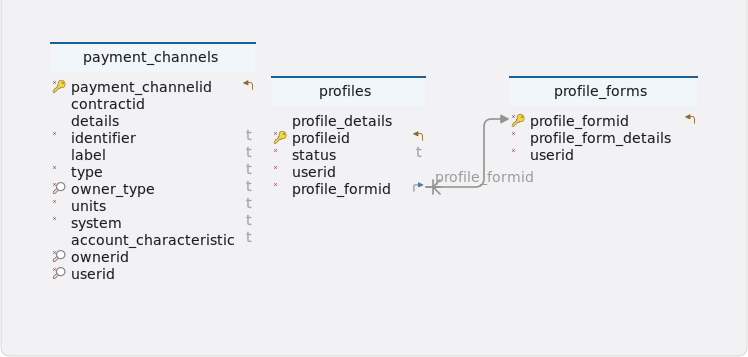
Tables
-
Schema
-
Table payment_channels
Index Name Data type * 🔑 ⬋
payment_channelid
uuid
contractid
uuid
details
json
*
identifier
varchar(100)
label
varchar(100)
*
type
varchar(50)
* 🔎
owner_type
varchar(10)
*
units
varchar(10)
*
system
varchar(50)
account_characteristic
varchar(50)
* 🔎
ownerid
uuid
* 🔎
userid
uuid
-
Indexes
Type Name On 🔎
payment_channels_idx_owner_type_owner_id
owner_type, ownerid
🔑
payment_channels_pkey
payment_channelid
🔎
payment_channels_idx_payment_channel_id_owner_id
payment_channelid, ownerid
🔎
payment_channels_idx_owner_type_user_id
owner_type, userid
-
Constraints
Name Definition payment_channels_owner_type_check
owner_type::text ~* '^(root|profile)$'::text
-
-
Table profile_forms
Index Name Data type * 🔑 ⬋
profile_formid
bigint GENERATED BY DEFAULT AS IDENTITY
*
profile_form_details
json
*
userid
uuid
-
Indexes
Type Name On 🔑
profile_forms_pkey
profile_formid
-
-
Table profiles
Index Name Data type * 🔑 ⬋
profileid
uuid
profile_details
json
*
status
varchar(10)
*
userid
uuid
* ⬈
profile_formid
bigint
-
Indexes
Type Name On 🔑
profiles_pkey
profileid
-
Foreign keys
Type Name On fk_profiles_profile_forms_profile_formid
profile_formid
-
Constraints
Name Definition profiles_status_check
status::text ~* '^(active|inactive)$'::text
-
-
4. PaymentChannelController
4.1. Create new user payment channel
4.1.1. Sequential flow
Create new user payment channel process
-
The client initiates the creation of a new payment channel by sending a request to the PaymentChannelController, which forwards the task to the PaymentChannelService.
-
The PaymentChannelService collaborates with the PaymentWorker and PaymentChannelHelper to generate an address, selecting the appropriate method based on whether the units are Ethereum (ETH), Bitcoin (BTC), or IBAN.
-
After ensuring the payment channel data is valid and unique, the PaymentChannelService finalizes the creation, saves the channel, and returns the details back to the client.
4.1.2. Endpoint
Description
This endpoint allows users to creates a new user payment channel
URL
/payments/channel/new
Method
POST
Request body
The request body should be a JSON object representing data for creating a new root user payment channel. It should adhere to the structure defined by the UserPaymentChannelDTO class.
Example request body
 {
  "units": "ETH",
  "identifier": "Jeo",
  "label": "Saving A/C",
  "accountCharacteristic": "isBank"
}
Responses
-
201 CREATED: Success. Returns a JSON response containing details of the created OPS events.
Example response body
{
  "status": 201,
  "message": "Payment channel created successfully",
  "data": {
    "paymentChannelID": "ee3101b0-203d-4421-aacd-77c9e10b5550",
    "contractID": "56edde65-804e-429c-bf89-7141bf431b20",
    "label": "Saving A/C",
    "type": "new",
    "units": "ETH",
    "system": "Ethereum",
    "accountCharacteristic": "isBank",
    "identifier": "Jeo",
    "details": {
      "system": "Ethereum",
      "address": "a65f8d5d18b58fff7b2082c5209c20de28955cb6",
      "accessKey": {
        "private": "304d8c356619cbc9887f305e615359b8f55f0abd9ce7e48e0bebf871f664be88",
        "public": "04cbeb23499afdad2eda545f38cd178e71ddd52f7ec746060a3c2eb88f8628ac7ba1130531dbb9f5f0c1d371c176f375219de3385368cad93643827ed986d355a9"
      }
    },
    "ownerType": "root",
    "ownerID": "fe54273e-c645-49f5-9279-ad6d4067c606",
    "userID": "fe54273e-c645-49f5-9279-ad6d4067c606"
  }
}-
400 bad request: If the request body is not in the correct format or if there are validation errors.
{
  "status": 400,
  "message": "Identifier already exists",
  "data": null
}-
401 unauthorized: If the user is not authenticated or lacks the necessary permissions to create contracts.
-
5xx server error: If there is a server-side error while processing the request.
4.1.3. Methods
Description
This method creates a new payment channel using BlockCypher, validates the data, and saves it, returning a response with the created payment channel’s details
Parameters
-
paymentChannelData: Data representing the payment channel to be created.
Returns
-
Response<PaymentChannels>:A Response object containing the status and the created payment channel.
Example usage
public Response<PaymentChannels> createPaymentChannel(UserPaymentChannelDTO paymentChannelData)
			throws IOException, ParseException, BlockCypherException {
		log.info("userID : {}, request : {}", usersHelper.getUserID(), paymentChannelData);

		final String type = "new"; (1)

		Map<String, Object> blockcyperMap = paymentWorker.createBlockCypherMap(paymentChannelData.getUnits()); (2)

		validator.paymentChannelValidation(paymentChannelData, blockcyperMap); (3)

		PaymentChannels paymentChannels = paymentChannelHelper.setPaymentChannel(paymentChannelData, blockcyperMap,
				type); (4)

		paymentsRepo.save(paymentChannels); (5)

		return new Response<>(HttpStatus.CREATED.value(), "Payment channel created successfully", paymentChannels); (6)
	}
Internal workflow
| 1 | Determining Operation Type
|
| 2 | Creating BlockCypher Map
|
| 3 | Validating Payment Channel Data
|
| 4 | Setting Payment Channel Details
|
| 5 | Saving Payment Channel
|
| 6 | Returning Response
|
Exceptions
-
IOException: If there’s an I/O related issue during the process. -
ParseException: If there’s an issue parsing data. -
BlockCypherException: If there’s an exception related to BlockCypher operations.
4.1.4. Model classes
Description
The UserPaymentChannelDTO class represents a Data Transfer Object (DTO) containing details for creating a payment channel. It encapsulates information such as units, identifier, label, and accountCharacteristic.
-
units-
Type: String
-
Description: The units associated with the payment channel.
-
Constraints: Not null,minimum 3 and maximum 3 characters, only allow A-Z letters.
-
Example: "USD"
-
-
identifier-
Type: String
-
Description: The identifier associated with the payment channel.
-
Constraints: Minimum 3 and maximum 40 characters, only allow a-z, A-Z, 0-9 and spacing between letters.
-
Example: "Mark Wood001"
-
-
label-
Type: String
-
Description: The label associated with the payment channel.
-
Constraints: Minimum 3 and maximum 40 characters, only allow a-z, A-Z, 0-9, spacing and forward slash between letters.
-
Example: "Primary Channel Savings A/C"
-
-
accountCharacteristic-
Type: String
-
Description: The account characteristic associated with the payment channel.
-
Constraints: Not null, minimum 3 and maximum 40 characters, allow only isCash, isBank, isInvestment, isReserve, isExpense, isRevenue.
-
Example: "isCash"
-
Constructors
-
Default constructor.
-
Parameterized constructor with all attributes.
Serialization and Deserialization
-
The class uses Lombok annotations @Getter, @Setter, @NoArgsConstructor, @AllArgsConstructor, and @ToString for serialization and deserialization. These annotations generate getter and setter methods, default and parameterized constructors, and a toString method for the class.
4.1.5. Validation
Description
The paymentChannelValidation method validates a payment channel using the provided parameters. It checks whether the provided payment channel data is valid and whether the associated blockcypher map contains necessary information, such as IBAN address generation. If any validation fails, it throws assertion errors with corresponding messages.
Parameters
-
paymentChannelData:An object representing payment channel data. -
blockcypherMap:A map containing data related to blockcypher.
Example usage
	/**
	 * Validates a payment channel using the provided parameters.
	 *
	 * @param paymentChannelData An object representing payment channel data.
	 * @param blockcypherMap     A map containing data related to blockcypher.
	 */
	public void paymentChannelValidation(UserPaymentChannelDTO paymentChannelData, Map<String, Object> blockcypherMap) {

		// Query the database to check if an identifier already exists for the owner
		final List<PaymentChannels> paymentWithIdentifierAndOwnerID = paymentsRepo
				.findByOwnerIDAndIdentifierIgnoreCase(usersHelper.getUserID(), paymentChannelData.getIdentifier()); (1)

		// Ensure that the identifier is unique
		Assert.isTrue(paymentWithIdentifierAndOwnerID.isEmpty(), IDENTIFIER_ALREADY_EXIST); (2)
		// Check if the blockcypherMap is not empty, indicating successful IBAN
		Assert.isTrue(!blockcypherMap.isEmpty(), "IBAN address generation failed");
}| 1 | Identifier uniqueness validation
|
| 2 | Blockcypher map validation
|
4.1.6. Testing
Description
The createNewRootUserPaymentChannel method tests the functionality of creating a new root user payment channel using the createPaymentChannel method in the PaymentChannelServiceImpl class. This test ensures that the payment channel is successfully created with the provided template.
Example usage
    @Test
	public void createNewRootUserPaymentChannel() throws IOException, ParseException, BlockCypherException {

		Response<PaymentChannels> createPaymentChannelResponse = paymentChannelServiceImpl
				.createPaymentChannel(rootUserPaymentChannelTemplate);

		PaymentChannels data = createPaymentChannelResponse.getData();
		UUID paymentChannelID = data.getPaymentChannelID();

		Assertions.assertEquals(paymentChannelsTemplate.get(0).getPaymentChannelID(), paymentChannelID);
		Assertions.assertEquals("Payment channel created successfully", createPaymentChannelResponse.getMessage());
		Assertions.assertEquals(201, createPaymentChannelResponse.getStatus());

	}
createNewRootUserPaymentChannel
-
Purpose : The purpose of this test is to verify that the createPaymentChannel method correctly creates a new payment channel for the root user based on the provided template and returns the expected response.
-
Test steps
-
Call the createPaymentChannel method of the PaymentChannelServiceImpl class with the rootUserPaymentChannelTemplate.
-
Retrieve the response object returned by the method.
-
Extract the payment channel data from the response.
-
Retrieve the payment channel ID from the data.
-
-
Assertions
-
Assert that the payment channel ID matches the expected payment channel ID.
-
Assert that the message in the response indicates successful creation of the payment channel.
-
Assert that the status code of the response is 201.
-
4.2. Create serviced and external user payment channel
4.2.1. Sequential flow
Creates serviced and external user payment channel process
-
Client initiates payment channel creation via PaymentChannelController, which activates PaymentChannelServiceImpl.
-
Validation in PaymentChannelServiceImpl ensures identifier uniqueness, additionally checking final balance if the channel type is 'serviced'.
-
PaymentChannelHelper determines the payment system based on units and sets attributes accordingly for the channel.
-
Upon saving channels in the repository, PaymentChannelController sends a success response back to the client.
4.2.2. Endpoint
Description
This endpoint enables the creation of serviced and external user payment channels. Users can provide the necessary data in a POST request, which undergoes validation, processing, and storage in the database.
URL
/payments/channel
Method
POST
Request body
The request body should be a JSON object conforming to the structure defined by the ServicedAndExternalDTO model class.
Example request body
{
  "type": "serviced",
  "identifier": "David007",
  "label": "ser",
  "units": "BTC",
  "accountCharacteristic": "isCash",
  "address": "BvdK6pQghtwMvzfLtZjXT7brAh83JDyi76",
  "beneficiaryName": "danial",
  "beneficiaryAddress": "UK",
  "accessKey": {
    "private": "b44f71aeefbe25b07b4a14ae63a0922aa2d6874906628d7a457f39e4e96c70d8",
    "public": "0270198cf386036bc186f8261045c1f8bc241cffd5858ca977ba62cbeeb6fe5b40",
    "address": "BvdK6pQghtwMvzfLtZjXT7brAh83JDyi76"
  }
}
Responses
-
201 CREATED: Successful creation of the payment channel. Returns a JSON response with details of the created payment channel.
Example response body
{
  "status": 201,
  "message": "Payment channel created successfully",
  "data": {
    "paymentChannelID": "69684901-a129-49a3-a8b8-12b8697b894f",
    "contractID": "42febae4-4ea4-4e9a-b9ca-e2c2a29d0a63",
    "label": "ser",
    "type": "serviced",
    "units": "BTC",
    "system": "Bitcoin",
    "accountCharacteristic": "isCash",
    "identifier": "David007",
    "details": {
      "accessKey": {
        "private": "b44f71aeefbe25b07b4a14ae63a0922aa2d6874906628d7a457f39e4e96c70d8",
        "address": "BvdK6pQghtwMvzfLtZjXT7brAh83JDyi76",
        "public": "0270198cf386036bc186f8261045c1f8bc241cffd5858ca977ba62cbeeb6fe5b40"
      },
      "address": "BvdK6pQghtwMvzfLtZjXT7brAh83JDyi76",
      "identifier": "David007",
      "label": "ser",
      "type": "serviced",
      "units": "BTC",
      "accountCharacteristic": "isCash",
      "beneficiary": {
        "beneficiaryName": "danial",
        "beneficiaryAddress": "UK"
      },
      "system": "Bitcoin"
    },
    "ownerType": "root",
    "ownerID": "fe54273e-c645-49f5-9279-ad6d4067c606",
    "userID": "fe54273e-c645-49f5-9279-ad6d4067c606"
  }
}-
400 bad request: If the request body is not in the correct format or if there are validation errors.
{
  "status": 400,
  "message": "Identifier already exists",
  "data": null
}-
401 unauthorized: If the user is not authenticated or lacks the necessary permissions to create contracts.
-
5xx server error: If there is a server-side error while processing the request.
4.2.3. Methods
Description
This method creates a payment channel based on the provided data. It handles both serviced and external payment channels.
Parameters
-
paymentChannelData: Data representing the payment channel to be created
Returns
-
Response<PaymentChannels>:A response object indicating the status and the created payment channel.
Example usage
public Response<PaymentChannels> createServicePaymentChannel(ServicedAndExternalDTO paymentChannelData)
			throws ParseException, IOException, BlockCypherException {
		log.info("Service payment channel creation started by userID : {}, request : {}", usersHelper.getUserID(),
				paymentChannelData);

		Map<String, Object> paymentChannelMap = mapper.convertValue(paymentChannelData, Map.class); (1)

		double finalBalance = 0; (2)
		String system;
		String type;

		validator.identifierValidation(usersHelper.getUserID(), paymentChannelMap); (3)

		if (paymentChannelData.getType().equalsIgnoreCase("serviced")) { (4)
			type = "serviced";

			// Extract and parse the access key information
			JSONObject parse2 = paymentChannelData.getAccessKey();
			paymentChannelMap.put("accessKey", parse2);

			// Determine the payment system (e.g., Ethereum or Bitcoin)
			system = paymentChannelData.getUnits().equalsIgnoreCase("ETH") ? "Ethereum" : "Bitcoin";
			finalBalance = paymentWorker.checkFinalBalance(paymentChannelData.getAddress(), system, jsonParser);

		} else {

			type = "external";
			// Determine the payment system based on the provided data
			system = paymentChannelHelper.getSystem(paymentChannelData.getUnits());
		}

		PaymentChannels paymentChannels1 = paymentChannelHelper.setExternalServicePaymentChannel(paymentChannelData,
				paymentChannelMap, system, finalBalance, type); (5)

		paymentChannels1 = paymentsRepo.save(paymentChannels1); (6)

		return new Response<>(HttpStatus.CREATED.value(), "Payment channel created successfully", paymentChannels1); (7)
	}
Internal workflow
| 1 | The paymentChannelData object is converted into a Map<String, Object>. |
| 2 | Variables such as finalBalance, system, and type are initialized. |
| 3 | This method creates a payment channel, performing extra validation for serviced channels and ensuring unique identifiers. |
| 4 | The code differentiates between "serviced" (extracting access key and calculating final balance) and "external" payment channels (determining system based on units). |
| 5 | Payment channel creation involves setting details, building a payments map, retrieving a contract ID, and assembling a PaymentChannels object. |
| 6 | The created payment channel is saved using the repository. |
| 7 | A response object indicating the success of the operation and the created payment channel is returned. |
Exceptions
IllegalArgumentException
-
If the identifier is not unique or if the 'Address' and 'AccessKey' parameters are missing for a serviced payment channel.
ParseException
-
If there’s an issue parsing data.
IOException
-
If there’s an I/O related issue during the process.
BlockCypherException
-
If there’s an exception related to BlockCypher operations.
4.2.4. Model classes
Description
The ServicedAndExternalDTO class represents a Data Transfer Object (DTO) containing details for a service and an external entity. It includes information such as accessKey, address, beneficiaryAddress, beneficiaryName, identifier, label, type, units, and accountCharacteristic.
-
accessKey-
Type: JSONObject
-
Description: The access key associated with the DTO.
-
Constraints: Access key must be provided for serviced channels.
-
Example:
  "accessKey": {
    "private": "b44f71aeefbe25b07b4a14ae63a0922aa2d6874906628d7a457f39e4e96c70d8",
    "public": "0270198cf386036bc186f8261045c1f8bc241cffd5858ca977ba62cbeeb6fe5b40",
    "address": "BvdK6pQghtwMvzfLtZjXT7brAh83JDyi76"
  }
-
-
address-
Type: String
-
Description: The address associated with the DTO.
-
Constraints: Minimum 5 and maximum 100 characters, only allow a-z, A-Z, 0-9, _ and spacing between letters.
-
Example: "123 Main Street"
-
-
beneficiaryAddress-
Type: String
-
Description: The beneficiary’s address associated with the DTO.
-
Constraints: Not null for external channels, minimum 5 and maximum 100 characters, only allow a-z, A-Z, 0-9 and spacing between letters.
-
Example: "United Kingdom"
-
-
beneficiaryName-
Type: String
-
Description: The beneficiary’s name associated with the DTO.
-
Constraints: Not null for external channels, minimum 3 and maximum 40 characters, only allow a-z, A-Z, 0-9 and spacing between letters.
-
Example: "John Doe"
-
-
identifier-
Type: String
-
Description: The identifier associated with the DTO.
-
Constraints: Not null, minimum 3 and maximum 40 characters, only allow a-z, A-Z, 0-9 and spacing between letters.
-
Example: "Jonathan 123"
-
-
label-
Type: String
-
Description: The label associated with the DTO.
-
Constraints: Not null, minimum 3 and maximum 40 characters, only allow a-z, A-Z, 0-9, _, spacing and forward slash between letters.
-
Example: "External Service"
-
-
type-
Type: String
-
Description: The type associated with the DTO.
-
Constraints: Not null, only external, serviced, new keywords are allowed.
-
Example: "Service"
-
-
units-
Type: String
-
Description: The units associated with the DTO.
-
Constraints: Not null, minimum 3 and maximum 3 characters, only allow A-Z letters.
-
Example: "INR"
-
-
accountCharacteristic-
Type: String
-
Description: The account characteristic associated with the DTO.
-
Constraints: Not null, minimum 3 and maximum 40 characters, allow only isCash, isBank, isInvestment, isReserve, isExpense, isRevenue.
-
Example: "isBank"
-
Constructors
-
Default constructor.
-
Parameterized constructor with all attributes.
Serialization and Deserialization
-
The class uses Lombok annotations @Getter, @Setter, @NoArgsConstructor, @AllArgsConstructor, and @ToString for serialization and deserialization. These annotations generate getter and setter methods, default and parameterized constructors, and a toString method for the class.
4.2.5. Validation
Description
The identifierValidation method validates the owner ID and identifier of a payment channel. It ensures that the provided identifier is unique for the specified owner ID. Additionally, if the payment channel type is 'Serviced', it performs additional validation based on the provided payment channel map. If any validation fails, it throws an IllegalArgumentException with corresponding messages.
Parameters
-
ownerID: The unique identifier of the payment channel owner. -
paymentChannelMap:A map containing payment channel information.
Throws
-
IllegalArgumentException:If the identifier already exists or if further validation based on 'Type' is required.
Example usage
	/**
	 * Validates the owner ID and identifier of a payment channel.
	 *
	 * @param ownerID           The unique identifier of the payment channel owner.
	 * @param paymentChannelMap A map containing payment channel information.
	 * @throws IllegalArgumentException if the identifier already exists or if
	 *                                  further validation based on 'Type' is
	 *                                  required.
	 */

	public void identifierValidation(UUID ownerID, Map<String, Object> paymentChannelMap) {
		// Retrieve a list of payment channels based on owner ID and identifier
		final List<PaymentChannels> paymentWithIdentifierAndOwnerID = paymentsRepo.findByOwnerIDAndIdentifierIgnoreCase(ownerID,
				paymentChannelMap.get(Constants.IDENTIFIER).toString()); (1)

		// Ensure that the identifier is unique
		Assert.isTrue(paymentWithIdentifierAndOwnerID.isEmpty(), IDENTIFIER_ALREADY_EXIST);

		// Check if the payment channel type is 'Serviced',
		// perform additional validation
		if (paymentChannelMap.get("type").toString().equalsIgnoreCase(Constants.SERVICED)) { (2)
			servicedValidation(paymentChannelMap);
		}
}| 1 | Identifier uniqueness validation
|
| 2 | Additional validation based on type
|
4.2.6. Testing
Description
The createServiceExternalRootUserPaymentChannel test method evaluates the functionality of the createServicePaymentChannel method within the PaymentChannelServiceImpl class. This test ensures that the method correctly creates a service payment channel with an external root user.
Example usage
 @Test
	public void createServiceExternalRootUserPaymentChannel() throws IOException, ParseException, BlockCypherException {

		when(paymentsRepo.save(any())).thenReturn(paymentChannelsTemplate.get(0));
		Response<PaymentChannels> createServiceExternalPaymentChannelResponse = paymentChannelServiceImpl
				.createServicePaymentChannel(servicedAndExternalTemplate);
		PaymentChannels data = createServiceExternalPaymentChannelResponse.getData();
		UUID paymentChannelID = data.getPaymentChannelID();

		Assertions.assertEquals(paymentChannelsTemplate.get(0).getPaymentChannelID(), paymentChannelID);
		Assertions.assertEquals("Payment channel created successfully",
				createServiceExternalPaymentChannelResponse.getMessage());
		Assertions.assertEquals(201, createServiceExternalPaymentChannelResponse.getStatus());

	}
createServiceExternalRootUserPaymentChannel
-
Purpose : The purpose of this test is to verify that the createServicePaymentChannel method behaves as expected, creating a new payment channel with the specified service and external root user template and returning the appropriate response.
-
Test steps
-
Stub the behavior of the repository to return the first payment channel template when the save method is called.
-
Call the createServicePaymentChannel method of the PaymentChannelServiceImpl class with the serviced and external template.
-
Retrieve the response object returned by the method.
-
Extract the payment channel data from the response.
-
Retrieve the payment channel ID from the data.
-
-
Assertions
-
Assert that the created payment channel ID matches the expected payment channel ID.
-
Assert that the message in the response indicates successful creation of the payment channel.
-
Assert that the status code of the response is 201.
-
4.3. Create profile payment channel
4.3.1. Sequential flow
Create profile payment channel process
-
The client initiates a POST request to create a payment channel, managed by PaymentChannelController.
-
PaymentChannelController delegates the request to PaymentChannelService for processing.
-
PaymentChannelServiceImpl conducts validations, verifies profile existence, ensures identifier uniqueness, and performs extra checks for 'serviced' channels.
-
After generating a BlockCypher map based on unit type, PaymentChannelServiceImpl sets up the profile payment channel, saves it in the repository, prepares a success response with channel details, and sends it back to the client.
4.3.2. Endpoint
Description
This endpoint facilitates the creation of profile payment channels. Users can provide the required data via a POST request, which is then validated, processed, and stored in the database.
URL
/payments/channel/profiles/{profileID}/new
Method
POST
Request parameters
profileID (Path variable): The unique identifier of the profile for which the payment channel is created.
Request body
paymentChannelData (Request Body): A JSON object containing data for creating a payment channel. It follows the structure defined in the ProfileChannelDto class.
Example request body
{
  "identifier": "David",
  "label": "Saving A/C",
  "units": "INR",
  "type": "new"
}
Responses
-
201 CREATED: Successful creation of the profile payment channel. Returns a JSON response with details of the created payment channel.
Example response body
{
  "status": 201,
  "message": "Payment channel created successfully",
  "data": {
    "paymentChannelID": "a28855a8-6581-4b7e-9096-b47e87e70353",
    "contractID": null,
    "label": "Saving A/C",
    "type": "new",
    "units": "INR",
    "system": "IBAN",
    "accountCharacteristic": null,
    "identifier": "Margaret",
    "details": {
      "address": "CH7500762QUVXZNF1PP8S",
      "system": "IBAN"
    },
    "ownerType": "profile",
    "ownerID": "d2c87ded-489e-4510-8fe1-95f12c048a5d",
    "userID": "fe54273e-c645-49f5-9279-ad6d4067c606"
  }
}-
400 bad request: If the request body is not in the correct format or if there are validation errors.
{
  "status": 400,
  "message": "Identifier already exists",
  "data": null
}-
401 unauthorized: If the user is not authenticated or lacks the necessary permissions to create profile payment channels.
-
5xx server error: If there is a server-side error while processing the request.
4.3.3. Methods
Description
This method creates a new payment channel associated with a user profile.
Parameters
-
profileID: The unique identifier of the user profile. -
paymentChannelData: Data representing the profile payment channel.-
identifier: A unique identifier for the payment channel (maximum 100 characters).
-
label: A label for the payment channel (maximum 100 characters).
-
type: The type of the payment channel.
-
units: The units of currency used in the payment channel (maximum 10 characters).
-
Returns
-
A response object containing the status and the created payment channel.
Example usage
public Response<PaymentChannels> createProfilePaymentChannel(UUID profileID, ProfileChannelDto paymentChannelData)
			throws IOException, ParseException, BlockCypherException {
		log.info("Profile payment channel creation started by userID : {}, request : {}", usersHelper.getUserID(),
				paymentChannelData);

		final String type = "new"; (1)

		Map<String, Object> paymentChannelMap = mapper.convertValue(paymentChannelData, Map.class); (2)

		validator.profilePaymentChannelValidation(profileID, paymentChannelMap, profileID); (3)

		Map<String, Object> blockcyperMap = paymentWorker.createBlockCypherMap(paymentChannelData.getUnits()); (4)

		PaymentChannels paymentChannels = paymentChannelHelper.setProfilePaymentChannel(paymentChannelData,
				blockcyperMap, type, profileID); (5)

		PaymentChannels paymentAccounts = paymentsRepo.save(paymentChannels); (6)

		return new Response<>(HttpStatus.CREATED.value(), "Profile payment channel created successfully",
				paymentAccounts); (7)

	}
Internal workflow
| 1 | Initialization
|
| 2 | Convert data
|
| 3 | Validation
|
| 4 | BlockCypher map creation
|
| 5 | Payment channel creation:
|
| 6 | Save payment channel
|
| 7 | Response:
|
Exceptions
-
This method may throw IOException, ParseException, or BlockCypherException due to data parsing or BlockCypher operations. Ensure proper error handling mechanisms are implemented.
4.3.4. Model classes
Description
The ProfileChannelDto class represents a Data Transfer Object (DTO) containing details for a profile channel. It includes information such as identifier, label, type and units.
-
identifier-
Type: String
-
Description: The identifier associated with the profile channel.
-
Constraints: Minimum 3 and maximum 40 characters, only allow a-z, A-Z, 0-9 and spacing between letters.
-
Example: "David007"
-
-
label-
Type: String
-
Description: The label associated with the profile channel.
-
Constraints: minimum 3 and maximum 40 characters, only allow a-z, A-Z, 0-9, _, spacing and forward slash between letters.
-
Example: "ser"
-
-
type-
Type: String
-
Description: The type associated with the profile channel.
-
Constraints: Not null, minimum 3 and maximum 40 characters, only allow a-z, A-Z, 0-9 and spacing between letters.
-
Example: "new"
-
-
units-
Type: String
-
Description: The units associated with the profile channel.
-
Constraints: Not null, minimum 3 and maximum 3 characters, only allow A-Z letters.
-
Example: "USD"
-
Constructors
-
Default constructor.
-
Parameterized constructor with all attributes.
Serialization and Deserialization
-
The class uses Lombok annotations @Getter, @Setter, @NoArgsConstructor, @AllArgsConstructor, and @ToString for serialization and deserialization. These annotations generate getter and setter methods, default and parameterized constructors, and a toString method for the class.
4.3.5. Validation
Description
The profilePaymentChannelValidation method validates a payment channel associated with a user profile. It ensures that the provided user profile exists and that the 'Identifier' field is not missing or empty in the payment channel map. Additionally, it invokes the identifierValidation method to perform further validation of the owner ID and identifier. If any validation fails, it throws an IllegalArgumentException with corresponding messages.
Parameters
-
profileID:The unique identifier of the user profile. -
paymentChannelMap:A map containing payment channel information. -
ownerID:The unique identifier of the payment channel owner.
Throws
-
IllegalArgumentException:If the profile doesn’t exist, or if the 'Identifier' is missing or empty.
Example usage
	/**
	 * Validates a payment channel associated with a user profile.
	 *
	 * @param profileID         The unique identifier of the user profile.
	 * @param paymentChannelMap A map containing payment channel information.
	 * @param ownerID           The unique identifier of the payment channel owner.
	 * @throws IllegalArgumentException if the profile doesn't exist, or if the
	 *                                  'Identifier' is missing or empty.
	 */
	public void profilePaymentChannelValidation(UUID profileID, Map<String, Object> paymentChannelMap, UUID ownerID) {

		Assert.isTrue(profileRepo.findById(profileID).isPresent(), PROFILE_DOES_NOT_EXIST); (1)

		if (UtilityHelper.isNotNullOrEmpty(paymentChannelMap.get(Constants.IDENTIFIER))) { (2)
			identifierValidation(ownerID, paymentChannelMap);
		}

}| 1 | Profile existence validation
|
| 2 | Identifier presence validation
|
4.3.6. Testing
Description
The createProfilePaymentChannel test method assesses the functionality of the createProfilePaymentChannel method within the PaymentChannelServiceImpl class. This test ensures that the method correctly creates a payment channel associated with a specific profile ID using the provided template.
Example usage
    @Test
	public void createProfilePaymentChannel() throws IOException, ParseException, BlockCypherException {

		when(paymentsRepo.save(any())).thenReturn(paymentChannelsTemplate.get(0));
		String profileID = "f365dfca-2e7a-4b6b-addf-4d64f99142ee";
		Response<PaymentChannels> createProfilePaymentChannel = paymentChannelServiceImpl
				.createProfilePaymentChannel(UUID.fromString(profileID), profilePaymentChannelTemplate);

		System.err.println(createProfilePaymentChannel);

		Assertions.assertEquals(paymentChannelsTemplate.get(0), createProfilePaymentChannel.getData());
		Assertions.assertEquals("Payment channel created successfully",
				createProfilePaymentChannel.getMessage());
		Assertions.assertEquals(201, createProfilePaymentChannel.getStatus());
	}
createProfilePaymentChannel
-
Purpose : The purpose of this test is to verify that the createProfilePaymentChannel method behaves as expected, creating a new payment channel associated with a specific profile ID based on the provided template and returning the appropriate response.
-
Test steps
-
Stub the behavior of the repository to return the first payment channel template when save method is called.
-
Define a profile ID string.
-
Call the createProfilePaymentChannel method of the PaymentChannelServiceImpl class with the provided profile ID converted to a UUID and the profile payment channel template.
-
Retrieve the response object returned by the method.
-
-
Assertions
-
Assert that the created payment channel matches the first payment channel template.
-
Assert that the message in the response indicates successful creation of the payment channel.
-
Assert that the status code of the response is 201.
-
4.4. Create profile serviced and external
4.4.1. Sequential flow
Create profile serviced and external payment channel process
-
The client triggers a POST request to create a payment channel associated with a particular profile, managed by PaymentChannelController.
-
PaymentChannelController forwards the request to PaymentChannelService, activating it for processing.
-
Validator validates profile and payment channel data, ensuring profile existence and identifier uniqueness.
-
If validations succeed, PaymentChannelHelper configures the channel, which is then saved in the repository by PaymentChannelService. Finally, PaymentChannelController sends a response containing the saved channel details back to the client.
4.4.2. Endpoint
Description
This endpoint facilitates the creation of profile serviced and external payment channels. Users with appropriate authorization can send a POST request containing the necessary data, which is then processed and stored in the database.
URL
/payments/channel/profiles/{profileID}
Method
POST
Request parameters
-
profileID (Path variable): The unique identifier of the profile for which the payment channel is created.
Request body
-
paymentChannelData (Request Body):A JSON object containing data for creating a serviced and external payment channel. It adheres to the structure defined in the ServicedAndExternalDTO class.
Example request body
{
  "type": "serviced",
  "identifier": "David007",
  "label": "ser",
  "units": "BTC",
  "accountCharacteristic": "isCash",
  "address": "BvdK6pQghtwMvzfLtZjXT7brAh83JDyi76",
  "beneficiaryName": "danial",
  "beneficiaryAddress": "UK",
  "accessKey": {
    "private": "b44f71aeefbe25b07b4a14ae63a0922aa2d6874906628d7a457f39e4e96c70d8",
    "public": "0270198cf386036bc186f8261045c1f8bc241cffd5858ca977ba62cbeeb6fe5b40",
    "address": "BvdK6pQghtwMvzfLtZjXT7brAh83JDyi76"
  }
}
Responses
-
201 CREATED: Successful creation of the profile’s serviced and external payment channel. Returns a JSON response with details of the created payment channel.
Example response body
{
  "status": 201,
  "message": "Payment channel created successfully",
  "data": {
    "paymentChannelID": "a28855a8-6581-4b7e-9096-b47e87e70353",
    "contractID": "ec9d8f46-54e5-4cb0-b94d-e28fb17b88a4",
    "label": "Saving A/C",
    "type": "new",
    "units": "INR",
    "system": "IBAN",
    "accountCharacteristic": "isBank",
    "identifier": "mmmmm",
    "details": {
      "address": "CH7500762QUVXZNF1PP8S",
      "system": "IBAN"
    },
    "ownerType": "profile",
    "ownerID": "d2c87ded-489e-4510-8fe1-95f12c048a5d",
    "userID": "fe54273e-c645-49f5-9279-ad6d4067c606"
  }
}-
400 bad request: If the request body is not in the correct format or if there are validation errors.
{
  "status": 400,
  "message": "Identifier already exists",
  "data": null
}-
401 unauthorized: If the user is not authenticated or lacks the necessary permissions to create profile payment channels.
-
5xx server error: If there is a server-side error while processing the request.
4.4.3. Methods
Description
This method creates a new payment channel for a specific user profile, which can be either serviced or external.
Parameters
-
profileID: The identifier of the user profile for which the payment channel is being created. -
paymentChannelData: Data representing the payment channel to be created
Returns
-
Response<PaymentChannels>:A response object indicating the status and the created payment channel.
Example usage
     public Response<PaymentChannels> createProfileServicedPaymentChannel(UUID profileID,
			ServicedAndExternalDTO paymentChannelData) throws ParseException {
		log.info("Profile service payment channel creation started by userID : {}, request : {}",
				usersHelper.getUserID(), paymentChannelData);

		final Map<String, Object> paymentChannelMap = mapper.convertValue(paymentChannelData, Map.class); (1)

		String system; (2)
		String type;

		// Validate the payment channel data specific to a user profile
		validator.profileServiceAndExternalPaymentChannelValidation(profileID, paymentChannelMap, profileID); (3)

		if (paymentChannelData.getType().equalsIgnoreCase("serviced")) { (4)
			type = "serviced";

			// Extract and parse the access key information
			final JSONObject parse2 = paymentChannelData.getAccessKey();
			paymentChannelMap.put("accessKey", parse2);

			// Determine the payment system (e.g., Ethereum or Bitcoin)
			system = paymentChannelData.getUnits().equalsIgnoreCase("ETH") ? "Ethereum" : "Bitcoin"; (5)

		} else {
			type = "external";

			// Determine the payment system based on the provided data
			system = paymentChannelHelper.getSystem(paymentChannelData.getUnits());
		}

		PaymentChannels paymentChannels1 = paymentChannelHelper.setExternalServiceProfilePaymentChannel(
				paymentChannelData, paymentChannelMap, system, type, profileID); (6)

		paymentChannels1 = paymentsRepo.save(paymentChannels1); (7)
		return new Response<>(HttpStatus.CREATED.value(), "Payment channel created", paymentChannels1); (8)
	}
Internal workflow
| 1 | Data conversion
|
| 2 | Initialization
|
| 3 | Validation
|
| 4 | Type determination
|
| 5 | System determination
|
| 6 | Payment channel creation
|
| 7 | Save payment channel
|
| 8 | Response
|
Exceptions
-
This method may throw ParseException if there’s an issue parsing data. Ensure proper error handling mechanisms are implemented.
4.4.4. Model classes
Description
The ServicedAndExternalDTO class represents a Data Transfer Object (DTO) containing details for a service and an external entity. It includes information such as accessKey, address, beneficiaryAddress, beneficiaryName, identifier, label, type, units, and accountCharacteristic.
-
accessKey-
Type: JSONObject
-
Description: The access key associated with the DTO.
-
Constraints: Access key must be provided for serviced channels.
-
Example:
  "accessKey": {
    "private": "b44f71aeefbe25b07b4a14ae63a0922aa2d6874906628d7a457f39e4e96c70d8",
    "public": "0270198cf386036bc186f8261045c1f8bc241cffd5858ca977ba62cbeeb6fe5b40",
    "address": "BvdK6pQghtwMvzfLtZjXT7brAh83JDyi76"
  }
-
-
address-
Type: String
-
Description: The address associated with the DTO.
-
Constraints: Minimum 5 and maximum 100 characters, only allow a-z, A-Z, 0-9, _ and spacing between letters.
-
Example: "123 Main Street"
-
-
beneficiaryAddress-
Type: String
-
Description: The beneficiary’s address associated with the DTO.
-
Constraints: Not null for external channels, minimum 5 and maximum 100 characters, only allow a-z, A-Z, 0-9 and spacing between letters.
-
Example: "United Kingdom"
-
-
beneficiaryName-
Type: String
-
Description: The beneficiary’s name associated with the DTO.
-
Constraints: Not null for external channels, minimum 3 and maximum 40 characters, only allow a-z, A-Z, 0-9 and spacing between letters.
-
Example: "John Doe"
-
-
identifier-
Type: String
-
Description: The identifier associated with the DTO.
-
Constraints: Not null, minimum 3 and maximum 40 characters, only allow a-z, A-Z, 0-9 and spacing between letters.
-
Example: "Jonathan 123"
-
-
label-
Type: String
-
Description: The label associated with the DTO.
-
Constraints: Not null, minimum 3 and maximum 40 characters, only allow a-z, A-Z, 0-9, _, spacing and forward slash between letters.
-
Example: "External Service"
-
-
type-
Type: String
-
Description: The type associated with the DTO.
-
Constraints: Not null, only external, serviced, new keywords are allowed.
-
Example: "Service"
-
-
units-
Type: String
-
Description: The units associated with the DTO.
-
Constraints: Not null, minimum 3 and maximum 3 characters, only allow A-Z letters.
-
Example: "INR"
-
-
accountCharacteristic-
Type: String
-
Description: The account characteristic associated with the DTO.
-
Constraints: Not null, minimum 3 and maximum 40 characters, allow only isCash, isBank, isInvestment, isReserve, isExpense, isRevenue.
-
Example: "isBank"
-
Constructors
-
Default constructor.
-
Parameterized constructor with all attributes.
Serialization and Deserialization
-
The class uses Lombok annotations @Getter, @Setter, @NoArgsConstructor, @AllArgsConstructor, and @ToString for serialization and deserialization. These annotations generate getter and setter methods, default and parameterized constructors, and a toString method for the class.
4.4.5. Validation
Description
The profileServiceAndExternalPaymentChannelValidation method validates a payment channel associated with a user profile, specifically for service and external payment channels. It ensures that the provided user profile exists and that the 'Identifier' field is not missing or empty in the payment channel map. Additionally, it invokes the identifierValidation method to perform further validation of the owner ID and identifier. If any validation fails, it throws an IllegalArgumentException with corresponding messages.
Parameters
-
profileID:The unique identifier of the user profile. -
paymentChannelMap:A map containing payment channel information. -
ownerID:The unique identifier of the payment channel owner.
Throws
-
IllegalArgumentException:If the profile doesn’t exist, or if the 'Identifier' is missing or empty.
Example usage
/**
	 * Validates a payment channel associated with a user profile.
	 *
	 * @param profileID         The unique identifier of the user profile.
	 * @param paymentChannelMap A map containing payment channel information.
	 * @param ownerID           The unique identifier of the payment channel owner.
	 * @throws IllegalArgumentException if the profile doesn't exist, or if the
	 *                                  'Identifier' is missing or empty.
	 */
	public void profileServiceAndExternalPaymentChannelValidation(UUID profileID, Map<String, Object> paymentChannelMap,
			UUID ownerID) {

		Assert.isTrue(profileRepo.findById(profileID).isPresent(), PROFILE_DOES_NOT_EXIST); (1)

		Assert.isTrue(UtilityHelper.isNotNullOrEmpty(paymentChannelMap.get(Constants.IDENTIFIER)), (2)
				"Identifier required (or) non-empty identifier expected");

		identifierValidation(ownerID, paymentChannelMap);

}| 1 | Profile existence validation
|
| 2 | Identifier presence validation
|
4.4.6. Testing
Description
The createProfileServicedPaymentChannel test method evaluates the functionality of the createProfileServicedPaymentChannel method within the PaymentChannelServiceImpl class. This test ensures that the method correctly creates a serviced payment channel associated with a specific profile ID using the provided template.
Example usage
	@Test
	public void createProfileServicedPaymentChannel() throws ParseException {

		when(paymentsRepo.save(any())).thenReturn(paymentChannelsTemplate.get(0));
		String profileID = "f365dfca-2e7a-4b6b-addf-4d64f99142ee";
		Response<PaymentChannels> createProfileServicedPaymentChannel = paymentChannelServiceImpl
				.createProfileServicedPaymentChannel(UUID.fromString(profileID), servicedAndExternalTemplate);

		Assertions.assertEquals(paymentChannelsTemplate.get(0), createProfileServicedPaymentChannel.getData());
		Assertions.assertEquals("Payment channel created", createProfileServicedPaymentChannel.getMessage());
		Assertions.assertEquals(201, createProfileServicedPaymentChannel.getStatus());

	}
createProfileServicedPaymentChannel
-
Purpose : The purpose of this test is to verify that the createProfileServicedPaymentChannel method behaves as expected, creating a new serviced payment channel associated with a specific profile ID based on the provided template and returning the appropriate response.
-
Test steps
-
Stub the behavior of the repository to return the first payment channel template when the save method is called.
-
Define a profile ID string.
-
Call the createProfileServicedPaymentChannel method of the PaymentChannelServiceImpl class with the provided profile ID converted to a UUID and the serviced and external template.
-
Retrieve the response object returned by the method.
-
-
Assertions
-
Assert that the created payment channel matches the first payment channel template.
-
Assert that the message in the response indicates successful creation of the payment channel.
-
Assert that the status code of the response is 201.
-
4.5. Delete payment channel
4.5.1. Sequential flow
Deletes payment channel process
-
The client initiates a request to delete a payment channel by providing its ID.
-
PaymentChannelController forwards the request to PaymentChannelServiceImpl, which validates the channel’s existence and executes the deletion, returning success or error messages accordingly.
4.5.2. Endpoint
Description
This endpoint facilitates the deletion of a payment channel based on a specific payment channel ID. Users with appropriate authorization can send a DELETE request to delete the specified payment channel.
URL
/payments/channel/{paymentChannelID}
Method
DELETE
Request parameters
-
paymentChannelID (Path variable): The unique identifier of the payment channel to be deleted.
Responses
-
200 OK: Successful deletion of the payment channel. Returns a JSON response with the ID of the deleted payment channel.
Example response body
{
  "status": 200,
  "message": "Payment channel deleted successfully",
  "data": "a28855a8-6581-4b7e-9096-b47e87e70353"
}-
400 bad request: If the specified payment channel ID does not exist
{
  "status": 400,
  "message": "PaymentChannelID doesn't exist",
  "data": null
}-
401 unauthorized: If the user is not authenticated or lacks the necessary permissions to delete payment channels.
-
5xx server error: If there is a server-side error while processing the request.
4.5.3. Methods
Description
This method deletes a payment channel based on payment channel id.
Parameters
-
paymentChannelId: The unique identifier of the payment channel to be deleted.
Returns
-
Response<UUID> :Create and return a response object indicating the successful deletion of the payment channel, along with its ID
Example usage
public Response<UUID> deleteByPaymentChannelID(UUID paymentChannelId) {
log.info("Deleting payment channel by ID by userID : {}, request : {}", usersHelper.getUserID(),
paymentChannelId);
validator.checkIdExists(paymentChannelId); (1)
paymentsRepo.deleteById(paymentChannelId); (2)
log.info("Deleted payment channel by ID by userID : {}, request : {}", usersHelper.getUserID(),
paymentChannelId); (3)
return new Response<>(HttpStatus.OK.value(), "Payment channel deleted successfully", paymentChannelId); (4)
}Internal workflow
| 1 | ID existence check
|
| 2 | Deletion
|
| 3 | Logging (Post deletion)
|
| 4 | Response generation
|
Exceptions
-
IOException: If there’s an I/O related issue during the process. -
ParseException: If there’s an issue parsing data. -
BlockCypherException: If there’s an exception related to BlockCypher operations.
4.5.4. Validation
Description
The checkIdExists method verifies if a payment channel with the given ID exists in the repository. It takes the unique identifier of the payment channel as input and returns the corresponding payment channel if found. If no payment channel is found with the provided ID, it throws an IllegalArgumentException with an appropriate message.
Parameters
-
paymentChannelID:The unique identifier of the payment channel to check.
Returns
-
PaymentChannels:The payment channel with the provided ID if it exists.
Example usage
public PaymentChannels checkIdExists(UUID paymentChannelID) {
Optional<PaymentChannels> paymentChannel = paymentsRepo.findById(paymentChannelID); (1)
Assert.isTrue(paymentChannel.isPresent(), "PaymentChannelID doesn't exist");
return paymentChannel.get(); (2)
}| 1 | Payment channel existence check
|
| 2 | Return Payment Channel
|
4.5.5. Testing
Description
The deleteByPaymentChannelID test method evaluates the functionality of the deleteByPaymentChannelID method within the PaymentChannelServiceImpl class. This test ensures that the method correctly deletes a payment channel based on the provided payment channel ID.
Example usage
@Test
public void deleteByPaymentChannelID() {
UUID paymentChannelId = paymentChannelsTemplate.get(0).getPaymentChannelID();
Response<UUID> deleteByPaymentChannelID = paymentChannelServiceImpl.deleteByPaymentChannelID(paymentChannelId);
Assertions.assertEquals(paymentChannelId, Objects.requireNonNull(deleteByPaymentChannelID).getData());
Assertions.assertEquals("Payment channel deleted successfully", deleteByPaymentChannelID.getMessage());
Assertions.assertEquals(200, deleteByPaymentChannelID.getStatus());
}deleteByPaymentChannelID
-
Purpose : The purpose of this test is to verify that the deleteByPaymentChannelID method behaves as expected, deleting the payment channel with the specified ID and returning the appropriate response.
-
Test steps
-
Retrieve the payment channel ID from the payment channel template.
-
Call the deleteByPaymentChannelID method of the PaymentChannelServiceImpl class with the retrieved payment channel ID.
-
Retrieve the response object returned by the method.
-
-
Assertions
-
Assert that the deleted payment channel ID matches the provided payment channel ID.
-
Assert that the message in the response indicates successful deletion of the payment channel.
-
Assert that the status code of the response is 200.
-
4.6. Update payment channel
4.6.1. Sequential flow
Update profile payment channel process
-
The client initiates a payment channel update request, handled by the controller and passed to the service layer.
-
Within the service layer, the validator confirms the channel’s existence and determines the payment system.
-
Specific validation checks are executed by the payment worker based on the identified payment system.
-
Upon successful validation, the channel is updated, persisted in the repository, and the response is sent back to the client via the controller. Different processes for "IBAN" systems involve exception handling for missing properties or non-existent channel IDs.
4.6.2. Endpoint
Description
This endpoint updates an existing payment channel based on the provided payment channel ID and data. Users with appropriate authorization can send a PUT request to update the specified payment channel.
URL
/payments/channel/{paymentChannelId}
Method
PUT
Request parameters
-
paymentChannelId (Path variable):The unique identifier of the payment channel to be updated. -
paymentChannelData (Request body):Data for updating the payment channel.
Example request body
{
"type": "serviced",
"identifier": "David007",
"label": "ser",
"units": "BTC",
"accountCharacteristic": "isCash",
"address": "BvdK6pQghtwMvzfLtZjXT7brAh83JDyi76",
"beneficiaryName": "danial",
"beneficiaryAddress": "UK",
"accessKey": {
"private": "b44f71aeefbe25b07b4a14ae63a0922aa2d6874906628d7a457f39e4e96c70d8",
"public": "0270198cf386036bc186f8261045c1f8bc241cffd5858ca977ba62cbeeb6fe5b40",
"address": "BvdK6pQghtwMvzfLtZjXT7brAh83JDyi76"
}
}Responses
-
200 OK: Successful update of the payment channel. Returns a JSON response with the updated payment channel.
Example response body
{
"status": 200,
"message": "Payment channel updated",
"data": {
"paymentChannelID": "13c3861e-bcc6-48ed-9db1-91cb6825328a",
"contractID": "b02519a2-bed3-4e3b-8169-e94c4f730e64",
"label": "ser",
"type": "new",
"units": "INR",
"system": "IBAN",
"accountCharacteristic": "isBank",
"identifier": "David012",
"details": {
"system": "Bitcoin",
"address": "BvdK6pQghtwMvzfLtZjXT7brAh83JDyi76",
"accessKey": {
"private": "b44f71aeefbe25b07b4a14ae63a0922aa2d6874906628d7a457f39e4e96c70d8",
"address": "BvdK6pQghtwMvzfLtZjXT7brAh83JDyi76",
"public": "0270198cf386036bc186f8261045c1f8bc241cffd5858ca977ba62cbeeb6fe5b40"
},
"beneficiaryAddress": "UK",
"beneficiaryName": "danial",
"label": "ser",
"type": "new",
"units": "BTC",
"accountCharacteristic": "isCash"
},
"ownerType": "root",
"ownerID": "902375cc-4f72-428f-8db0-95a7baa69b51",
"userID": "902375cc-4f72-428f-8db0-95a7baa69b51"
}
}-
400 bad request: If the request body is not in the correct format or if there are validation errors.
{
"status": 400,
"message": "Mandatory properties are missing for this ChannelID",
"data": null
}{
"status": 400,
"message": "PaymentChannelID doesn't exist",
"data": null
}-
401 unauthorized: If the user is not authenticated or lacks the necessary permissions to create contracts.
-
5xx server error: If there is a server-side error while processing the request.
4.6.3. Methods
Description
This method updates an existing payment channel based on the provided payment channel ID and data
Parameters
-
paymentChannelId: The unique identifier of the payment channel to be updated. -
paymentChannelData: The data representing the changes to be applied to the payment channel.
Returns
-
Response<PaymentChannels>:A response object indicating the status of the update and the updated payment channel.
Example usage
public Response<PaymentChannels> updatePaymentChannel(UUID paymentChannelId,
ServicedAndExternalDTO paymentChannelData) throws ParseException {
log.info("Updating of payment channel started by userID : {}, request : {}", usersHelper.getUserID(),
paymentChannelData);
// Converting payment channel data into key-value pairs.
Map<String, Object> paymentChannelMap = mapper.convertValue(paymentChannelData, Map.class); (1)
// Check and retrieve the payment channel based on its unique paymentChannelId
PaymentChannels paymentChannel = validator.checkIdExists(paymentChannelId); (2)
// Determine the payment system (e.g., Ethereum or Bitcoin)
String system = paymentChannelHelper.getSystem(paymentChannelData.getUnits()); (3)
// Check if the payment channel system is "IBAN" and update accordingly
if (paymentChannel.getSystem().equalsIgnoreCase("IBAN")) { (4)
paymentChannel = paymentWorker.updateIBANPaymentChannel(paymentChannelMap, paymentChannelId, paymentChannel,
system, paymentChannelData);
}
// Check if the payment channel system is "Bitcoin" or "Ethereum" and update
// accordingly
if (paymentChannel.getSystem().equalsIgnoreCase("Bitcoin")
|| paymentChannel.getSystem().equalsIgnoreCase("Ethereum")) {
paymentChannel = paymentWorker.updateETHBTCPaymentChannel(paymentChannelMap, paymentChannelId,
paymentChannel, system, jsonParser, paymentChannelData);
}
paymentsRepo.save(paymentChannel); (5)
log.info("Updating of payment channel completed by userID : {}, request : {}", usersHelper.getUserID(),
paymentChannelData);
return new Response<>(HttpStatus.OK.value(), "Payment channel updated", paymentChannel);
}Internal workflow
| 1 | Convert payment channel data into key-value pairs. |
| 2 | Retrieve and check existence of payment channel from repository using its ID, then return it if present. |
| 3 | Determine the payment system (e.g., Ethereum or Bitcoin). |
| 4 | Update the payment channel based on its system:
|
| 5 | Save the updated payment channel. |
Exceptions
ParseException
-
If there’s an issue parsing data.
IllegalArgumentException
-
If the payment channel with the given ID doesn’t exist.
4.6.4. Model classes
Description
The ServicedAndExternalDTO class represents a Data Transfer Object (DTO) containing details for a service and an external entity. It includes information such as accessKey, address, beneficiaryAddress, beneficiaryName, identifier, label, type, units, and accountCharacteristic.
-
accessKey-
Type: JSONObject
-
Description: The access key associated with the DTO.
-
Constraints: Access key must be provided for serviced channels.
-
Example:
"accessKey": { "private": "b44f71aeefbe25b07b4a14ae63a0922aa2d6874906628d7a457f39e4e96c70d8", "public": "0270198cf386036bc186f8261045c1f8bc241cffd5858ca977ba62cbeeb6fe5b40", "address": "BvdK6pQghtwMvzfLtZjXT7brAh83JDyi76" }
-
-
address-
Type: String
-
Description: The address associated with the DTO.
-
Constraints: Minimum 5 and maximum 100 characters, only allow a-z, A-Z, 0-9, _ and spacing between letters.
-
Example: "123 Main Street"
-
-
beneficiaryAddress-
Type: String
-
Description: The beneficiary’s address associated with the DTO.
-
Constraints: Not null for external channels, minimum 5 and maximum 100 characters, only allow a-z, A-Z, 0-9 and spacing between letters.
-
Example: "United Kingdom"
-
-
beneficiaryName-
Type: String
-
Description: The beneficiary’s name associated with the DTO.
-
Constraints: Not null for external channels, minimum 3 and maximum 40 characters, only allow a-z, A-Z, 0-9 and spacing between letters.
-
Example: "John Doe"
-
-
identifier-
Type: String
-
Description: The identifier associated with the DTO.
-
Constraints: Not null, minimum 3 and maximum 40 characters, only allow a-z, A-Z, 0-9 and spacing between letters.
-
Example: "Jonathan 123"
-
-
label-
Type: String
-
Description: The label associated with the DTO.
-
Constraints: Not null, minimum 3 and maximum 40 characters, only allow a-z, A-Z, 0-9, _, spacing and forward slash between letters.
-
Example: "External Service"
-
-
type-
Type: String
-
Description: The type associated with the DTO.
-
Constraints: Not null, only external, serviced, new keywords are allowed.
-
Example: "Service"
-
-
units-
Type: String
-
Description: The units associated with the DTO.
-
Constraints: Not null, minimum 3 and maximum 3 characters, only allow A-Z letters.
-
Example: "INR"
-
-
accountCharacteristic-
Type: String
-
Description: The account characteristic associated with the DTO.
-
Constraints: Not null, minimum 3 and maximum 40 characters, allow only isCash, isBank, isInvestment, isReserve, isExpense, isRevenue.
-
Example: "isBank"
-
Constructors
-
Default constructor.
-
Parameterized constructor with all attributes.
Serialization and Deserialization
-
The class uses Lombok annotations @Getter, @Setter, @NoArgsConstructor, @AllArgsConstructor, and @ToString for serialization and deserialization. These annotations generate getter and setter methods, default and parameterized constructors, and a toString method for the class.
4.6.5. Validation
Description
The checkIdExists method verifies if a payment channel with the given ID exists in the repository. It takes the unique identifier of the payment channel as input and returns the corresponding payment channel if found. If no payment channel is found with the provided ID, it throws an IllegalArgumentException with an appropriate message.
Parameters
-
paymentChannelID:The unique identifier of the payment channel to check.
Returns
-
PaymentChannels:The payment channel with the provided ID if it exists.
Example usage
public PaymentChannels checkIdExists(UUID paymentChannelID) {
Optional<PaymentChannels> paymentChannel = paymentsRepo.findById(paymentChannelID); (1)
Assert.isTrue(paymentChannel.isPresent(), "PaymentChannelID doesn't exist");
return paymentChannel.get(); (2)
}| 1 | Payment channel existence check
|
| 2 | Return Payment Channel
|
4.6.6. Testing
Description
The updatePaymentChannel test method evaluates the functionality of the updatePaymentChannel method within the PaymentChannelServiceImpl class. This test ensures that the method correctly updates an existing payment channel with the provided template.
Example usage
@Test
public void updatePaymentChannel() throws ParseException {
UUID paymentChannelId = paymentChannelsTemplate.get(0).getPaymentChannelID();
Response<PaymentChannels> updatePaymentChannel = paymentChannelServiceImpl
.updatePaymentChannel(paymentChannelId, servicedAndExternalTemplate);
Assertions.assertEquals(paymentChannelsTemplate.get(0), updatePaymentChannel.getData());
}updatePaymentChannel
-
Purpose : The purpose of this test is to verify that the updatePaymentChannel method behaves as expected, updating an existing payment channel with the specified ID using the provided template and returning the appropriate response.
-
Test steps
-
Retrieve the payment channel ID from the first payment channel template.
-
Call the updatePaymentChannel method of the PaymentChannelServiceImpl class with the retrieved payment channel ID and the serviced and external template.
-
Retrieve the response object returned by the method.
-
-
Assertions
-
Assert that the updated payment channel data matches the first payment channel template.
-
4.7. Provide payment channel
4.7.1. Sequential flow
Provide payment channel process
-
Client sends a GET request for payment channel details, specifying the paymentChannelID.
-
PaymentChannelController receives and forwards the request to PaymentChannelService.
-
PaymentChannelServiceImpl validates the ID’s existence via Validator, retrieves the channel from the repository, prepares a response, and sends it back to the client through PaymentChannelController.
4.7.2. Endpoint
Description
This endpoint retrieves information about an existing payment channel identified by its unique identifier.
URL
/payments/channel/{paymentChannelID}
Method
GET
Request parameters
-
paymentChannelID (Path variable): The unique identifier of the payment channel.
Responses
-
200 OK: Returns a successful response containing details of the specified payment channel.
Example response body
{
"status": 200,
"message": "Success",
"data": {
"paymentChannelID": "13c3861e-bcc6-48ed-9db1-91cb6825328a",
"contractID": "b02519a2-bed3-4e3b-8169-e94c4f730e64",
"label": "Saving A/C",
"type": "new",
"units": "INR",
"system": "IBAN",
"accountCharacteristic": "isBank",
"identifier": "David012",
"details": {
"system": "IBAN",
"address": "CH2100762VFQEXKJPTTQE"
},
"ownerType": "root",
"ownerID": "902375cc-4f72-428f-8db0-95a7baa69b51",
"userID": "902375cc-4f72-428f-8db0-95a7baa69b51"
}
}-
400 bad request: If the specified payment channel does not exist.
{
"status": 400,
"message": "PaymentChannelID doesn't exist",
"data": null
}-
401 unauthorized: If the user is not authenticated or lacks the necessary permissions to retrieves payment channels.
-
5xx server error: If there is a server-side error while processing the request.
4.7.3. Methods
Description
This method retrieves a payment channel based on payment channel id.
Parameters
-
paymentChannelID: The unique identifier of the payment channel to retrieve.
Returns
-
Response<PaymentChannels>:A response object containing the retrieved payment channel.
Example usage
public Response<PaymentChannels> getPaymentChannelsById(UUID paymentChannelID) {
log.info("Retrieving payment channels by ID by userID : {}, request : {}", usersHelper.getUserID(),
paymentChannelID);
PaymentChannels paymentChannels = validator.checkIdExists(paymentChannelID); (1)
return new Response<>(HttpStatus.OK.value(), "Success", paymentChannels);
}Internal workflow
| 1 | Utilize the validator to check the existence of a payment channel with the given ID in the repository, then retrieve it. |
Exceptions
-
IllegalArgumentException: If the payment channel with the given ID doesn’t exist.
4.7.4. Validation
Description
The checkIdExists method verifies if a payment channel with the given ID exists in the repository. It takes the unique identifier of the payment channel as input and returns the corresponding payment channel if found. If no payment channel is found with the provided ID, it throws an IllegalArgumentException with an appropriate message.
Parameters
-
paymentChannelID:The unique identifier of the payment channel to check.
Returns
-
PaymentChannels:The payment channel with the provided ID if it exists.
Example usage
public PaymentChannels checkIdExists(UUID paymentChannelID) {
Optional<PaymentChannels> paymentChannel = paymentsRepo.findById(paymentChannelID); (1)
Assert.isTrue(paymentChannel.isPresent(), "PaymentChannelID doesn't exist");
return paymentChannel.get(); (2)
}| 1 | Payment channel existence check
|
| 2 | Return Payment Channel
|
4.7.5. Testing
Description
The getPaymentChannelsById test method evaluates the functionality of the getPaymentChannelsById method within the PaymentChannelServiceImpl class. This test ensures that the method correctly retrieves a payment channel based on the provided payment channel ID.
Example usage
@Test
public void getPaymentChannelsById() {
UUID paymentChannelID = paymentChannelsTemplate.get(0).getPaymentChannelID();
Response<PaymentChannels> paymentChannels = paymentChannelServiceImpl.getPaymentChannelsById(paymentChannelID);
PaymentChannels data = paymentChannels.getData();
Assertions.assertEquals(paymentChannelsTemplate.get(0), data);
Assertions.assertEquals(paymentChannelID, data.getPaymentChannelID());
Assertions.assertEquals(200, paymentChannels.getStatus());
}getPaymentChannelsById
-
Purpose : The purpose of this test is to verify that the getPaymentChannelsById method behaves as expected, retrieving the payment channel with the specified ID and returning the appropriate response.
-
Test steps
-
Retrieve the payment channel ID from the first payment channel template.
-
Call the getPaymentChannelsById method of the PaymentChannelServiceImpl class with the retrieved payment channel ID.
-
Retrieve the response object returned by the method.
-
Extract the payment channel data from the response.
-
-
Assertions
-
Assert that the retrieved payment channel matches the first payment channel template.
-
Assert that the retrieved payment channel ID matches the expected payment channel ID.
-
Assert that the status code of the response is 200.
-
4.8. Provide balance of payment channel
4.8.1. Sequential flow
Provides the balance of payment channel process
-
The client initiates a balance inquiry by sending a GET request with a paymentChannelID, which is handled by the PaymentChannelController and subsequently processed by the PaymentChannelService.
-
The PaymentChannelService verifies the payment channel’s existence using the Validator and PaymentChannelRepository, then retrieves the balance based on the currency unit (ETH, BTC, or others) using specific methods or configurations; for IBAN channels, it involves fetching contract data.
-
Once the balance is determined, the PaymentChannelService relays this information back through the PaymentChannelController, which then sends the balance details back to the client.
4.8.2. Endpoint
Description
This endpoint retrieves the balance of a payment channel identified by its unique identifier.
URL
/payments/channel/{paymentChannelID}/balance
Method
GET
Request parameters
-
paymentChannelID (Path variable): The unique identifier of the payment channel.
Responses
-
200 OK: Returns a successful response containing the balance information of the specified payment channel.
Example response body
{
"status": 200,
"message": "Success",
"data": {
"balance": "50000.0"
}
}-
400 bad request: If the specified payment channel does not exist.
{
"status": 400,
"message": "PaymentChannelID doesn't exist",
"data": null
}-
401 unauthorized: If the user is not authenticated or lacks the necessary permissions to retrieves payment channels.
-
5xx server error: If there is a server-side error while processing the request.
4.8.3. Methods
Description
This method retrieves the balance of a payment channel identified by its unique paymentChannelID.
Parameters
-
paymentChannelID: The unique identifier of the payment channel for which the balance is to be retrieved.
Returns
-
Response<JSONObject>:A response containing the balance information of the payment channel.
Example usage
public Response<JSONObject> getBalanceOfPaymentChannel(UUID paymentChannelID) {
log.info("Checked payment channel balance by userID : {}, request : {}", usersHelper.getUserID(),
paymentChannelID);
PaymentChannels paymentChannel = validator.checkIdExists(paymentChannelID); (1)
JSONObject balance = paymentWorker.getPaymentChannelBalance(paymentChannel); (2)
return new Response<>(HttpStatus.OK.value(), "Success", balance);
}Internal workflow
| 1 | Check if a payment channel with the given ID exists in the repository using the Validator. |
| 2 | Retrieve the balance information of the payment channel using the PaymentWorker.
|
Exceptions
-
IllegalArgumentException:If the payment channel with the given ID doesn’t exist.
4.8.4. Validation
Description
The checkIdExists method verifies if a payment channel with the given ID exists in the repository. It takes the unique identifier of the payment channel as input and returns the corresponding payment channel if found. If no payment channel is found with the provided ID, it throws an IllegalArgumentException with an appropriate message.
Parameters
-
paymentChannelID:The unique identifier of the payment channel to check.
Returns
-
PaymentChannels:The payment channel with the provided ID if it exists.
Example usage
public PaymentChannels checkIdExists(UUID paymentChannelID) {
Optional<PaymentChannels> paymentChannel = paymentsRepo.findById(paymentChannelID); (1)
Assert.isTrue(paymentChannel.isPresent(), "PaymentChannelID doesn't exist");
return paymentChannel.get(); (2)
}| 1 | Payment channel existence check
|
| 2 | Return Payment Channel
|
4.8.5. Testing
Description
The getBalanceOfPaymentChannel test method evaluates the functionality of the getBalanceOfPaymentChannel method within the PaymentChannelServiceImpl class. This test verifies that the method correctly retrieves the balance of a specified payment channel.
Example usage
@Test
public void getBalanceOfPaymentChannel() {
UUID paymentChannelID = paymentChannelsTemplate.get(0).getPaymentChannelID();
Response<JSONObject> balance = paymentChannelServiceImpl.getBalanceOfPaymentChannel(paymentChannelID);
Assertions.assertEquals(balanceTemplate, balance.getData());
Assertions.assertEquals("Success", balance.getMessage());
Assertions.assertEquals(200, balance.getStatus());
}-
getBalanceOfPaymentChannel
-
Purpose : The purpose of this test is to ensure that the getBalanceOfPaymentChannel method behaves as expected, retrieving the balance of a payment channel and returning the appropriate response.
-
Test steps
-
Retrieve the payment channel ID from the payment channel template.
-
Call the getBalanceOfPaymentChannel method of the PaymentChannelServiceImpl class with the retrieved payment channel ID.
-
Retrieve the response object returned by the method.
-
Extract the balance data from the response.
-
-
Assertions
-
Assert that the balance data matches the expected balance template.
-
Assert that the message in the response indicates success.
-
Assert that the status code of the response is 200.
-
-
4.9. Provide payment channels based on user
4.9.1. Sequential flow
Provides all payment channels based on specific user process
-
The client initiates a GET request to retrieve payment channels linked to a particular user, managed by PaymentChannelController.
-
PaymentChannelController forwards the request to PaymentChannelService for processing.
-
PaymentChannelServiceImpl, supported by Validator, retrieves and processes payment channels associated with the user.
-
If channels are found, PaymentChannelServiceImpl prepares a response with the channels, which is then sent back to the client by PaymentChannelController. If no channels are found or if the userID is invalid, an IllegalArgumentException is thrown with the corresponding error message returned to the client.
4.9.2. Endpoint
Description
This endpoint retrieves all payment channels associated with a specific user.
URL
/payments/channel/users/{userID}
Method
GET
Request parameters
-
userID (path):The unique identifier of the root user for whom payment channels are to be retrieved.
Responses
-
200 OK: Returns a successful response containing a list of payment channels associated with the specified user.
Example response body
{
"status": 200,
"message": "Success",
"data": [
{
"paymentChannels": {
"paymentChannelID": "fb0fdb85-87ee-4af2-b39a-f3a23227203c",
"contractID": null,
"label": "Saving A/C",
"type": "new",
"units": "INR",
"system": "IBAN",
"accountCharacteristic": null,
"identifier": "David",
"details": {
"system": "IBAN",
"address": "CH06007629PZ5UIAH8YFS"
},
"ownerType": "profile",
"ownerID": "d2c87ded-489e-4510-8fe1-95f12c048a5d",
"userID": "902375cc-4f72-428f-8db0-95a7baa69b51"
},
"units": "INR"
},
{
"paymentChannels": {
"paymentChannelID": "a523df29-abdd-4f53-b9c9-1baa9d96f183",
"contractID": "1d39e542-ead1-4e5b-8a71-4308aadc69ee",
"label": "CH4900762UQARWN52SP7U",
"type": "new",
"units": "CHF",
"system": "IBAN",
"accountCharacteristic": null,
"identifier": "CH4900762UQARWN52SP7U",
"details": {
"system": "IBAN",
"address": "CH4900762UQARWN52SP7U"
},
"ownerType": "profile",
"ownerID": "d2c87ded-489e-4510-8fe1-95f12c048a5d",
"userID": "902375cc-4f72-428f-8db0-95a7baa69b51"
},
"units": "CHF"
}
}
}-
400 bad request: If no payment channels are associated with the specified user.
{
"status": 400,
"message": "Invalid userId (or) data not found",
"data": null
}-
401 unauthorized: If the user is not authenticated or lacks the necessary permissions to retrieves payment channels.
-
5xx server error: If there is a server-side error while processing the request.
4.9.3. Methods
Description
This method retrieves a list of payment channels associated with a specific root user identified by the provided userID
Parameters
-
userID:The UUID of the root user for whom payment channels are to be retrieved.
Returns
-
Response<List<PaymentChannelResponseEntity>>:A response containing a list of payment channels associated with the specified root user.
Example usage
public Response<List<PaymentChannelResponseEntity>> getPaymentChannelsBasedOnRootUser(UUID userID) {
log.info("Retrieving payment channels based on userID : {}, request : {}", usersHelper.getUserID(), userID);
List<PaymentChannels> list = validator.checkUserData(userID); (1)
List<PaymentChannelResponseEntity> paymentChannelList = paymentWorker.getpaymentChannelList(userID, list); (2)
return new Response<>(HttpStatus.OK.value(), "Success", paymentChannelList); (3)
}Internal workflow
| 1 | Calls the validator.checkUserData(userID) method to retrieve the list of payment channels associated with the specified user ID. |
| 2 | Generates a list of PaymentChannelResponseEntity objects based on the retrieved payment channels using the paymentWorker.getPaymentChannelList(userID, list) method. |
| 3 | Returns a response containing the list of payment channels with a success status. |
Exceptions
-
Throws
IllegalArgumentExceptionif the userID is invalid or the data is not found.
4.9.4. Validation
Description
The checkUserData method retrieves the list of payment channels associated with the specified user ID. It ensures that the user profile with the given userID exists and contains data. If the provided userID is invalid or no data is found for the user, it throws an IllegalArgumentException with an appropriate message. Otherwise, it returns the list of payment channels associated with the specified userID.
Parameters
-
userID:The UUID of the user whose payment channels are to be checked.
Returns
-
List<PaymentChannels>:A list of payment channels associated with the specified userID.
Throws
-
IllegalArgumentException:If the userID is invalid or the data is not found.
Example usage
public List<PaymentChannels> checkUserData(UUID userID) {
// Check if a payment channel with the specified userID exists
Assert.isTrue(!paymentsRepo.findByUserID(userID).isEmpty(), "Invalid userId (or) data not found"); (1)
return paymentsRepo.findByUserID(userID); (2)
}| 1 | Payment channel existence check
|
| 2 | Return payment channels
|
4.9.5. Testing
Description
The getPaymentChannelsBasedOnRootUser test method evaluates the functionality of the getPaymentChannelsBasedOnRootUser method within the PaymentChannelServiceImpl class. This test ensures that the method correctly retrieves payment channels associated with a specific root user.
Example usage
@Test
public void getPaymentChannelsBasedOnRootUser() {
UUID UserID = usersHelper.getUserID();
when(paymentsRepo.findByUserID(UserID)).thenReturn(paymentChannelsTemplate);
when(paymentWorker.getpaymentChannelList(UserID, paymentChannelsTemplate)).thenReturn(getRootUserPaymentChannelTemplate);
Response<List<PaymentChannelResponseEntity>> paymentChannelsBasedOnRootUser = paymentChannelServiceImpl
.getPaymentChannelsBasedOnRootUser(UserID);
Assertions.assertEquals(getRootUserPaymentChannelTemplate, paymentChannelsBasedOnRootUser.getData());
Assertions.assertEquals("Success", paymentChannelsBasedOnRootUser.getMessage());
Assertions.assertEquals(200, paymentChannelsBasedOnRootUser.getStatus());
}getPaymentChannelsBasedOnRootUser
-
Purpose : The purpose of this test is to verify that the getPaymentChannelsBasedOnRootUser method behaves as expected, retrieving payment channels associated with a specific root user and returning the appropriate response.
-
Test steps
-
Retrieve the user ID of the root user.
-
Stub the behavior of the repository to return the payment channels template when findByUserID is called with the root user ID.
-
Stub the behavior of the payment worker to return the root user payment channel template when getpaymentChannelList is called with the root user ID and the payment channels template.
-
Call the getPaymentChannelsBasedOnRootUser method of the PaymentChannelServiceImpl class with the root user ID.
-
Retrieve the response object returned by the method.
-
-
Assertions
-
Assert that the retrieved payment channels match the root user payment channel template.
-
Assert that the message in the response indicates success.
-
Assert that the status code of the response is 200.
-
4.10. Provide payment channels based on profile
4.10.1. Sequential flow
Provides all payment channels based on specific profile process
-
The client initiates a GET request to retrieve payment channels associated with a specific profile, which is managed by PaymentChannelController.
-
PaymentChannelController directs the request to PaymentChannelService for processing, where PaymentChannelServiceImpl validates the profileID’s existence using the Validator and retrieves associated payment channels.
-
After processing, PaymentChannelServiceImpl prepares and sends a response containing the payment channels back to the client. If the profileID is invalid or no data is found, IllegalArgumentExceptions are thrown with corresponding error messages returned to the client.
4.10.2. Endpoint
Description
This endpoint retrieves all payment channels associated with a specific profile.
URL
/payments/channel/profiles/{profileID}
Method
GET
Request parameters
-
profileID (path):The unique identifier of the profile for which payment channels are to be retrieved.
Responses
-
200 OK: Returns a successful response containing a list of payment channels associated with the specified profile.
Example response body
{
"status": 200,
"message": "Success",
"data": [
{
"paymentChannels": {
"paymentChannelID": "fb0fdb85-87ee-4af2-b39a-f3a23227203c",
"contractID": null,
"label": "Saving A/C",
"type": "new",
"units": "INR",
"system": "IBAN",
"accountCharacteristic": "isCash",
"identifier": "David",
"details": {
"system": "IBAN",
"address": "CH06007629PZ5UIAH8YFS"
},
"ownerType": "profile",
"ownerID": "d2c87ded-489e-4510-8fe1-95f12c048a5d",
"userID": "902375cc-4f72-428f-8db0-95a7baa69b51"
},
"units": "INR"
},
{
"paymentChannels": {
"paymentChannelID": "a523df29-abdd-4f53-b9c9-1baa9d96f183",
"contractID": "1d39e542-ead1-4e5b-8a71-4308aadc69ee",
"label": "CH4900762UQARWN52SP7U",
"type": "new",
"units": "CHF",
"system": "IBAN",
"accountCharacteristic": "isCash",
"identifier": "CH4900762UQARWN52SP7U",
"details": {
"system": "IBAN",
"address": "CH4900762UQARWN52SP7U"
},
"ownerType": "profile",
"ownerID": "d2c87ded-489e-4510-8fe1-95f12c048a5d",
"userID": "902375cc-4f72-428f-8db0-95a7baa69b51"
},
"units": "CHF"
}
}
}-
400 bad request: If no payment channels are associated with the specified profile.
{
"status": 400,
"message": "Invalid profileId (or) data not found",
"data": null
}-
401 unauthorized: If the user is not authenticated or lacks the necessary permissions to retrieves payment channels.
-
5xx server error: If there is a server-side error while processing the request.
4.10.3. Methods
Description
This method retrieves payment channels associated with a specific user profile identified by the provided profileID
Parameters
-
profileID:The identifier of the user profile for which payment channels are to be retrieved.
Returns
-
Response<List<PaymentChannelResponseEntity>>:A response containing the payment channels associated with the specified user profile.
Example usage
public Response<List<PaymentChannelResponseEntity>> getPaymentChannelBasedOnProfileID(UUID profileID) {
log.info("Retrieving payment channels based on profileId, userID : {}, request : {}", usersHelper.getUserID(),
profileID);
validator.checkProfileData(profileID); (1)
return paymentWorker.getProfileList(profileID);(2)
}}Internal workflow
| 1 | Calls the validator.checkProfileData(profileID) method to ensure the validity and existence of the user profile identified by profileID. |
| 2 | Retrieves the list of payment channels associated with the given profileID using paymentWorker.getProfileList(profileID) and returns a response containing said payment channels. |
Exceptions
-
IllegalArgumentException:Throws an exception with the message "Invalid profileId (or) data not found" if the profile data is invalid or not found.
4.10.4. Validation
Description
The checkProfileData method checks the validity and existence of a user profile based on the provided profileID. It ensures that the user profile with the given profileID exists. If the profile data is invalid or not found, it throws an IllegalArgumentException with an appropriate message.
Parameters
-
profileID:The unique identifier of the user profile to be checked.
Throws
-
IllegalArgumentException:If the profile data is invalid or not found.
Example usage
public void checkProfileData(UUID profileID) {
// Check if a user profile with the specified profileID exists
Assert.isTrue(profileRepo.findById(profileID).isPresent(), "Invalid profileId (or) data not found"); (1)
}| 1 | Profile existence check
|
4.10.5. Testing
Description
The getPaymentChannelBasedOnProfileID test method evaluates the functionality of the getPaymentChannelBasedOnProfileID method within the PaymentChannelServiceImpl class. This test ensures that the method correctly retrieves payment channels associated with a specific profile ID.
Example usage
@Test
public void getPaymentChannelBasedOnProfileID() {
String profileID = "f365dfca-2e7a-4b6b-addf-4d64f99142ee";
Response<List<PaymentChannelResponseEntity>> getPaymentChannelBasedOnProfileID = paymentChannelServiceImpl
.getPaymentChannelBasedOnProfileID(UUID.fromString(profileID));
List<PaymentChannelResponseEntity> data = getPaymentChannelBasedOnProfileID.getData();
UUID paymentChannelID = data.get(0).getPaymentChannels().getPaymentChannelID();
UUID expectedPaymentChannelID = getRootUserPaymentChannelTemplate.get(0).getPaymentChannels()
.getPaymentChannelID();
Assertions.assertEquals(getRootUserPaymentChannelTemplate, getPaymentChannelBasedOnProfileID.getData());
Assertions.assertEquals(expectedPaymentChannelID, paymentChannelID);
Assertions.assertEquals("Success", getPaymentChannelBasedOnProfileID.getMessage());
Assertions.assertEquals(200, getPaymentChannelBasedOnProfileID.getStatus());
}getPaymentChannelBasedOnProfileID
-
Purpose : The purpose of this test is to verify that the getPaymentChannelBasedOnProfileID method behaves as expected, retrieving payment channels associated with a specific profile ID and returning the appropriate response.
-
Test steps
-
Define a profile ID string.
-
Call the getPaymentChannelBasedOnProfileID method of the PaymentChannelServiceImpl class with the provided profile ID converted to a UUID.
-
Retrieve the response object returned by the method.
-
Extract the payment channel data from the response.
-
Retrieve the payment channel ID from the data.
-
Retrieve the expected payment channel ID from the root user payment channel template.
-
-
Assertions
-
Assert that the retrieved payment channel data matches the root user payment channel template.
-
Assert that the retrieved payment channel ID matches the expected payment channel ID.
-
Assert that the message in the response indicates success.
-
Assert that the status code of the response is 200.
-
4.11. Create external profile payment channels
4.11.1. Sequential flow
Create payment channel for external profiles process
-
The client initiates a POST request to create a payment channel for an external profile, managed by PaymentChannelController.
-
PaymentChannelController forwards the request to PaymentChannelService, where PaymentChannelServiceImpl validates ownerID and identifier, confirms profile existence, and checks identifier uniqueness.
-
If validation succeeds, PaymentChannelServiceImpl creates the channel, saves its details, and returns them to the client; otherwise, IllegalArgumentExceptions are thrown for missing profiles or duplicate identifiers.
4.11.2. Endpoint
Description
This endpoint creates a payment channel for external profiles.
URL
/payments/channel/profiles/external
Method
POST
Request parameters
-
userID (path):The unique identifier of the root user for whom payment channels are to be retrieved.
Request body
The request body should be a JSON object representing data for creating a new external profile payment channel. It should adhere to the structure defined by the ExternalPaymentChannelDTO
Responses
-
201 Created: Payment channel created successfully.
Example response body
{
"status": 201,
"message": "Payment channel created successfully",
"data": {
"paymentChannelID": "08914be0-3e96-4089-88e0-19d955f82b9d",
"contractID": "12914be0-4e96-4089-44e0-44d955f82b9d",
"label": "Savings A/C",
"type": "external",
"units": "INR",
"system": "IBAN",
"accountCharacteristic": "isBank",
"identifier": "Katheriiiie12",
"details": {
"type": "external",
"identifier": "Katheriiiie12",
"label": "Savings A/C",
"ownerID": "d2c87ded-489e-4510-8fe1-95f12c048a5d",
"units": "INR"
},
"ownerType": "profile",
"ownerID": "d2c87ded-489e-4510-8fe1-95f12c048a5d",
"userID": "fe54273e-c645-49f5-9279-ad6d4067c606"
}
}-
400 bad request: if the profile with the specified ownerID doesn’t exist or if the identifier is not unique
{
"status": 400,
"message": "Profile doesn't exist",
"data": null
}-
401 unauthorized: If the user is not authenticated or lacks the necessary permissions to create payment channels.
-
5xx server error: If there is a server-side error while processing the request.
4.11.3. Methods
Description
This method creates an external payment channel associated with a user profile based on the provided paymentChannelData.
Parameters
-
paymentChannelData:The data representing the external payment channel to be created.
Returns
-
A response containing the status of the creation and the created payment channel.
Example usage
public Response<PaymentChannels> createExternalProfilePaymentChannel(ExternalPaymentChannelDTO paymentChannelData) {
log.info("Creation of external profile payment channel started by userID : {}, request : {}",
usersHelper.getUserID(), paymentChannelData);
final Map<String, Object> paymentChannelMap = mapper.convertValue(paymentChannelData, Map.class); (1)
validator.checkOwnerID(paymentChannelData.getOwnerID(), paymentChannelData.getIdentifier()); (2)
// Set up an external payment channel for the user profile using the provided
// data
PaymentChannels paymentChannel = paymentChannelHelper.setExternalProfilePaymentChannel(paymentChannelMap,
paymentChannelData); (3)
paymentsRepo.save(paymentChannel); (4)
log.info("Creation of external profile payment channel completed by userID : {}, request : {}",
usersHelper.getUserID(), paymentChannelData);
return new Response<>(HttpStatus.CREATED.value(), "Payment channel created successfully", paymentChannel);
}Internal workflow
| 1 | The paymentChannelData object is converted into a Map<String, Object>. |
| 2 | The method checkOwnerID from the Validator class is called to ensure the validity and uniqueness of the owner ID and identifier for the payment channel. |
| 3 | The setExternalProfilePaymentChannel method from the PaymentChannelHelper class is called to create the payment channel object. |
| 4 | The created payment channel is saved using the paymentsRepo. |
Exceptions
-
IllegalArgumentException: Throws an exception if the profile with the specified owner ID doesn’t exist or if the identifier is not unique.
4.11.4. Model Classes
Description
The ExternalPaymentChannelDTO class serves as a Data Transfer Object (DTO) designed for handling external payment channel data. It encompasses essential details required for creating a payment channel, including units, identifier, label, and ownerID.
-
type-
Type: String
-
Description: Represents the type associated with the payment channel.
-
Constraints: Not null, only external or serviced keywords are allowed.
-
Example: "external"
-
-
identifier-
Type: String
-
Description: The identifier associated with the payment channel.
-
Constraints: Not null, minimum 3 and maximum 40 characters, only allow a-z, A-Z, 0-9 and spacing between letters.
-
Example: "CH7200762 Y62RKW1207GW"
-
-
label-
Type: String
-
Description: The label associated with the payment channel.
-
Constraints: Not null, minimum 3 and maximum 40 characters, only allow a-z, A-Z, 0-9, _, spacing and forward slash between letters.
-
Example: "Savings A/C"
-
-
ownerID-
Type: UUID
-
Description: Specifies the unique identifier of the owner associated with the payment channel.
-
Constraints: Must not be null.
-
Example: "550e8400-e29b-41d4-a716-446655440000"
-
-
units-
Type: String
-
Description: The units associated with the payment channel.
-
Constraints: Not null, minimum 3 and maximum 3 characters, only allow A-Z letters.
-
Example: "USD":
-
Constructors
-
Default constructor.
-
Parameterized constructor with all attributes.
Serialization and Deserialization
-
The class uses Lombok annotations @Getter, @Setter, @NoArgsConstructor, @AllArgsConstructor, and @ToString for serialization and deserialization. These annotations generate getter and setter methods, default and parameterized constructors, and a toString method for the class.
4.11.5. Validation
Description
The checkOwnerID method checks the existence of a profile and the uniqueness of an identifier for a payment channel. It ensures that the profile with the specified ownerID exists and that the provided identifier is unique. If the profile with the specified ownerID doesn’t exist or if the identifier is not unique, it throws an IllegalArgumentException with appropriate messages.
Parameters
-
ownerID:The unique identifier of the profile owner. -
identifier:The identifier to be checked for uniqueness.
Throws
-
IllegalArgumentException:If the profile with the specified ownerID doesn’t exist or if the identifier is not unique.
Example usage
public void checkOwnerID(UUID ownerID, String identifier) {
// Check if the profile with the specified ownerID exists
Assert.isTrue(profileRepo.findById(ownerID).isPresent(), PROFILE_DOES_NOT_EXIST); (1)
// Query the repository to check if the identifier is already in use
List<PaymentChannels> paymentChannel = paymentsRepo.findByIdentifier(identifier);
// Ensure that the identifier is unique (the list should be empty) (2)
Assert.isTrue(paymentChannel.isEmpty(), IDENTIFIER_ALREADY_EXIST);
}| 1 | Profile existence check
|
| 2 | Identifier uniqueness check
|
4.11.6. Testing
Description
The createExternalProfilePaymentChannel test method assesses the functionality of the createExternalProfilePaymentChannel method within the PaymentChannelServiceImpl class. This test ensures that the method correctly creates an external profile payment channel using the provided template.
Example usage
@Test
public void createExternalProfilePaymentChannel() {
Response<PaymentChannels> createExternalProfilePaymentChannel = paymentChannelServiceImpl
.createExternalProfilePaymentChannel(externalPaymentChannelTemplate);
PaymentChannels paymentChannel = createExternalProfilePaymentChannel.getData();
UUID paymentChannelID = paymentChannel.getPaymentChannelID();
System.err.println(paymentChannel);
Assertions.assertEquals(paymentChannelsTemplate.get(0), createExternalProfilePaymentChannel.getData());
Assertions.assertEquals(paymentChannelsTemplate.get(0).getPaymentChannelID(), paymentChannelID);
Assertions.assertEquals("Payment channel created successfully",
createExternalProfilePaymentChannel.getMessage());
Assertions.assertEquals(201, createExternalProfilePaymentChannel.getStatus());
}createExternalProfilePaymentChannel
-
Purpose : The purpose of this test is to verify that the createExternalProfilePaymentChannel method behaves as expected, creating a new external profile payment channel based on the provided template and returning the appropriate response.
-
Test steps
-
Call the createExternalProfilePaymentChannel method of the PaymentChannelServiceImpl class with the externalPaymentChannelTemplate.
-
Retrieve the response object returned by the method.
-
Extract the payment channel data from the response.
-
Retrieve the payment channel ID from the data.
-
-
Assertions
-
Assert that the created payment channel matches the provided payment channel template.
-
Assert that the payment channel ID matches the expected payment channel ID.
-
Assert that the message in the response indicates successful creation of the payment channel.
-
Assert that the status code of the response is 201.
-
4.12. Provide profile payment channels
4.12.1. Sequential flow
Provide profile payment channel process
-
The client initiates a GET request to retrieve user profile payment channels.
-
PaymentChannelController activates and forwards the request to PaymentChannelService.
-
PaymentChannelServiceImpl retrieves the user ID with UsersHelper and queries PaymentChannelRepository based on provided units, owner type, and user ID, then sends a response containing the channels back to the client through PaymentChannelController.
4.12.2. Endpoint
Description
This endpoint retrieves profile payment channels, optionally filtered by units.
URL
/payments/channel/profiles
Method
GET
Request parameters
-
units (optional):The filter criteria for selecting payment channels.
Responses
-
200 OK: Returns a successful response containing details of the specified payment channel.
Example response body
{
"status": 200,
"message": "Success",
"data": [
{
"paymentChannelID": "08914be0-3e96-4089-88e0-19d955f82b9d",
"contractID": null,
"label": "Savings A/C",
"type": "external",
"units": "INR",
"system": "IBAN",
"accountCharacteristic": isBank,
"identifier": "Katheriiiie12",
"details": {
"type": "external",
"label": "Savings A/C",
"units": "INR",
"ownerID": "d2c87ded-489e-4510-8fe1-95f12c048a5d",
"identifier": "Katheriiiie12"
},
"ownerType": "profile",
"ownerID": "d2c87ded-489e-4510-8fe1-95f12c048a5d",
"userID": "fe54273e-c645-49f5-9279-ad6d4067c606"
},
{
"paymentChannelID": "a28855a8-6581-4b7e-9096-b47e87e70353",
"contractID": null,
"label": "Saving A/C",
"type": "new",
"units": "INR",
"system": "IBAN",
"accountCharacteristic": isBank,
"identifier": "mmmmm",
"details": {
"system": "IBAN",
"address": "CH7500762QUVXZNF1PP8S"
},
"ownerType": "profile",
"ownerID": "d2c87ded-489e-4510-8fe1-95f12c048a5d",
"userID": "fe54273e-c645-49f5-9279-ad6d4067c606"
}
]
}-
401 unauthorized: If the user is not authenticated or lacks the necessary permissions to retrieves payment channels.
-
5xx server error: If there is a server-side error while processing the request.
4.12.3. Methods
Description
This method retrieves payment channels associated with a user profile, optionally filtered by units.
Parameters
-
units: The units used for filtering the payment channels. If null or empty, all payment channels associated with the user profile are retrieved.
Returns
-
A response containing a list of payment channels associated with the user profile, filtered by units if provided.
Example usage
public Response<List<PaymentChannels>> getProfilePaymentChannels(String units) {
log.info("Retrieving profile payment channels bases on units by userID : {}, request : {}",
usersHelper.getUserID(), units);
if (UtilityHelper.isNotNullOrEmpty(units)) { (1)
// Retrieve a list of payment channels associated with the user profile and
// filtered by units
List<PaymentChannels> listOfPayments = paymentsRepo
.findByOwnerTypeAndUserIDAndUnitsAndContractIDIsNotNull("profile", usersHelper.getUserID(), units);
return new Response<>(HttpStatus.OK.value(), "Success", listOfPayments);
}
// If no units are provided, retrieve all payment channels associated with the
// user profile
List<PaymentChannels> listOfPayments = paymentsRepo.getByOwnerTypeAndUserID("profile", usersHelper.getUserID()); (2)
return new Response<>(HttpStatus.OK.value(), "Success", listOfPayments);
}Internal workflow
| 1 | If units are provided, payment channels associated with the user profile are retrieved from the repository based on the specified units. |
| 2 | If no units are provided, all payment channels associated with the user profile are retrieved. |
Exceptions
-
None explicitly thrown by this method.
4.12.4. Testing
Description
The getProfilePaymentChannels test method evaluates the functionality of the getProfilePaymentChannels method within the PaymentChannelServiceImpl class. This test ensures that the method correctly retrieves payment channels associated with a specific profile, specified by the units parameter.
Example usage
@Test
public void getProfilePaymentChannels() {
String units = "INR";
Response<List<PaymentChannels>> getProfilePaymentChannels = paymentChannelServiceImpl
.getProfilePaymentChannels(units);
List<PaymentChannels> channels = getProfilePaymentChannels.getData();
Assertions.assertEquals(paymentChannelsTemplate, channels);
Assertions.assertEquals(paymentChannelsTemplate.get(0).getPaymentChannelID(),
channels.get(0).getPaymentChannelID());
Assertions.assertEquals("Success", getProfilePaymentChannels.getMessage());
Assertions.assertEquals(200, getProfilePaymentChannels.getStatus());
}getProfilePaymentChannels
-
Purpose : The purpose of this test is to verify that the getProfilePaymentChannels method behaves as expected, retrieving payment channels associated with a specific profile and returning the appropriate response.
-
Test steps
-
Define the units parameter as "INR".
-
Call the getProfilePaymentChannels method of the PaymentChannelServiceImpl class with the specified units parameter.
-
Retrieve the response object returned by the method.
-
Extract the payment channels data from the response.
-
-
Assertions
-
Assert that the retrieved payment channels match the payment channels template.
-
Assert that the payment channel ID of the first payment channel in the response matches the expected payment channel ID.
-
Assert that the message in the response indicates success.
-
Assert that the status code of the response is 200.
-
4.13. Provides root payment channel
4.13.1. Sequential flow
Provides root payment channel process
-
The client initiates a GET request for root user payment channels, triggering the PaymentChannelController.
-
PaymentChannelController forwards the request to PaymentChannelService, which interacts with UsersHelper to identify the user.
-
PaymentChannelServiceImpl queries PaymentChannelRepository for channels associated with the root user, assigning a notional value to each using PaymentWorker and ContractsFeignClient.
-
If channels are found, PaymentChannelController prepares and sends a response entity containing the channels back to the client.
4.13.2. Endpoint
Description
This endpoint retrieves the root payment channel.
URL
/payments/channel/root
Method
GET
Parameters
-
This endpoint doesn’t take any parameters.
Responses
-
200 OK: Returns a successful response containing a list of payment channels associated with the root user.
Example response body
{
"status": 200,
"message": "Success",
"data": [
{
"paymentChannels": {
"paymentChannelID": "72af9abe-d428-41fa-bb19-be5db67e60c8",
"contractID": "3e1b7893-5b24-45bc-b3f8-238caa59d246",
"label": "Saving A/C",
"type": "new",
"units": "ETHU",
"system": "IBAN",
"accountCharacteristic": "isBank",
"identifier": "Jeoff",
"details": {
"system": "IBAN",
"address": "CH2100762ZH2ZEM01J6AS"
},
"ownerType": "root",
"ownerID": "fe54273e-c645-49f5-9279-ad6d4067c606",
"userID": "fe54273e-c645-49f5-9279-ad6d4067c606"
},
"value": 0
}
]
}-
401 unauthorized: If the user is not authenticated or lacks the necessary permissions to retrieve payment channels.
-
5xx server error: If there is a server-side error while processing the request.
4.13.3. Methods
Description
This method retrieves payment channels associated with the root user along with their respective notional values. It iterates through the list of payment channels associated with the root user, attempts to assign a notional value to each payment channel, and constructs a response containing the payment channels and their notional values.
Parameters
-
This method doesn’t take any parameters.
Returns
-
Response<List<RootPaymentChannelResponse>>:A response object containing a list of RootPaymentChannelResponse objects representing the payment channels associated with the root user and their respective notional values.
Example usage
public Response<List<RootPaymentChannelResponse>> getRootPaymentChannel() {
log.info("userID : {}, request : {}", usersHelper.getUserID(), "Retrieving root user payment channels");
final List<RootPaymentChannelResponse> arrayList = new ArrayList<>(); (1)
// Retrieve a list of payment channels associated with the root user
final List<PaymentChannels> listOfPayments = paymentsRepo.getByOwnerTypeAndOwnerID("root",
usersHelper.getUserID()); (2)
for (final PaymentChannels paymentChannels : listOfPayments) { (3)
final RootPaymentChannelResponse rootUserResponse = new RootPaymentChannelResponse();
rootUserResponse.setPaymentChannels(paymentChannels);
// Attempt to assign a notional value to the payment channel
try {
double notionalValue = paymentWorker.assignNotionalValue(paymentChannels);
rootUserResponse.setValue(notionalValue);
arrayList.add(rootUserResponse);
} catch (Exception e) {
// If an exception occurs, add the response to the list without a value
arrayList.add(rootUserResponse);
}
}
return new Response<>(HttpStatus.OK.value(), Constants.SUCCESS, arrayList); (4)
}Internal workflow
| 1 | Initializes an empty list to store RootPaymentChannelResponse objects. |
| 2 | Retrieves a list of payment channels associated with the root user from the repository (paymentsRepo). |
| 3 | For each payment channel in the retrieved list
|
| 4 | Constructs a response containing the list of RootPaymentChannelResponse objects. |
Exceptions
-
This method handles exceptions by logging them and continuing the process without interrupting the flow.
4.13.4. Testing
Description
The getRootUserPaymentChannel test method evaluates the functionality of the getRootPaymentChannel method within the PaymentChannelServiceImpl class. This test ensures that the method correctly retrieves the root user payment channel.
Example usage
@Test
public void getRootUserPaymentChannel() {
Response<List<RootPaymentChannelResponse>> getRootUserPaymentChannel = paymentChannelServiceImpl
.getRootPaymentChannel();
List<RootPaymentChannelResponse> data = getRootUserPaymentChannel.getData();
UUID paymentChannelID = data.get(0).getPaymentChannels().getPaymentChannelID();
UUID paymentChannelID2 = rootUserPaymentChannelResponseTemplate.get(0).getPaymentChannels()
.getPaymentChannelID();
Assertions.assertEquals(paymentChannelID2, paymentChannelID);
Assertions.assertEquals("Success", getRootUserPaymentChannel.getMessage());
Assertions.assertEquals(200, getRootUserPaymentChannel.getStatus());
}getRootUserPaymentChannel
-
Purpose : The purpose of this test is to verify that the getProfilePaymentChannels method behaves as expected, retrieving payment channels associated with a specific profile and returning the appropriate response.
-
Test steps
-
Call the getRootPaymentChannel method of the PaymentChannelServiceImpl class.
-
Retrieve the response object returned by the method.
-
Extract the data from the response, which should contain a list of root user payment channel responses.
-
Retrieve the payment channel ID from the data.
-
Retrieve the expected payment channel ID from the root user payment channel response template.
-
-
Assertions
-
Assert that the retrieved payment channel ID matches the expected payment channel ID.
-
Assert that the message in the response indicates success.
-
Assert that the status code of the response is 200.
-
Ledgers
1. Introduction
The ledger endpoints allows adding new and managing existing ledgers.Every Transaction details are updated in ledger and states of each contract are stored accordingly.
2. Tables and relations
Establishing Relationships
-
In relational databases like PostgreSQL, relationships between tables are crucial for organizing and querying data effectively. These relationships are typically established using foreign key constraints, which define links between tables based on the values of specific columns. Common types of relationships include one-to-one, one-to-many, and many-to-many relationships, each serving different data modeling needs.
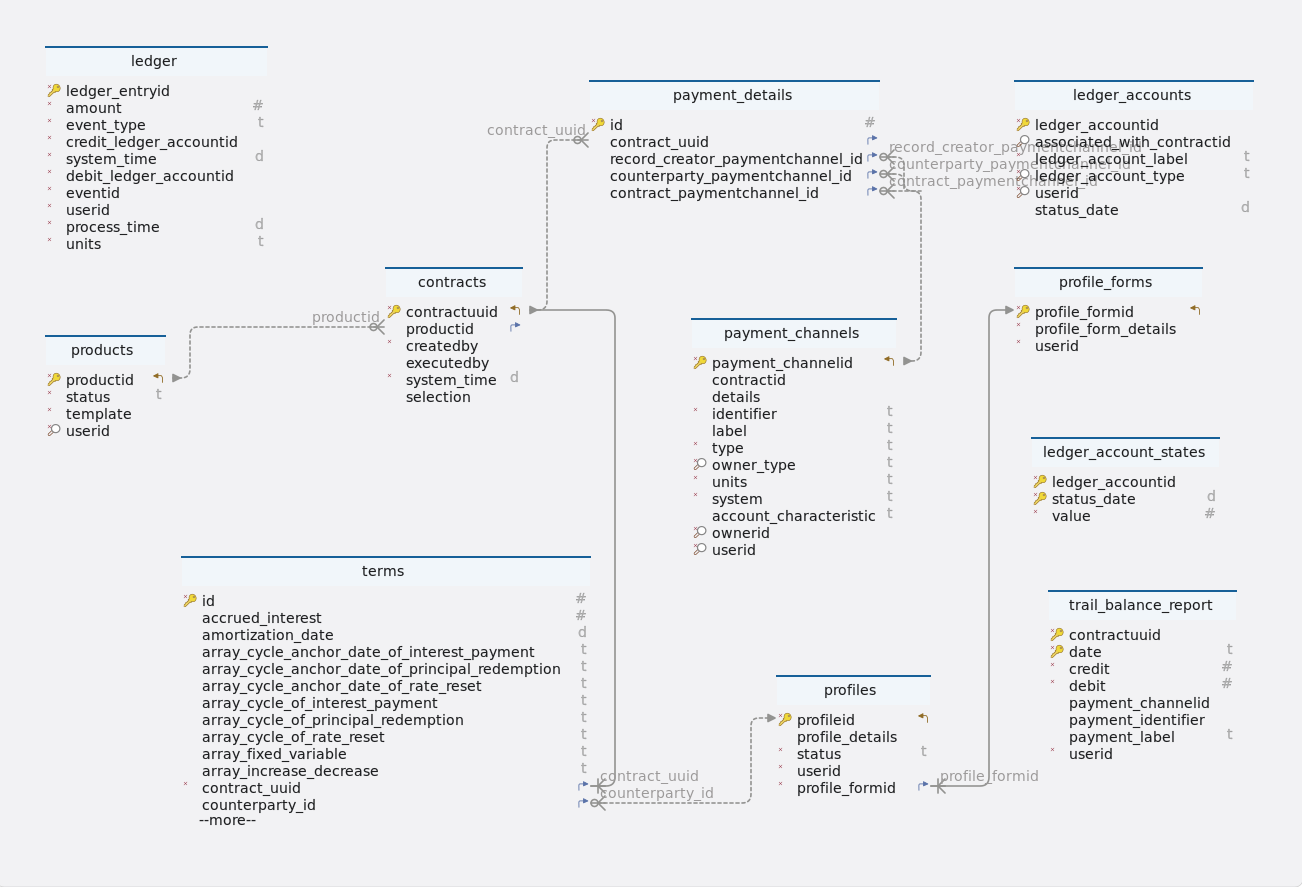
Tables
-
Schema
-
Table contracts
Index Name Data type * 🔑 ⬋
contractuuid
uuid
⬈
productid
bigint
*
createdby
uuid
executedby
uuid
*
system_time
timestamp
selection
json
-
Indexes
Type Name On 🔑
contracts_pkey
contractuuid
-
Foreign keys
Type Name On contracts_product_fk
productid
-
-
Table ledger
Index Name Data type * 🔑
ledger_entryid
uuid
*
amount
numeric
*
event_type
varchar(10)
*
credit_ledger_accountid
uuid
*
system_time
timestamp
*
debit_ledger_accountid
uuid
*
eventid
uuid
*
userid
uuid
*
process_time
timestamp
*
units
varchar(10)
-
Indexes
Type Name On 🔑
ledger_pkey
ledger_entryid
-
Constraints
Name Definition ledger_event_type_check
event_type::text ~* '^(AD|IED|FP|PR|PD |PRF|PY|PP|IP|IPCI |CE|RRF|RR|/DV|PRD |MR|TD|SC|IPCB|MD |XD|STD|PI|IPFX|IPFL |ME|TP|OPS)$'::text
-
-
Table ledger_account_states
Index Name Data type * 🔑
ledger_accountid
uuid
* 🔑
status_date
timestamp
*
value
numeric
-
Indexes
Type Name On 🔑
ledger_account_states_pkey
ledger_accountid, status_date
-
-
Table ledger_accounts
Index Name Data type * 🔑
ledger_accountid
uuid
🔎
associated_with_contractid
uuid
*
ledger_account_label
varchar(20)
* 🔎
ledger_account_type
varchar(10)
* 🔎
userid
uuid
status_date
timestamp
-
Indexes
Type Name On 🔑
ledger_accounts_pkey
ledger_accountid
🔎
idx_associated_contract_id_ledger_account_type
associated_with_contractid, ledger_account_type
🔎
idx_ledger_account_id_user_id
ledger_accountid, userid
-
-
Table payment_channels
Index Name Data type * 🔑 ⬋
payment_channelid
uuid
contractid
uuid
details
json
*
identifier
varchar(100)
label
varchar(100)
*
type
varchar(50)
* 🔎
owner_type
varchar(10)
*
units
varchar(10)
*
system
varchar(50)
account_characteristic
varchar(50)
* 🔎
ownerid
uuid
* 🔎
userid
uuid
-
Indexes
Type Name On 🔑
payment_channels_pkey
payment_channelid
🔎
payment_channels_idx_payment_channel_id_owner_id
payment_channelid, ownerid
🔎
payment_channels_idx_owner_type_user_id
owner_type, userid
🔎
payment_channels_idx_owner_type_owner_id
owner_type, ownerid
-
Constraints
Name Definition payment_channels_owner_type_check
((owner_type)::text ~* ’^(root|profile)$'::text)
-
-
Table payment_details
Index Name Data type * 🔑
id
bigint GENERATED BY DEFAULT AS IDENTITY
⬈
contract_uuid
uuid
⬈
record_creator_paymentchannel_id
uuid
⬈
counterparty_paymentchannel_id
uuid
⬈
contract_paymentchannel_id
uuid
-
Indexes
Type Name On 🔑
payment_details_pkey
id
-
Foreign keys
Type Name On paymentdetails_contractuuid_fk
contract_uuid
paymentdetails_contract_payment_fk
contract_paymentchannel_id
paymentdetails_counterparty_fk
counterparty_paymentchannel_id
paymentdetails_record_creator_fk
record_creator_paymentchannel_id
-
-
Table products
Index Name Data type * 🔑 ⬋
productid
bigint GENERATED BY DEFAULT AS IDENTITY
*
status
varchar(10)
*
template
json
* 🔎
userid
uuid
-
Indexes
Type Name On 🔑
products_pkey
productid
🔎
products_idx_userid
userid
-
Constraints
Name Definition products_status_check
status::text ~* '^(active|inactive)$'::text
===
-
-
Table profile_forms
Index Name Data type * 🔑 ⬋
profile_formid
bigint GENERATED BY DEFAULT AS IDENTITY
*
profile_form_details
json
*
userid
uuid
-
Indexes
Type Name On 🔑
profile_forms_pkey
profile_formid
-
-
Table profiles
Index Name Data type * 🔑 ⬋
profileid
uuid
profile_details
json
*
status
varchar(10)
*
userid
uuid
* ⬈
profile_formid
bigint
-
Indexes
Type Name On 🔑
profiles_pkey
profileid
-
Foreign keys
Type Name On fk_profiles_profile_forms_profile_formid
profile_formid
-
Constraints
Name Definition profiles_status_check
status::text ~* '^(active|inactive)$'::text
-
-
Table terms
Index Name Data type * 🔑
id
bigint GENERATED BY DEFAULT AS IDENTITY
accrued_interest
numeric
amortization_date
timestamp
array_cycle_anchor_date_of_interest_payment
varchar(255)
array_cycle_anchor_date_of_principal_redemption
varchar(255)
array_cycle_anchor_date_of_rate_reset
varchar(255)
array_cycle_of_interest_payment
varchar(255)
array_cycle_of_principal_redemption
varchar(255)
array_cycle_of_rate_reset
varchar(255)
array_fixed_variable
varchar(255)
array_increase_decrease
varchar(255)
array_next_principal_redemption_payment
varchar(255)
array_rate
varchar(255)
business_day_convention
varchar(5)
calendar
varchar(2)
capitalization_end_date
timestamp
contract_deal_date
timestamp
contractid
varchar(255)
*
contract_role
varchar(6)
contract_performance
varchar(10)
*
contract_type
varchar(15)
*
currency
varchar(10)
currency2
varchar(10)
cycle_anchor_date_of_dividend_payment
timestamp
cycle_anchor_date_of_fee
timestamp
cycle_anchor_date_of_interest_calculation_base
timestamp
cycle_anchor_date_of_interest_payment
timestamp
cycle_anchor_date_of_optionality
timestamp
cycle_anchor_date_of_principal_redemption
timestamp
cycle_anchor_date_of_rate_reset
timestamp
cycle_anchor_date_of_scaling_index
timestamp
cycle_of_dividend_payment
varchar(10)
cycle_of_fee
varchar(10)
cycle_of_interest_calculation_base
varchar(10)
cycle_of_interest_payment
varchar(10)
cycle_of_optionality
varchar(10)
cycle_of_principal_redemption
varchar(10)
cycle_of_rate_reset
varchar(10)
cycle_of_scaling_index
varchar(10)
cycle_point_of_interest_payment
varchar(1)
cycle_point_of_rate_reset
varchar(1)
*
day_count_convention
varchar(10)
delivery_settlement
varchar(1)
end_of_month_convention
varchar(5)
fee_accrued
numeric
fee_basis
varchar(1)
fee_rate
numeric
fixing_period
varchar(255)
initial_exchange_date
timestamp
interest_calculation_base
varchar(10)
interest_calculation_base_amount
numeric
life_cap
numeric
life_floor
numeric
market_object_code
varchar(255)
market_object_code_of_dividend_rate
varchar(255)
market_object_code_of_rate_reset
varchar(255)
market_object_code_of_scaling_index
varchar(255)
market_value_observed
numeric
maturity_date
timestamp
maximum_penalty_free_disbursement
varchar(255)
next_principal_redemption_payment
numeric
next_reset_rate
numeric
nominal_interest_rate
numeric
nominal_interest_rate2
numeric
notional_principal
numeric
notional_principal2
numeric
object_code_of_prepayment_model
varchar(255)
penalty_rate
numeric
penalty_type
varchar(1)
period_cap
numeric
period_floor
numeric
premium_discount_atied
numeric
price_at_purchase_date
numeric
price_at_termination_date
numeric
purchase_date
timestamp
quantity
numeric
rate_spread
numeric
rounding_convention
varchar(255)
scaling_effect
varchar(5)
scaling_index_at_contract_deal_date
numeric
settlement_period
varchar(255)
status_date
timestamp
x_day_notice
varchar(255)
termination_date
timestamp
delinquency_period
varchar(255)
grace_period
varchar(255)
market_object_code_of_dividends
varchar(255)
rate_multiplier
numeric
* ⬈
contract_uuid
uuid
⬈
counterparty_id
uuid
* 🔎
creator_id
uuid
-
Indexes
Type Name On 🔑
terms_pkey
id
🔎
terms_idx_creator_id
creator_id
-
Foreign keys
Type Name On terms_contractuuid_fk
contract_uuid
terms_counterparty_id_fk
counterparty_id
-
Constraints
Name Definition terms_business_day_convention_check
business_day_convention::text ~* '^(NOS|SCF|SCMF|CSF|CSMF |SCP|SCMP|CSP|SCMP)$'::text
terms_contract_type_check
((contract_type)::text ~* '^(ANN|FeeSchedule|PAM|NAM|LAM |LAX|CLM|UMP|CSH|STK |COM|SWAPS|SWPPV|FXOUT|CAPFL |FUTUR|OPTNS|CEG |CEC|BCS)$'::text)
terms_calendar_check
calendar::text ~* '^(NC|MF)$'::text
terms_contract_role_check
((contract_role)::text ~* '^(RPA|RPL|RFL|PFL|RF |PF|BUY|SEL|COL|CNO |UDL|UDLP|UDLM)$'::text)
terms_fee_basis_check
fee_basis::text ~* '^(A|N)$'::text
terms_day_count_convention_check
((day_count_convention)::text ~* '^(AA|A360|A365|ISDA|28E336 |30E360)$'::text)
terms_delivery_settlement_check
delivery_settlement::text ~* '^(D|S)$'::text
terms_end_of_month_convention_check
((end_of_month_convention)::text ~* '^(EOM|SD)$'::text)
terms_cycle_of_dividend_payment_check
((cycle_of_dividend_payment)::text ~ ‘(([-+]?)P(?:([-+]?[0-9]+)Y) ?(?:([-+]?[0-9]+)M)?(?:([-+]?[0-9]+)W) ?(?:([-+]?[0-9]+)D)?L(?:([0-1]))?)’::text)
terms_cycle_of_interest_calculation_base_check
((cycle_of_interest_calculation_base)::text ~ ‘(([-+]?)P(?:([-+]?[0-9]+)Y) ?(?:([-+]?[0-9]+)M)?(?:([-+]?[0-9]+)W) ?(?:([-+]?[0-9]+)D)?L(?:([0-1]))?)’::text)
terms_cycle_of_interest_payment_check
((cycle_of_interest_payment)::text ~ ‘(([-+]?)P(?:([-+]?[0-9]+)Y) ?(?:([-+]?[0-9]+)M)?(?:([-+]?[0-9]+)W) ?(?:([-+]?[0-9]+)D)?L(?:([0-1]))?)’::text)
terms_cycle_of_principal_redemption_check
((cycle_of_principal_redemption)::text ~ ‘(([-+]?)P(?:([-+]?[0-9]+)Y) ?(?:([-+]?[0-9]+)M)?(?:([-+]?[0-9]+)W) ?(?:([-+]?[0-9]+)D)?L(?:([0-1]))?)’::text)
terms_cycle_of_rate_reset_check
((cycle_of_rate_reset)::text ~ ‘(([-+]?)P(?:([-+]?[0-9]+)Y) ?(?:([-+]?[0-9]+)M)?(?:([-+]?[0-9]+)W) ?(?:([-+]?[0-9]+)D)?L(?:([0-1]))?)’::text)
terms_cycle_of_scaling_index_check
((cycle_of_scaling_index)::text ~ ‘(([-+]?)P(?:([-+]?[0-9]+)Y) ?(?:([-+]?[0-9]+)M)?(?:([-+]?[0-9]+)W) ?(?:([-+]?[0-9]+)D)?L(?:([0-1]))?)’::text)
terms_cycle_point_of_interest_payment_check
cycle_point_of_interest_payment::text ~* '^(B|E)$'::text
terms_cycle_point_of_rate_reset_check
((cycle_point_of_rate_reset)::text ~* '^(B|E)$'::text)
terms_contract_performance_check
contract_performance::text ~* '^(PF|DL|DQ|DF|MA |TE|PreDeal)$'::text
terms_interest_calculation_base_check
((interest_calculation_base)::text ~* '^(NT|NTIED|NTL)$'::text)
terms_penalty_type_check
penalty_type::text ~* '^(N|A|R|I)$'::text
terms_scaling_effect_check
((scaling_effect)::text ~* '^(OOO|IOO|ONO|INO)$'::text)
-
-
Table trail_balance_report
-
| Index | Name | Data type |
|---|---|---|
* 🔑 |
contractuuid |
uuid |
* 🔑 |
date |
varchar(255) |
* |
credit |
numeric |
* |
debit |
numeric |
payment_channelid |
uuid |
|
payment_identifier |
uuid |
|
payment_label |
varchar(255) |
|
* |
userid |
uuid |
-
Indexes
Type Name On 🔑
trail_balance_report_pkey
contractuuid, date
4. LedgerServiceController
4.1. Creates custom ledger accounts
4.1.1. Sequential flow
Create custom ledger accounts process
-
Client sends a request with ledger data to create custom ledger accounts.
-
LedgerServiceController handles the incoming request.
-
LedgerServiceController forwards the request to LedgerAccountsService.
-
LedgerAccountsServiceImpl processes creation with LedgerAccountsRepository.
-
Response with saved ledger account IDs sent back to client; in case of failure, appropriate error message returned.
4.1.2. Endpoint
Description
This endpoint creates custom ledger accounts.
URL
/accounting/ledger/accounts
Method
POST
Request body
The request body should be a JSON object representing data for creating a new custom ledger account. It should adhere to the structure defined by the CreateLedgerAccountsDto class.
Example request body
{
"label": "Saving A/C",
"type": "new"
}Responses
-
200 OK: Success. Returns a JSON response containing details of the created custom ledger account.
Example response body
{
"status": 200,
"message": "Custom ledger accounts created successfully",
"data": "c8f4f920-3b25-4b78-bdfb-f2e3d8a4c3a5"
}-
400 bad request: If the request body is not in the correct format or if there are validation errors.
{
"status": 400,
"message": "Custom ledger accounts isn't created",
"data": null
}-
401 unauthorized: If there is an issue with the request body, such as missing or invalid parameters.
-
5xx server error: If there is a server-side error while processing the request.
4.1.3. Methods
Description
This method creates custom ledger accounts based on the provided data.
Parameters
-
ledgerData: The data used to create the custom ledger account. It includes the label and type of the ledger account.
Returns
-
Response<UUID>:A Response object indicating the result of the operation. It contains the UUID of the created ledger account.
Example usage
public Response<UUID> createCustomLedgerAccounts(CreateLedgerAccountsDto ledgerData) throws LedgerServiceException {
try {
log.info("Create custom ledger account started by User : {}, Request : {}", usersHelper.getUserID(),
ledgerData);
// Create a new LedgerAccounts object with the provided data and default values.
LedgerAccounts ledgerAccounts = new LedgerAccounts(ledgerData.getType(), ledgerData.getLabel(), null,
UtilityHelper.systemLocalDateTime(), usersHelper.getUserID()); (1)
ledgerAccounts = ledgerAccountsRepository.save(ledgerAccounts); (2)
log.info("Ledger account created by User : {}, LedgerAccountID : {}", ledgerAccounts.getLedgerAccountID(),
ledgerData);
return new Response<>(HttpStatus.OK.value(), "Custom ledger accounts created successfully",
ledgerAccounts.getLedgerAccountID()); (3)
} catch (final Exception e) {
throw new LedgerServiceException("Custom ledger accounts isn´t created"); (4)
}
}Internal workflow
| 1 | Creates a new LedgerAccounts object with the provided data and default values, including the current timestamp and the user ID retrieved from the UsersHelper. |
| 2 | Saves the newly created ledger account using the ledgerAccountsRepository. |
| 3 | Constructs and returns a Response object containing the UUID of the created ledger account. |
| 4 | Catches any exceptions that occur during the process. If an exception occurs, it throws a LedgerServiceException with an appropriate error message. |
Exceptions
-
LedgerServiceException:If there’s an issue during the ledger account creation.
4.1.4. Model classes
Description
The CreateLedgerAccountsDto class represents a Data Transfer Object (DTO) containing details for creating ledger accounts. It includes information such as label and type.
-
label-
Type: String
-
Description: The label associated with the ledger account.
-
Constraints: Not blank.
-
Example: "contract"
-
-
type-
Type: String
-
Description: The type associated with the ledger account.
-
Constraints: Not blank.
-
Example: "ipac"
-
Constructors
-
Default constructor.
-
Parameterized constructor with all attributes.
Serialization and Deserialization
-
The class uses Lombok annotations @Getter, @Setter, @NoArgsConstructor, @AllArgsConstructor, and @ToString for serialization and deserialization. These annotations generate getter and setter methods, default and parameterized constructors, and a toString method for the class.
4.1.5. Testing
Description
This test case verifies the creation of custom ledger accounts by the createCustomLedgerAccounts method in the LedgerAccountsServiceImpl class.
Example usage
/**
* Test case to verify the creation of custom ledger accounts.
*
* @throws LedgerServiceException if an error occurs during the test
*/
@Test
void createCustomLedgerAccountsTest() throws LedgerServiceException {
// Prepare a CreateLedgerAccountsDto with sample data.
CreateLedgerAccountsDto createLedgerAccountsDto = new CreateLedgerAccountsDto();
createLedgerAccountsDto.setLabel("contract");
createLedgerAccountsDto.setType("nv");
// Prepare a mock LedgerAccounts object.
LedgerAccounts ledgerAccounts = new LedgerAccounts(createLedgerAccountsDto.getType(),
createLedgerAccountsDto.getLabel(), null, LocalDateTime.parse(UtilityHelper.dateTime()),
usersHelper.getUserID());
UUID ledgerAccountID = UUID.randomUUID();
ledgerAccounts.setLedgerAccountID(ledgerAccountID);
when(ledgerAccountsRepository.save(any())).thenReturn(ledgerAccounts);
@SuppressWarnings("rawtypes")
Response response = ledgerAccountsServiceImpl.createCustomLedgerAccounts(createLedgerAccountsDto);
// Perform assertions to verify the response data and status.
Assertions.assertEquals(ledgerAccountID.toString(), response.getData().toString());
Assertions.assertEquals(200, response.getStatus());
}createCustomLedgerAccountsTest
-
Purpose : The purpose of this test is to ensure that the createCustomLedgerAccounts method behaves correctly by creating custom ledger accounts with the provided data and returning the appropriate response.
-
Test steps
-
Prepare a CreateLedgerAccountsDto object with sample data.
-
Prepare a mock LedgerAccounts object with the same data.
-
Set up the behavior of the ledgerAccountsRepository mock to return the mock LedgerAccounts object when save method is called.
-
Call the createCustomLedgerAccounts method with the prepared CreateLedgerAccountsDto.
-
Retrieve the response object returned by the method.
-
-
Assertions
-
Assert that the returned ledger account ID matches the expected value.
-
Assert that the status code of the response is 200.
-
4.2. Update ledger accounts
4.2.1. Sequential flow
Update ledger account process
-
Client sends a request to update a ledger account with ID and updated label.
-
LedgerServiceController handles the request.
-
LedgerServiceController forwards the request to LedgerAccountsService.
-
LedgerAccountsService updates the account label via LedgerAccountsRepository.
-
Response with updated ledger account ID sent back to client; in case of invalid ID, appropriate error message returned.
4.2.2. Endpoint
Description
This endpoint allows users to update ledger accounts.
URL
/accounting/ledger/accounts/{ledgerAccountID}
Method
PUT
Request parameters
-
ledgerAccountID (Path variable): The unique identifier of the ledger account to be updated.
Request body
The request body should be a JSON object representing the changes to be applied to the ledger account label. It should adhere to the structure defined by the UpdateLedgerAccountsDto class.
Responses
-
200 OK: Returns a JSON response indicating that the ledger account label was updated successfully.
Example response body
{
"status": 200,
"message": "LedgerAccount label updated successfully",
"data": "ee3101b0-203d-4421-aacd-77c9e10b5550"
}-
400 bad request: If the request body is not in the correct format or if there are validation errors.
{
"status": 400,
"message": "Invalid ledgerAccountID",
"data": null
}-
401 unauthorized: If the user is not authenticated or lacks the necessary permissions to update ledger accounts.
-
5xx server error: If there is a server-side error while processing the request.
4.2.3. Methods
Description
This method updates the label of a ledger account based on its unique identifier.
Parameters
-
ledgerAccountID: The unique identifier of the ledger account to update. -
ledgerData: The data containing the new label for the ledger account.
Returns
-
Response<UUID>:A Response object indicating the result of the operation. It contains the UUID of the updated ledger account.
Example usage
public Response<UUID> updateLedgerAccounts(UUID ledgerAccountID, UpdateLedgerAccountsDto ledgerData) {
log.info("Update ledger account started by User : {}, Request : {}", usersHelper.getUserID(), ledgerData);
// Retrieve the ledger account from the repository using its unique
// ledgerAccountID.
LedgerAccounts ledgerAccounts = ledgerAccountsRepository.findById(ledgerAccountID) (1)
.orElseThrow(() -> new IllegalArgumentException("Invalid ledgerAccountID"));
// Update the label of the ledger account with the new label provided in
// ledgerData.
ledgerAccounts.setLedgerAccountLabel(ledgerData.getLabel()); (2)
ledgerAccountsRepository.save(ledgerAccounts); (3)
log.info("Ledger account updated by User : {}, LedgerAccountID : {}", ledgerAccounts.getLedgerAccountID(),
ledgerData);
return new Response<>(HttpStatus.OK.value(), "LedgerAccount label updated successfully",
ledgerAccounts.getLedgerAccountID()); (4)
}Internal workflow
| 1 | Retrieves the ledger account from the repository using its unique ID. If the ledger account doesn’t exist, it throws an IllegalArgumentException. |
| 2 | Sets the label of the ledger account to the new label provided in ledgerData. |
| 3 | Saves the updated ledger account using the ledgerAccountsRepository. |
| 4 | Constructs and returns a Response object containing the UUID of the updated ledger account. |
Exceptions
-
IllegalArgumentException:If the provided ledger account ID is invalid, it throws an IllegalArgumentException.
4.2.4. Model classes
Description
The UpdateLedgerAccountsDto class represents a Data Transfer Object (DTO) containing details for updating ledger accounts. It includes information such as the label of the ledger account to be updated.
-
label-
Type: String
-
Description: The updated label associated with the ledger account.
-
Constraints: Not blank.
-
Example: "contract"
-
Constructors
-
Default constructor.
-
Parameterized constructor with all attributes.
Serialization and Deserialization
-
The class uses Lombok annotations @Getter, @Setter, @NoArgsConstructor, @AllArgsConstructor, and @ToString for serialization and deserialization. These annotations generate getter and setter methods, default and parameterized constructors, and a toString method for the class.
4.2.5. Testing
Description
This test case verifies the functionality of the updateLedgerAccounts method in the LedgerAccountsServiceImpl class. It ensures that the method correctly updates ledger account information with the provided data and returns the appropriate response.
Example usage
@Test
void updateLedgerAccountsTest() {
// Prepare a mock LedgerAccounts object for testing.
LedgerAccounts ledgerAccounts = new LedgerAccounts("nv", null, null,
LocalDateTime.parse(UtilityHelper.dateTime()), usersHelper.getUserID());
UUID ledgerAccountID = UUID.randomUUID();
ledgerAccounts.setLedgerAccountID(ledgerAccountID);
when(ledgerAccountsRepository.findById(ledgerAccountID)).thenReturn(Optional.of(ledgerAccounts));
when(ledgerAccountsRepository.save(any())).thenReturn(ledgerAccounts);
// Prepare an UpdateLedgerAccountsDto with sample data.
UpdateLedgerAccountsDto updateLedgerAccountsDto = new UpdateLedgerAccountsDto();
updateLedgerAccountsDto.setLabel("contract");
// Call the updateLedgerAccounts method and capture the response.
@SuppressWarnings("rawtypes")
Response response = ledgerAccountsServiceImpl.updateLedgerAccounts(ledgerAccountID, updateLedgerAccountsDto);
// Perform assertions to verify the response data and status.
Assertions.assertEquals(ledgerAccountID.toString(), response.getData().toString());
Assertions.assertEquals(200, response.getStatus());
// Retrieve the updated LedgerAccounts object from the repository.
LedgerAccounts ledgerAccounts2 = ledgerAccountsRepository.findById(ledgerAccountID).get();
// Perform assertions to verify the updated attributes of the LedgerAccounts object.
Assertions.assertEquals(ledgerAccounts.getLedgerAccountID(), ledgerAccounts2.getLedgerAccountID());
Assertions.assertEquals(ledgerAccounts.getLedgerAccountLabel(), ledgerAccounts2.getLedgerAccountLabel());
}createCustomLedgerAccountsTest
-
Purpose : The purpose of this test is to validate that the updateLedgerAccounts method behaves as expected, updating ledger account information with the provided data and returning the appropriate response.
-
Test steps
-
Prepare a mock LedgerAccounts object with sample data.
-
Set up the behavior of the ledgerAccountsRepository mock to return the mock LedgerAccounts object when findById method is called with the provided ledger account ID.
-
Set up the behavior of the ledgerAccountsRepository mock to return the mock LedgerAccounts object when save method is called.
-
Prepare an UpdateLedgerAccountsDto object with sample data.
-
Call the updateLedgerAccounts method with the provided ledger account ID and UpdateLedgerAccountsDto.
-
Retrieve the response object returned by the method.
-
-
Assertions
-
Assert that the returned ledger account ID matches the expected value.
-
Assert that the status code of the response is 200.
-
Assert that the updated attributes of the LedgerAccounts object match the expected values.
-
4.3. Provide ledger account information
4.3.1. Sequential flow
Provide ledger account process
-
Client sends a request with a ledger account ID.
-
LedgerServiceController delegates to LedgerAccountsServiceImpl.
-
LedgerAccountsServiceImpl interacts with LedgerAccountsRepository.
-
If account is found, its information is retrieved.
-
Response with account information sent back to client; if not found, appropriate error message returned.
4.3.2. Endpoint
Description
This endpoint provides information about a ledger account.
URL
/accounting/ledger/accounts/{ledgerAccountID}
Method
GET
Request parameters
-
ledgerAccountID (Path variable): The unique identifier of the ledger account to retrieve information for.
Responses
-
200 OK: Returns a JSON response containing the ledger account information.
Example response body
{
"status": 200,
"message": "Success",
"data": {
"ledgerAccountID": "005776b4-fa83-4946-9631-ec4d1ae3e730",
"ledgerAccountType": "feac",
"ledgerAccountLabel": "contract",
"associatedWithContractID": "77fb093b-e322-4c0e-9a5b-fd4c38260d42",
"statusDate": "2024-03-12T15:09:29",
"userID": "902375cc-4f72-428f-8db0-95a7baa69b51"
}
}-
400 bad request: If the specified ledger account does not exist.
{
"status": 400,
"message": "Invalid ledgerAccountID",
"data": null
}-
401 unauthorized: If the user is not authenticated or lacks the necessary permissions to get ledger accounts.
-
5xx server error: If there is a server-side error while processing the request.
4.3.3. Methods
Description
This method retrieves a ledger account based on its unique identifier.
Parameters
-
ledgerAccountID: The unique identifier of the ledger account to retrieve.
Returns
-
Response<LedgerAccounts>:A Response object containing the ledger account information if found, or an error message if the ledger account ID is invalid.
Example usage
public Response<LedgerAccounts> provideLedgerAccounts(UUID ledgerAccountID) {
// Retrieve the ledger account from the repository using its unique
// ledgerAccountID.
LedgerAccounts ledgers = ledgerAccountsRepository.findById(ledgerAccountID)
.orElseThrow(() -> new IllegalArgumentException("Invalid ledgerAccountID")); (1)
return new Response<>(HttpStatus.OK.value(), MESSAGE, ledgers);
}Internal workflow
| 1 | Retrieve the ledger account from the repository using its unique ledgerAccountID. |
Exceptions
-
IllegalArgumentException:If the provided ledger account ID is invalid, it throws an IllegalArgumentException.
4.3.4. Testing
Description
This test case verifies the functionality of the provideLedgerAccounts method in the LedgerAccountsServiceImpl class. It ensures that the method correctly retrieves and provides ledger account information for the specified ledger account ID.
Example usage
@Test
void provideLedgerAccountsTest() {
// Prepare a mock LedgerAccounts object for testing.
LedgerAccounts ledgerAccounts = new LedgerAccounts("nv", "contract", null,
LocalDateTime.parse(UtilityHelper.dateTime()), usersHelper.getUserID());
UUID ledgerAccountID = UUID.randomUUID();
ledgerAccounts.setLedgerAccountID(ledgerAccountID);
when(ledgerAccountsRepository.findById(ledgerAccountID)).thenReturn(Optional.of(ledgerAccounts));
@SuppressWarnings("rawtypes")
Response response = ledgerAccountsServiceImpl.provideLedgerAccounts(ledgerAccountID);
// Retrieve the provided LedgerAccounts object from the response.
LedgerAccounts ledgerAccounts2 = (LedgerAccounts) response.getData();
// Perform assertions to verify the provided attributes of the LedgerAccounts object.
Assertions.assertEquals(ledgerAccounts.getLedgerAccountID(), ledgerAccounts2.getLedgerAccountID());
Assertions.assertEquals(ledgerAccounts.getLedgerAccountLabel(), ledgerAccounts2.getLedgerAccountLabel());
Assertions.assertEquals(ledgerAccounts.getLedgerAccountType(), ledgerAccounts2.getLedgerAccountType());
}provideLedgerAccountsTest
-
Purpose : The purpose of this test is to validate that the provideLedgerAccounts method behaves as expected, retrieving and providing ledger account information for the specified ledger account ID and returning the appropriate response.
-
Test steps
-
Prepare a mock LedgerAccounts object with sample data.
-
Set up the behavior of the ledgerAccountsRepository mock to return the mock LedgerAccounts object when findById method is called with the provided ledger account ID.
-
Call the provideLedgerAccounts method with the provided ledger account ID.
-
Retrieve the response object returned by the method.
-
Retrieve the provided LedgerAccounts object from the response.
-
Perform assertions to verify the provided attributes of the LedgerAccounts object.
-
-
Assertions
-
Assert that the provided ledger account ID matches the expected value.
-
Assert that the provided ledger account label matches the expected value.
-
Assert that the provided ledger account type matches the expected value.
-
4.4. Provides list of ledger accounts
4.4.1. Sequential flow
Provides list of ledger accounts process
-
Client request for ledger accounts with pagination and filters is handled by LedgerServiceController.
-
LedgerServiceController delegates request handling to LedgerAccountsService for pagination-based ledger account retrieval.
-
LedgersHelper creates specifications for filtering ledger accounts as per provided criteria.
-
LedgersHelper combines specifications to filter ledger accounts effectively.
-
Retrieved ledger accounts, filtered and paginated, are sent back to the client through LedgerServiceController.
4.4.2. Endpoint
Description
This endpoint provides a list of ledger accounts based on filter parameters and supports pagination.
URL
/accounting/ledger/accounts
Method
GET
Request parameters
-
filterDto (Query parameter): The filter parameters for querying ledger accounts. -
pageNumber (Query parameter): The page number for pagination (default is 0). -
pageSize (Query parameter): The number of items per page (default is 20).
Responses
-
200 OK: Returns a JSON response containing a paginated list of ledger accounts based on the filter parameters.
Example response body
{
"status": 200,
"message": "Success",
"data": [
{
"ledgerAccountID": "ee3101b0-203d-4421-aacd-77c9e10b5550",
"ledgerAccountType": "feac",
"ledgerAccountLabel": "contract",
"associatedWithContractID": "56edde65-804e-429c-bf89-7141bf431b20",
"statusDate": "2024-03-27T12:00:00",
"userID": "fe54273e-c645-49f5-9279-ad6d4067c606"
},
{
"ledgerAccountID": "123e4567-e89b-12d3-a456-426614174000",
"ledgerAccountType": "dpd",
"ledgerAccountLabel": "contract",
"associatedWithContractID": "56edde65-804e-429c-bf89-7141bf431b20",
"statusDate": "2024-03-27T12:00:00",
"userID": "fe54273e-c645-49f5-9279-ad6d4067c606"
}
]
}-
404 Not Found: If no ledger accounts match the filter criteria.
-
401 unauthorized: If the user is not authenticated or lacks the necessary permissions to get ledger accounts.
-
5xx server error: If there is a server-side error while processing the request.
4.4.3. Methods
Description
This method retrieves a list of ledger accounts based on the provided filter criteria and paging information.
Parameters
-
filterDto:The filter criteria for the ledger accounts. -
pageable:The paging information, specifying the page size and number.
Returns
-
List<LedgerAccounts>:A list of ledger accounts that match the filter criteria and are paginated.
Example usage
public List<LedgerAccounts> provideLedgerAccounts(LedgerAccountsFilterDto filterDto, Pageable pageable) {
Specification<LedgerAccounts> specification = ledgersHelper.getSpecifications(filterDto); (1)
return ledgerAccountsRepository.findAll(specification, pageable).getContent(); (2)
}Internal workflow
| 1 | Retrieve the specifications based on the filter criteria using the LedgersHelper. |
| 2 | Retrieve a list of ledger accounts from the repository based on the specifications and paging information. |
Exceptions
-
None explicitly thrown by this method.
4.4.4. Testing
Description
This test case verifies the functionality of the provideLedgerAccounts method in the LedgerAccountsServiceImpl class. It aims to ensure that the method correctly provides ledger account information for the specified ledger account ID.
Example usage
@Test
void provideLedgerAccountsTest() {
// Prepare a mock LedgerAccounts object for testing.
LedgerAccounts ledgerAccounts = new LedgerAccounts("nv", "contract", null,
LocalDateTime.parse(UtilityHelper.dateTime()), usersHelper.getUserID());
UUID ledgerAccountID = UUID.randomUUID();
ledgerAccounts.setLedgerAccountID(ledgerAccountID);
when(ledgerAccountsRepository.findById(ledgerAccountID)).thenReturn(Optional.of(ledgerAccounts));
@SuppressWarnings("rawtypes")
Response response = ledgerAccountsServiceImpl.provideLedgerAccounts(ledgerAccountID);
// Retrieve the provided LedgerAccounts object from the response.
LedgerAccounts ledgerAccounts2 = (LedgerAccounts) response.getData();
// Perform assertions to verify the provided attributes of the LedgerAccounts object.
Assertions.assertEquals(ledgerAccounts.getLedgerAccountID(), ledgerAccounts2.getLedgerAccountID());
Assertions.assertEquals(ledgerAccounts.getLedgerAccountLabel(), ledgerAccounts2.getLedgerAccountLabel());
Assertions.assertEquals(ledgerAccounts.getLedgerAccountType(), ledgerAccounts2.getLedgerAccountType());
}provideLedgerAccountsTest
-
Purpose : The purpose of this test is to validate that the provideLedgerAccounts method behaves as expected, retrieving and providing ledger account information for the specified ledger account ID and returning the appropriate response.
-
Test steps
-
Prepare a mock LedgerAccounts object with sample data, including ledger account type, label, creation date, and user ID.
-
Set up the behavior of the ledgerAccountsRepository mock to return the mock LedgerAccounts object when findById method is called with the provided ledger account ID.
-
Call the provideLedgerAccounts method with the provided ledger account ID.
-
Retrieve the response object returned by the method.
-
Extract the provided LedgerAccounts object from the response.
-
-
Assertions
-
The provided ledger account ID matches the expected value.
-
The provided ledger account label matches the expected value.
-
The provided ledger account type matches the expected value.
-
4.5. Provides ledger entry
4.5.1. Sequential flow
Provides ledger entry process
-
The client initiates ledger entry retrieval.
-
LedgerServiceController is activated upon request reception.
-
LedgerServiceController communicates with LedgerService for ledger entry retrieval.
-
LedgerService manages ledger-related operations.
-
LedgerServiceImpl retrieves ledger entries, interacting with LedgerRepository based on user ID, and sends a ResponseEntity response via LedgerServiceController to the client.
4.5.2. Endpoint
Description
This endpoint provides a list of ledger entries.
URL
/accounting/ledger/entries
Method
GET
Request parameters
This endpoint does not require any request parameters.
Responses
-
200 OK: Returns a JSON response containing a list of ledger entries.
Example response body
{
"status": 200,
"message": "Success",
"data": [
{
"ledgerEntryID": "ee3101b0-203d-4421-aacd-77c9e10b5550",
"amount": 100.0,
"eventType": "AD",
"creditLedgerAccountID": "56edde65-804e-429c-bf89-7141bf431b20",
"timestamp": "2024-03-27T12:00:00",
"debitLedgerAccountID": "56edde65-804e-429c-bf89-7141bf431b20",
"eventID": "56edde65-804e-429c-bf89-7141bf431b20",
"userID": "fe54273e-c645-49f5-9279-ad6d4067c606",
"processTime": "2024-03-27T12:00:00",
"units": "ETH"
},
{
"ledgerEntryID": "123e4567-e89b-12d3-a456-426614174000",
"amount": 200.0,
"eventType": "IED",
"creditLedgerAccountID": "56edde65-804e-429c-bf89-7141bf431b20",
"timestamp": "2024-03-27T12:00:00",
"debitLedgerAccountID": "56edde65-804e-429c-bf89-7141bf431b20",
"eventID": "56edde65-804e-429c-bf89-7141bf431b20",
"userID": "fe54273e-c645-49f5-9279-ad6d4067c606",
"processTime": "2024-03-27T12:00:00",
"units": "ETH"
}
]
}-
404 Not Found: If no ledger entries are found.
-
401 unauthorized: If the user is not authenticated or lacks the necessary permissions to get ledger entries .
-
5xx server error: If there is a server-side error while processing the request.
4.5.3. Methods
Description
This method retrieves a list of ledger entries for the currently logged-in user.
Returns
-
List<Ledger>:A list of Ledger objects associated with the logged-in user.
Example usage
@Override
public List<Ledger> findAllLedgers() {
log.info(
"Retrieving a list of ledger entries for the currently logged-in user started by User : {}, Request : {}",
usersHelper.getUserID(), "ledger entries list"); (1)
return ledgerRepository.findByUserID(usersHelper.getUserID()); (2)
}Internal workflow
| 1 | Log the start of retrieving ledger entries for the currently logged-in user. |
| 2 | Retrieve a list of ledger entries associated with the logged-in user from the repository. |
Exceptions
-
None explicitly thrown by this method.
4.6. Provides state of a ledger account
4.6.1. Sequential flow
Provides state of a ledger account process
-
Client requests ledger account state by providing ID.
-
LedgerServiceController is activated upon request.
-
Controller communicates with LedgerAccountStatesService for account state.
-
LedgerAccountStatesService manages account state operations.
-
LedgerAccountStatesServiceImpl fetches account state from LedgerAccountStatesRepository, accessing database.
4.6.2. Endpoint
Description
This endpoint provides the state of a ledger account without specifying a timestamp.
URL
/accounting/ledger/accounts/{ledgerAccountID}/state
Method
GET
Request parameters
-
ledgerAccountID: The unique identifier of the ledger account for which states are requested.
Responses
-
200 OK: Returns a JSON response containing a list of ledger account states.
Example response body
{
"status": 200,
"message": "Success",
"data": [
{
"keys": {
"ledgerAccountID": "ee3101b0-203d-4421-aacd-77c9e10b5550",
"statusDate": "2024-03-27T12:00:00"
},
"value": 100.0
},
{
"keys": {
"ledgerAccountID": "ee3101b0-203d-4421-aacd-77c9e10b5550",
"statusDate": "2024-03-26T12:00:00"
},
"value": 150.0
}
]
}-
404 Not Found: If no ledger account states are found for the specified ledger account ID.
-
401 unauthorized: If the user is not authenticated or lacks the necessary permissions to get the state of a ledger account.
-
5xx server error: If there is a server-side error while processing the request.
4.6.3. Methods
Description
This method retrieves a list of ledger account states based on the unique identifier of the ledger account.
Parameters
-
ledgerAccountID:The unique identifier of the ledger account for which states are to be retrieved.
Returns
-
List<LedgerAccountStates>:A list of ledger account states associated with the specified ledger account.
Example usage
public List<LedgerAccountStates> findByLedgerAccountID(UUID ledgerAccountID) {
return accountStatesRepository.findByLedgerAccountID(ledgerAccountID); (1)
}Internal workflow
| 1 | Retrieve a list of ledger account states associated with the specified ledger account from the repository. |
Exceptions
-
None explicitly thrown by this method.
Exception handling
Description
The RestExceptionHandler class is responsible for handling various exceptions that may occur during the execution of RESTful API endpoints. It provides centralized exception handling to ensure consistent error responses across the application.
Example usage
@ControllerAdvice
public class RestExceptionHandler {
@ExceptionHandler({ IllegalArgumentException.class, TransactionSystemException.class,
HttpMessageNotReadableException.class })
public ResponseEntity<Response<String>> exceptionToDoHandler(Exception ex) { (1)
final Response<String> error = new Response<>();
error.setStatus(HttpStatus.BAD_REQUEST.value());
error.setMessage(ex.getMessage());
return new ResponseEntity<>(error, HttpStatus.BAD_REQUEST);
}
@ExceptionHandler(MethodArgumentNotValidException.class)
public ResponseEntity<Response<List<String>>> handleValidationException(MethodArgumentNotValidException ex) { (2)
BindingResult bindingResult = ex.getBindingResult();
List<FieldError> fieldErrors = bindingResult.getFieldErrors();
List<String> errorMessages = fieldErrors.stream()
.map(fieldError -> String.format("%s: %s", fieldError.getField(), fieldError.getDefaultMessage()))
.toList();
Response<List<String>> error = new Response<>();
error.setStatus(HttpStatus.BAD_REQUEST.value());
error.setMessage("Validation failed due to provided invalid data");
error.setData(errorMessages);
return new ResponseEntity<>(error, HttpStatus.BAD_REQUEST);
}
@ExceptionHandler(value = { AccessDeniedException.class })
public ResponseEntity<Response<String>> exceptionHandler(Exception ex) { (3)
final Response<String> error = new Response<>();
error.setStatus(HttpStatus.UNAUTHORIZED.value());
error.setMessage("Access Denied...");
return new ResponseEntity<>(error, HttpStatus.UNAUTHORIZED);
}
@ExceptionHandler(value = { Exception.class, })
public ResponseEntity<Response<String>> exceptionHandlerr(Exception ex) {
final Response<String> error = new Response<>();
error.setStatus(HttpStatus.BAD_REQUEST.value());
error.setMessage("The request could not be understood by the server due to malformed syntax.");
return new ResponseEntity<>(error, HttpStatus.BAD_REQUEST);
}
@ExceptionHandler(ConstraintViolationException.class)
public ResponseEntity<Response<List<String>>> handleConstraintViolationException( (4)
ConstraintViolationException exception) {
List<String> errorMessages = new ArrayList<>();
for (ConstraintViolation<?> violation : exception.getConstraintViolations()) {
String propertyPath = extractPropertyPath(violation.getPropertyPath().toString());
errorMessages.add(String.format("[%s]: %s", propertyPath, violation.getMessage()));
}
Response<List<String>> error = new Response<>();
error.setStatus(HttpStatus.BAD_REQUEST.value());
error.setMessage("Validation failed due to provided invalid data");
error.setData(errorMessages);
return new ResponseEntity<>(error, HttpStatus.BAD_REQUEST);
}
private String extractPropertyPath(String propertyPath) { (5)
// Extracting the property path between the first and last square brackets
int startIndex = propertyPath.indexOf('[');
int endIndex = propertyPath.lastIndexOf(']');
return propertyPath.substring(startIndex + 1, endIndex);
}
}| 1 | IllegalArgumentException, TransactionSystemException, and HttpMessageNotReadableException handler
|
| 2 | MethodArgumentNotValidException handler
|
| 3 | AccessDeniedException handler
|
| 4 | Generic exception handler
|
| 5 | ConstraintViolationException handler
|
Customization
-
Additional exception handlers can be added to address specific use cases or domain-specific exceptions.
-
Error messages and status codes can be customized based on application requirements and error scenarios.